Table Of Contents
Adding ModsStill have questions?
Come chat with us and we will get back to you as soon as possible!

Shockbyte
Support Team

How to Add Mods on your Windrose Server
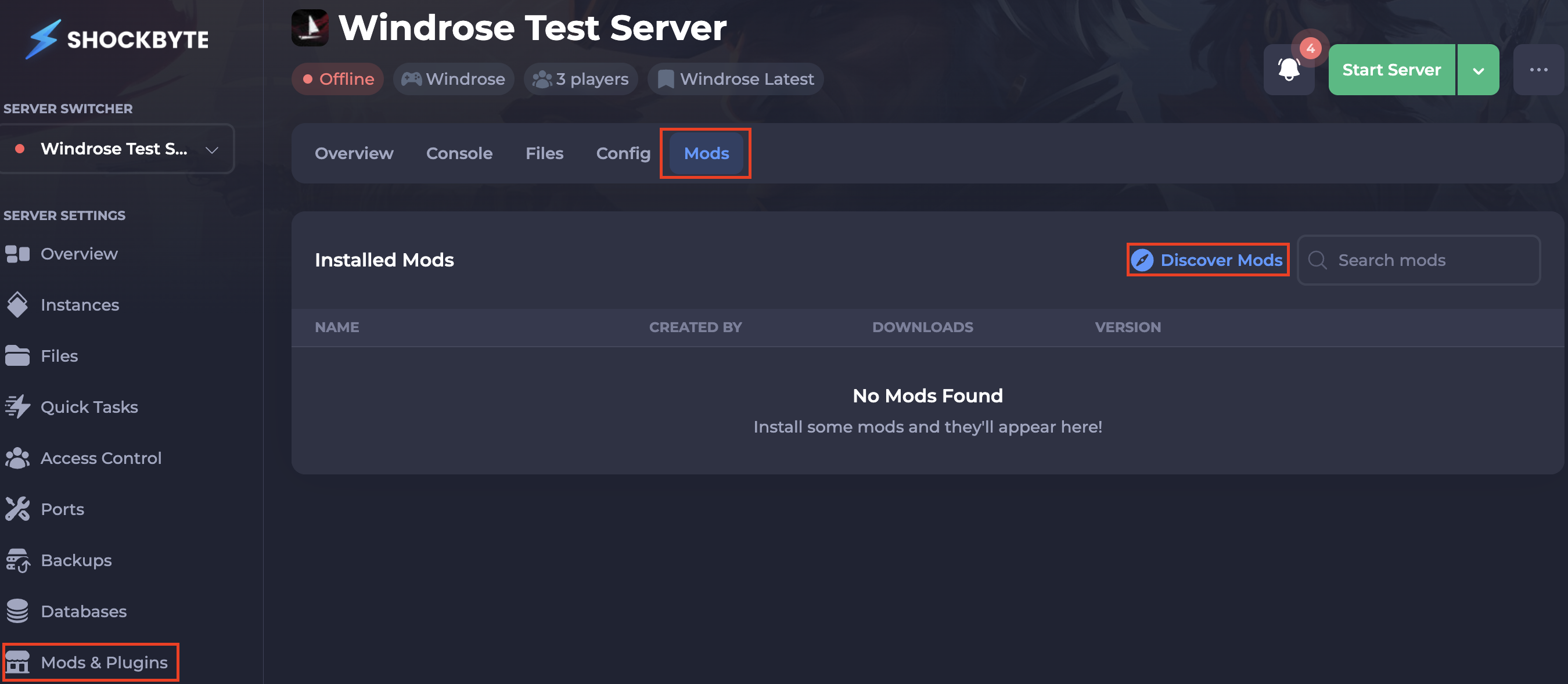
Windrose supports mod installation directly through the Shockbyte server panel, making it easy to customize your server without any manual file management. You can browse and install mods from the panel's Mods tab by selecting Discover Mods, or navigate to the Mods & Plugins tab on the left-hand side of the panel to get started.
#Adding Mods
There are a couple of ways to install mods to your Windrose server:
-
Access your Control Panel and Stop your server. Navigate to the Mods tab or the Mods & Plugins tab located on the bottom left-hand side of the panel.
-
Select Discover Mods (if you clicked the Mods tab).
-
Locate your desired mod(s) and select the
Installbutton on the right-hand side. This will automatically install the mod to your server.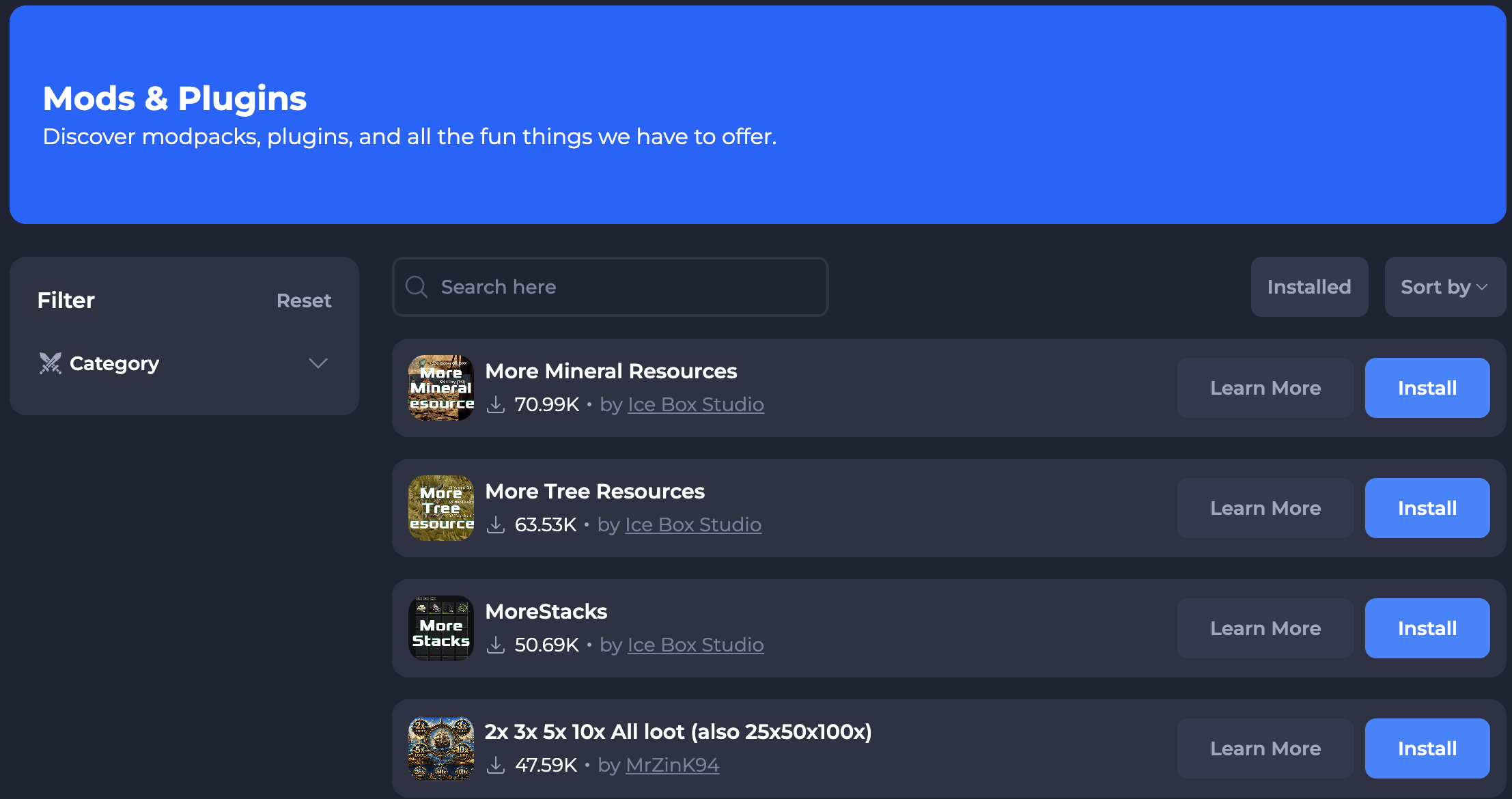
-
Start your server to ensure the new changes apply.
If you require any further assistance, please contact our support at: https://shockbyte.com/billing/submitticket.php