Still have questions?
Come chat with us and we will get back to you as soon as possible!

Shockbyte
Support Team
How to Adjust your Garry's Mod Server Settings
From difficulty to in-game settings, you can customize just about everything to suit needs. Most customisation can be done via Garry's Mod Server Settings and the Garry's Mod Server.cfg file, which covers general settings that apply to the entire server.
#Editing the gmod.properties file
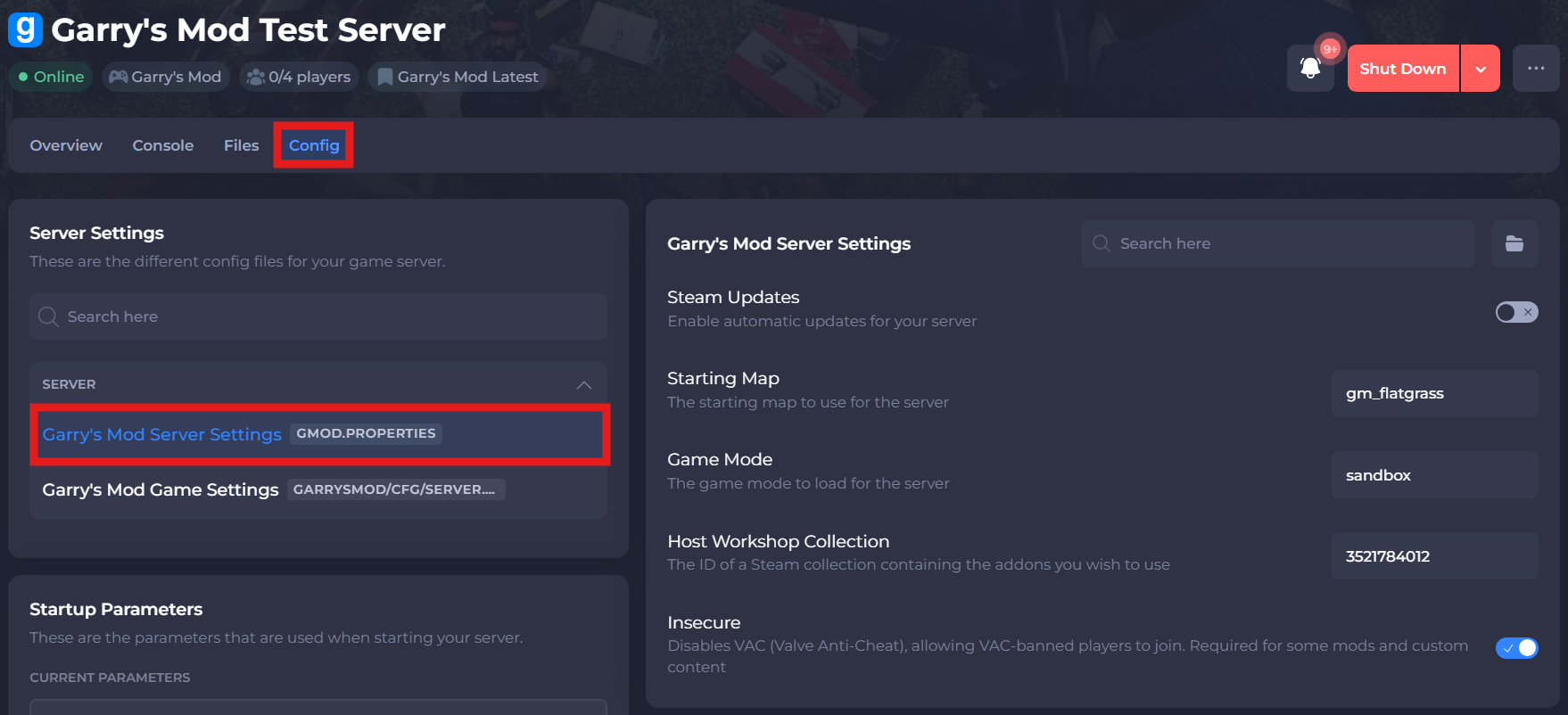
The gmod.properties or Garry's Mod Server Settings can be used to configure the basic settings of your server, including but not limited to its map, gamemode, workshop collection ID, tickrate, and more! These can be set via our built-in config tool by following these steps:
-
Access your Control Panel and Stop your server.
-
Navigate to the Config tab and select the Garry's Mod Server Settings file.
-
Make your desired changes, save and restart your server to ensure the changes apply. A list of some configs can be found below:
| Setting | Description |
|---|---|
| Steam Updates | Enable automatic updates for your server |
| Starting Map | The starting map to use for the server |
| Game Mode | The game mode to load for the server |
| Host Workshop Collection | The ID of a Steam collection containing the addons you wish to use |
| Insecure | Disables VAC (Valve Anti-Cheat), allowing VAC-banned players to join. Required for some mods and custom content |
#Editing the server.cfg file
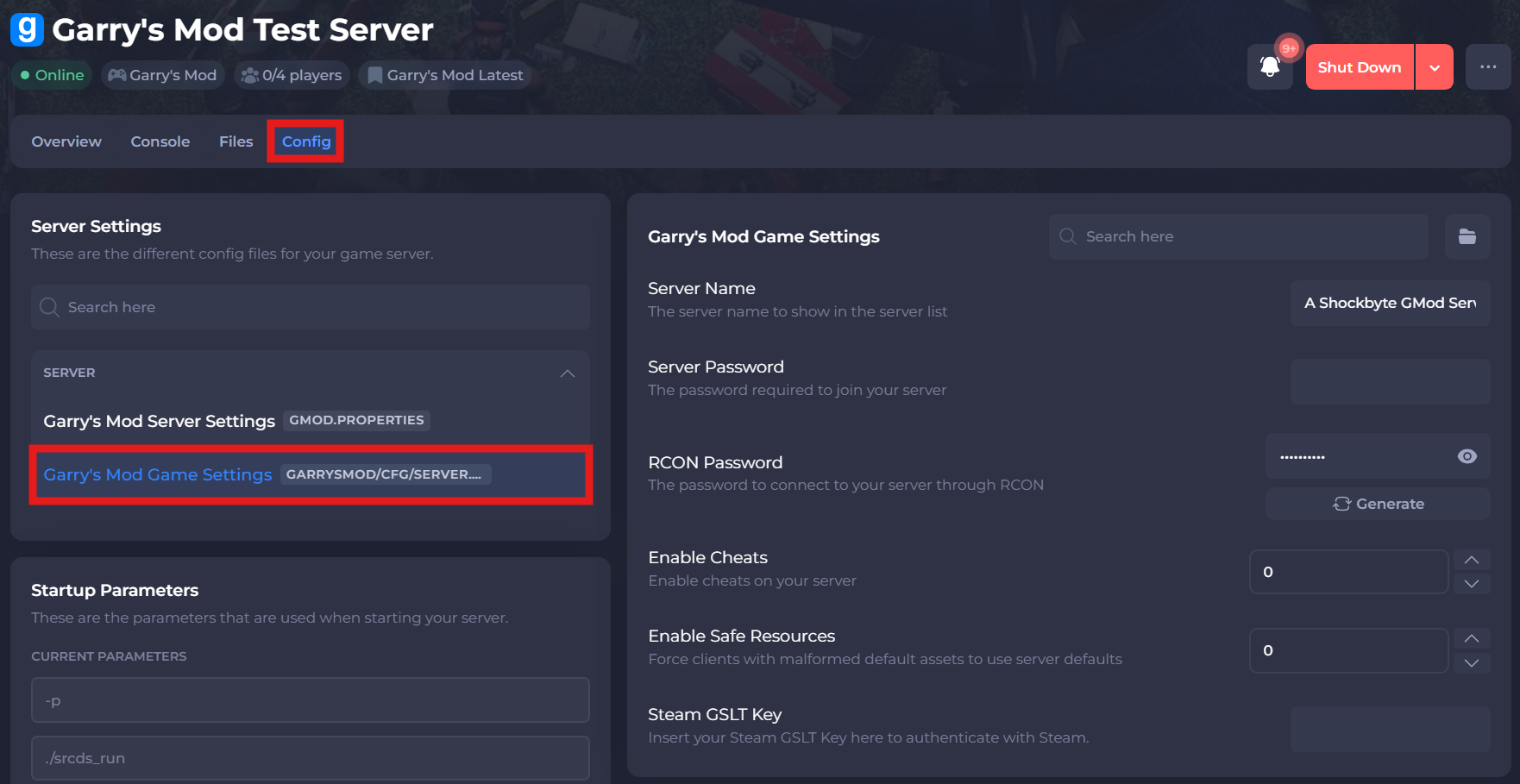
Should you need to change any settings not present in the Garry's Mod Server Settings file, then you will be required to add this the Garry's Mod Server Config. The server.cfg file is used to store server ConVars / CVars (Console Variables).
-
Access your Control Panel and Stop your server.
-
Navigate to the Config tab and select the Garry's Mod Game Settings file.
-
Make your desired changes, save and restart your server to ensure the changes apply. A list of some configs can be found below:
| Setting | Description |
|---|---|
| Server Name | The server name to show in the server list |
| Server Password | The password required to join your server |
| RCON Password | The password to connect to your server through RCON |
| Enable Cheats | Enable cheats on your server |
| Enable Safe Resources | Force clients with malformed default assets to use server defaults |
| Steam GSLT Key | Insert your Steam GSLT Key here to authenticate with Steam |
If you require any further assistance, please contact our support at: https://shockbyte.com/billing/submitticket.php