Still have questions?
Come chat with us and we will get back to you as soon as possible!

Jay Miller
Game Engineer

How to Become an Admin on your Palworld server
Palworld dedicated servers allow server owners to configure an admin password. They can use and share that password with trusted players, which grants access to a variety of useful administration commands.
#Configuring an Admin Password
To become an admin on your server, you will need to login using your configured admin password.
-
Access your Control Panel and Stop your server.
-
Navigate to the Config tab.
-
Locate the Admin Password option, and set your desired admin password.
You can click Generate to create a randomized password.
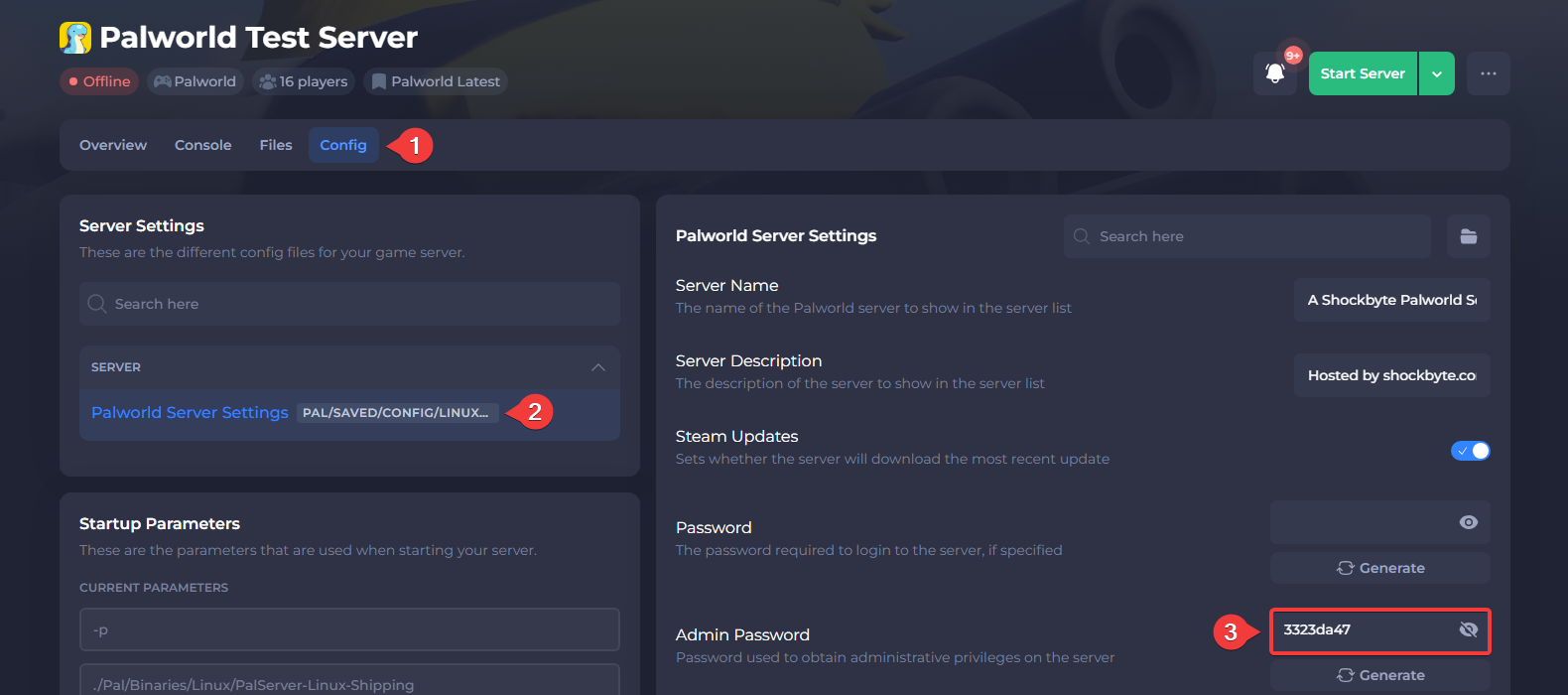
- Save and Start your server.
#Logging in as an Admin
To become an admin on your server, you will need to login using your configured admin password.
-
Connect to your Palworld server.
-
Press
Enterto open the chat. -
Enter the command
/AdminPassword <Password>.