How To Change The Difficulty Of Your Lord Of The Rings: Return To Moria Server
Still have questions?

Nathan Franklin
Game Experience Engineer
How To Change The Difficulty Of Your Lord Of The Rings: Return To Moria Server
Adjusting the difficulty settings of your The Lord of the Rings: Return to Moria server allows you to tailor the game experience to your group's preferences. You can set predefined difficulty levels or fine-tune individual settings using the custom difficulty options.
#Changing the Difficulty Preset
Return to Moria has a range of preset difficulty options available to server owners. These can easily be selected in the config area of the Panel.
-
Navigate to the Panel.
-
Click Config.

- Locate the Difficulty Preset dropdown.
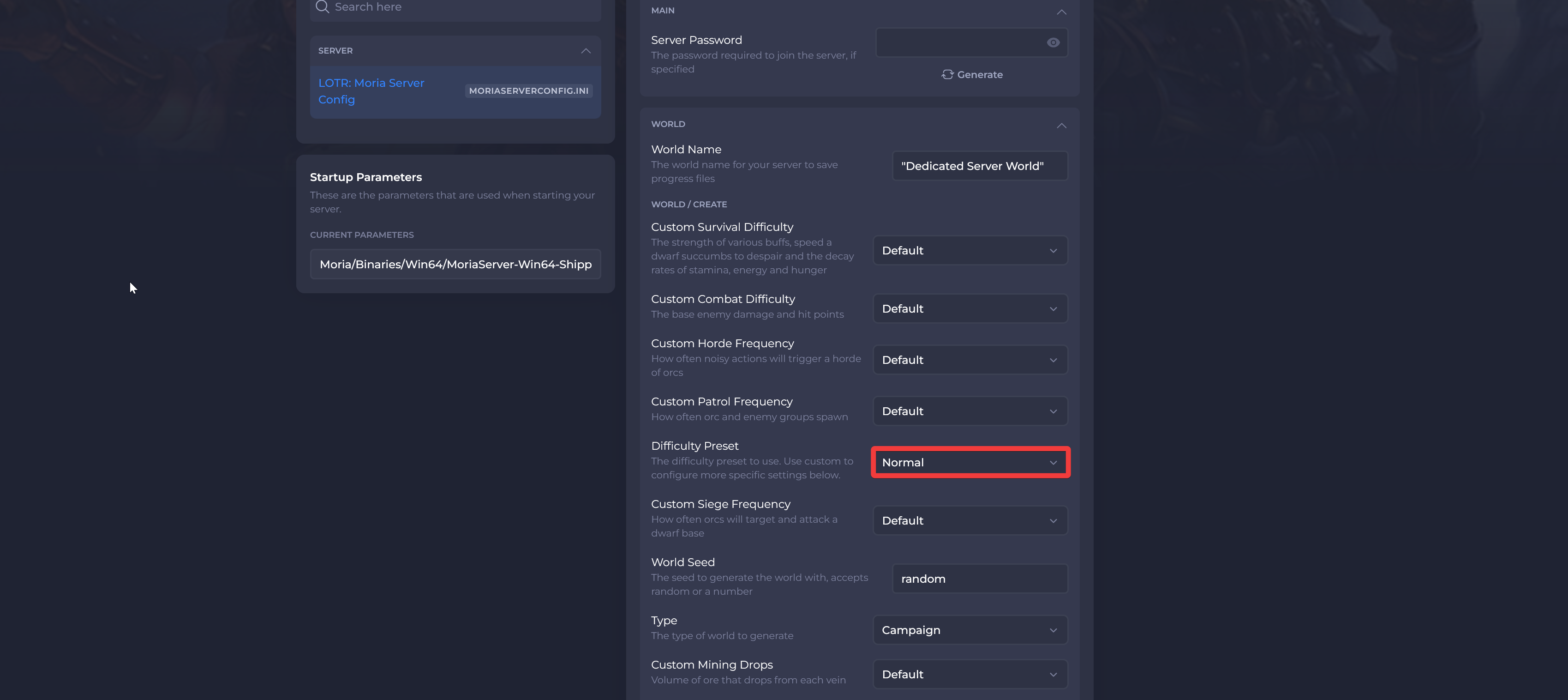
- Select your chosen difficulty.
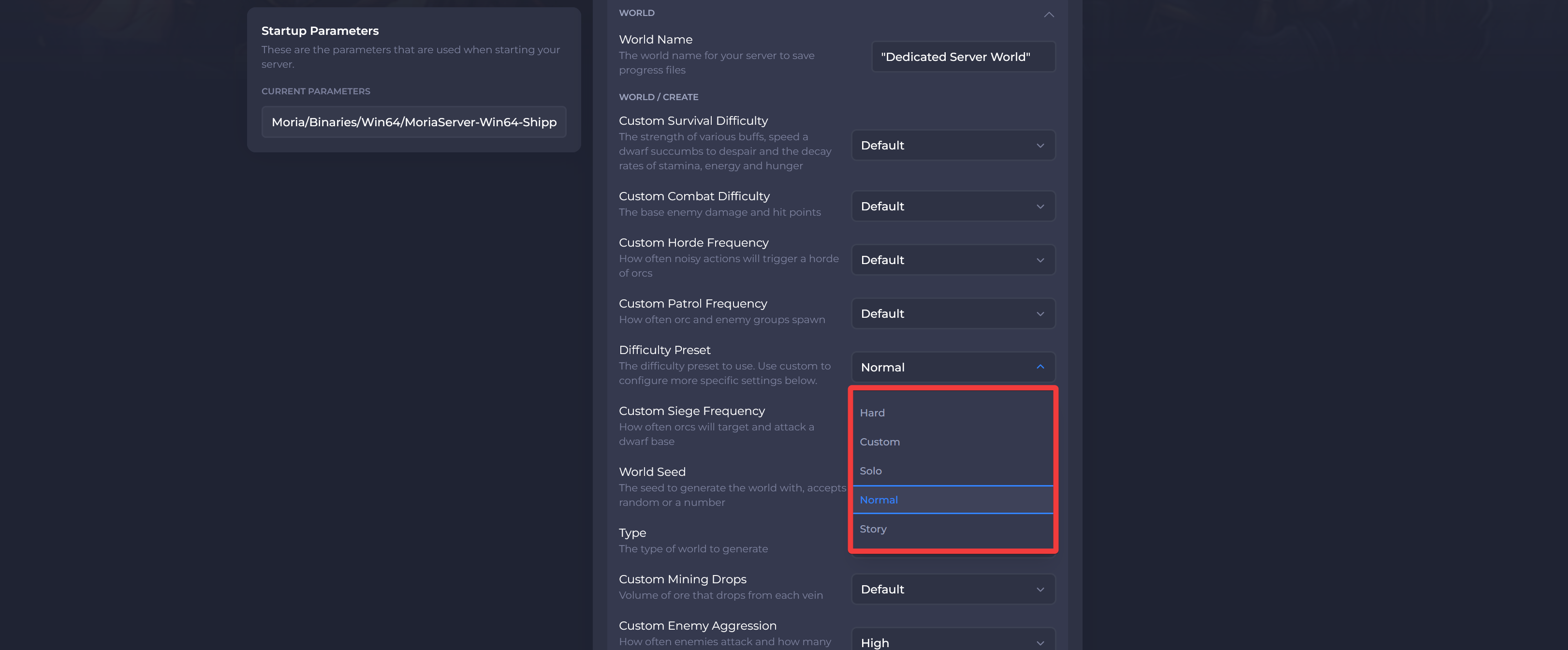
- Click Save and Restart your server.

#Setting Custom Difficulty
It is also possible for server owners to fine-tune individual settings for their server.
-
Navigate to the Panel.
-
Click Config.
- Locate the Difficulty Preset field and select Custom.
- Make any desired changes to the following options:
-
Custom Survival Difficulty - The strength of various buffs, speed a dwarf succumbs to despair and the decay rates of stamina, energy and hunger
-
Custom Combat Difficulty - The base enemy damage and hit points
-
Custom Horde Frequency - How often noisy actions will trigger a horde of orcs
-
Custom Patrol Frequency - How often orc and enemy groups spawn
-
Custom Siege Frequency - How often orcs will target and attack a dwarf base
-
Custom Mining Drops - Volume of ore that drops from each vein
-
Custom Enemy Aggression - How often enemies attack and how many will attack at once
-
Custom World Drops - The drop rates of rewards for defeating orcs and enemies
Interested in purchasing a The Lord Of The Rings: Return To Moria servers with instant activation, easy customisation, and great & extensive Knowledgebase articles? Click here to purchase one!
To learn more about The Lord Of The Rings: Return To Moria Server Hosting, you can browse our Knowledgebase article library here.