Table Of Contents
Enabling CheatsStill have questions?
Come chat with us and we will get back to you as soon as possible!

Shockbyte
Support Team

How to Enable Cheats on your Necesse Server
Enabling cheats grants the Necesse server owner and admins access to certain commands that go beyond the vanilla experience, like changing the time, spawning items, buffing players, and more.
Important
Enabling cheats is non-reversible and disables all achievements.
#Enabling Cheats
Cheats can be enabled either using the Console in the control panel, or by a server Owner in-game.
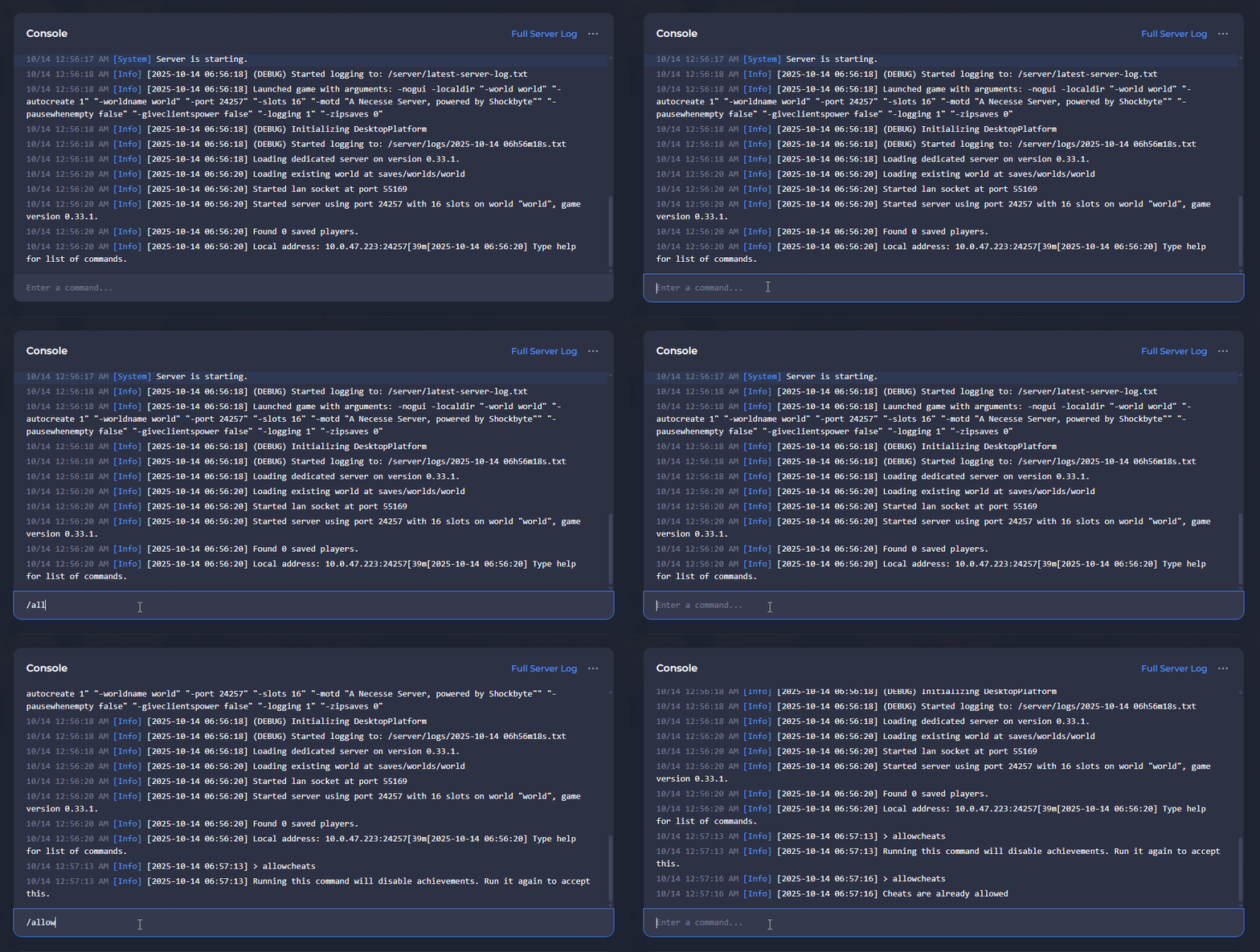
Enabling Cheats with the Console
-
Open your Server Control Panel.
-
Start the server and wait for it to go Online.
-
Enter the
/allowcheatscommand in the Console twice.
You must run the command twice, first to initiate the process, then a second time to confirm the action and enable cheats.
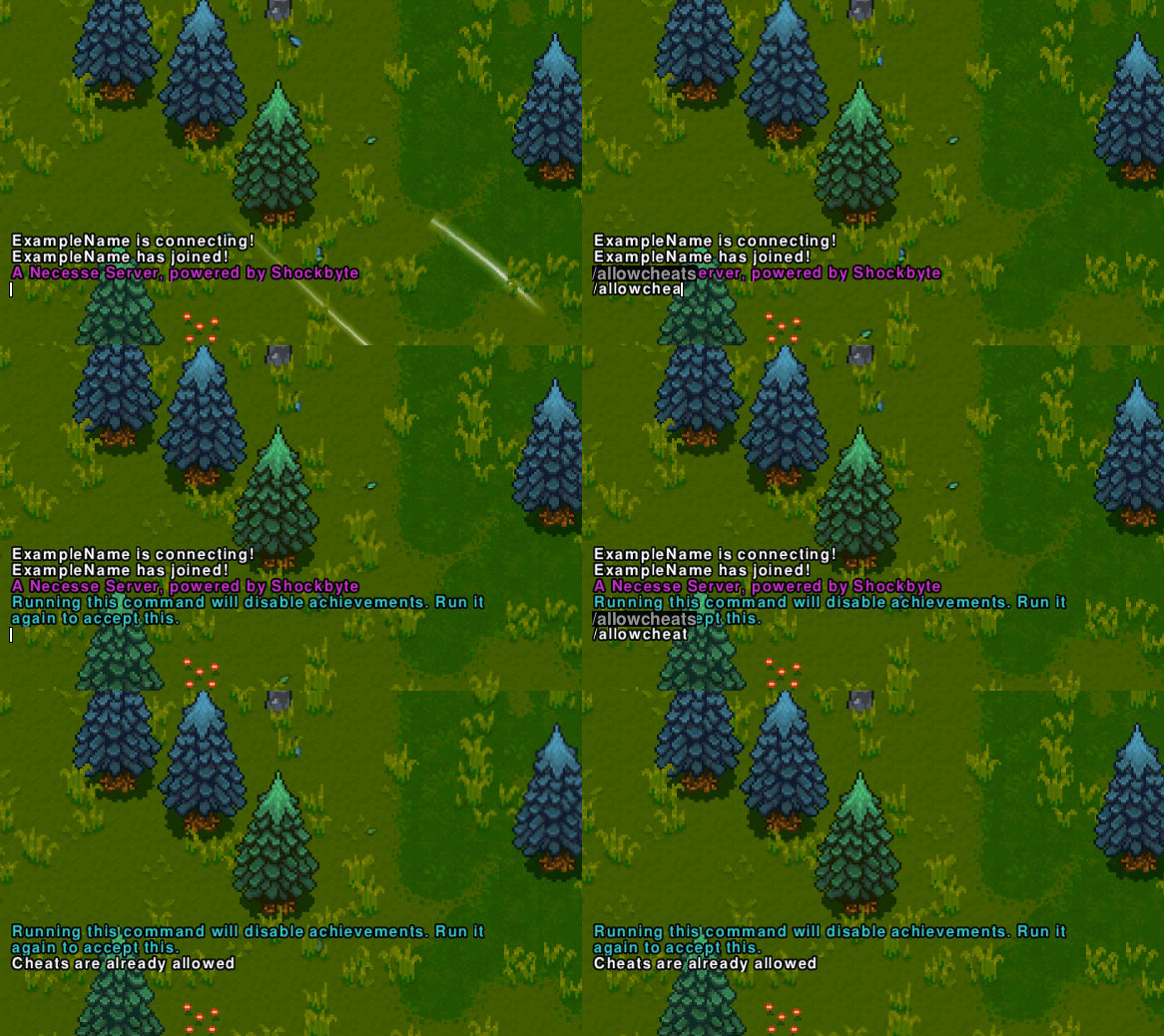
Enabling Cheats as a Server Owner
-
Connect to your server as an Owner.
-
Press
ENTERto open the Chat box. -
Enter the
/allowcheatscommand in Chat twice.
You must run the command twice, first to initiate the process, then a second time to confirm the action and enable cheats.
To learn more about Necesse server hosting, you can browse our library of Knowledgebase articles here.