Table Of Contents
Enabling Shared QuestsStill have questions?
Come chat with us and we will get back to you as soon as possible!

Shockbyte
Support Team

How to Enable Shared Quests on your Windrose Server
This guide explains how to enable shared quests on your Windrose server. When enabled, completing a co-op quest will automatically complete it for all players who currently have the quest active, making group progression smoother and more rewarding.
You can configure this setting in the world settings file located in the Config section of your panel. The steps below will walk you through enabling shared quests for your server.
#Enabling Shared Quests
If you would like to have co-op quests auto-complete it for all players who have it active, it would be good to enable Shared Quests for your server.
-
Access your Control Panel and navigate to the Config tab.
-
Select the World Settings file.
-
Locate the
Shared Questsoption and select the button to enable it.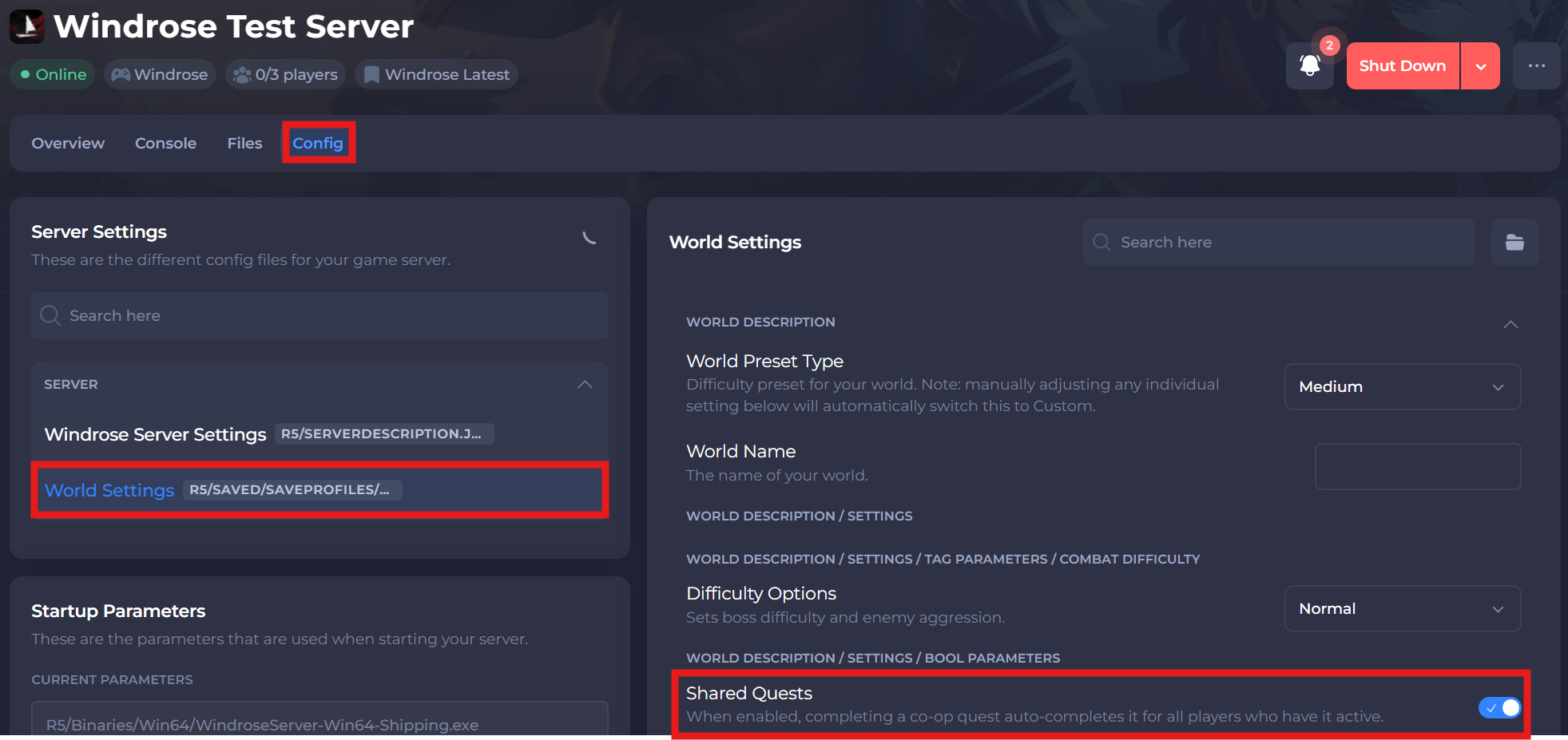
-
Save and restart your server to ensure the new changes apply.
If you require any further assistance, please contact our support at: https://shockbyte.com/billing/submitticket.php