Still have questions?
Come chat with us and we will get back to you as soon as possible!

Jay Miller
Game Engineer

How to Join Your 7 Days to Die Server
#How to find your Server IP
To join your 7 Days to Die Server, you’ll need to find your Server’s IP address:
-
Login to your Control Panel.
-
Copy the numbers in the IP Address field. Make sure to copy both the IP and the port.
Important
Make sure to restart your server to ensure it is online and up-to-date.
#Connecting to Your 7 Days to Die Server Directly
You can connect to your server directly in the game using the server IP address.
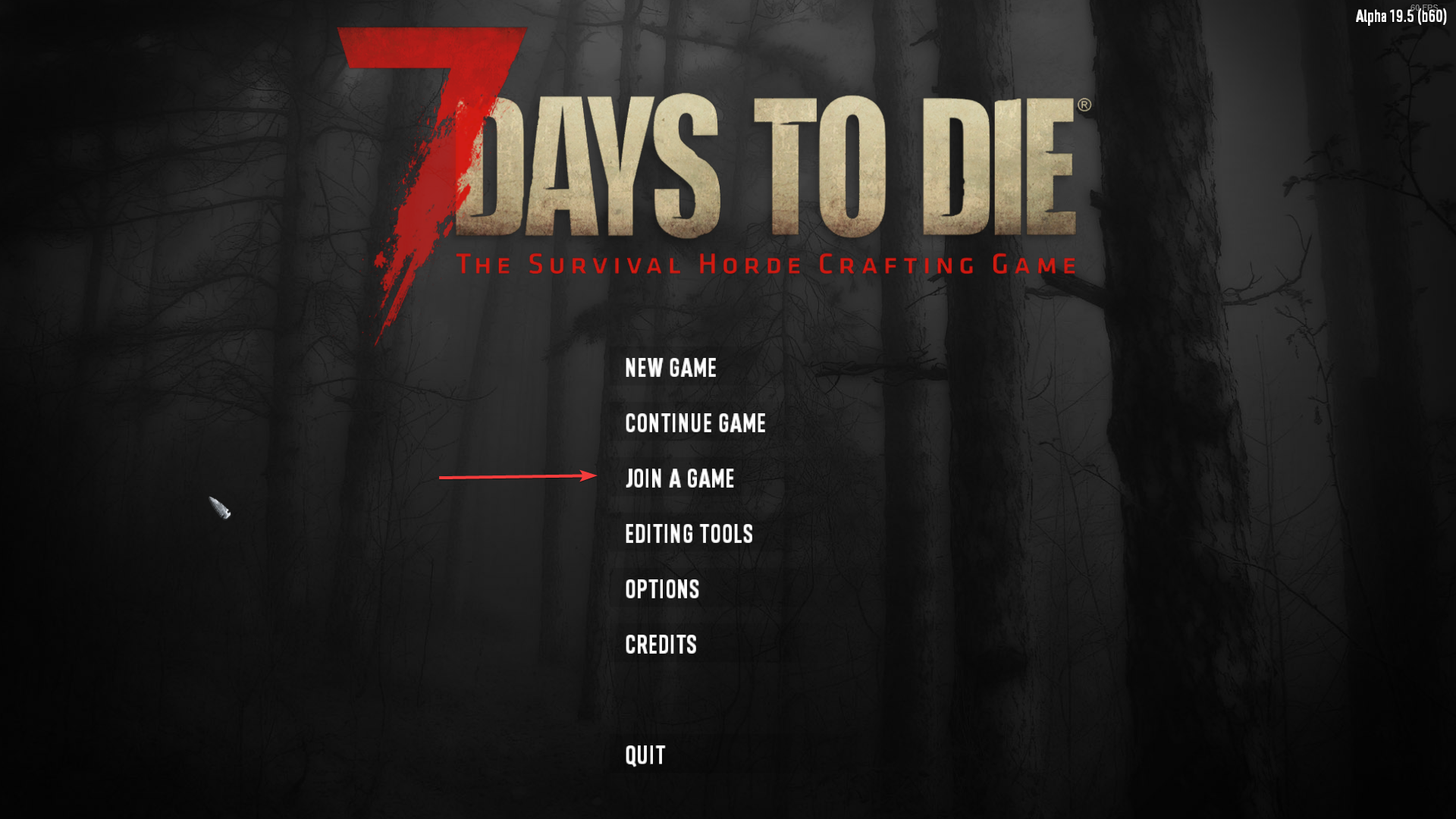
- Select Join a Game in the main menu.
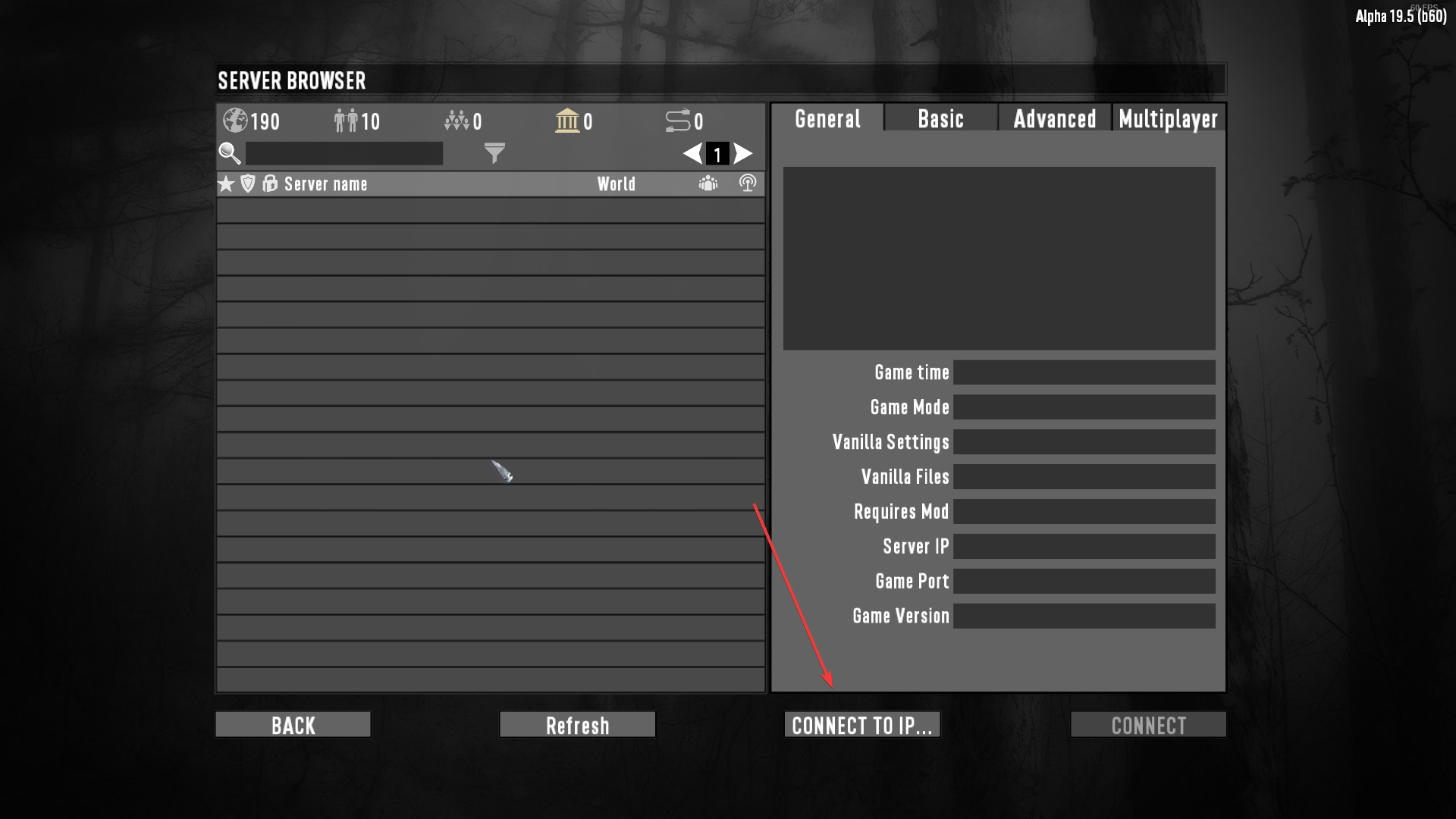
- Click Connect to IP.
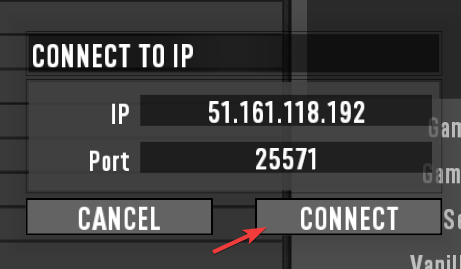
- Enter the IP and port in the allocated boxes. Everything before the colon (:) is the IP, while everything after it is the port.
You can find previously joined servers by clicking the temple icon. You can add your server to your favourites by clicking the star. This allows you to enter your server more easily in the future!
It is also possible to find your server by typing its name in the search box. You can find your server's name by navigating to the Config tab on your control panel, clicking the 7D2D Server Settings file and locating the ServerName setting.