Still have questions?
Come chat with us and we will get back to you as soon as possible!

Nuno Paiva
Game Integration Specialist @ Shockbyte

How to Join your Hytale Server
Hytale
·Jan 6, 2026
·3 min read
Once your Hytale server is online, you are ready to jump in and start playing.
#How to find your server IP address
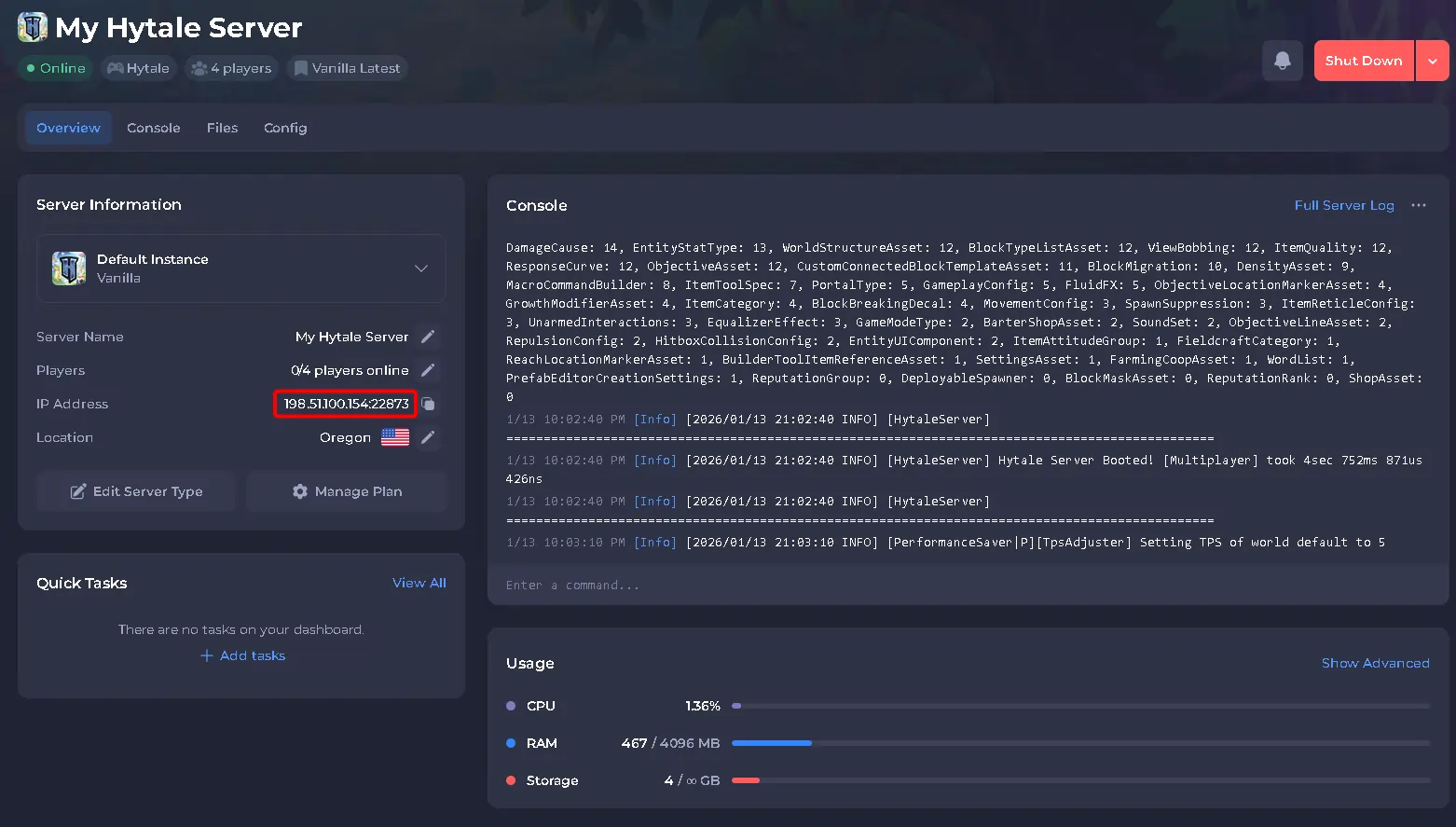
To find the IP address of your server, you will need to log in to your control panel.
Once you’ve logged into your control panel, copy your server IP and port.
#Join Using Direct Connect
Direct Connect is the quickest way to join your server.
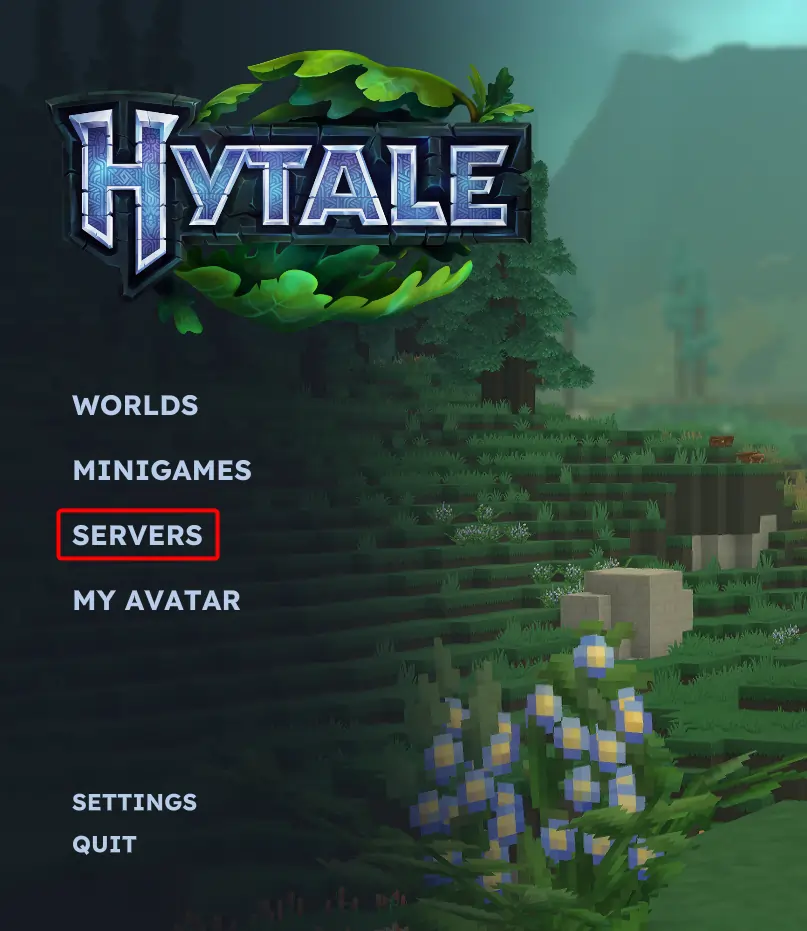
- Open Hytale.
- Click on Servers.
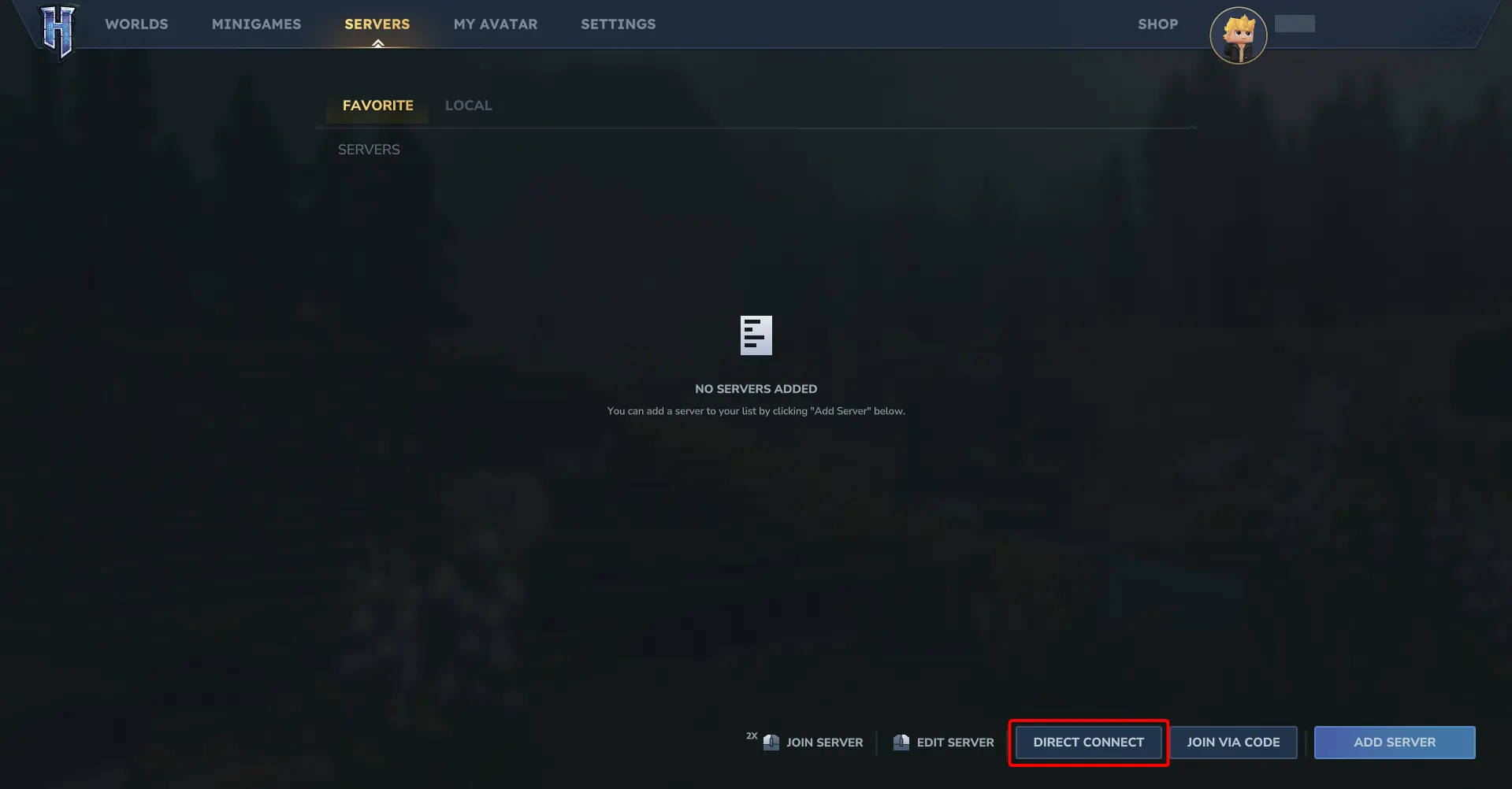
- Click on Direct Connect.
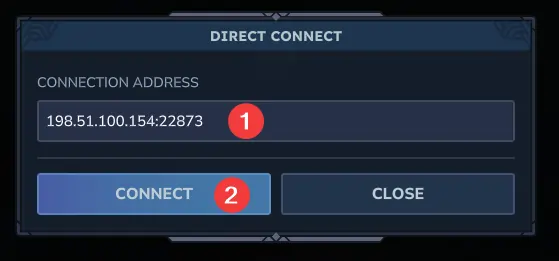
- Paste your server IP address and click Connect.
#Join by Adding the Server to Your Server List
Adding the server lets you easily reconnect later.
- Open Hytale.
- Click on Servers.
- Click on Add Server.
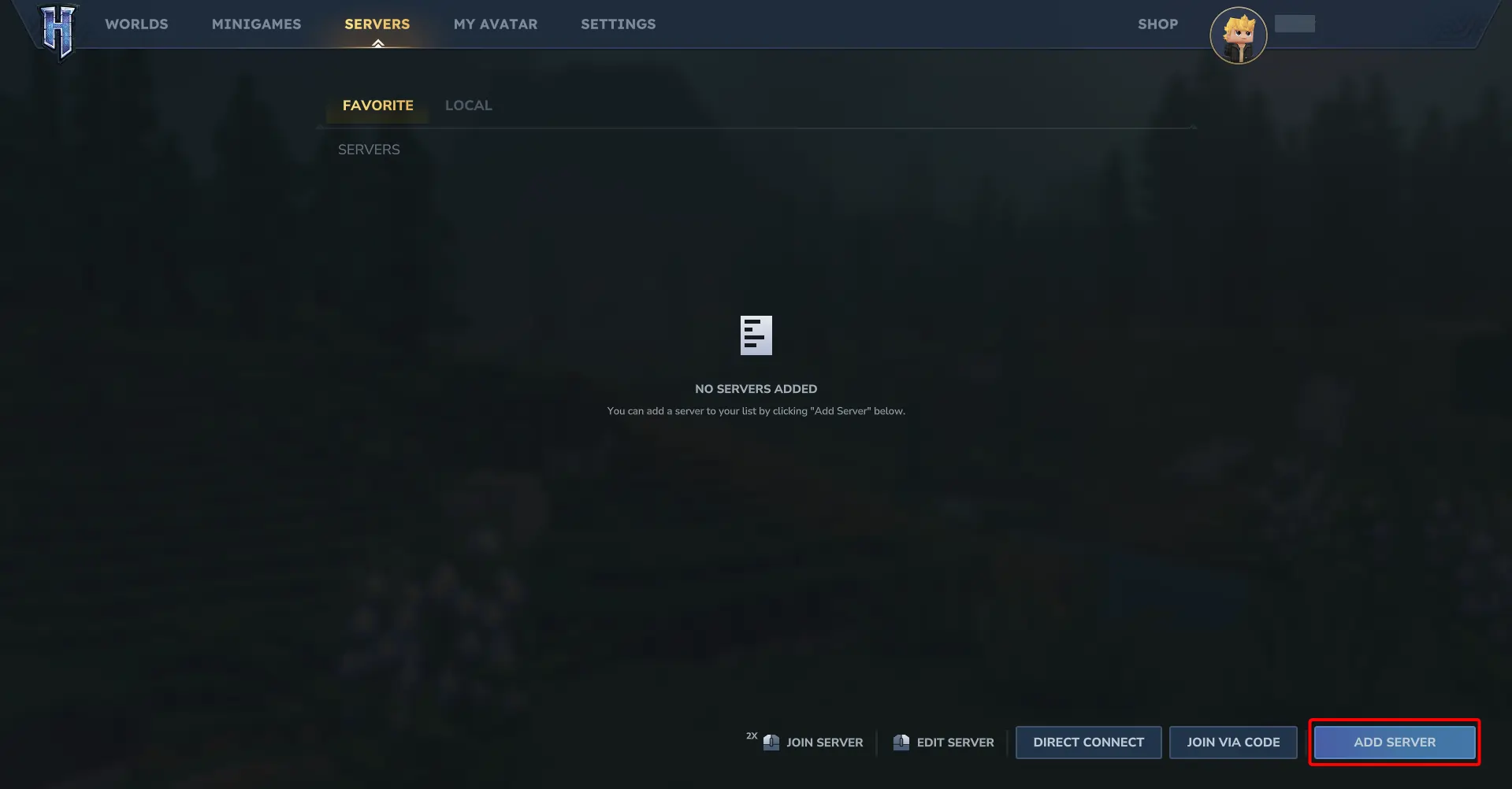
- Paste your server IP address, enter a server name, and click Connect.
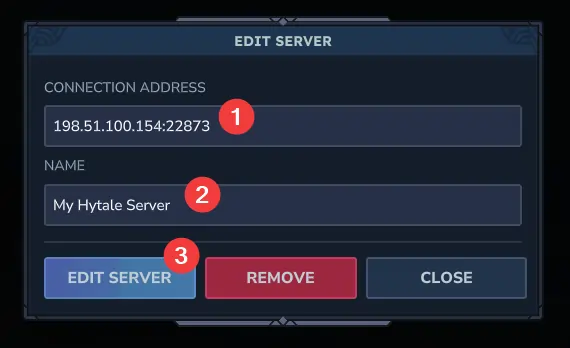
- Double click your server in the list to join.

If you have trouble connecting, confirm the server is online and that the IP address was copied correctly. If needed, our support team is always happy to help!