Table Of Contents
Adding a PasswordStill have questions?
Come chat with us and we will get back to you as soon as possible!

Shockbyte
Support Team

How to Set your Assetto Corsa Server to Private
Assetto Corsa offers the ability to host quick races, custom races, championships and race weekends. These events can involve coordination with several racers, and server owners may want to make their servers private to keep unwanted racers from participating in these events. This can be achieved by setting a server password through the Assetto Corsa Web Panel before starting an event.
#Adding a Password
A password can be set through the Options section of the Assetto Corsa Web Panel.
-
Access your web panel by following this guide.
-
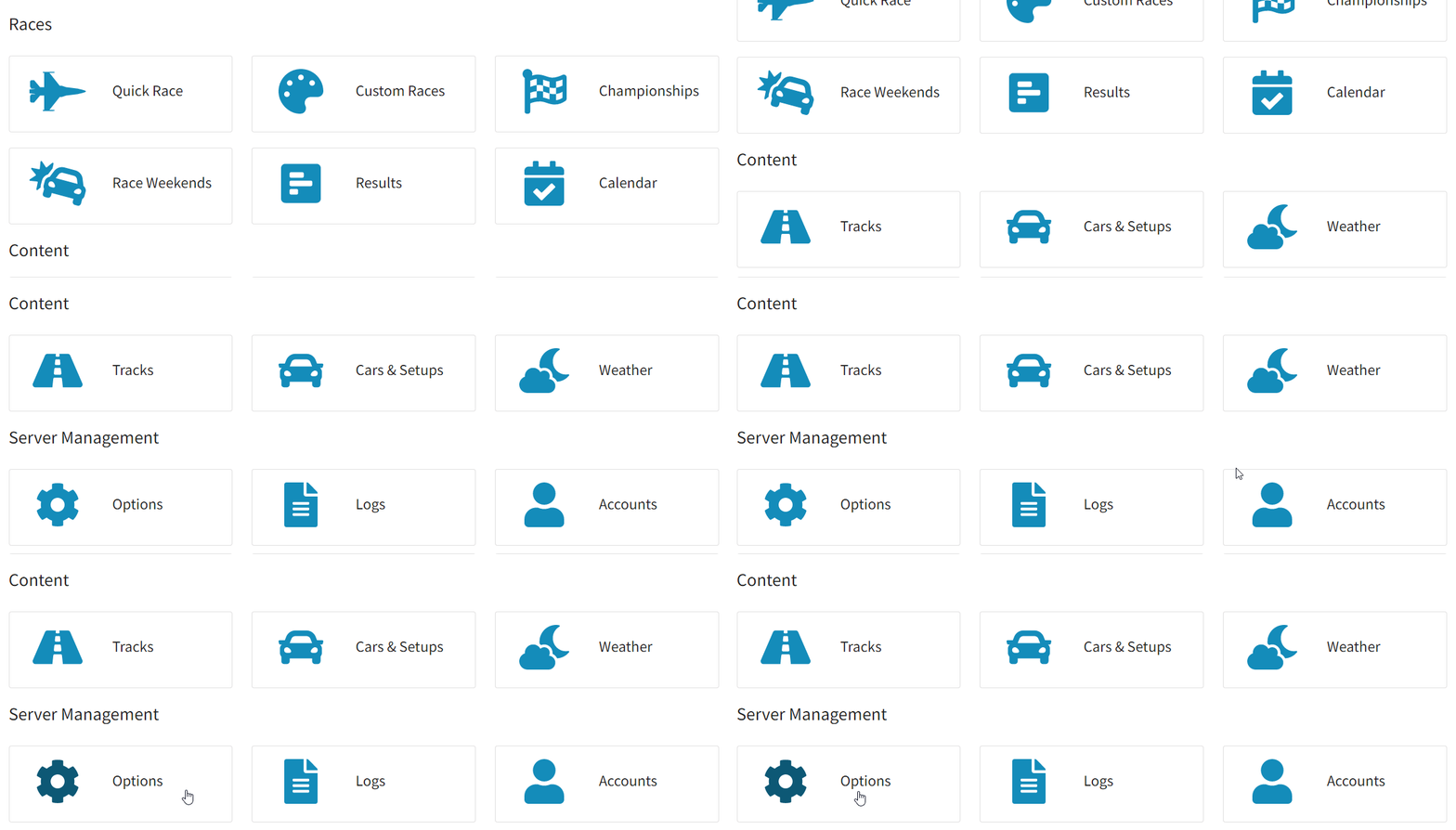
Navigate to Server Management > Options.
-
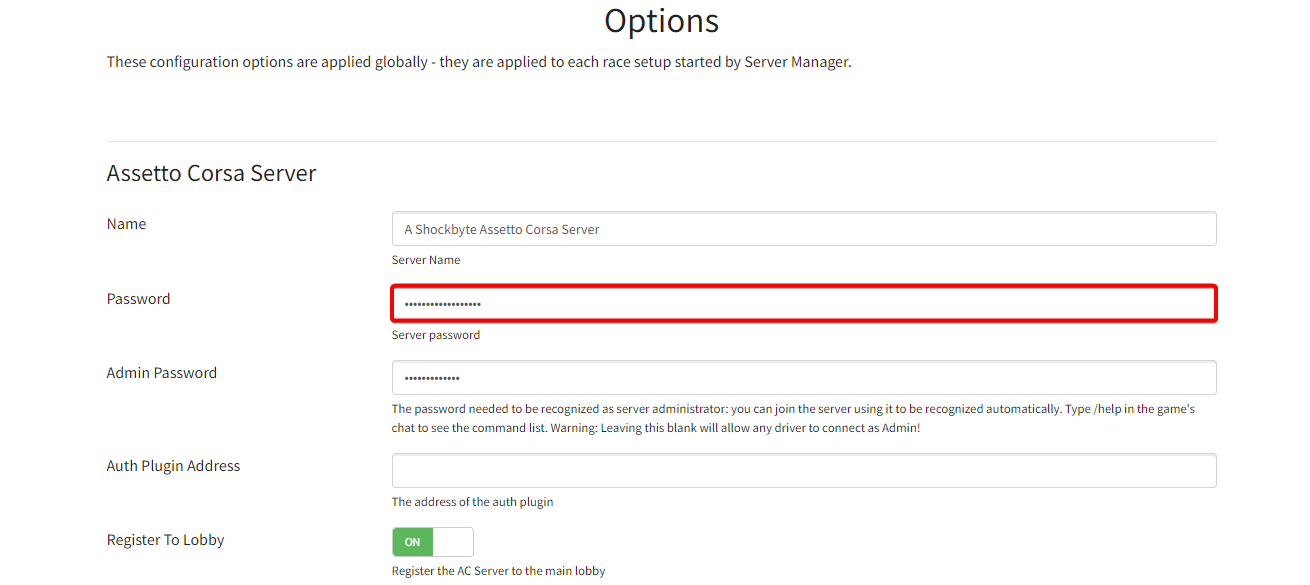
Locate the Password field, and enter your desired server password.
-
Click Save.
To learn more about Assetto Corsa server hosting, you can browse our library of Knowledgebase articles found here.
If you require any further assistance, don't hesitate to get in touch with our support at: https://shockbyte.com/billing/submitticket.php