Still have questions?
Come chat with us and we will get back to you as soon as possible!

Shockbyte
Support Team

Changing Modpack Versions on 3rd Party Launchers
This guide will show you how to change which Modpack Version you are using on 3rd Party Launchers such as CurseForge, Technic, FTB and ATLauncher.
Whether you need to downgrade your client version to match the most recent modpack version available on our Modpack installer, or would simply like to play on an older version of your favourite modpack. This guide is here to help.
#CurseForge
-
Launch CurseForge.
-
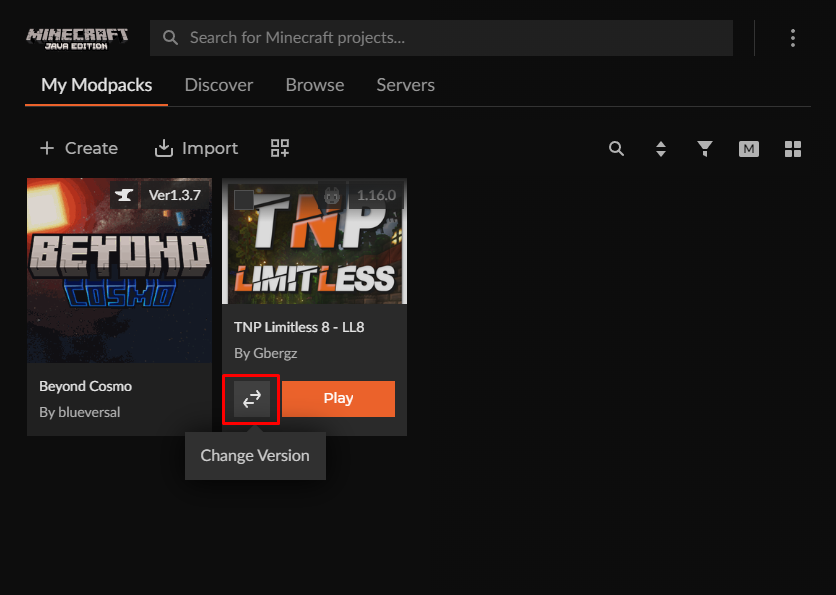
Hover your cursor over the installed modpack you would like to switch the version of.
-
Select the ‘Change Version’ arrow beside your ‘Play’ button.
-
Tick
Select Versionand then click on the dropdown to choose the version you wish to use.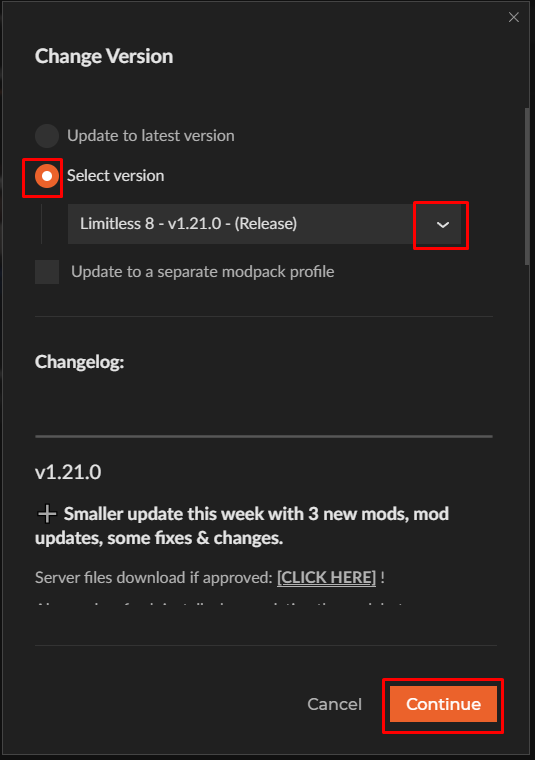
-
Click Continue. Curseforge will automatically begin installing the selected version of the modpack to your client.
#Technic
-
Launch Technic.
-
Click on the Modpacks tab.
-
Select the modpack you wish to switch the version of.
-
Select
Modpack Optionsin the top right.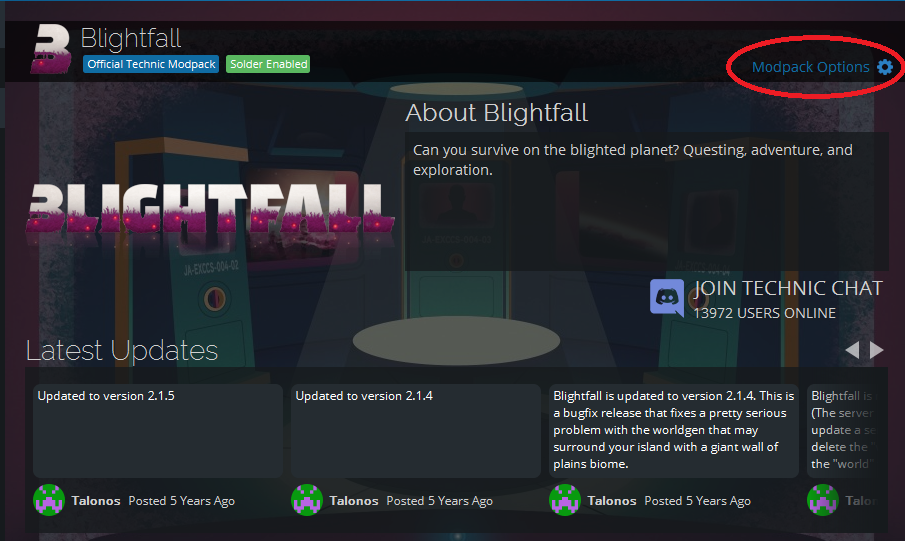
-
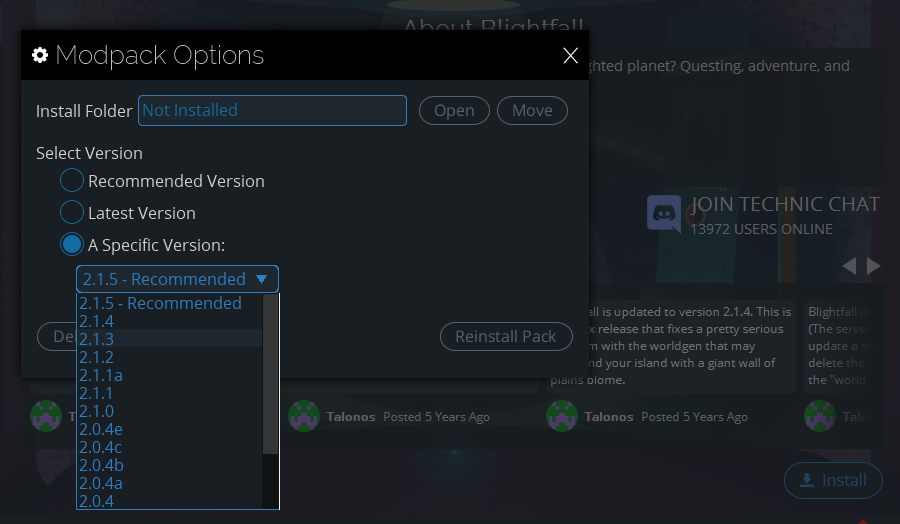
Tick the ‘A Specific Version’ circle and use the dropdown to select the version you’d like to use.
-
Select
Reinstall Pack. This will begin installing the selected version of the modpack on your client.
#FTB
-
Launch FTB.
-
Click on the
Librarytab. -
Click on the modpack you wish to switch the version of and select
Versions.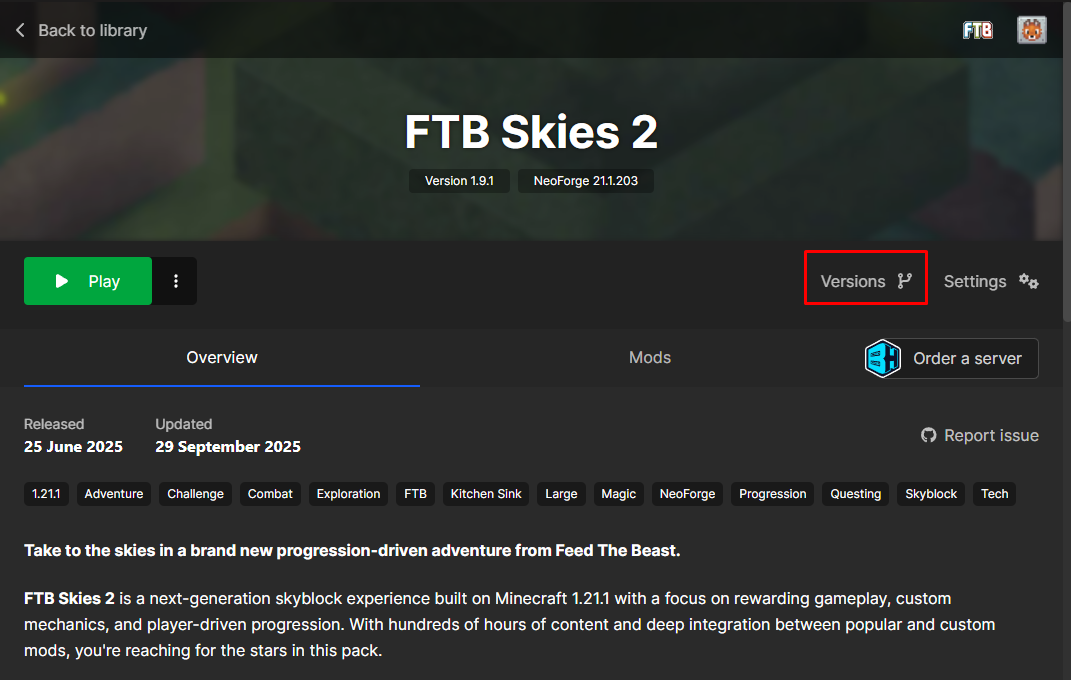
-
Click the dropdown at the top and select the version you wish to use. Then click the
DowngradeorUpdatebutton.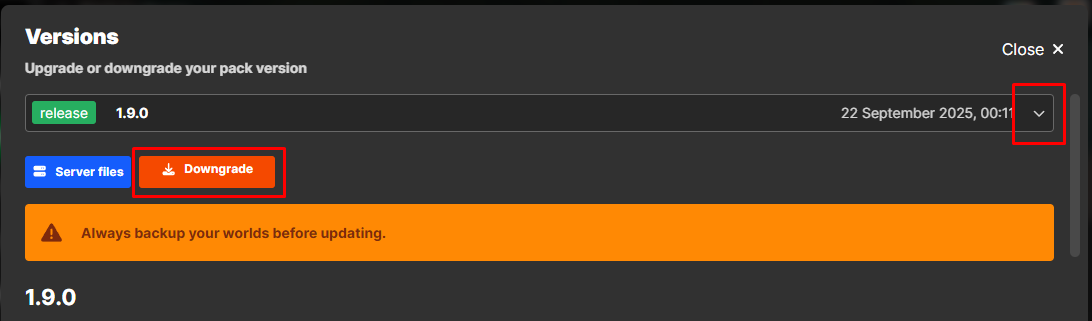
-
The FTB app will automatically begin installing the selected version.
#ATLauncher
-
Launch ATLauncher.
-
Click on the
Instancestab. -
Find the modpack you wish to switch the version of and click
Edit Instance> Reinstall.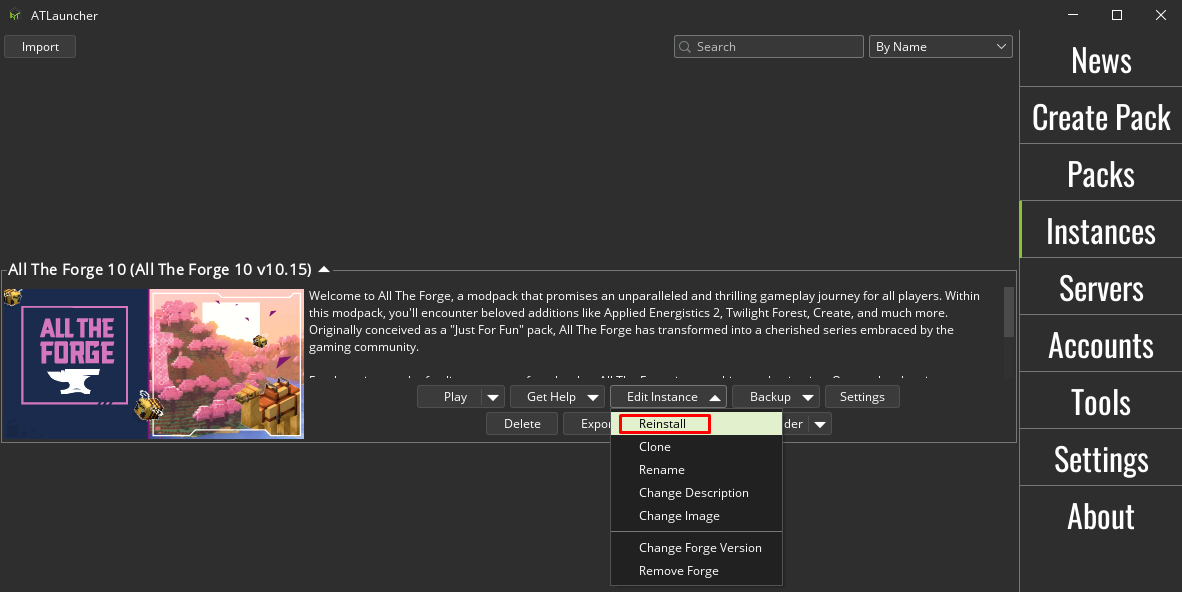
-
Scroll through the Version to Install dropdown and select the version you’d like to use.
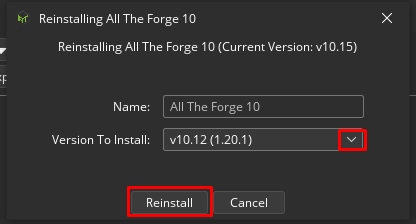
-
Click on the ‘Reinstall’ button. This will begin installing the selected version of the modpack to your client.
If you require any further assistance, please contact our support at: https://shockbyte.com/billing/submitticket.php