Still have questions?
Come chat with us and we will get back to you as soon as possible!

Shockbyte
Support Team

How to Configure the Raid Frequency on your Necesse Server
Raids are special events where a large group of Raiders will attack your settlements, with the aim to kill the settlers. Raid frequency is a world option that dictates how frequently these raids will occur, with a few options to choose from.
#Raid Frequency Options
Raids normally occur every 1.5 to 2.5 hours. Each time a raid happens, the maximum cooldown for the next raid goes up by 30 minutes, with a cap of 5 hours.
| Frequencies | Cooldown Multiplayer |
|---|---|
| OFTEN | 50% |
| OCCASIONALLY (Default Value) | 100% |
| RARELY | 400% |
| NEVER | Disables Raids |
#Configuring Raid Frequency
Once you've decided which of the options to use, the raid frequency can be adjusted.
-
Open your Server Control Panel.
-
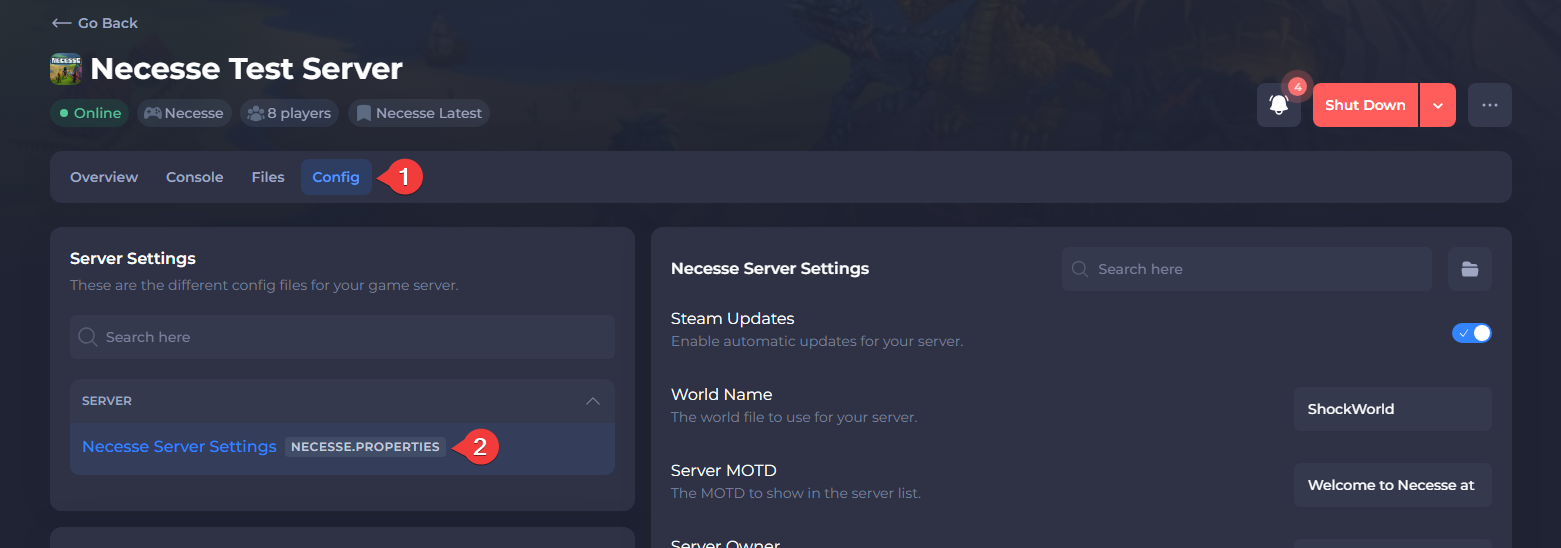
Navigate to Config and open Necesse Server Settings.
- Locate Raid Frequency and set the desired value using the dropdown menu.
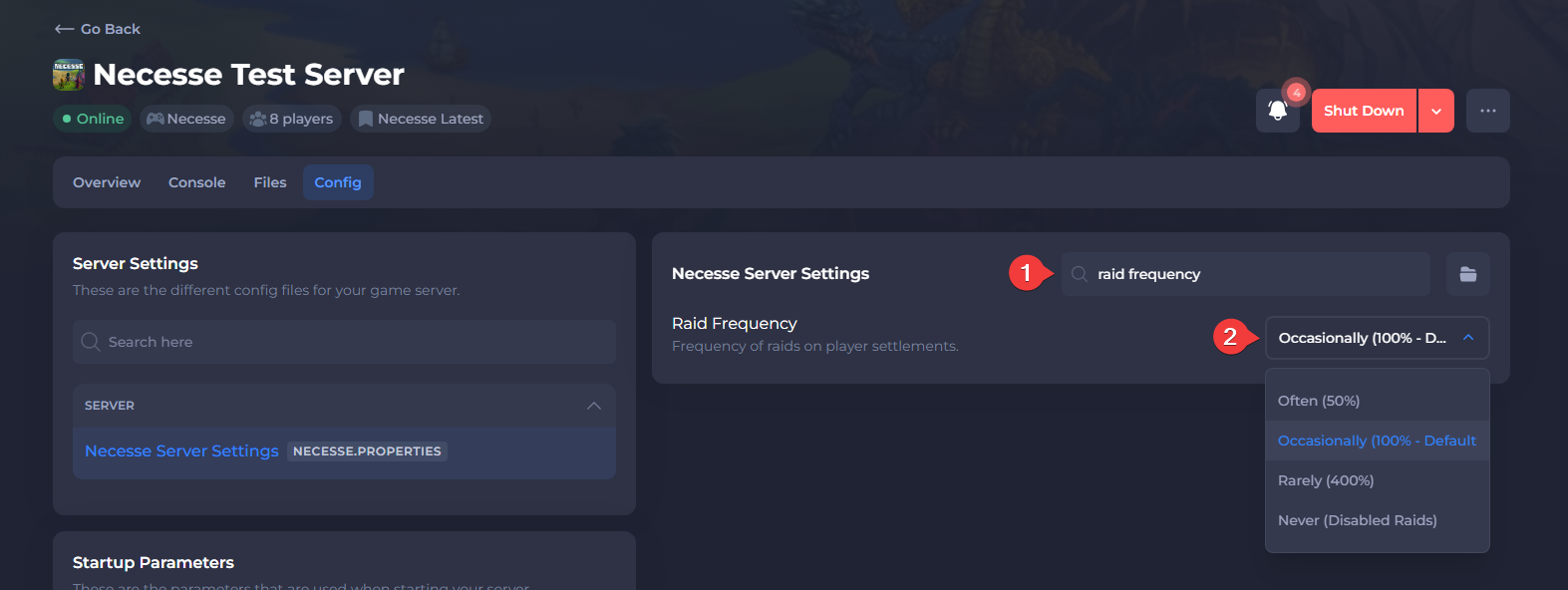
- Save the file, then Restart your server.
To learn more about Necesse server hosting, you can browse our library of Knowledgebase articles here.