Table Of Contents
::ProseNote{title="Important Reminder" description="Your server must have a race or event before anyone will be able to connect to/find your server on the in-game server list. To start a race, please refer to this ." appearance="danger"} ::Obtaining Your Server NameConnecting via Server BrowserStill have questions?
Come chat with us and we will get back to you as soon as possible!

Jay Miller
Game Engineer

How to Join your Assetto Corsa Server
Once you have configured your Assetto Corsa server the way you like it and your race is set up, you're ready to join.
We recommend connecting to your server using the in-game server browser; however, to do this, you will need to obtain your server name from your Assetto Corsa Web Panel.
Important Reminder
Your server must have a race or event active before anyone will be able to connect to/find your server on the in-game server list. To start a race, please refer to this guide.
#Obtaining Your Server Name
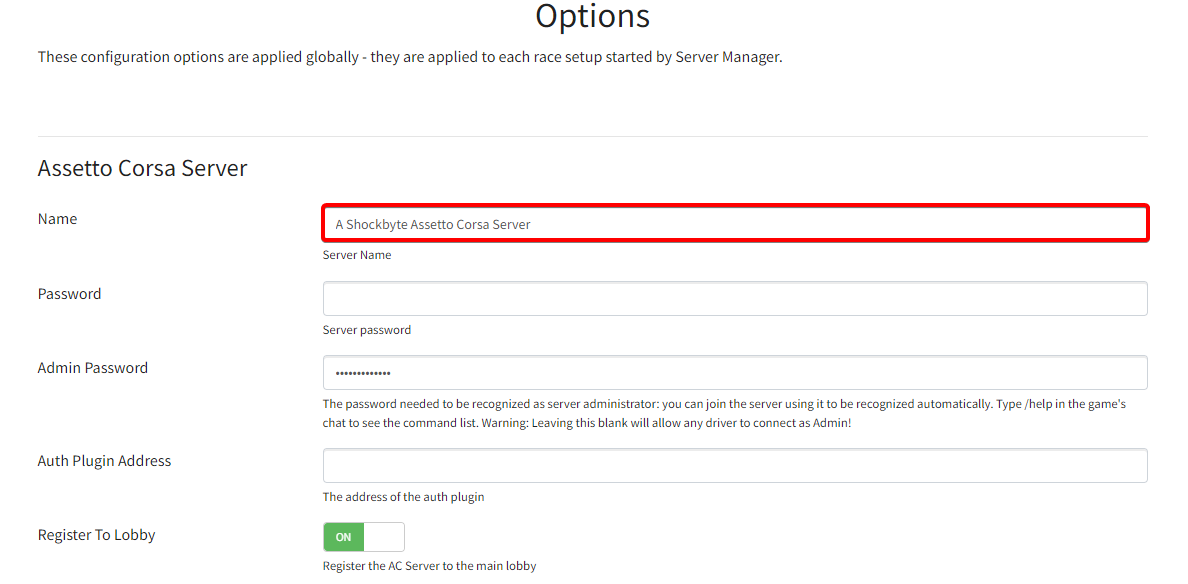
You can obtain your server name through the Options section of your Assetto Corsa Web Panel.
-
Access your web panel by following this guide.
-
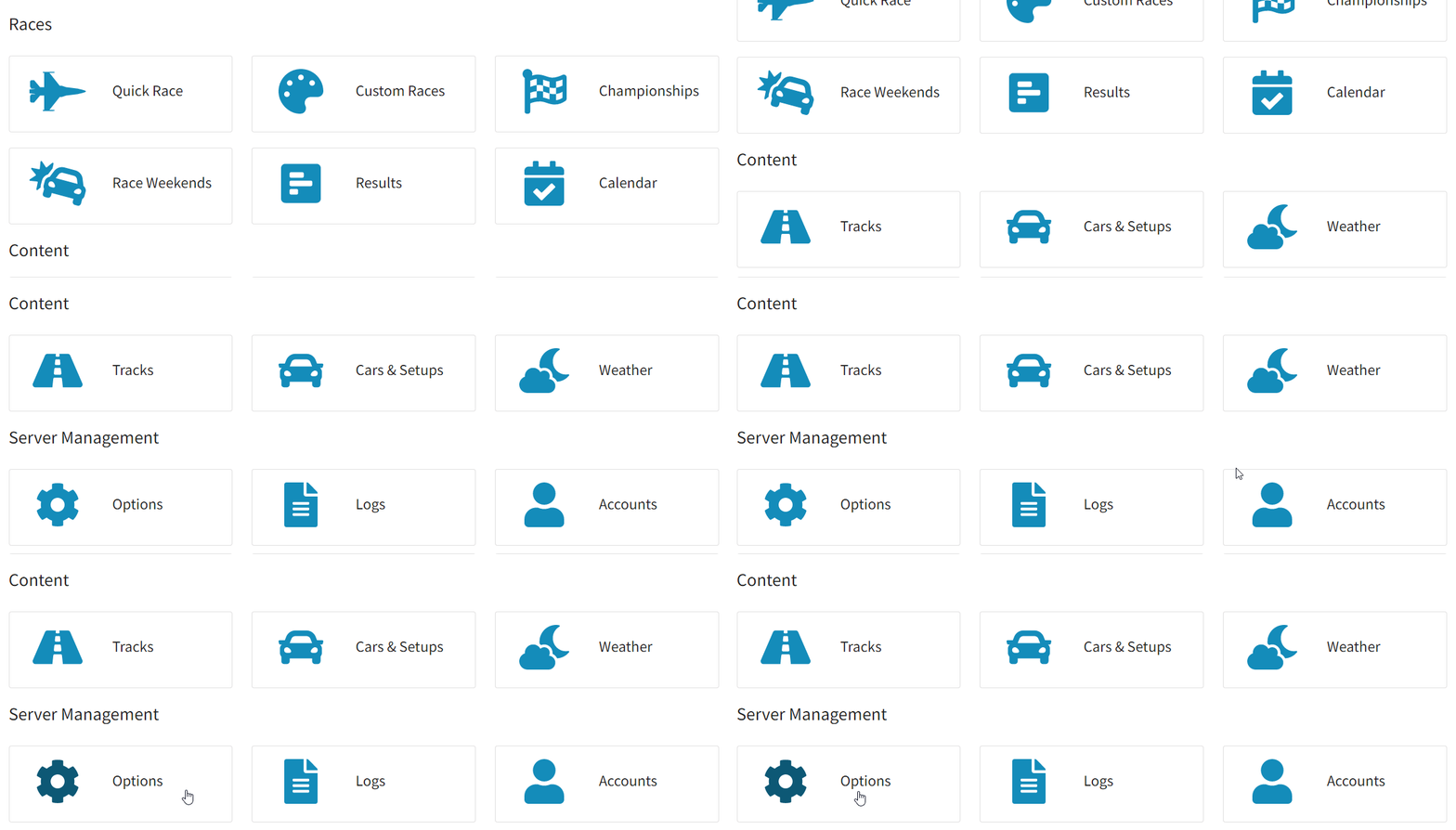
Navigate to Server Management > Options.
-
Locate the Name field, and copy your server's name.
#Connecting via Server Browser
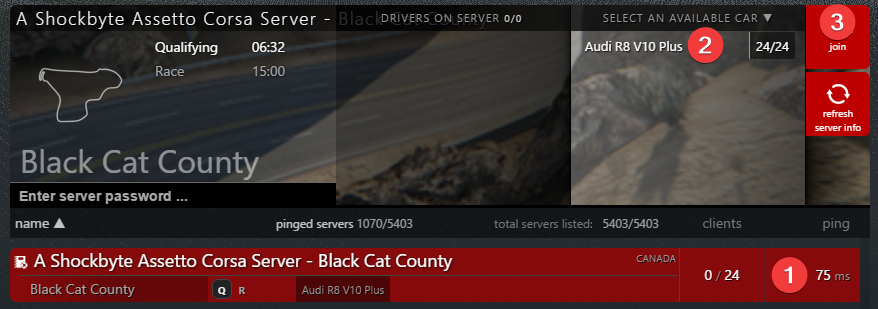
You can connect to your server through the in-game server browser by searching for your server name.
-
Launch Assetto Corsa.
-
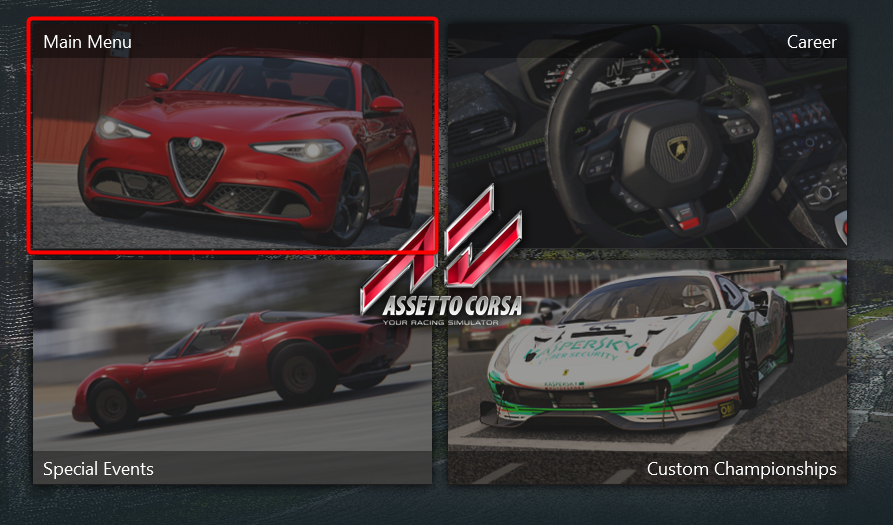
Click Main Menu.
-
Click Drive Menu.
-
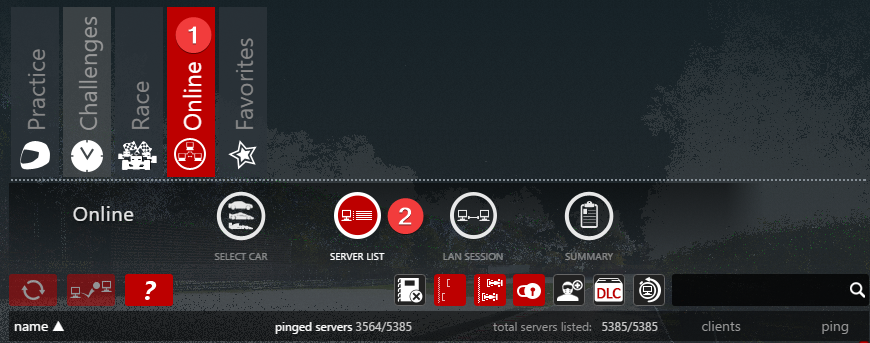
Click Online and then select Server List.
-
In the Search box, enter your server's name.
-
Select your server and the desired car you wish to drive, then click Join.
To learn more about Assetto Corsa server hosting, you can browse our library of Knowledgebase articles found here.
If you require any further assistance, don't hesitate to get in touch with our support at: https://shockbyte.com/billing/submitticket.php