Still have questions?
Come chat with us and we will get back to you as soon as possible!

Shockbyte
Support Team
How to Re-enable Achievements on Your Bedrock Minecraft World
If you've accidentally disabled achievements on your Bedrock server by enabling cheats, you can re-enable achievements with the use of a world editor like Dovetail.
Important
As this process involves modifying your world files, make sure to create a backup of your server before proceeding with the steps in this guide.
#How to Get Started
-
Open your Server Control Panel.
-
Stop your server and wait for it go offline.
-
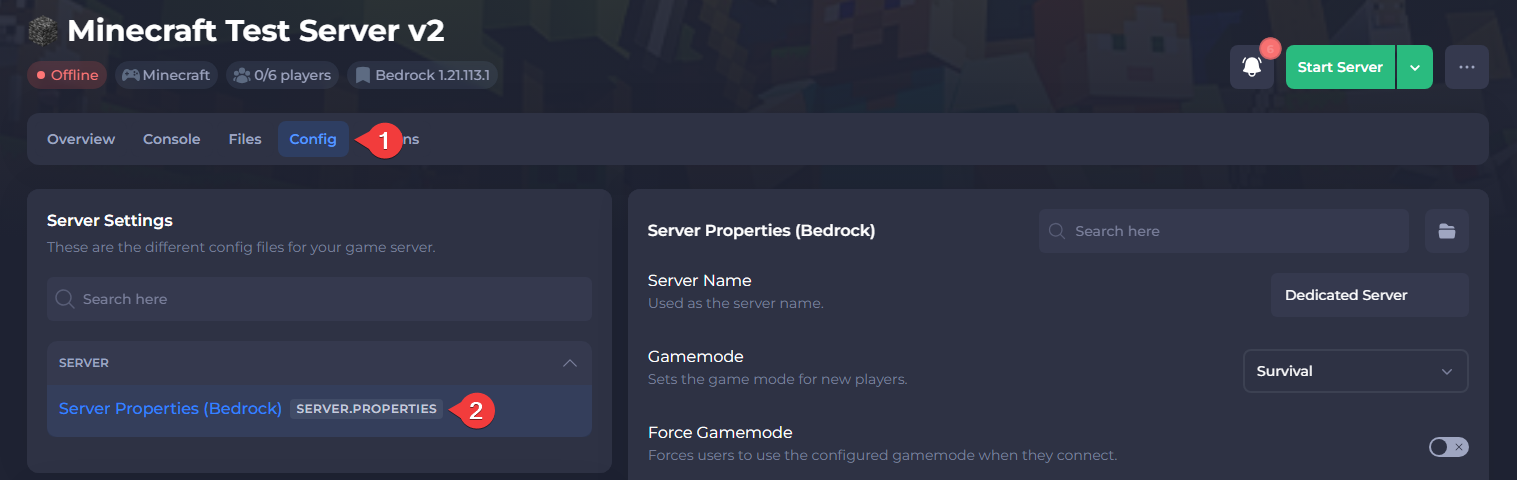
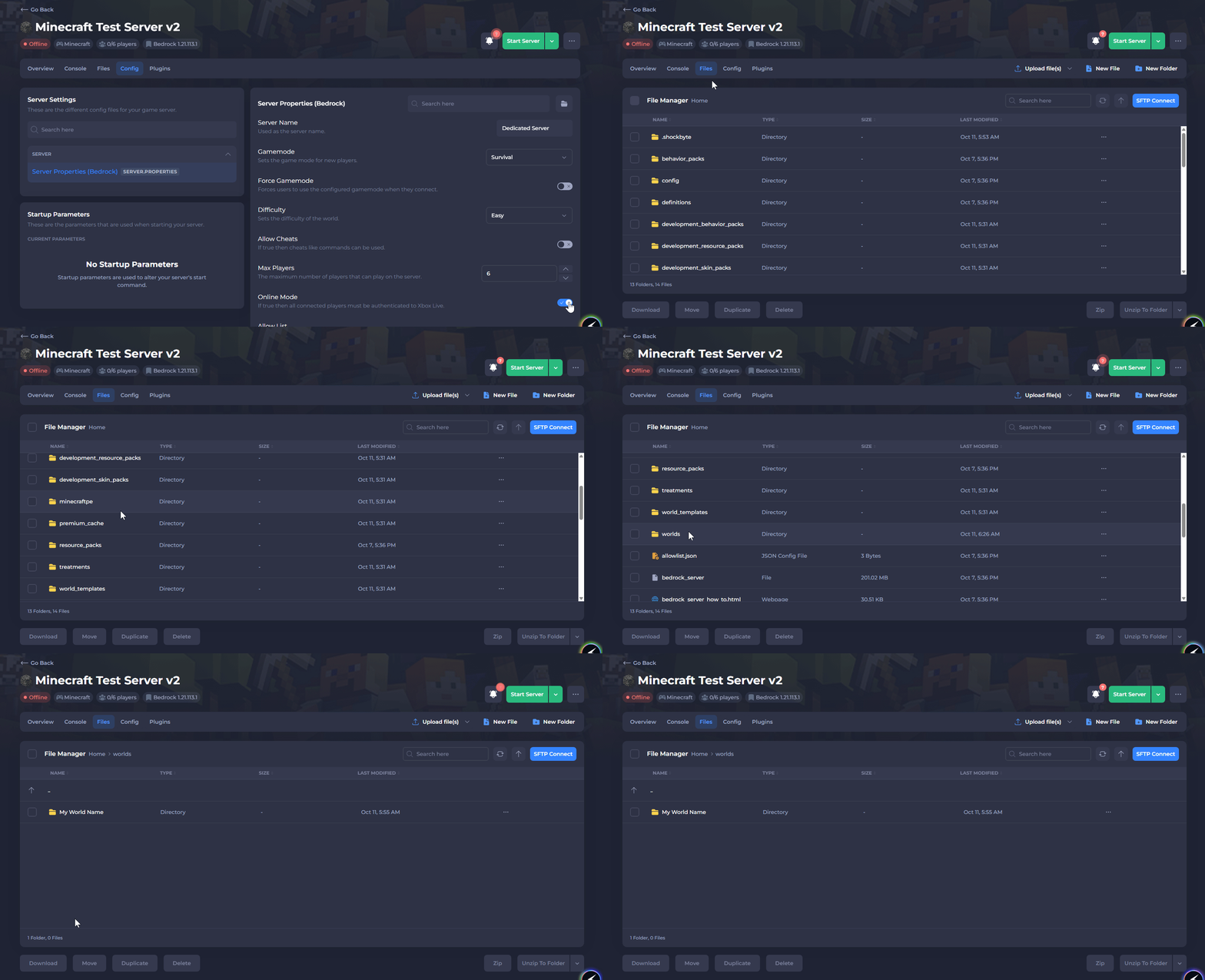
Navigate to the Config tab and open Server Properties (Bedrock).
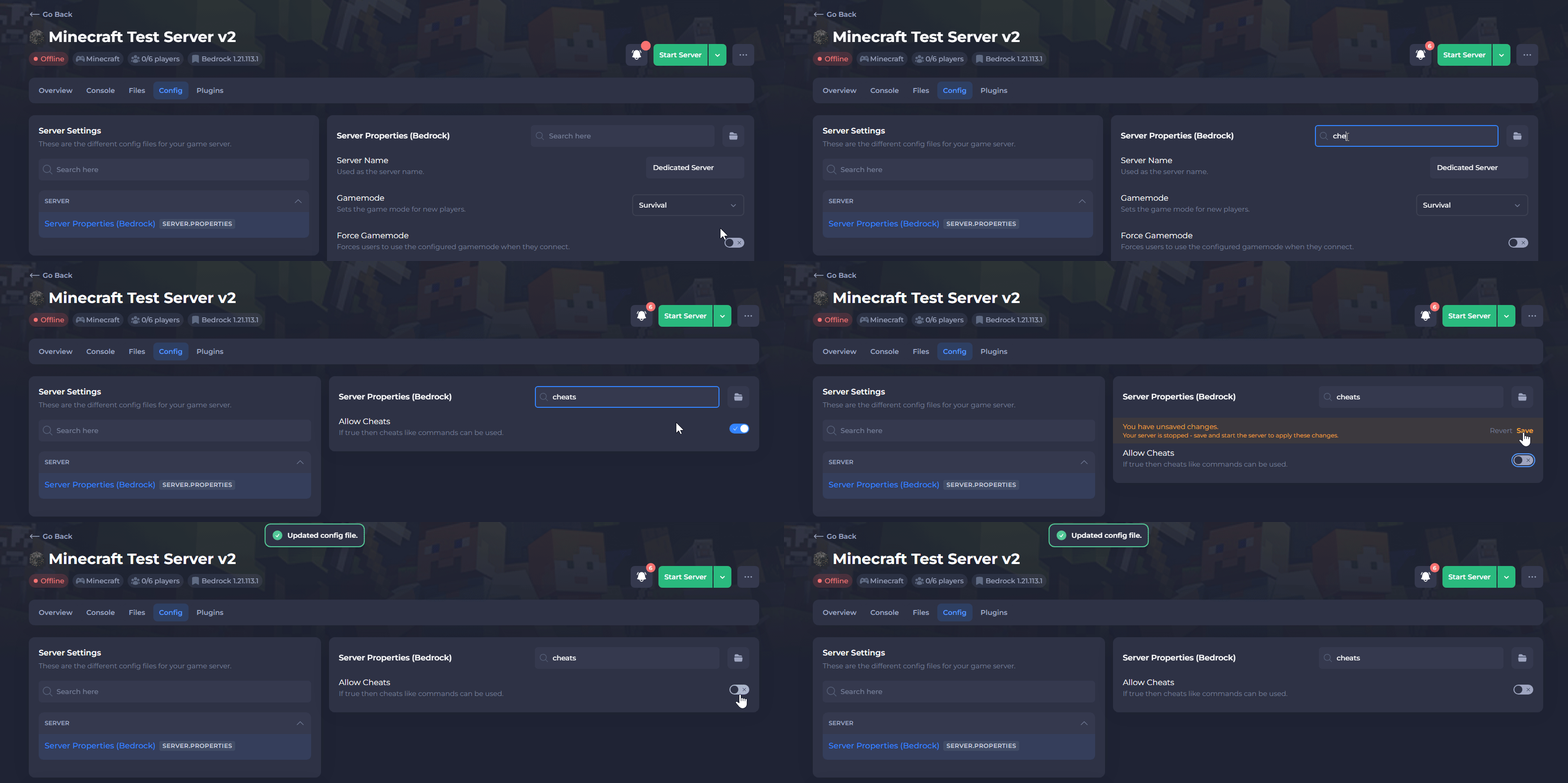
- Locate the Allow Cheats setting, then Disable it, and Save the file. This must be disabled to re-enable achievements.
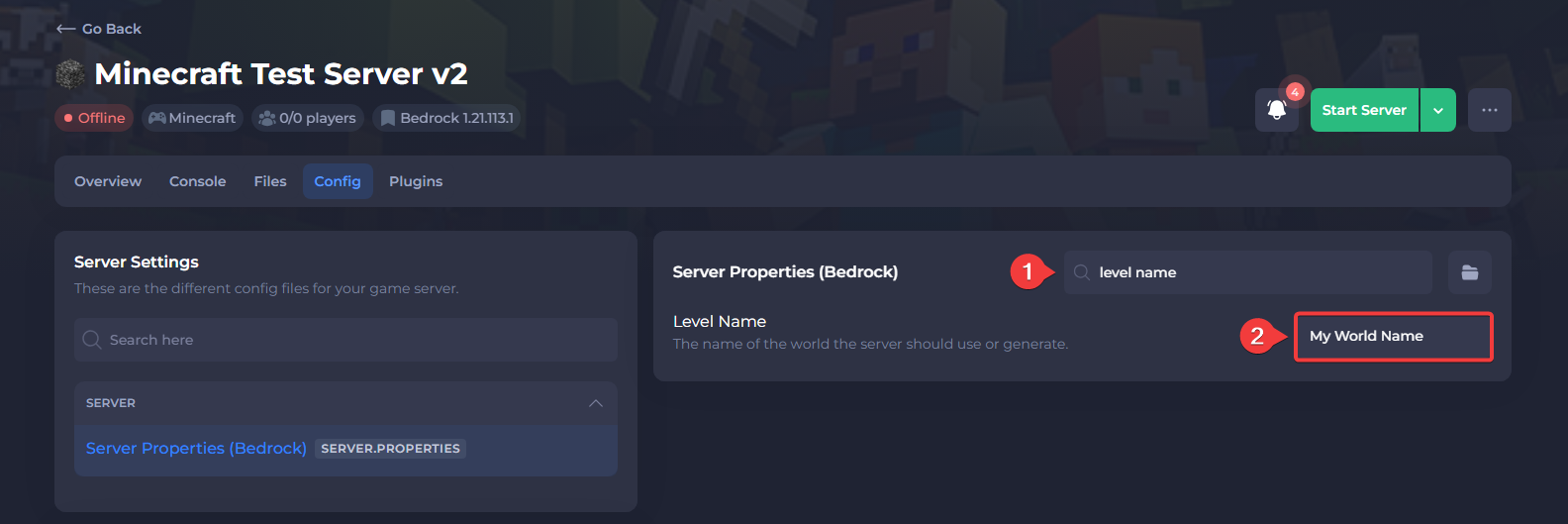
- Locate the Level Name setting and take note of the name for the next steps.
- Navigate to the Files tab and open the
/worldsfolder.
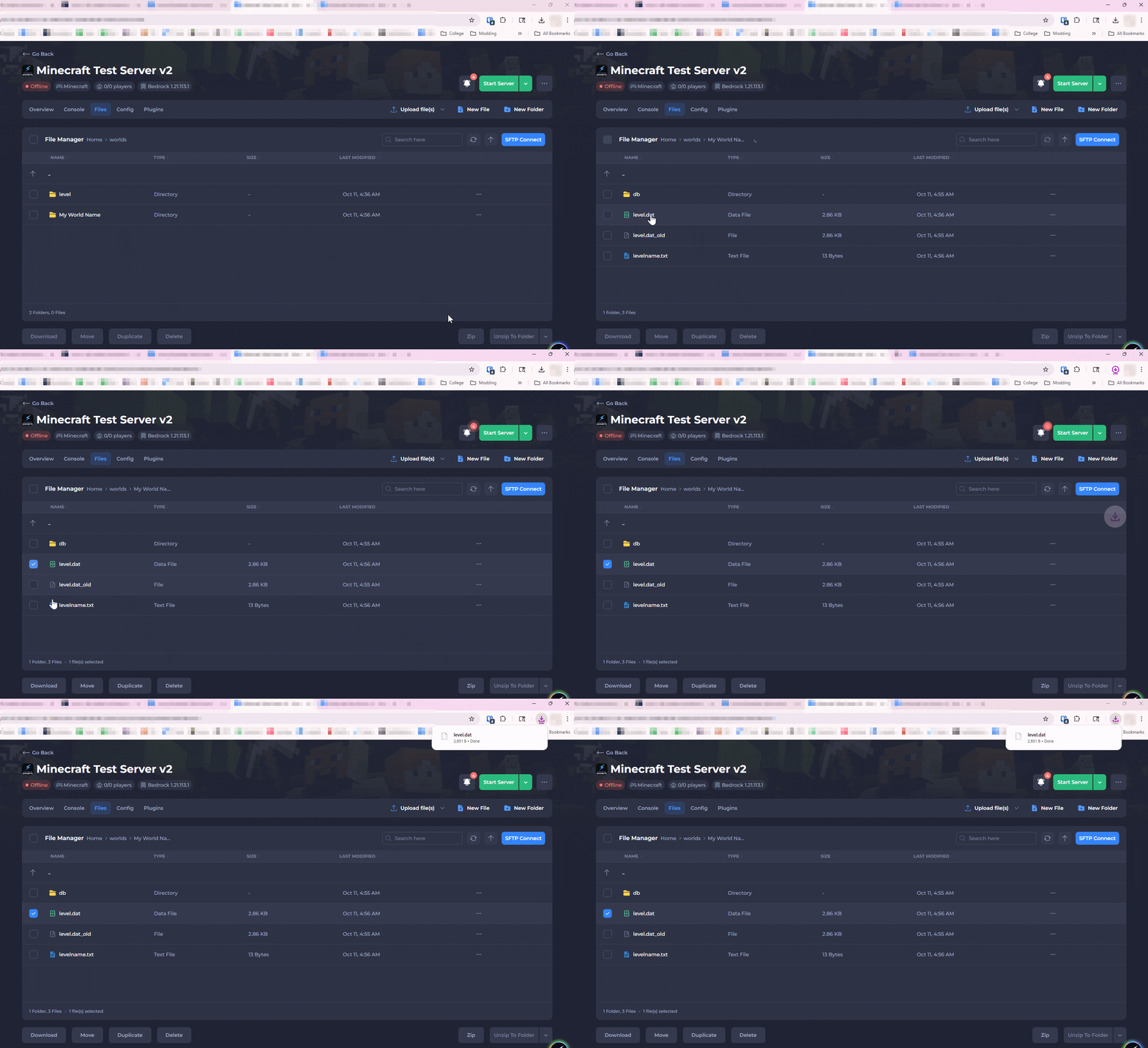
- Open the folder matching the name you saw in the Level Name setting, then Download the
level.datfile.
#Modifying the level.dat File
Once the level.dat file has been downloaded, it can be edited it to re-enable achievements.
-
Open the Dovetail editor.
-
Select Open and open the
level.datfile you downloaded.

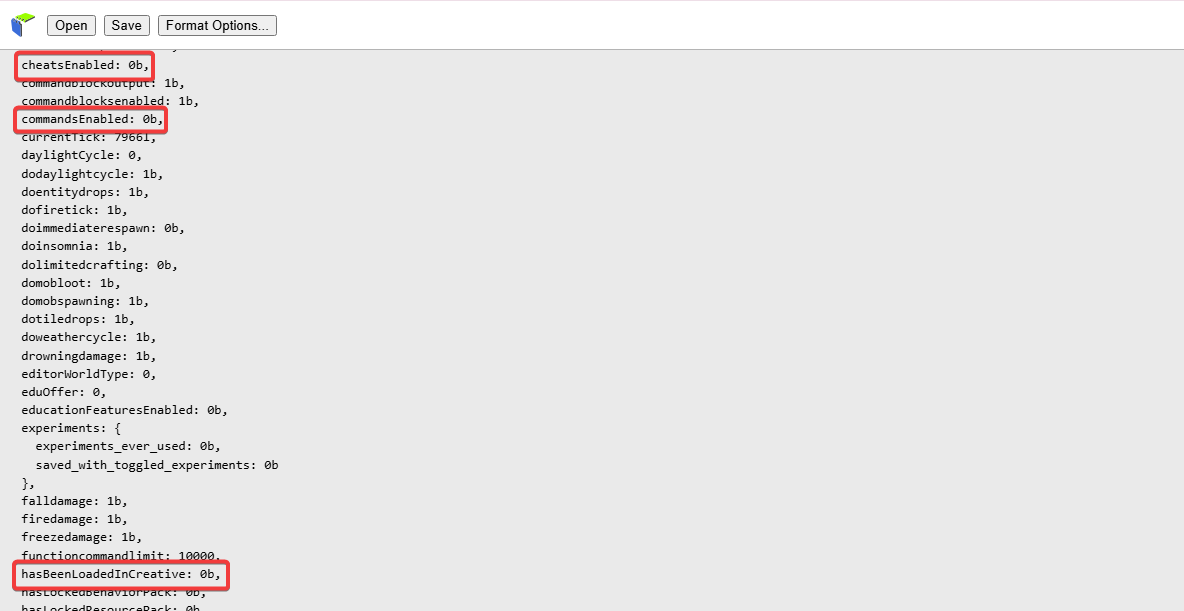
- Find the following values and change them from
1bto0b: cheatsEnabled, commandsEnabled, and hasBeenLoadedInCreative.
- Select Save to download the updated file and proceed to the next section.

#Uploading the Modified File Back to the Server
Once the values have been updated and the level.dat file has been downloaded, it can be uploaded back to the server.
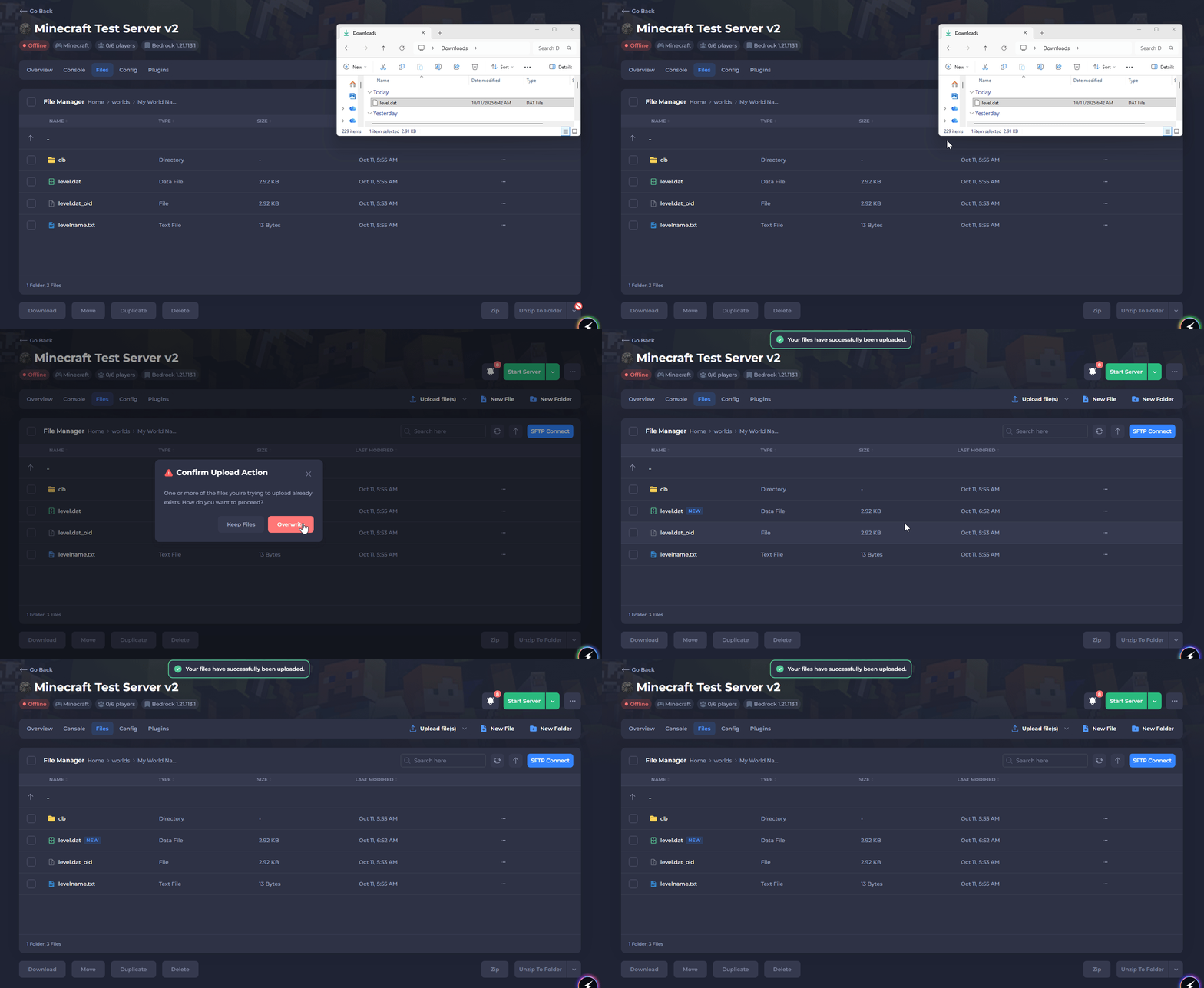
- If the modified file is named
level dat (1).dat, rename it tolevel.dat. It will not be recognized by the server if it's named incorrectly.

-
Navigate to the world folder where the
level.datfile was from originally. -
Upload the modified
level.datfile, then select Overwrite to replace the original file.
- Start your server.
#Creative Players
If any players are still in Creative Mode, their gamemode will need to be set back to Survival Mode for them to earn achievements. Thankfully, you don't need to enable cheats to do this.
You can run the following command in the Console instead: gamemode survival USERNAME

That's it, achievements should be re-enabled for all players on your Bedrock server!