Table Of Contents
Resetting your Palworld WorldStill have questions?
Come chat with us and we will get back to you as soon as possible!

Jay Miller
Game Engineer
How To Reset Your Palworld Server World
If you want to start over with a fresh new world for your Palworld server, you have the ability to reset it. Before starting with this guide, it is highly recommended that you create a backup of your world to make sure you have a copy of your current world in case you need it again.
#Resetting your Palworld World
You can reset your world by accessing your server files and deleting your world.
-
Access your Control Panel and Stop your server.
-
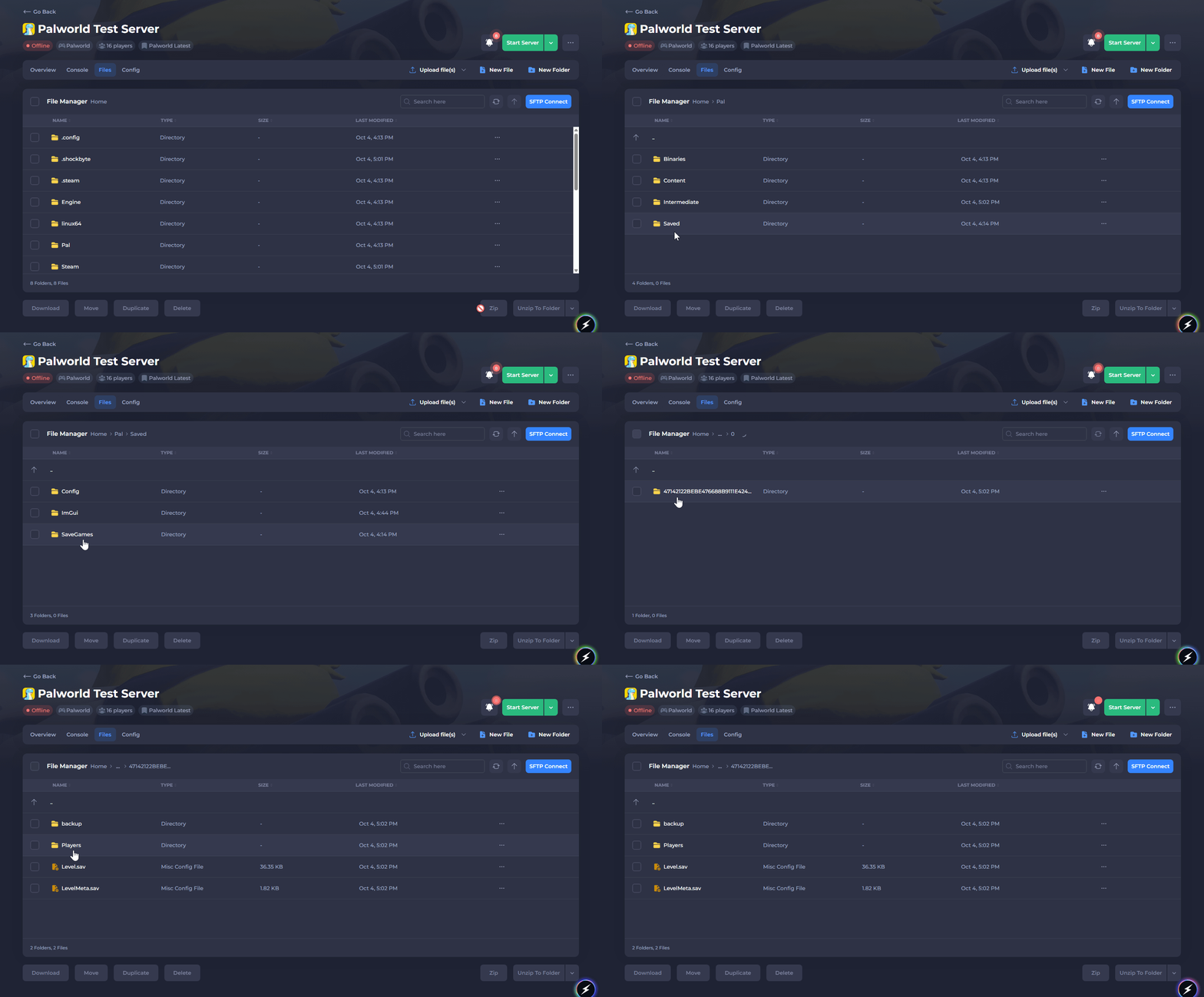
Navigate to your server Files tab.
-
Navigate to
/Pal/Saved/SaveGames/0, then open the last folder, which will usually be named a random string of characters.
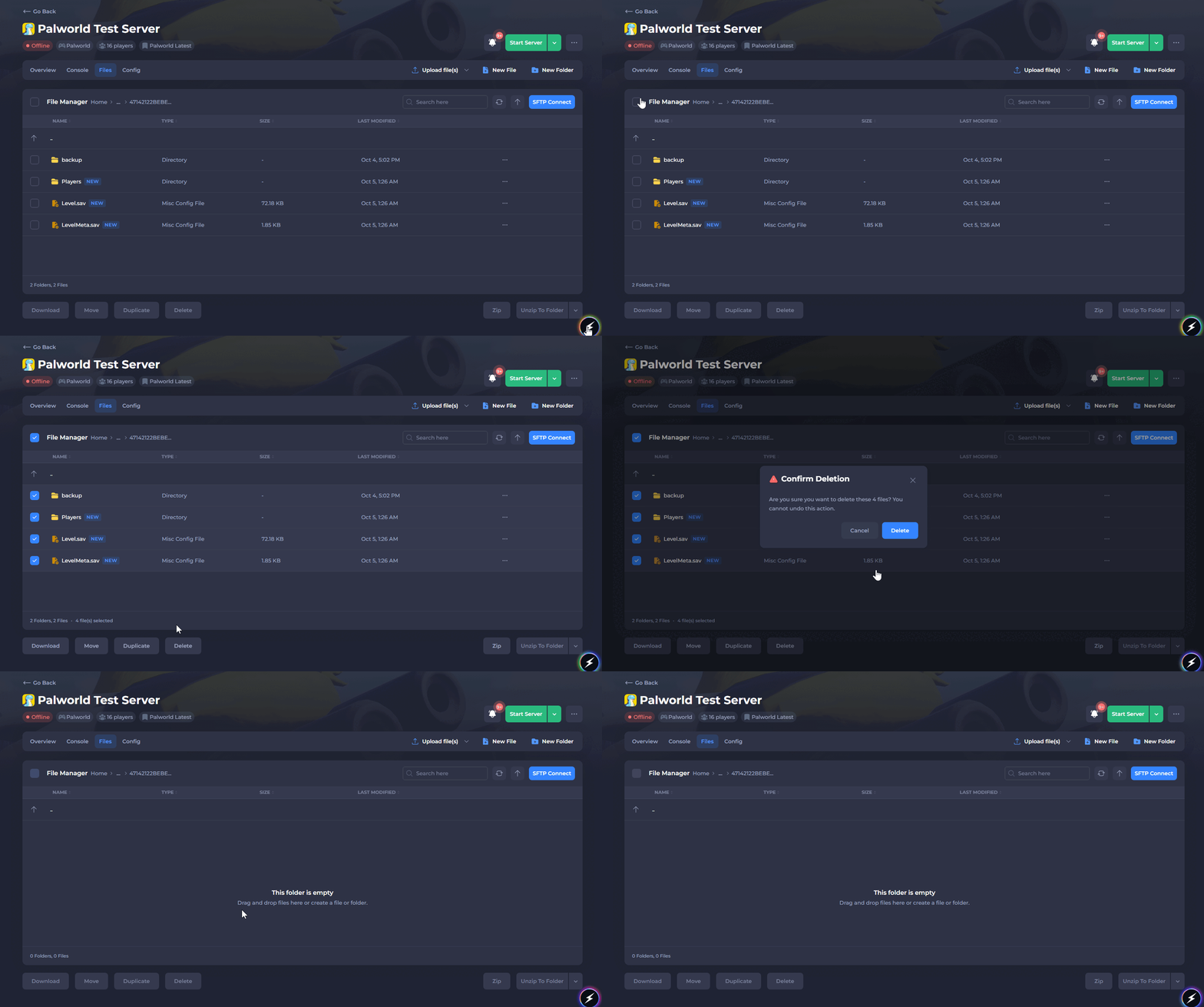
- Delete all the files within this folder.
- Start your server.
That's it! When your server boots up, a new world will be generated for your Palworld server.