Still have questions?
Come chat with us and we will get back to you as soon as possible!

Jay Miller
Game Engineer

How to Reset Your Rust World & Playerdata
Rust server owners should reset their worlds regularly to help keep their community active. You can also reset just the player data which won't affect the world or server configuration.
Important
This action is irreversible! Please make sure you have a backup if you wish to keep your files. We have a guide on how to manually back up your server here.
#Resetting your Server's Player Data
It is possible to reset your player data while still keeping your server's existing world. In order to do this, you will need to delete all of the player-related files using your server's file manager.
-
Access your control panel and Stop your server.
-
Navigate to the Files tab.

- Navigate to the
/serverdirectory.
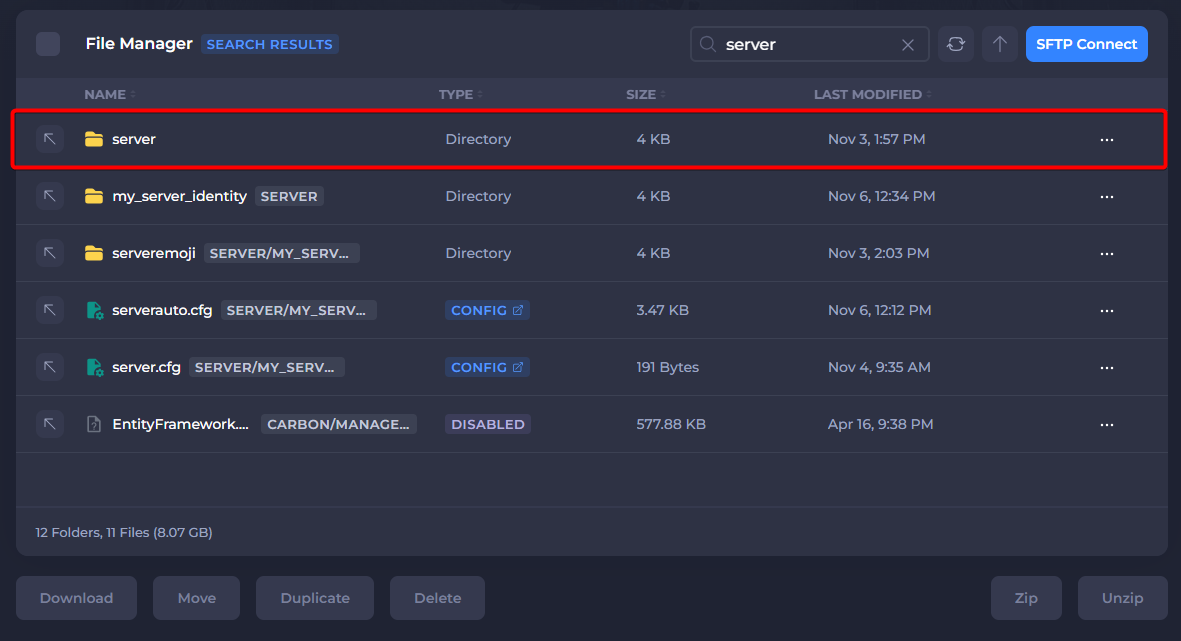
- Navigate to
my_server_identity(or the current server identity of your server).
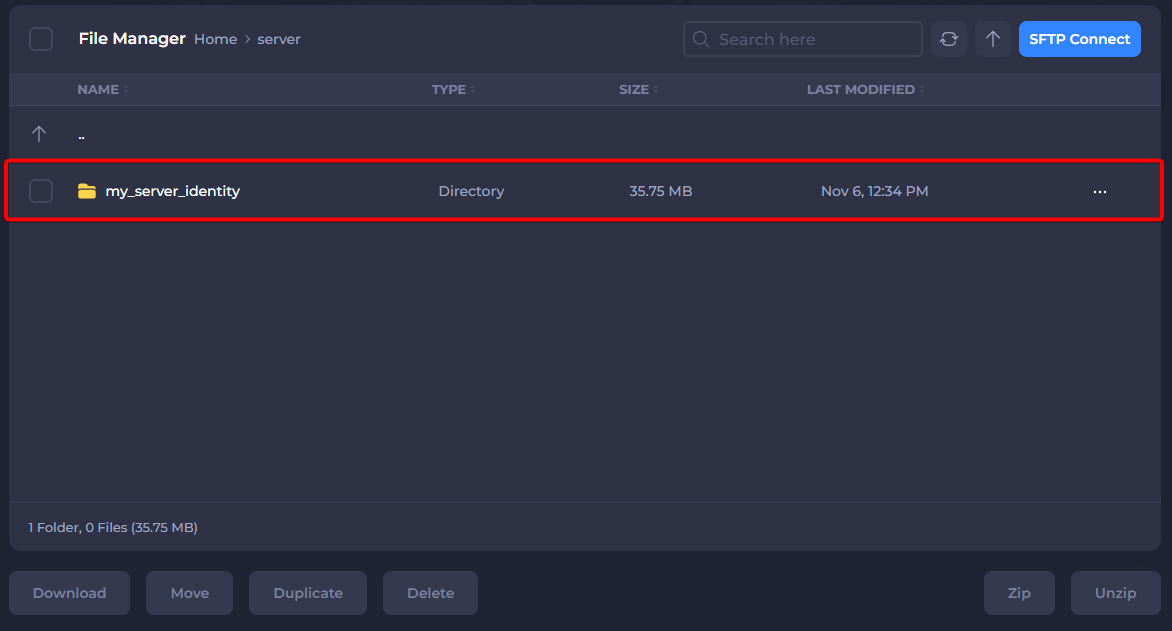
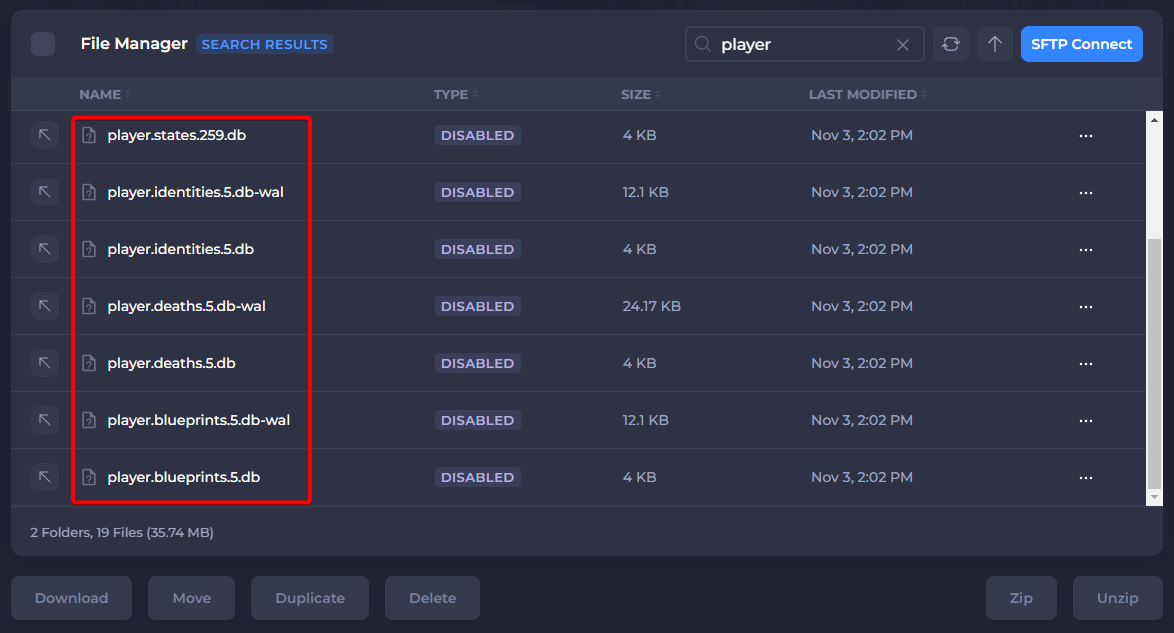
- Delete all files that include the word player, these will be
.dbfiles as highlighted in the image below.
- Start your server.
After completing these steps your Rust server's player data should be entirely reset.
#Resetting Your Server's World
To delete or reset your server's world, you will need to delete all files associated with it.
-
Access your control panel and Stop your server.
-
Navigate to the Files tab.
- Navigate to the
/serverdirectory.
- Navigate to
my_server_identity(or the current server identity of your server).
- Delete the
.mapfile. If you're not using a custom map this will be the file labelledproceduralmap.
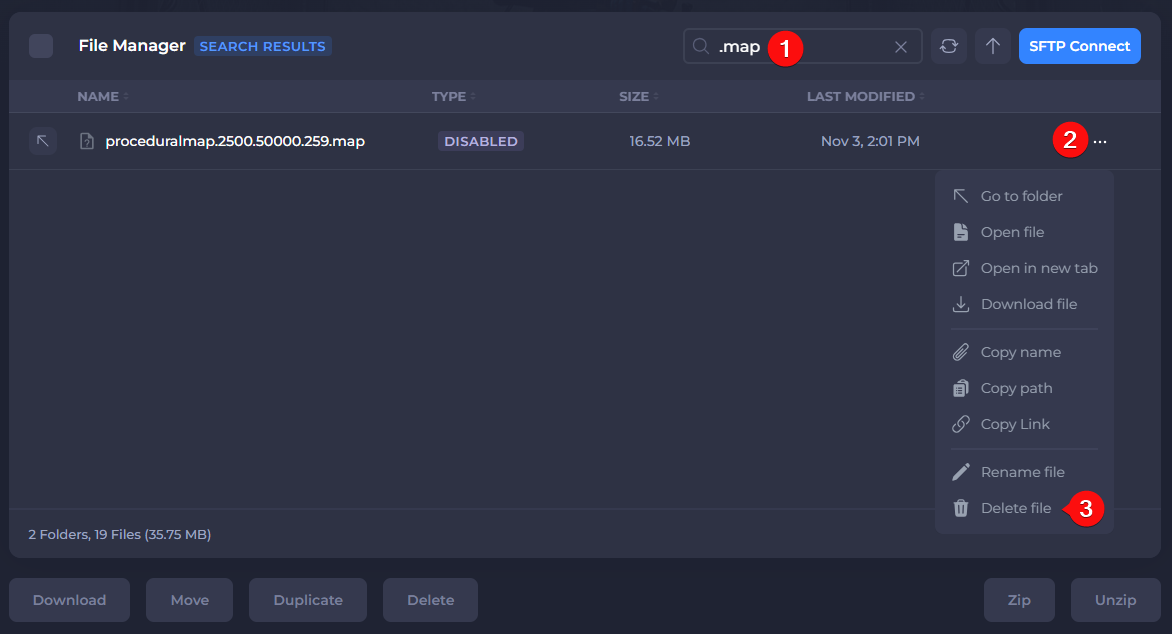
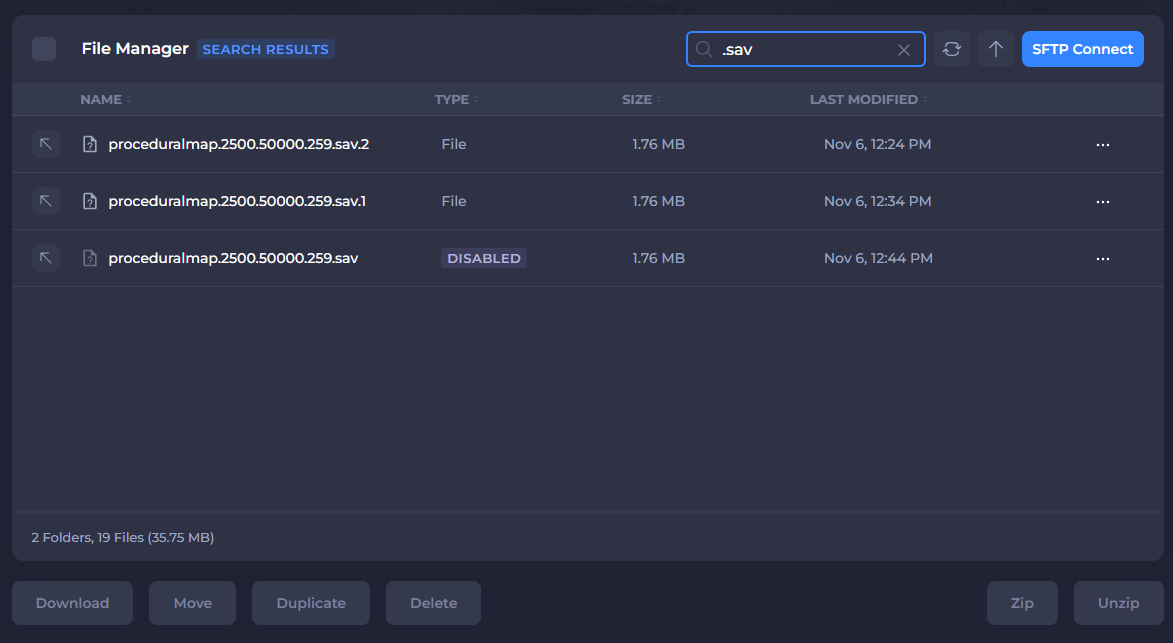
- Delete any files ending with
.savif present.
- Start your server.
After completing these steps your old map should be removed, and a fresh new map will be on your server. For custom maps, follow this guide.