Table Of Contents
Installing the Oxide Whitelist PluginStill have questions?
Come chat with us and we will get back to you as soon as possible!

Jay Miller
Game Engineer

How to Enable a Whitelist on Your Rust Server
If you want to have a private Rust server, you will need to enable a whitelist by using an Oxide plugin.
Oxide
This article assumes you have Oxide installed. If you need help with installing Oxide, you can find our tutorial here.
#Installing the Oxide Whitelist Plugin
To enable a whitelist on your server, you must upload the Oxide Whitelist plugin to your server files.
-
Download the Whitelist plugin by MrBlue, located here.

-
Access your control panel and Stop your server.
-
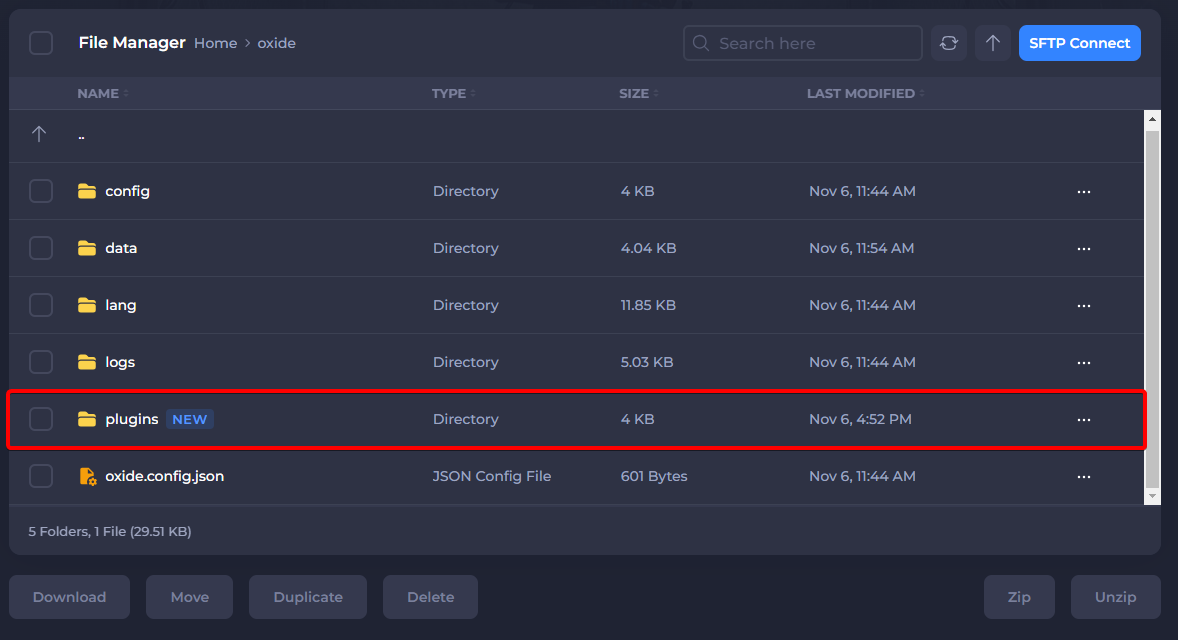
Navigate to your Server Files.

- Navigate to
/oxide/plugins/.
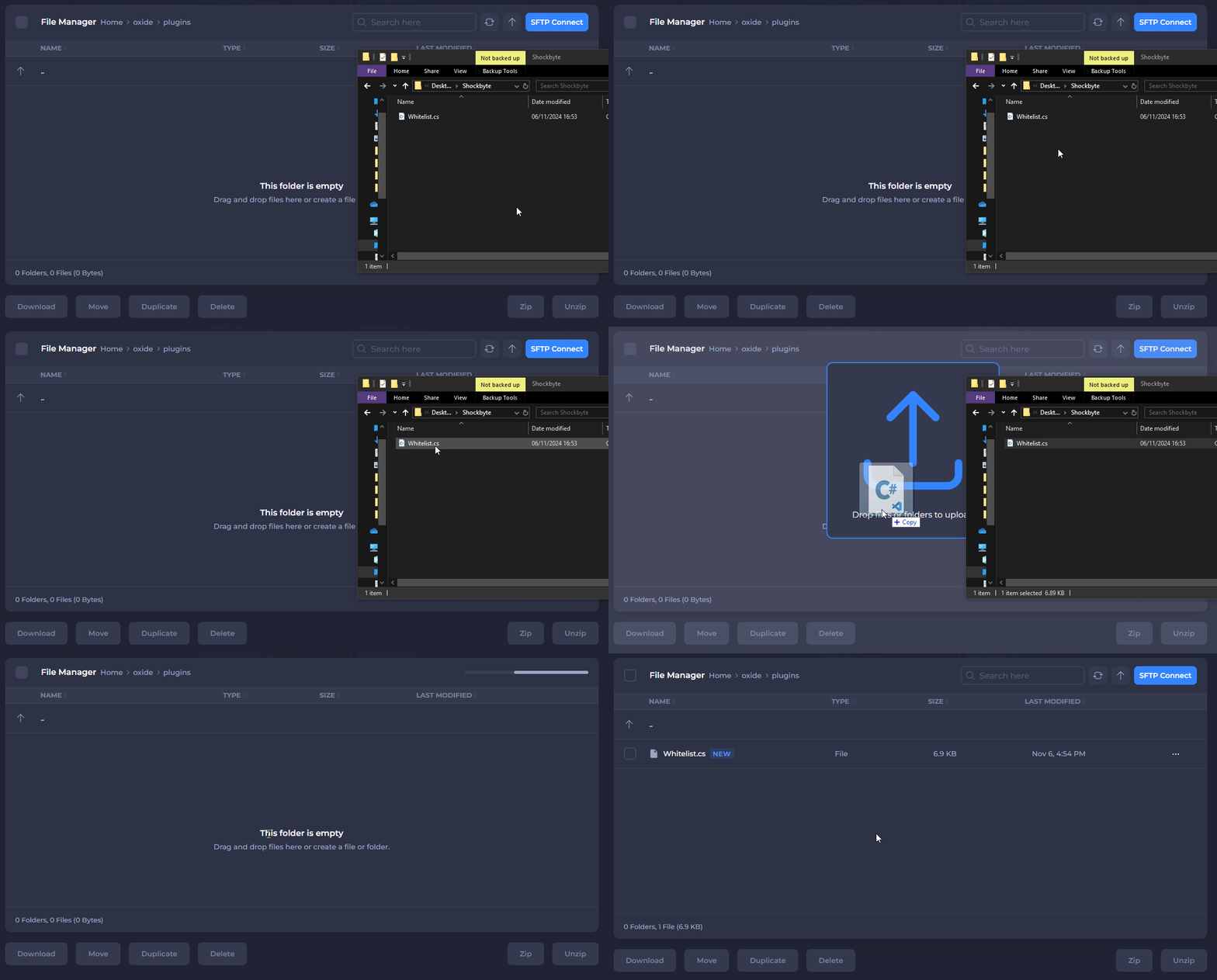
- Upload Whitelist.cs to your
/oxide/plugins/directory.
-
Start your server.
-
When in-game, press F1 and use the following syntax:
oxide.grant user 1234567890 whitelist.allowand replace1234567890with the SteamID of the player.
Important
By default, server admins do not require this permission to be allowed to join. To allow a player to connect, you will need to know their SteamID. If you do not know what it is or where to find it, you can follow this guide here.