Still have questions?
Come chat with us and we will get back to you as soon as possible!

Jay Miller
Game Engineer

How To Install SourceMod On Your Left 4 Dead 2 Server
SourceMod is a widely used modding framework that is on some game servers and serves as a foundation for running various plugins. It plays a crucial role in enhancing the gaming experience, allowing server admins to expand the capabilities of their servers with custom features.
#Installing SourceMod
To install SourceMod on your server, download the SourceMod files and upload them to your server files.
-
Access your Control Panel and Stop the server.
-
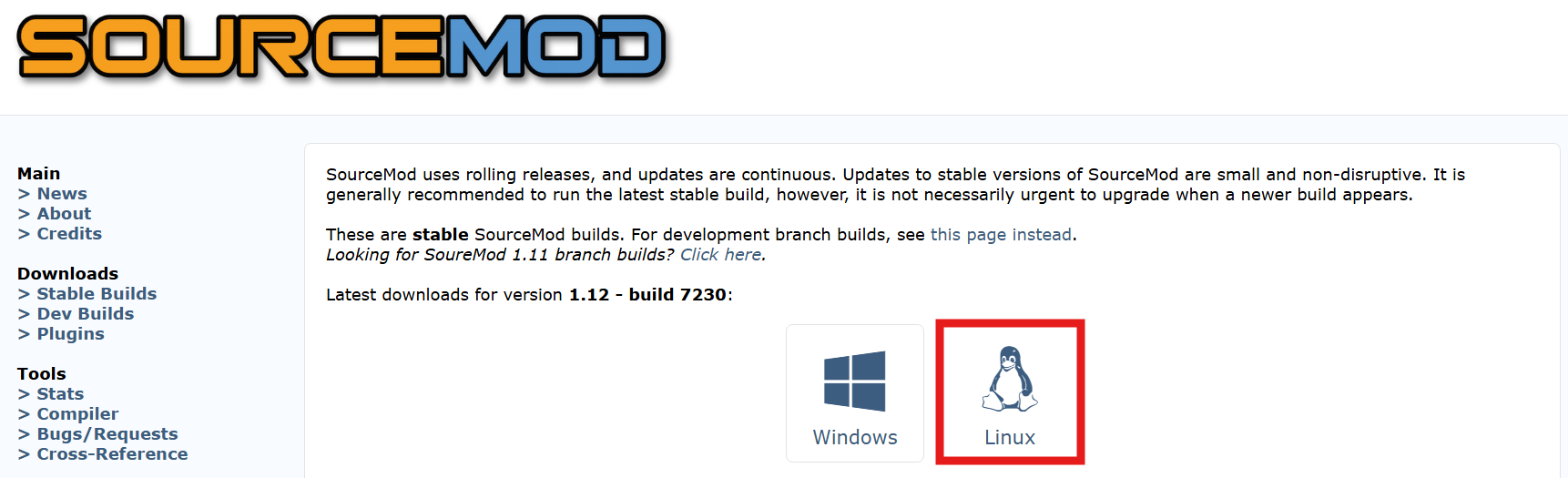
Navigate to the SourceMod website and Install the latest Linux version.
-
After downloading SourceMod, extract the files to a secure folder on your PC.
We recommend using WinRAR to create and extract .zip files, which can be found here.
-
Navigate to the VDF Generator website.
-
Generate a
metamod.vdffile for Left 4 Dead 2.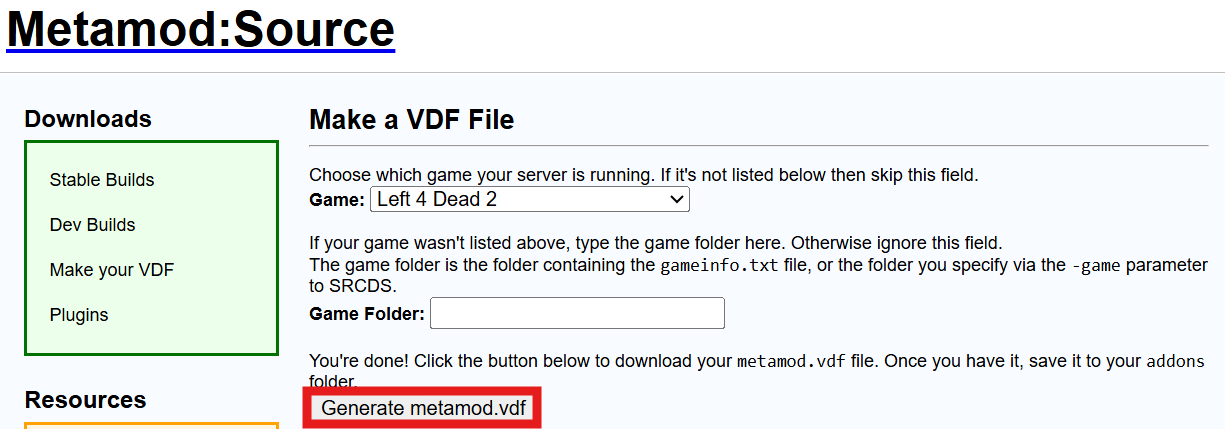
-
Move the
metamod.vdffile you generated to the addons folder located in the directory where you extracted the files in Step 3.
#Installing Sourcemod to your Server
-
Access your Server Control panel and Navigate to the Files tab.
-
Locate and Open the
left4dead2folder. -
Upload the
addonsandcfg foldersinto theleft4dead2directory that you extracted in Step 3 above.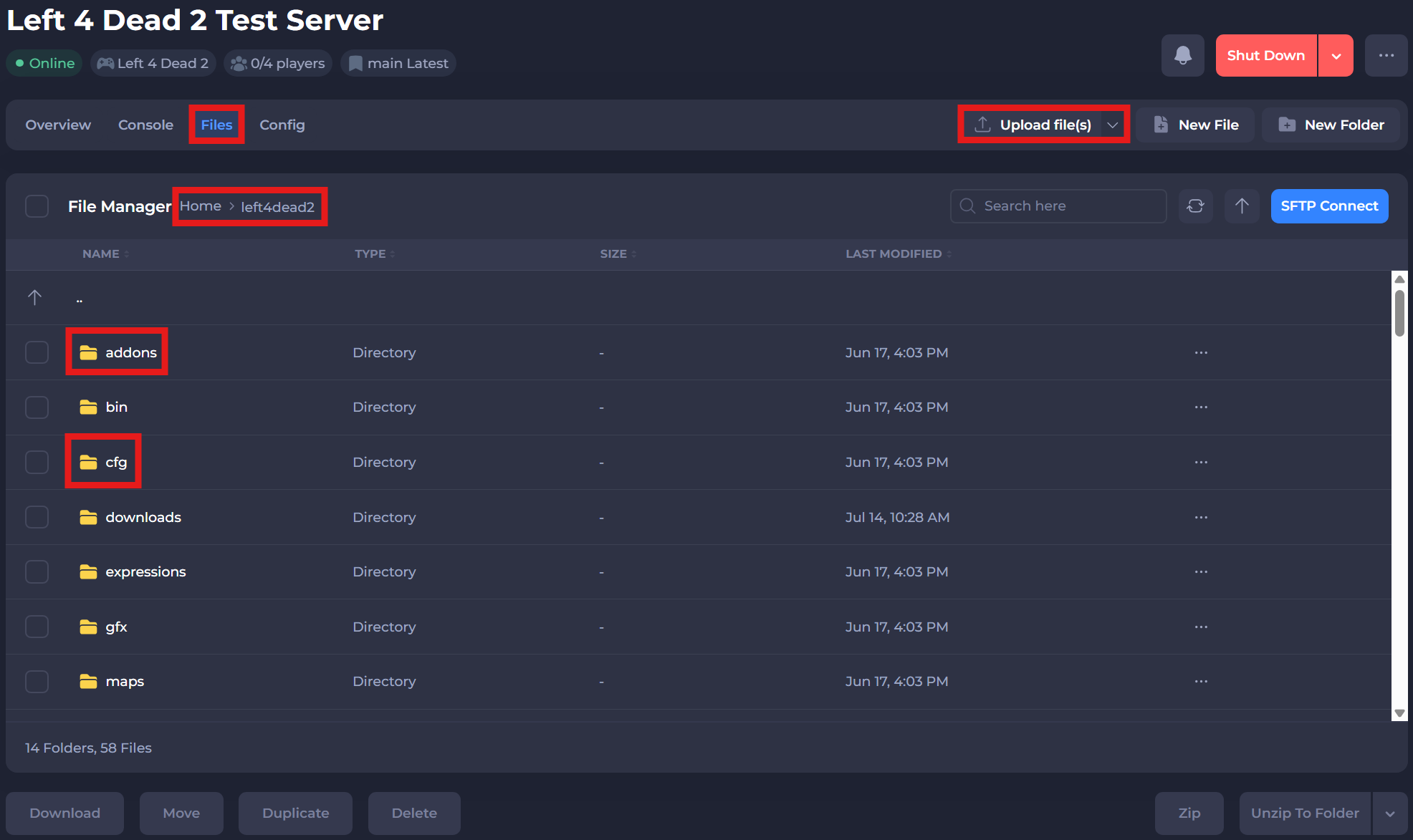
Now you can Start your server!
If you require any further assistance, please contact our support at: https://shockbyte.com/billing/submitticket.php