Table Of Contents
Setting a Server PasswordStill have questions?
Come chat with us and we will get back to you as soon as possible!

Nathan Franklin
Game Experience Engineer

How To Set A Password For Your SCP: 5K Server
SCP 5K
·Nov 29, 2024
·2 min read
Adding a password to your SCP: 5K server is an excellent way to restrict access and ensure only authorized players can join. This guide will show you how to set up a password for your server using Shockbyte's control panel.
#Setting a Server Password
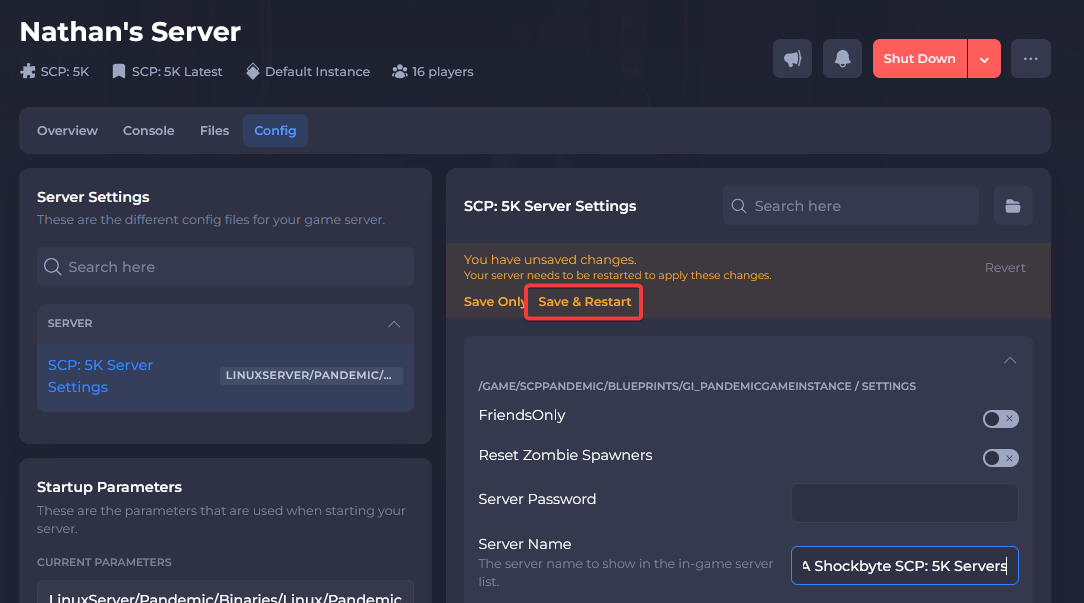
You can both enable and set a password for your server in your server's control panel.
-
Navigate to your Control Panel.
-
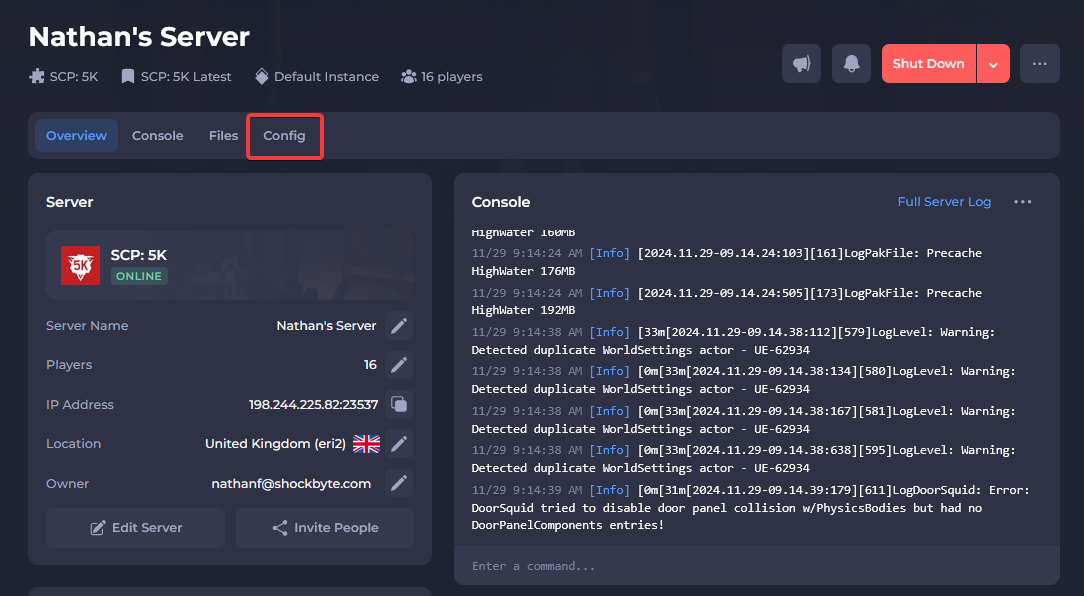
Click Config.
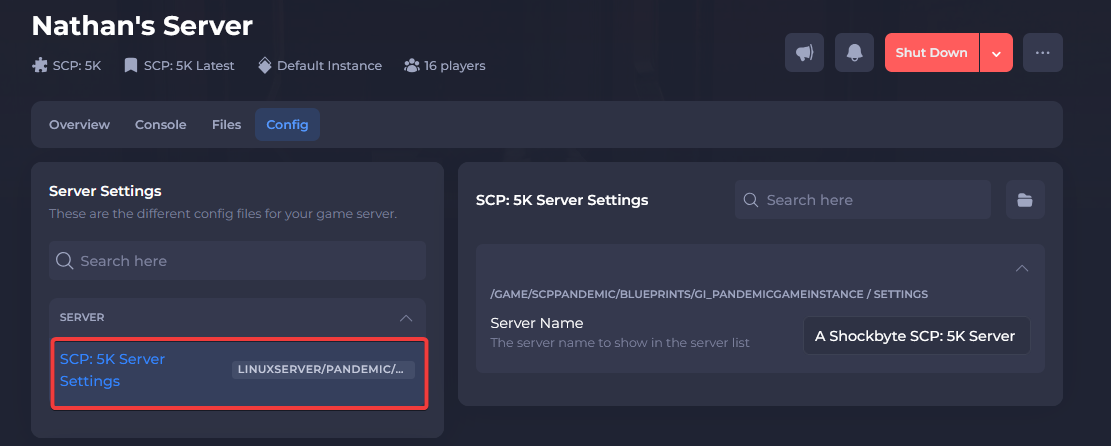
- Select SCP: 5K Server Settings.
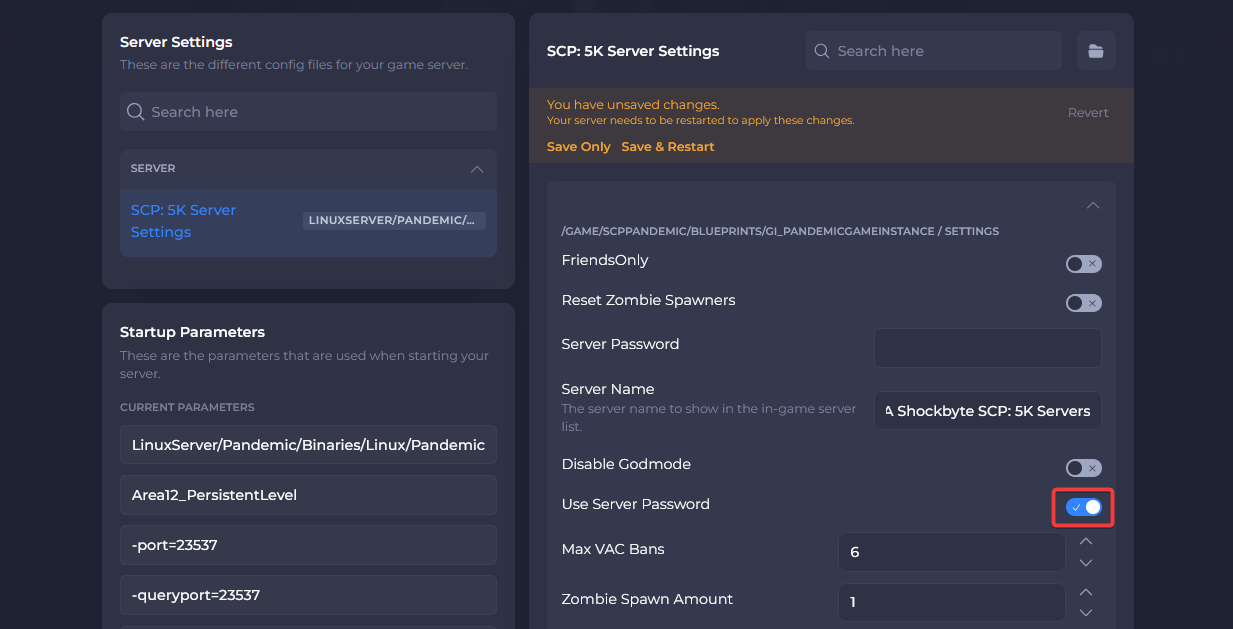
- Locate the Use Password toggle and enable it.
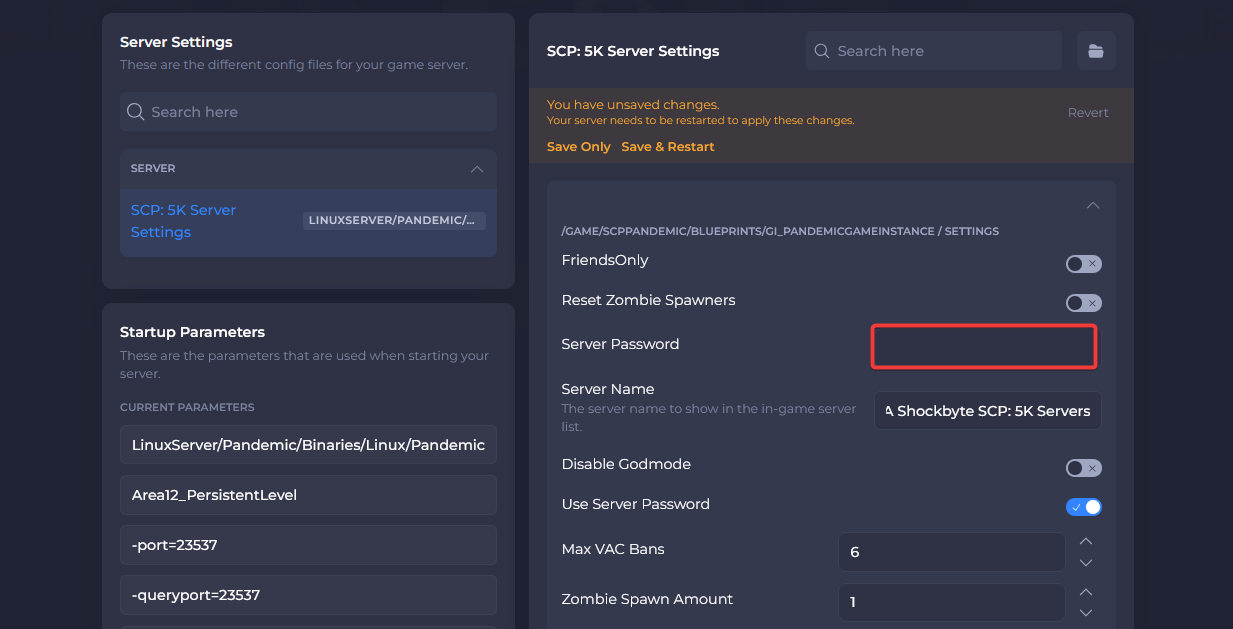
- Locate the Server Password field and enter your desired password.
- Click Save & Restart.
You should now know how to set a password for your SCP: 5K server! If you need more help with your SCP: 5K server you can find more articles on our Knowledgebase.