Table Of Contents
Uploading a Prospect to your ServerStill have questions?
Come chat with us and we will get back to you as soon as possible!

Ruben B
Partnership Manager

How to Upload an Existing Icarus Prospect to your Server
Icarus
·Nov 9, 2024
·2 min read
You may have home hosted an Icarus Prospect or played a single-player prospect in the past, but now you want to resume that same Prospect on your new dedicated Icarus server. Fortunately, dedicated Icarus servers support the usage of previously played Prospect files.
#Uploading a Prospect to your Server
After locating your local Prospect file, you will need to upload it to the proper directory in your server's FTP.
- Access your control panel and Stop your server.
- Navigate to Files.
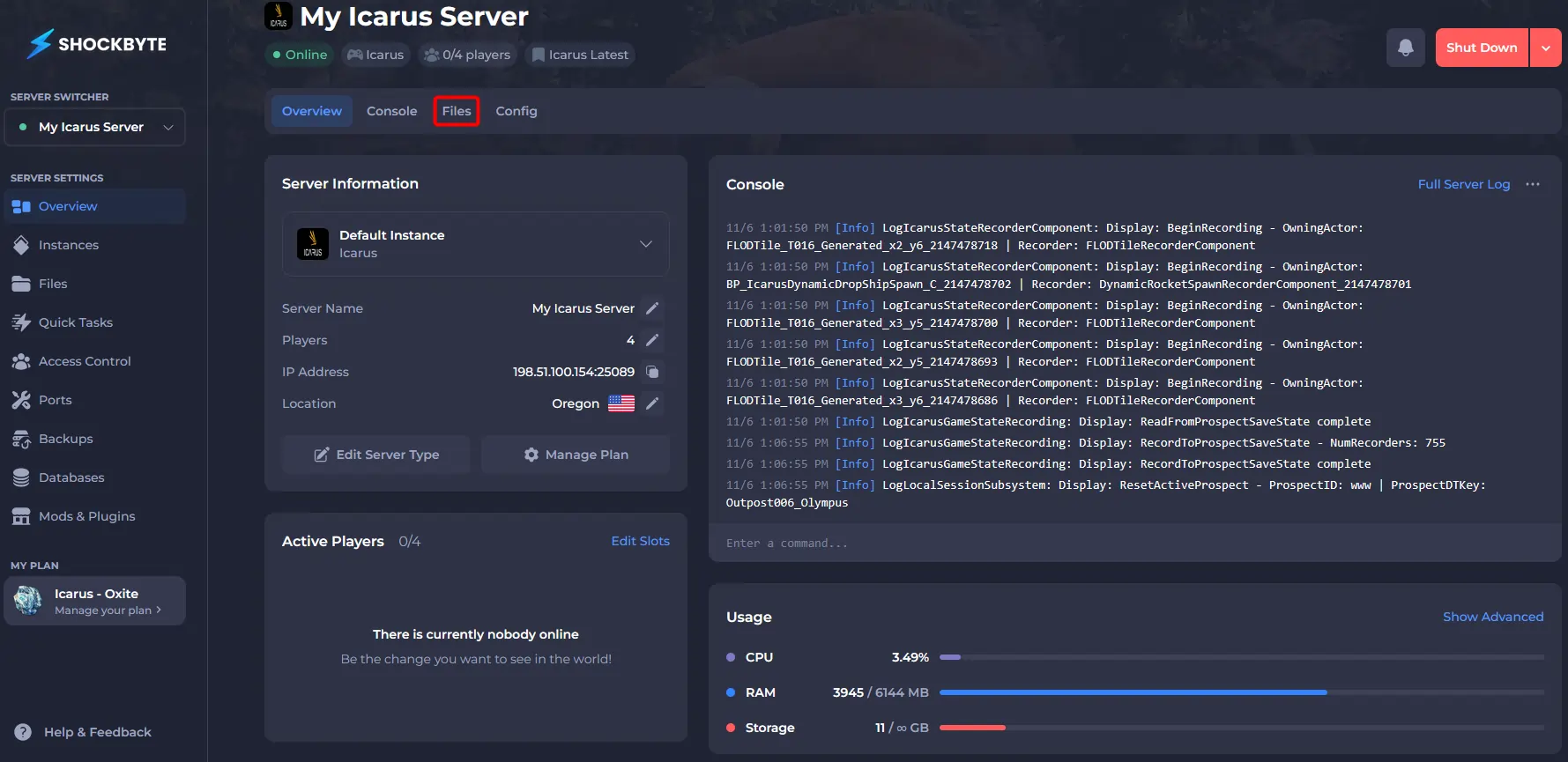
- Navigate to
/Saved/PlayerData/DedicatedServer/Prospects/.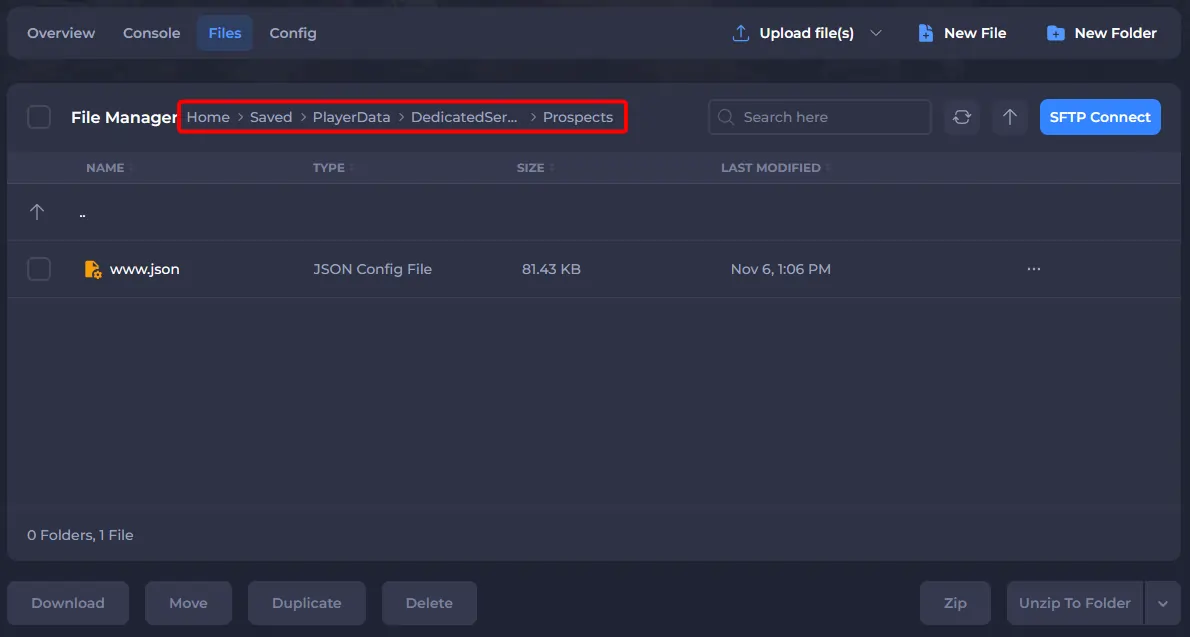
- Upload your Prospect file to
/Saved/PlayerData/DedicatedServer/Prospects/.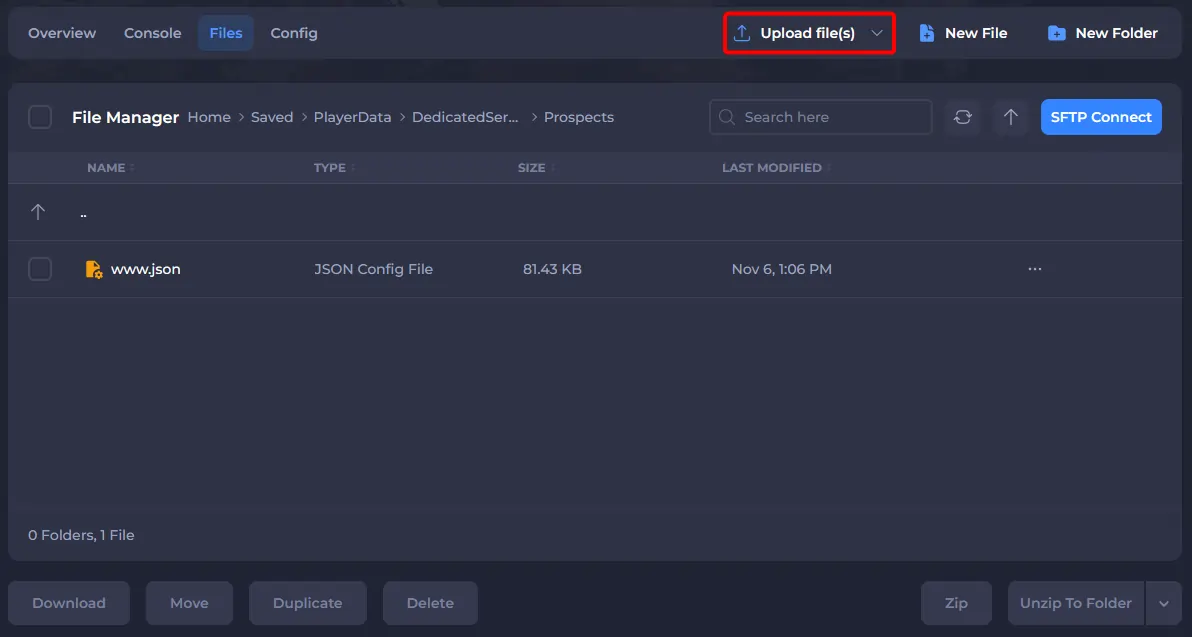
After you successfully locate and upload your local Icarus Prospect to your new Icarus server, you can follow this guide to change your active Prospect to it.
To learn more about Icarus server hosting, you can browse our library of Knowledgebase articles here.