Still have questions?
Come chat with us and we will get back to you as soon as possible!

Ruben B
Support Specialist

How To Upload Or Download A Save From Your Satisfactory Server
If you already have an existing Satisfactory single-player world, you can upload this to your server to allow your friends to join. You can also download a world from the server to continue playing in your single-player game.
In this guide, you will need both the Session Name and File Name of a save. Each Session Name (e.g. ‘My New Save’) can contain multiple save files. Each save file will be listed within the session by its File Name (e.g. 'My Newest Save').
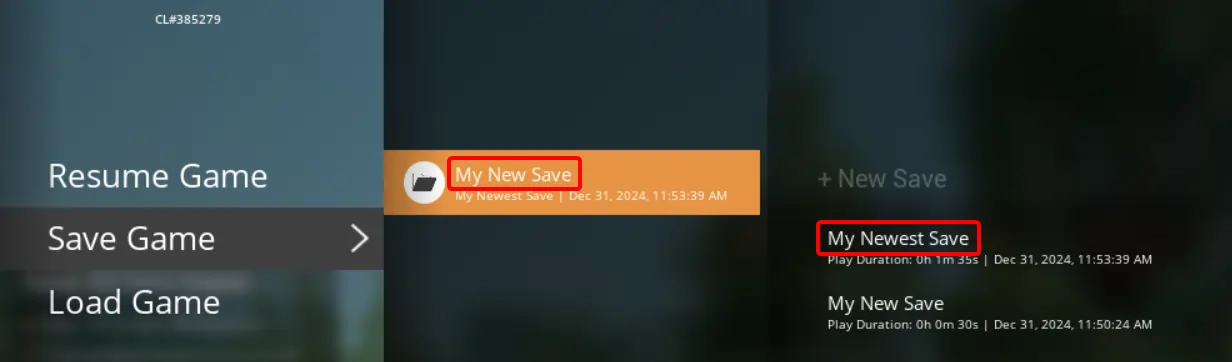
#Preparing a downloaded savegame
This section only needs to be followed if you are uploading a downloaded savegame. If you already have the world’s .sav file in single player, you can skip this step.
-
Download the .sav file you would like to use.
-
Go to the Satisfactory Save Games folder on your computer.
On Windows, press WINDOWS + R and then enter %appdata%\..\Local\FactoryGame\Saved\SaveGames.
On Linux, navigate to ~/.config/Epic/FactoryGame/Saved/SaveGames.
- Move the downloaded .sav save file within one of the subfolders.
#Uploading the save to your server
-
Open the menu by pressing Escape.
-
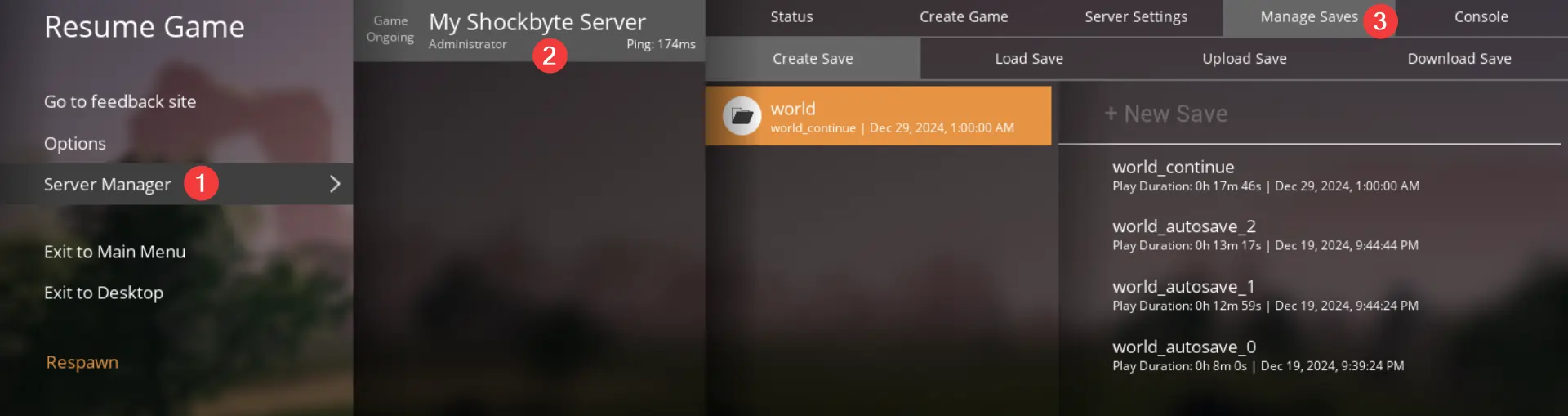
Click Server Manager, select your server, and click Manage Saves.
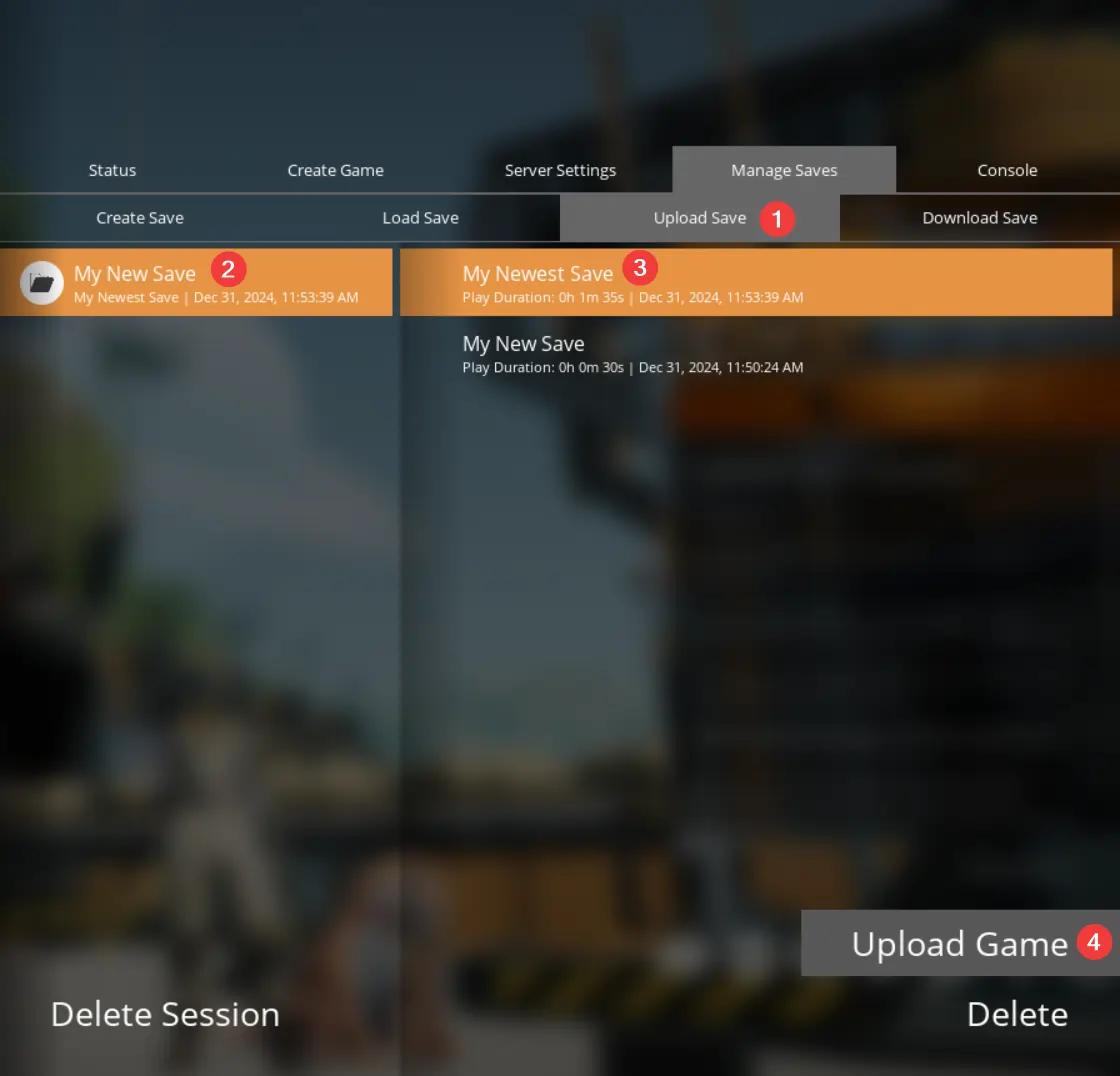
- Click Upload Save, select which session and save you would like to upload, and click Upload Game.
- You can now load the world using our How to Save or Load a Save guide.
#Downloading the save from your server
This section only needs to be followed if you want the downloaded savegame as a file. If you just wish to have it in single player, you can skip this step.
-
Open your server's file manager or an FTP client such as FileZilla.
-
Navigate to
/.config/Epic/FactoryGame/Saved/SaveGames/server.
Note
Some FTP clients may not show the .config folder by default. Either copy and paste the file path, or use the panel's File Manager.
- Download the .sav save file from the server to your computer.
#Importing a save to single-player
-
Open the menu by pressing Escape.
-
Click Server Manager, select your server, and click Manage Saves.
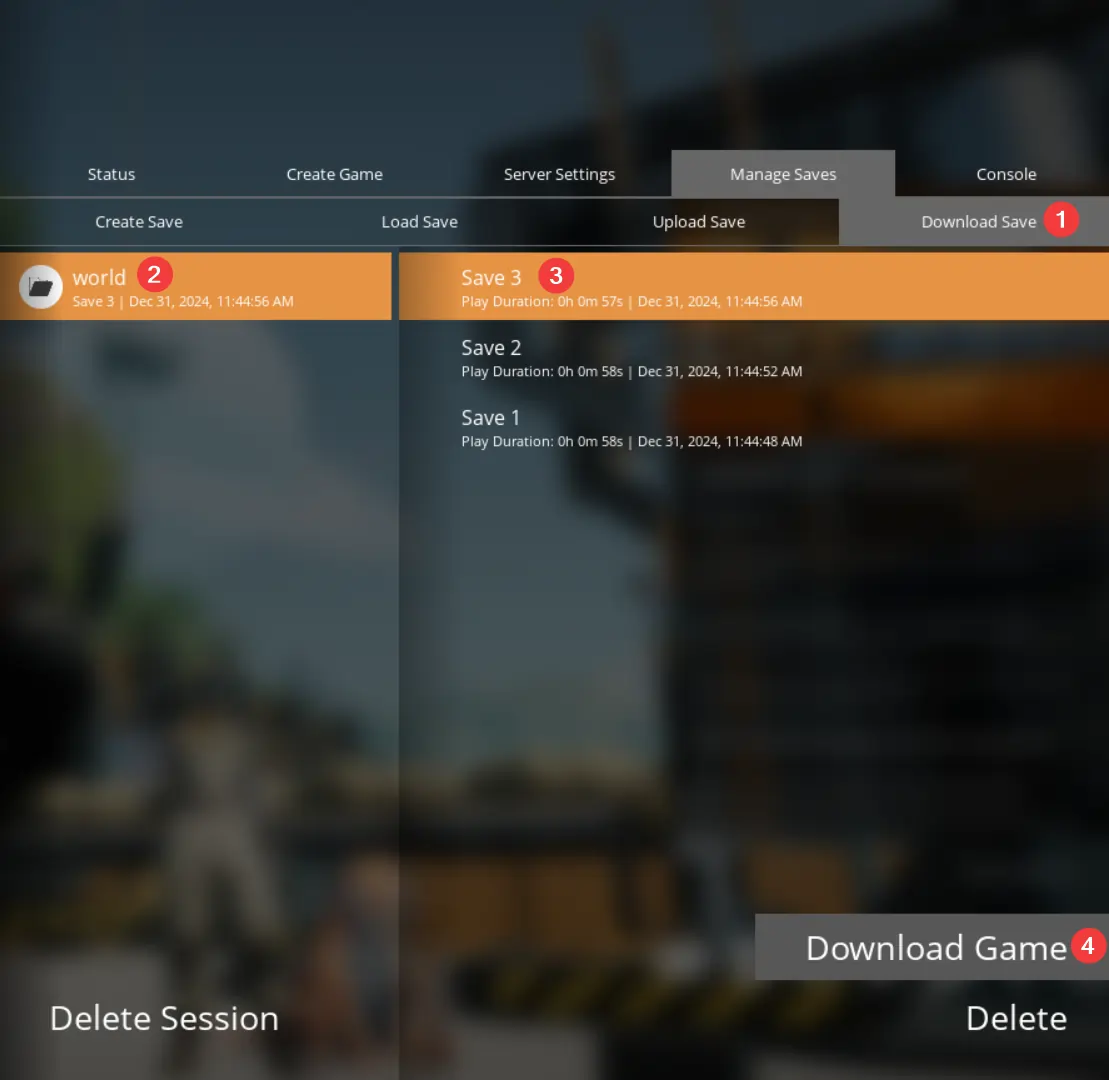
- Click Download Save, select which session and save you would like to download, and click Download Game.
To learn more about Satisfactory server hosting, you can browse our library of Knowledgebase articles here.