Table Of Contents
Using the Modpack InstallerStill have questions?
Come chat with us and we will get back to you as soon as possible!

Shockbyte
Support Team
How to Use Shockbytes Minecraft Modpack Installer
The Shockbyte control panel features an easy-to-use modpack installer with CurseForge and Modrinth modpacks automatically supported and updated. Modpacks are a great way to experience a whole new Minecraft, bringing a massive variety of content you may have never experienced before.
Disclaimer
Our installer currently only supports modpacks that have a server pack. We are actively working to add support for these modpacks. In the meantime, they can still be installed manually.
Don't know which modpack to use?
You can look at our list of the best modpacks of all time, most of which are available on our Modpack Installer.
#Using the Modpack Installer
In order to see our modpack installer, you must be running a server type such as Fabric, Forge, or NeoForge. After installing one of these server types, you will be able to see our modpack installer on the top navigation bar on your panel.
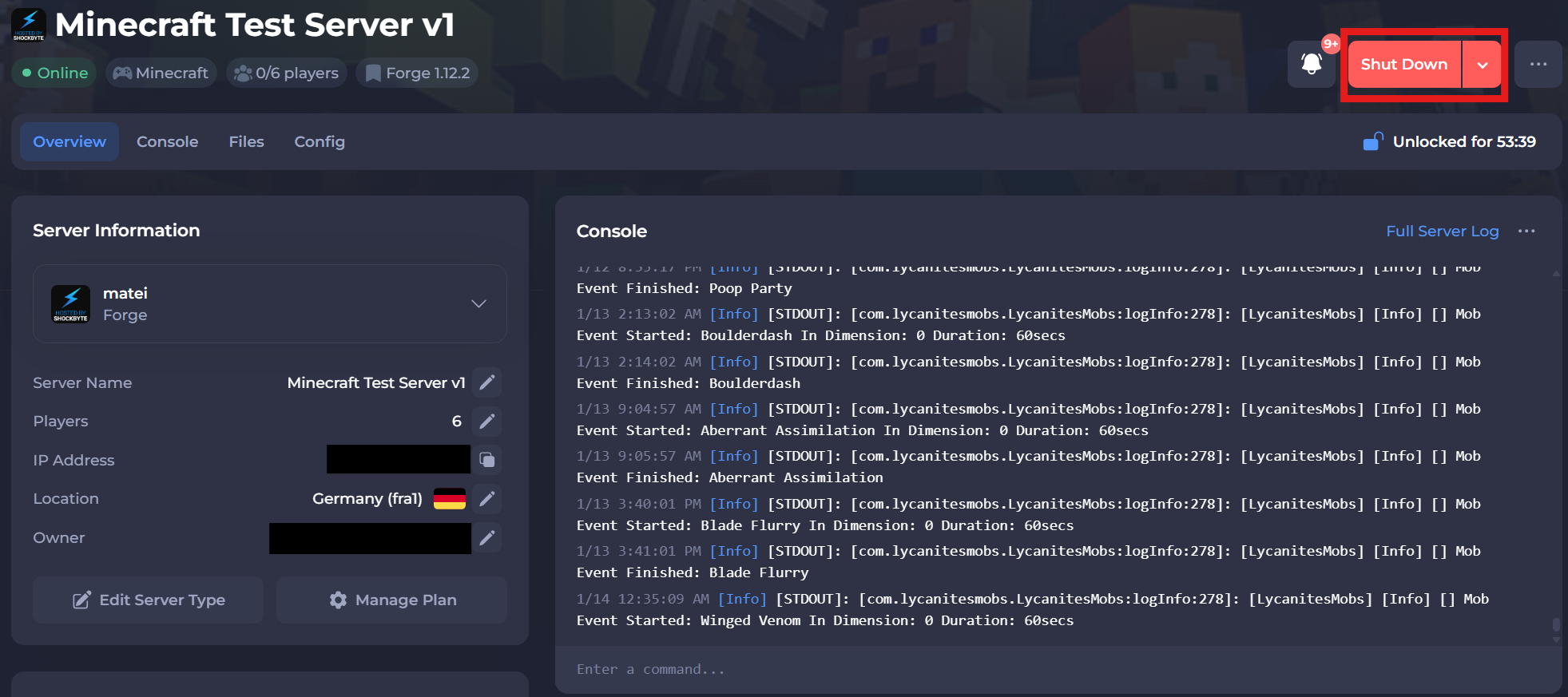
- Access your control panel and Shut Down your server.
- Navigate to the Mods & Plugins tab.
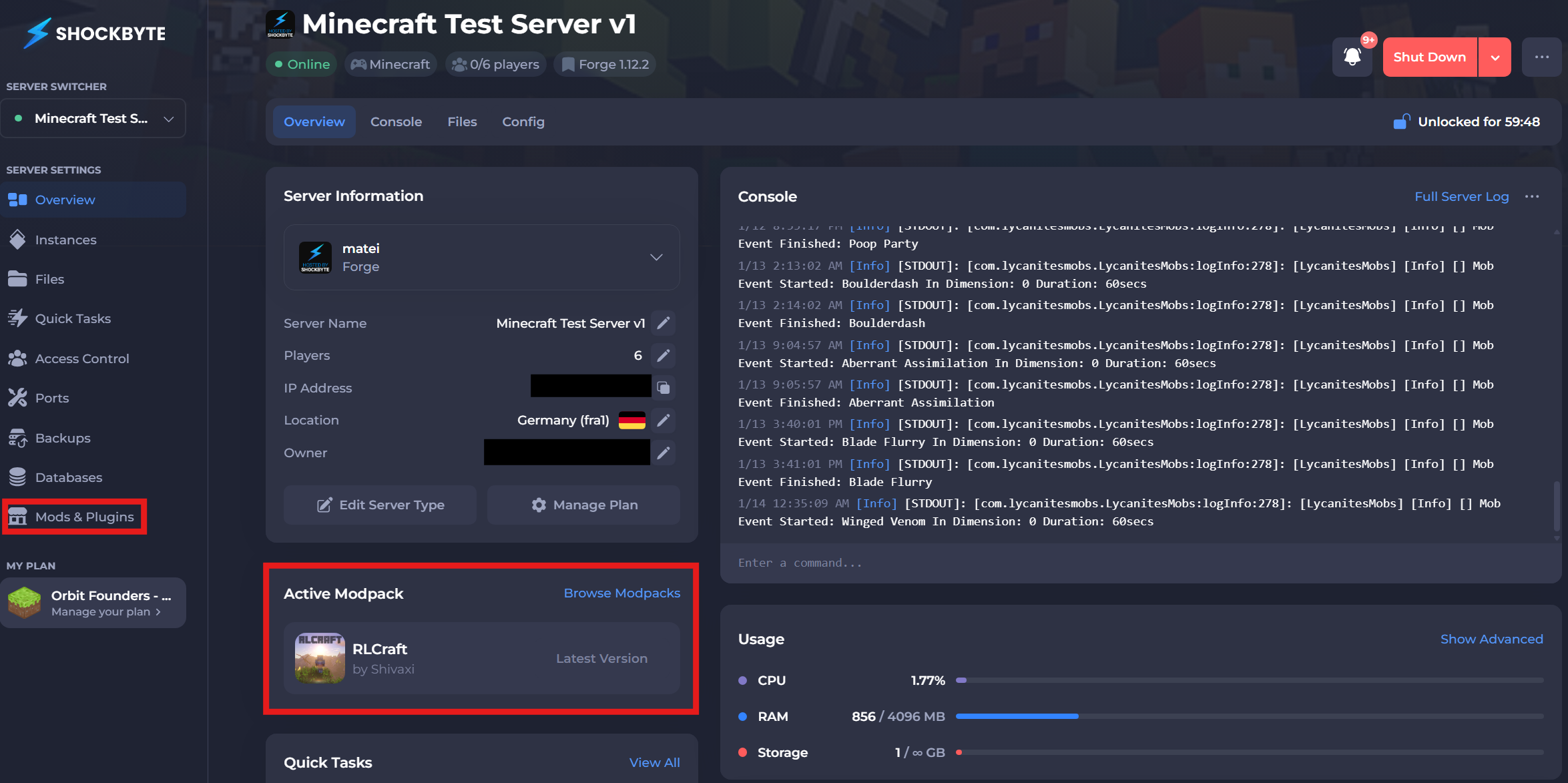
If you already have a modpack selected, you may also select the "Browse Modpacks" button in the "Active Modpacks" area on the Overview page.
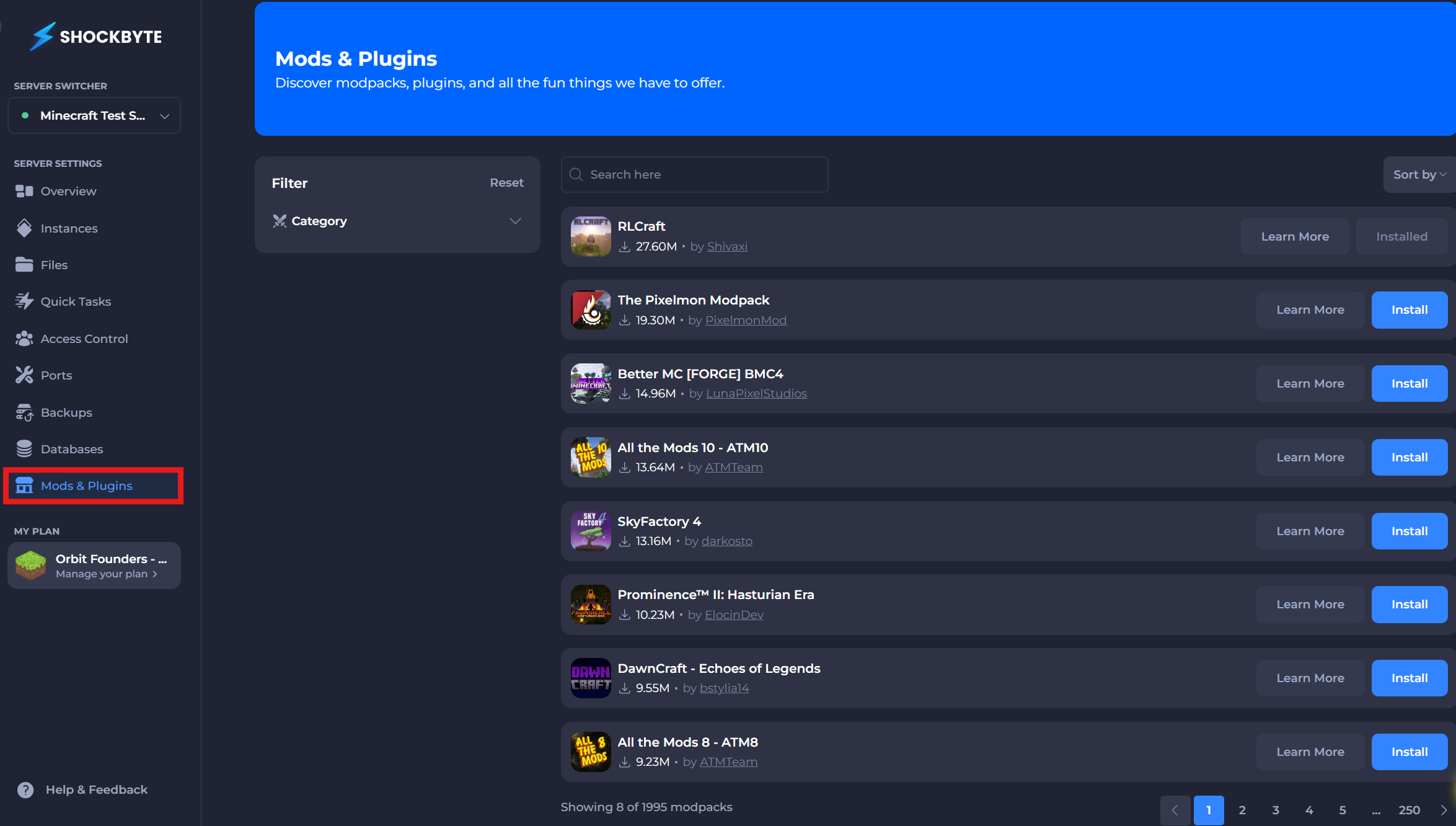
- Search for the modpack you want to install and simply click Install.
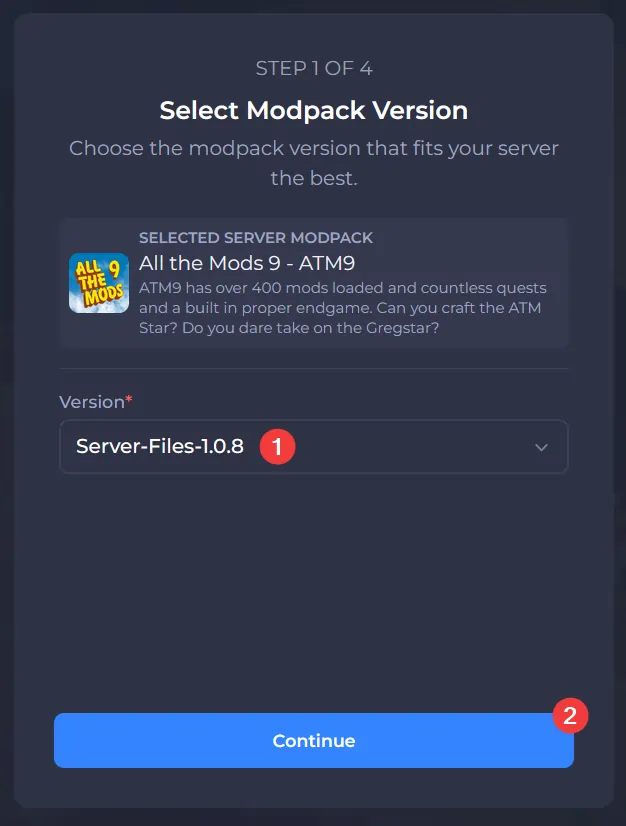
- Select a build you wish you use, then click Install on the pop-up.
Note:
Sometimes our system is unable to automatically detect the Forge/Fabric/NeoForge version needed for the modpack. In this case, you will need to manually configure this. If you are unable to find this, please submit a ticket for assistance.
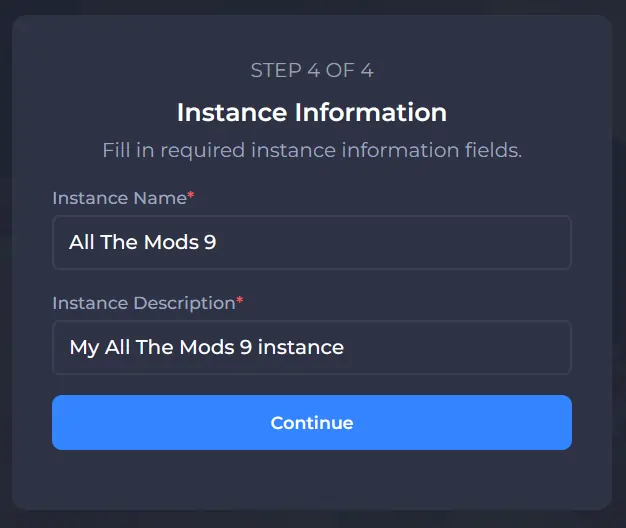
- Give the new server instance a name and description and click Continue.
Warning:
Your server will now restart multiple times while it installs your modpack. Depending on the pack's size, this can take up to 10 minutes. Please do not try manually restarting your server or editing its files in the meanwhile.
That's it! When your server boots up, the modpack will be installed and your server will be ready to go!