Still have questions?
Come chat with us and we will get back to you as soon as possible!

Ruben B
Partnership Manager

How to Become an Admin on your Icarus Server
Icarus server Administrators have access to various admin commands. After an admin password has been set in your server's control panel, players can become administrators by entering the /adminlogin command followed by the Admin password while in-game.
#Setting an Admin Password
In order to log in as an admin, your players will need to know the administrator password. This can be set in the Icarus Server Settings section of your control panel.
- Access your control panel and Stop your server.
- Navigate to Config.
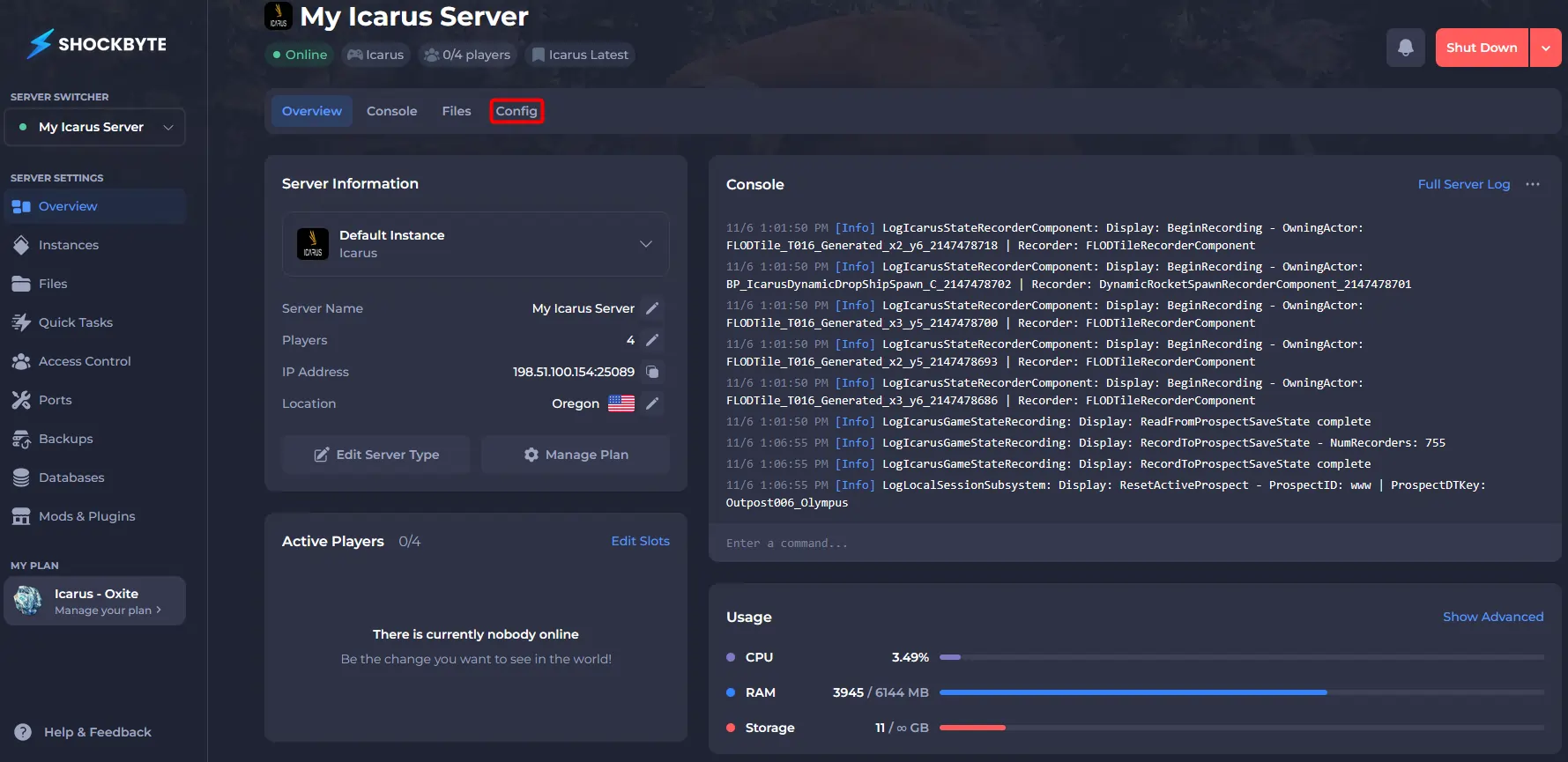
- Click Icarus Server Settings.
- Enter your desired password in the Admin Password field.
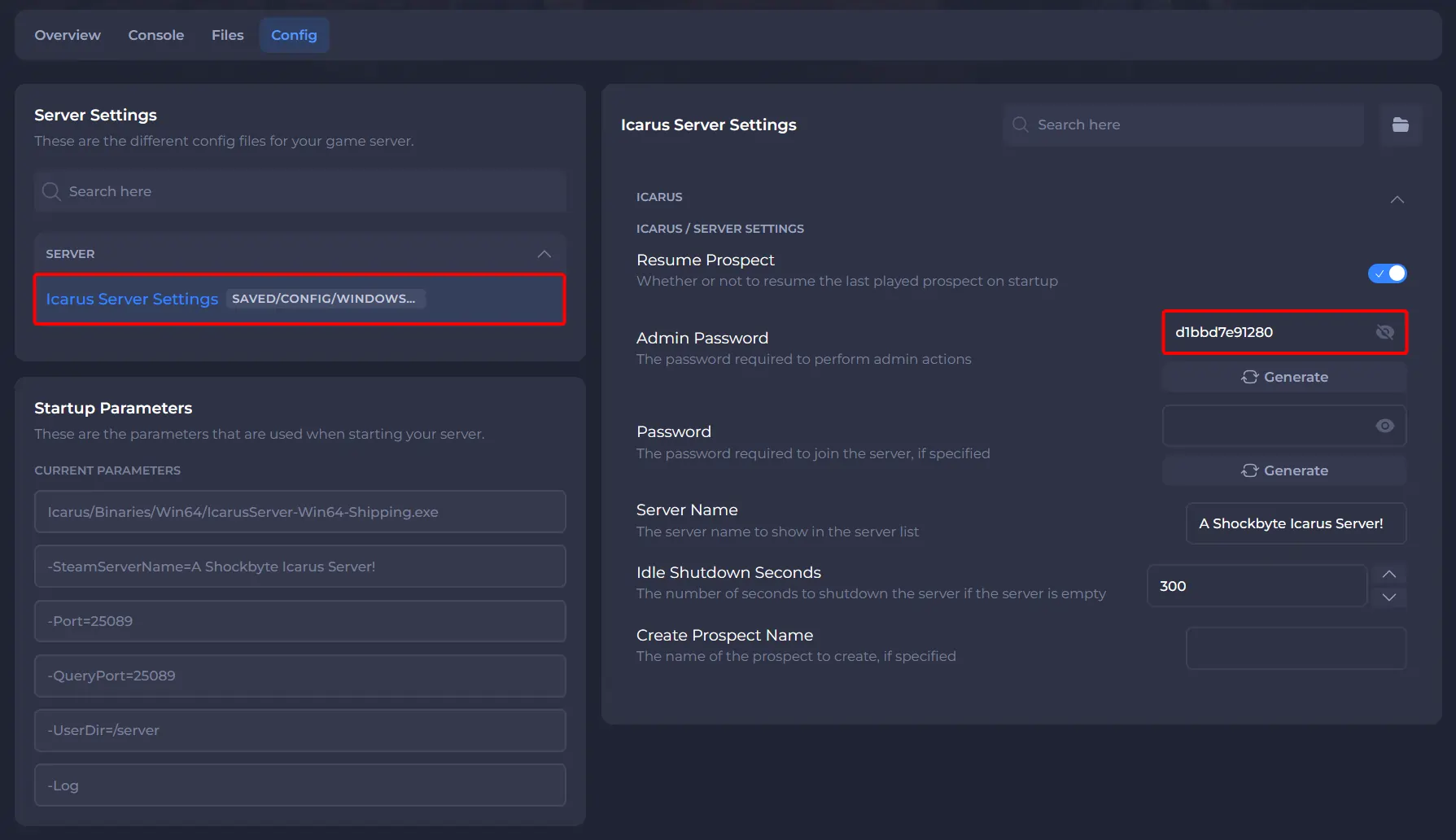
- Click Save and Start your server.
#Becoming an Admin
Once an admin password has been set your players can become administrators by entering the /adminlogin command followed by the Admin password while in-game.
- Join your Icarus server.
- Press Enter.
- Enter
/AdminLogin <Admin Password>.
- Press Enter. If successful, you will receive the Login Successful message in chat.
If you would like any additional information or have any other questions about your Icarus server, you can find our other articles here.