Still have questions?
Come chat with us and we will get back to you as soon as possible!

Shockbyte
Support Team

How to Find the server.cfg File on Your Rust Server
Rust server owners often use the server.cfg file for settings that aren’t already included in the other configuration files. Getting familiar with this file helps keep your server running just the way you want.
If you haven't already, we recommend checking out the rust.properties and serverauto.cfg files under the Config tab on your control panel. The settings you're looking to use might already be present there.
#Getting Started
If you changed the name of the Server Identity (my_server_identity), you'll need to keep note of the name to find your server.cfg.
-
Open your server's control panel.
-
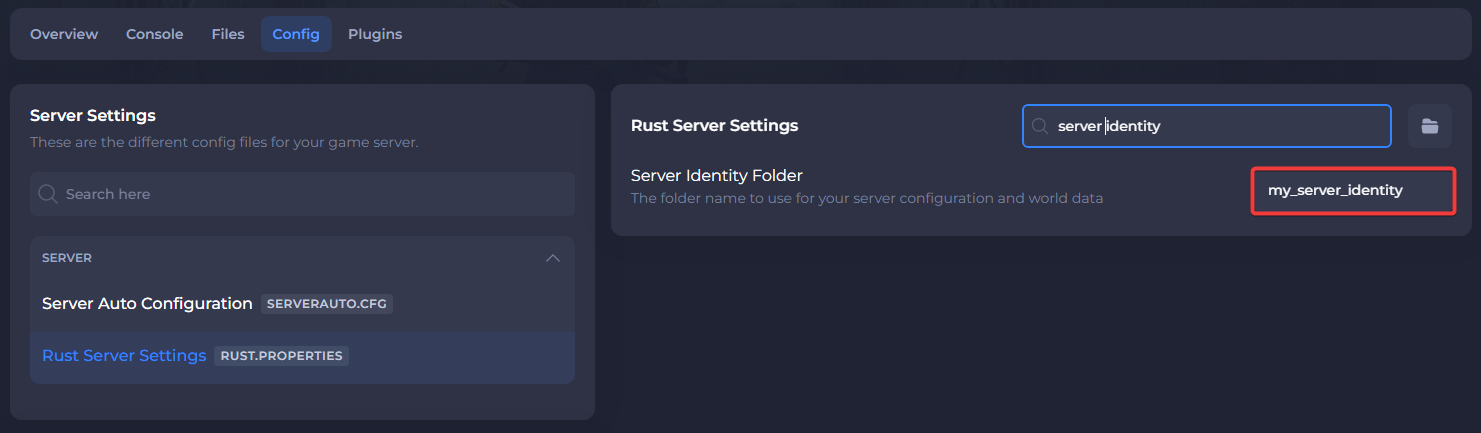
Navigate to the Config tab and select Rust Server Settings.
-
Search for
Server Identityand take note of the folder name.
#Finding the server.cfg File
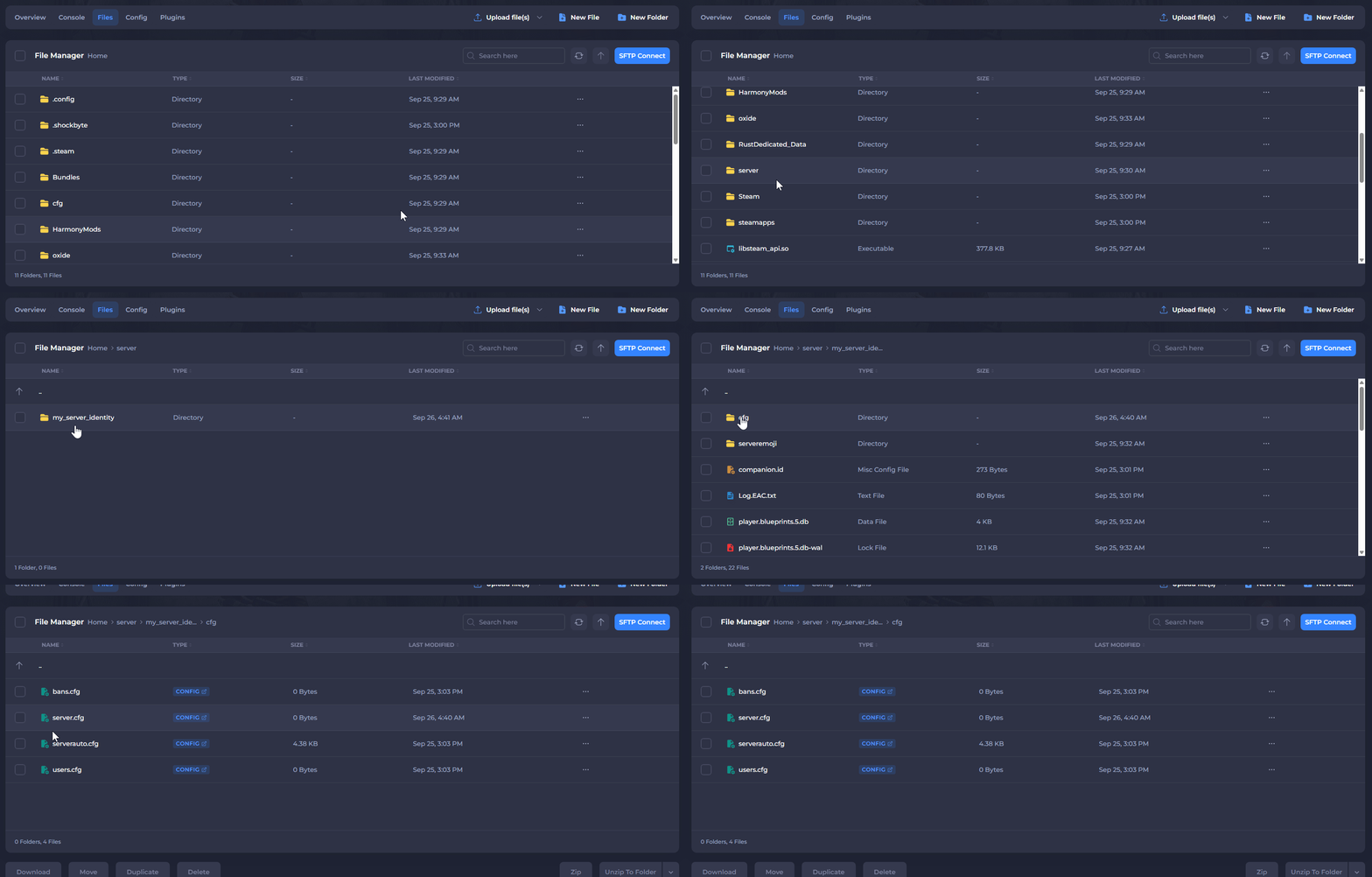
- Navigate to the Files tab and navigate to the following directory:
server/my_server_identity/cfg
If the name of the Server Identity folder (my_server_identity) has been changed, select the folder with the corresponding name instead.
- Locate the
server.cfgfile inside the directory.
If there is not one, proceed to the next step.
- (Optional) Create the server.cfg file
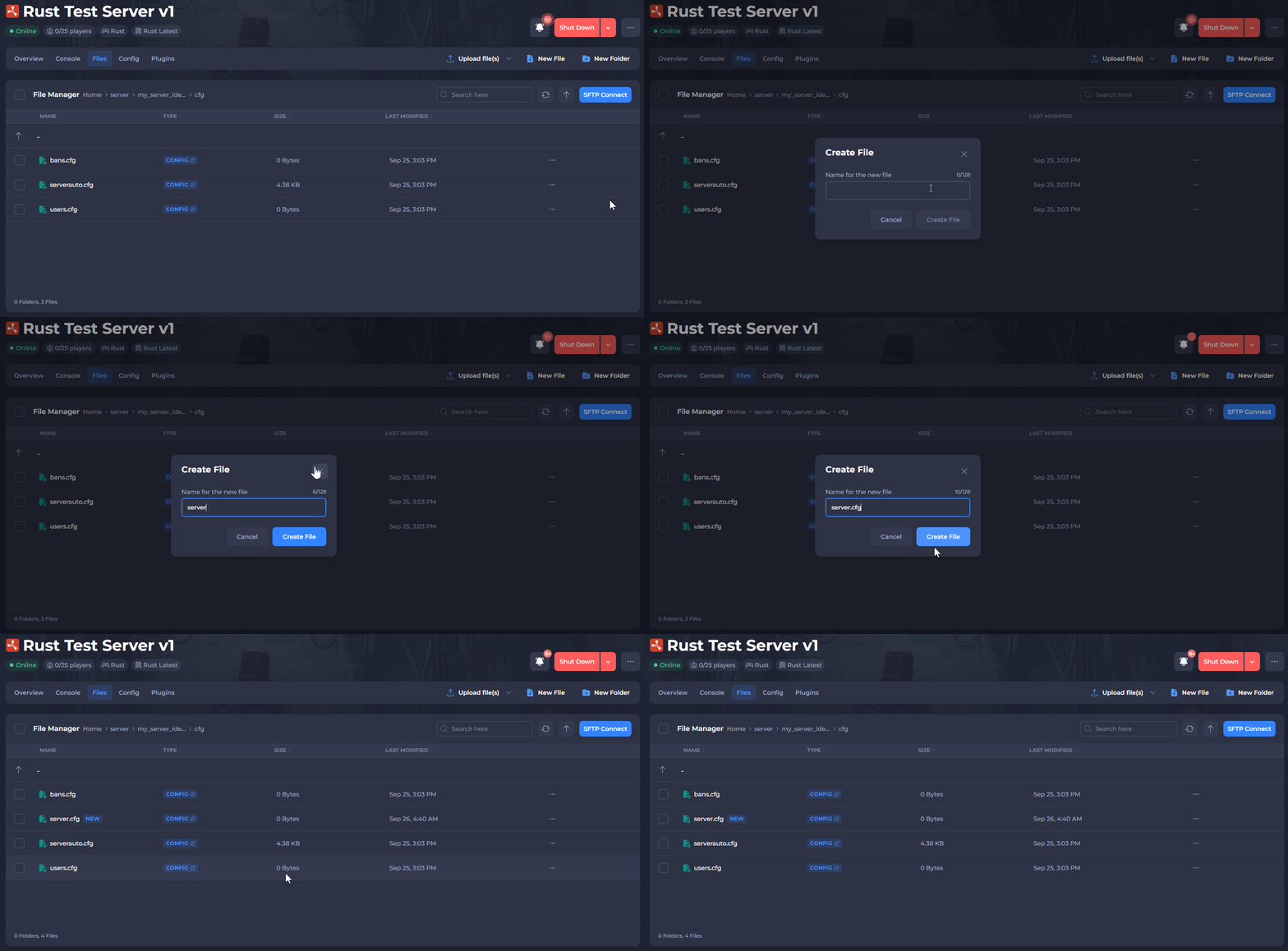
If the server.cfg file is missing; it can be created manually. In the same directory as before, select "New File" at the top of the control panel and create a file named server.cfg.
Now that the server.cfg file has been located, you can start adding settings to it.