Still have questions?
Come chat with us and we will get back to you as soon as possible!

Shockbyte
Support Team

How to Setup RCON for Your Project Zomboid Server
RCON is a protocol which can be used to remotely control and execute commands on your server without logging in to your control panel via a browser. It can be used for integrations with third-party or self-written programs.
Note
Enabling RCON will allow any user knowing your password to take full control of your server, please therefore only use it when you know what you are doing, and ensure that you are making use of a strong password.
#Enabling RCON
-
Access your Control Panel and Stop your server.
-
Navigate to the Files tab and locate the
/Zomboid/Serverdirectory.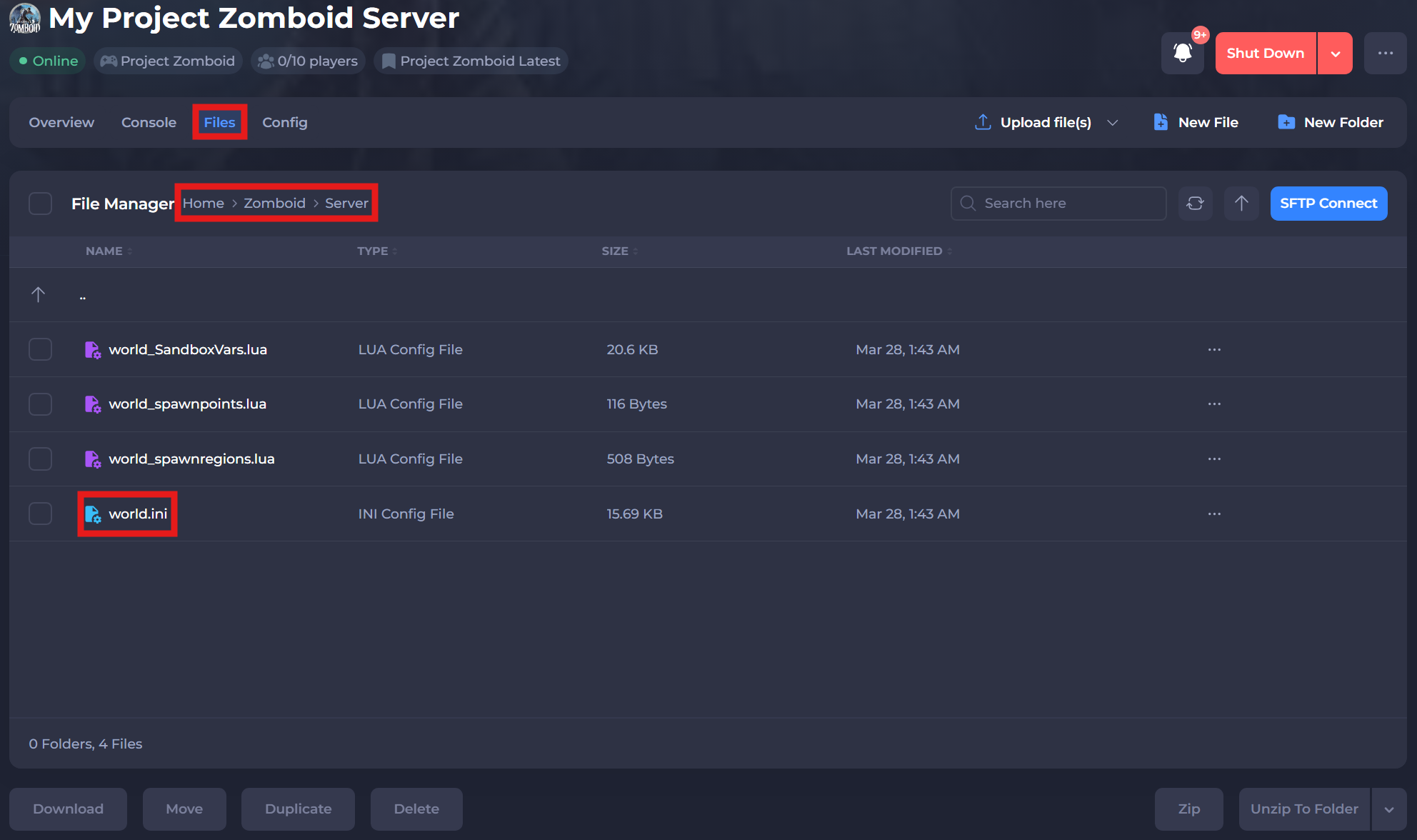
-
Select the
world.inifile and locate theRCONPort=setting. Set the value of RCONPort= to the:portpart of your server’s IP address. -
Create a password to login via RCON by setting the value of
RCONPassword=.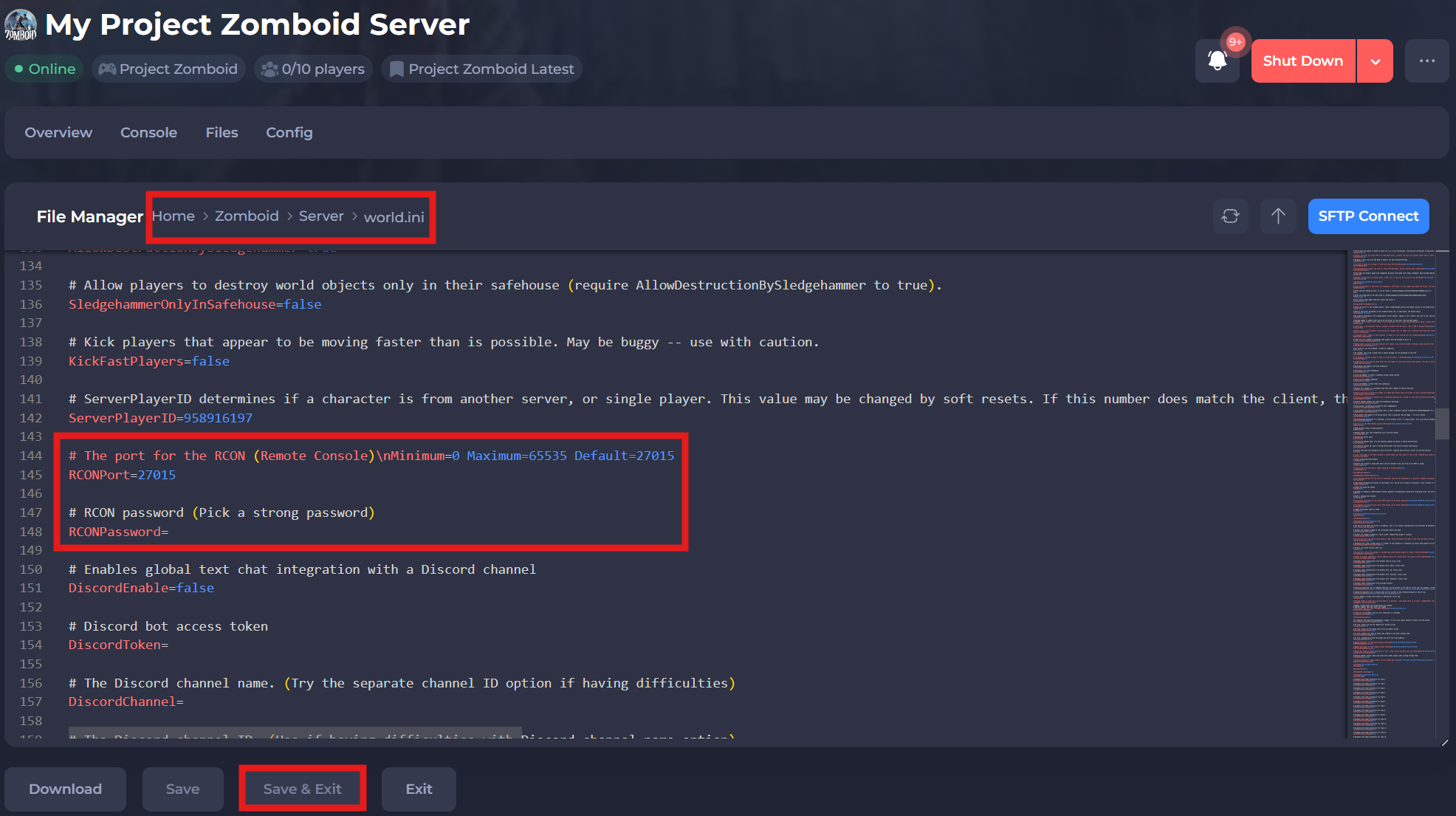
-
Save and restart your server to ensure the new changes apply.
#Installing an RCON Client
After configuring your server, you will require a program to be able to connect via RCON. We recommend rcon-cli for Windows and Linux users.
- Download the latest version of rcon-cli.
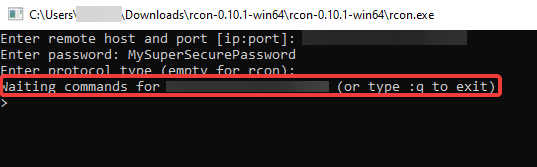
- Extract the ZIP, and run
rcon.exe. - Enter the IP and port of your server when prompted and press enter.
If you require any further assistance, please contact our support at: https://shockbyte.com/billing/submitticket.php