Still have questions?
Come chat with us and we will get back to you as soon as possible!

Jay Miller
Game Engineer

How To Add An Admin To Your Conan Exiles Server
Adding an admin to your Conan Exiles server gives you full control over gameplay, including managing players, spawning items, and adjusting settings. This guide covers the steps to add an admin to your server, so you can handle admin tasks.
#Setting an Admin Password
Before being able to make player administrators, you will need to set an admin password in your server's Conan Exiles Server Settings using the server control panel.
-
Access your Control Panel and Stop the server.
-
Navigate to the Config tab.
-
Open the Conan Exiles Server Settings and locate the setting for the Admin Password.
-
Enter a password in the Admin Password field.
Click on Generate to create a secure, randomly generated password.
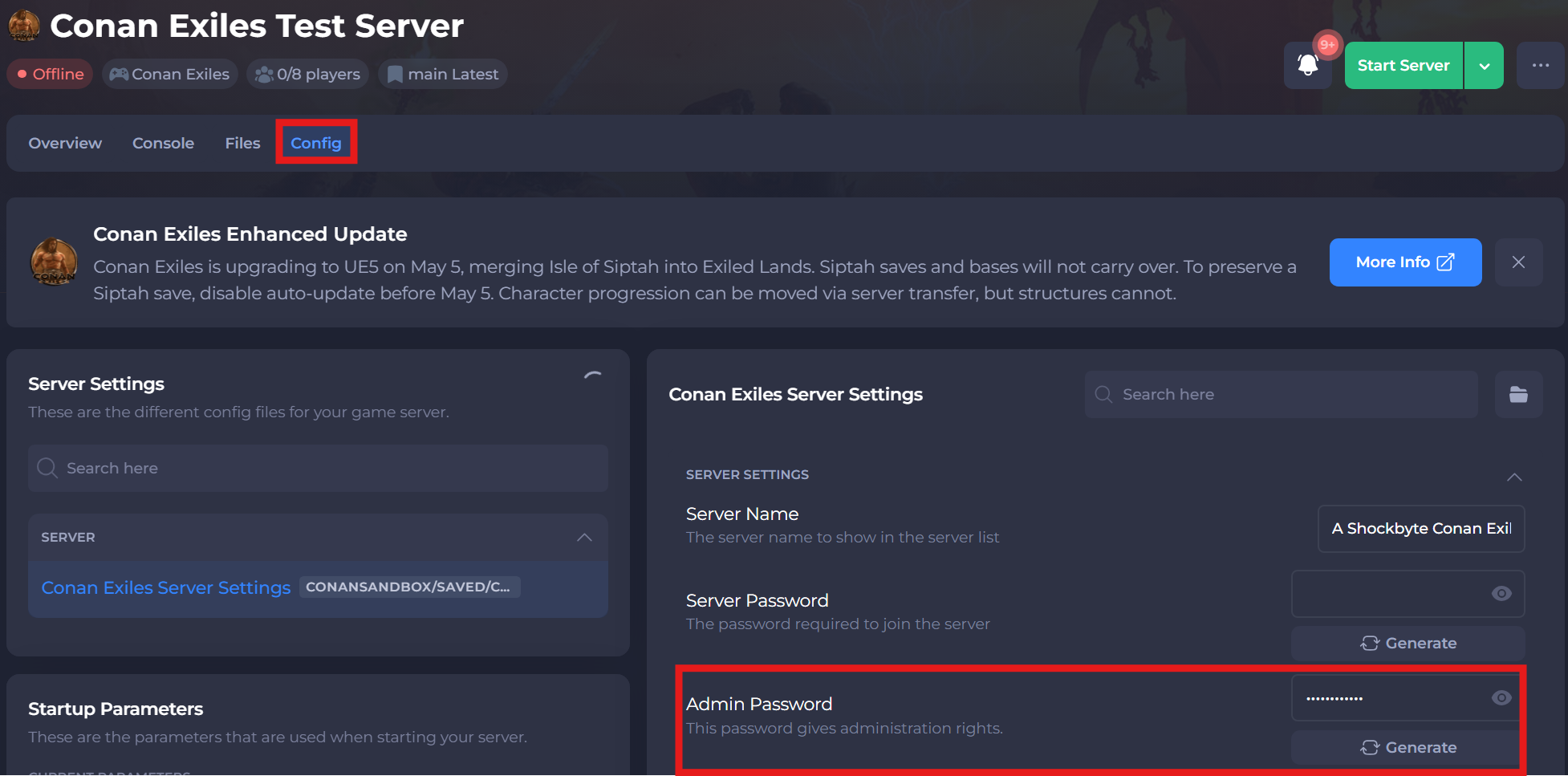
- Save and Start your server.
#Becoming an Admin
Once an Admin Password has been set chosen players will be able to make themselves Administrators using the in-game menu.
-
Press the escape key then click Settings.
-
Click Server Settings.
-
Click Make Me Admin.
-
Enter your Admin Password, then click OK.
That’s it! You’ve successfully added an admin to your Conan Exiles server. Now you can manage your server settings and keep everything running smoothly.
If you require any further assistance, please contact our support at: https://shockbyte.com/billing/submitticket.php