Table Of Contents
Uploading An Existing MapStill have questions?
Come chat with us and we will get back to you as soon as possible!

Ruben B
Partnership Manager

How To Add An Existing Map To Your Astroneer Server
Astroneer
·Nov 10, 2024
·2 min read
It's possible to upload an existing single-player Astroneer world to your server. This can be done easily using your server control panel and an FTP client.
#Uploading An Existing Map
To upload an existing world, you will need to locate the world's .savegame file.
- Locate the name of the world save you would like to upload.

- Locate the world save in
C:\Users\<User>\AppData\Local\Astro\Saved\SaveGames.

-
Access your Control Panel and Stop your server.
-
Click on Files.

- Navigate to
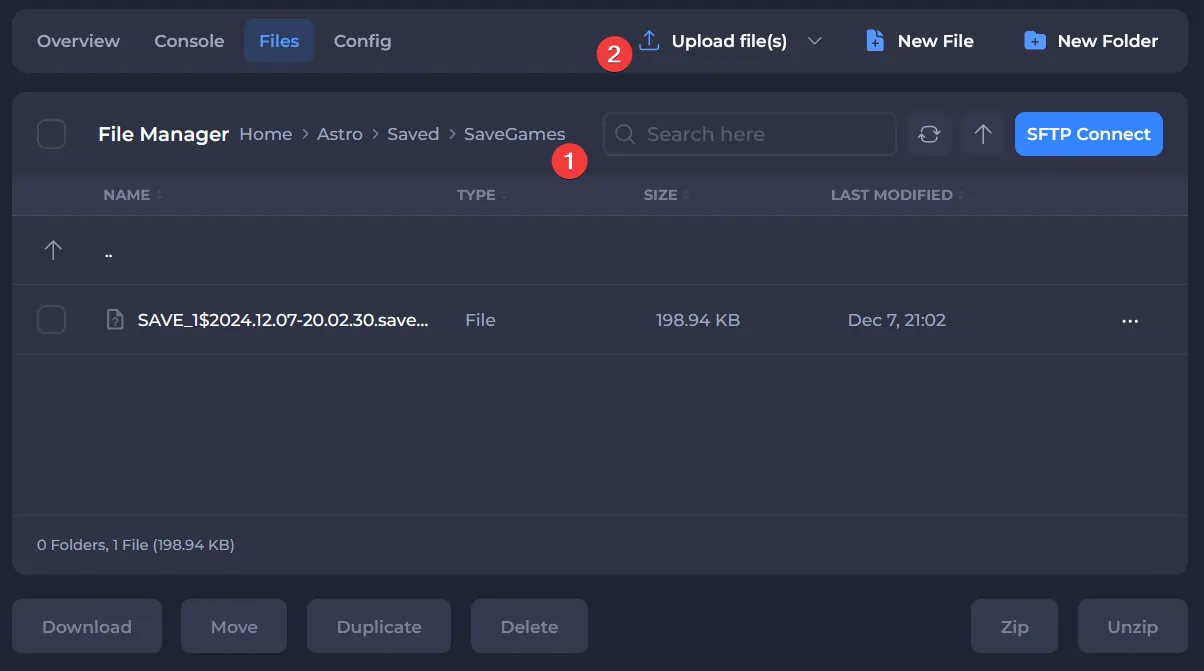
/Astro/Saved/SavedGames/, select Upload, and click on the save located in step 2.
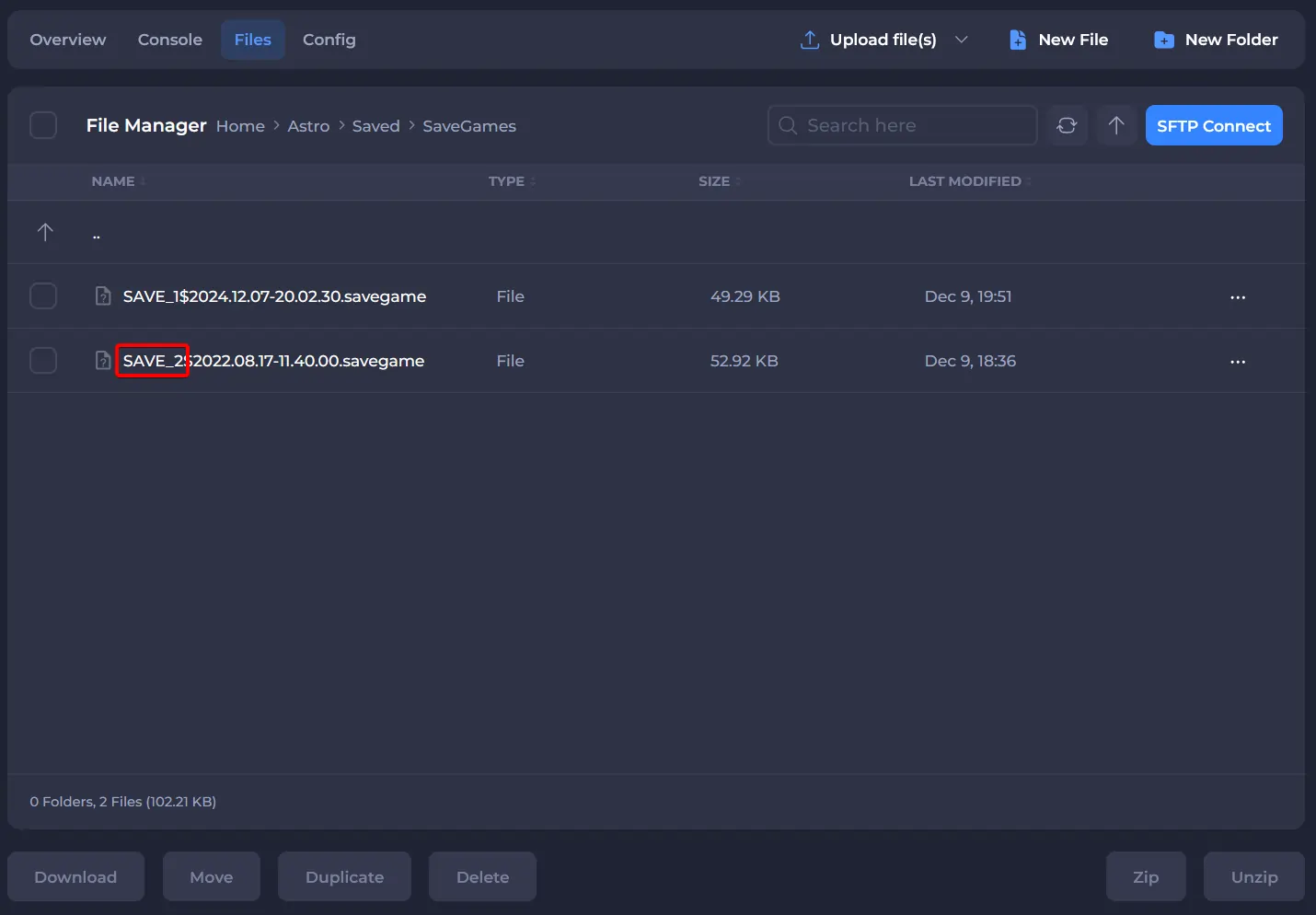
- After the file has been uploaded, remember the name of the save until the $. In this case, this is:
SAVE_2.
- Navigate to
/Astro/Saved/Config/WindowsServer/and openAstroServerSettings.ini.

- Enter the name of the save after
ActiveSaveFileDescription=.

- Click Save and Start your server.
If you would like any additional information regarding how to use your server, you can find our other Astroneer articles here.