Still have questions?
Come chat with us and we will get back to you as soon as possible!

Shockbyte
Support Team

How to Become an Admin on Your Unturned Server
Adding yourself as an admin/owner of your Unturned server is a great way to have better control over your server. It gives you access to all in-game console commands and allows you to ban or kick unruly players should you need to.
Note
These settings are set per-world. This means that if you change your world name, you will need to change your server settings again for the new world. If you have multiple worlds on your server, ensure that you select the config file for the correct world.
#Adding an Admin
Before you can assign a player as an admin, you will require their Steam64ID or Player Name.
-
Access your Control Panel and Start your server.
-
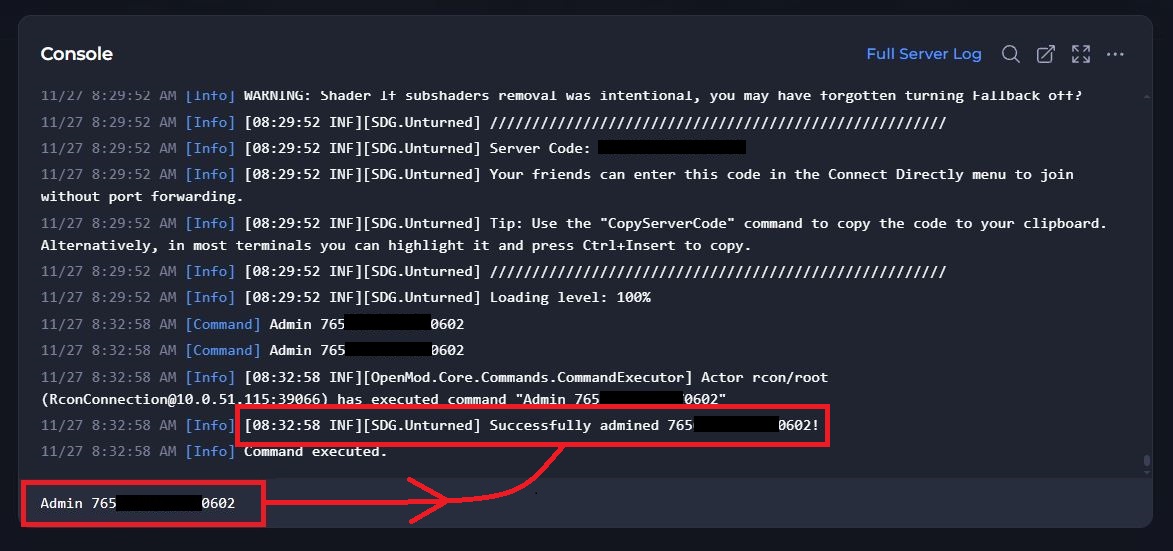
In the server console, enter the command
Admin [SteamID64 / Player].
(Replace [SteamID64 / Player] with the Steam64ID or Player Name of the player you wish to grant admin permissions to.)
- Hit Enter and you have now added an admin to your server.
#Removing an Admin
-
Access your Control Panel and Start your server.
-
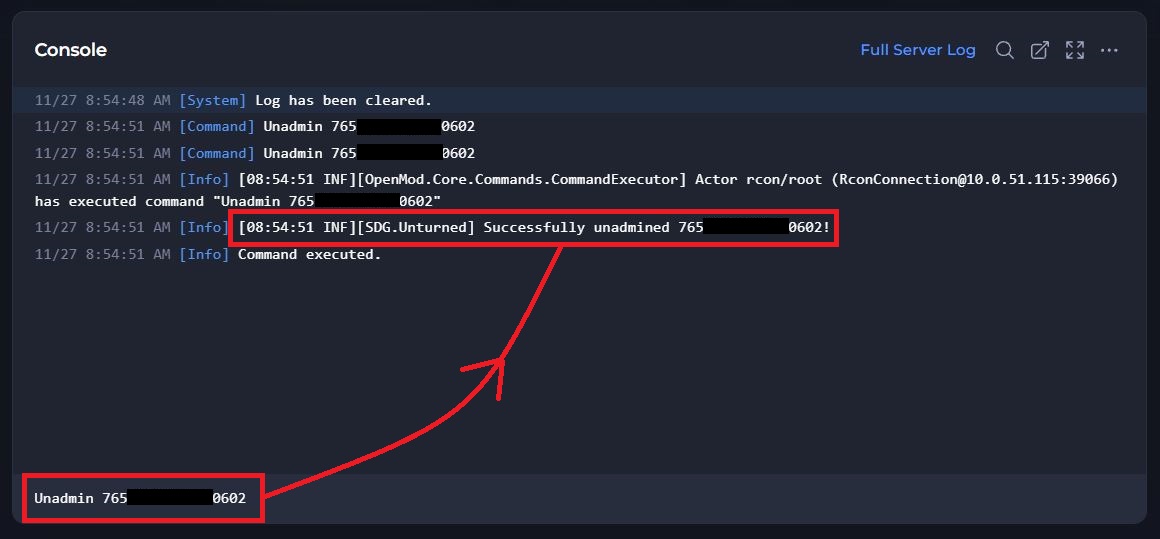
In the server console, enter the command
Unadmin [SteamID64 / Player]
(Replace [SteamID64 / Player] with the Steam64ID or Player Name of the player you wish to remove admin permissions from)
- Hit Enter and you have now removed an admin from your server.
#Managing your Admins
Here is the list of commands you can use to manage your admins:
| Command | Description |
|---|---|
Admin [SteamID64 / Player] | Grants admin to a player using either their SteamID64 or Player Name. |
Unadmin [SteamID64 / Player] | Removes target players' admin rights. |
Admins | Displays a list of admins. |
Hide_Admins | Admins will appear as normal players. |
For the full list of commands Admins can use, feel free to check out our All Console Commands for your Unturned Server guide.