Table Of Contents
How to Change Your Server's VersionStill have questions?
Come chat with us and we will get back to you as soon as possible!

Zach Lowery
Game Experience Engineer
How To Change The Version Of Your Server
Shockbyte Panel
·Sep 11, 2024
·2 min read
Through the Shockbyte Panel, changing your server's version is as simple as using a few clicks, and this guide will walk you through the process.
#How to Change Your Server's Version
-
Navigate to the Shockbyte Panel and open up your server.
-
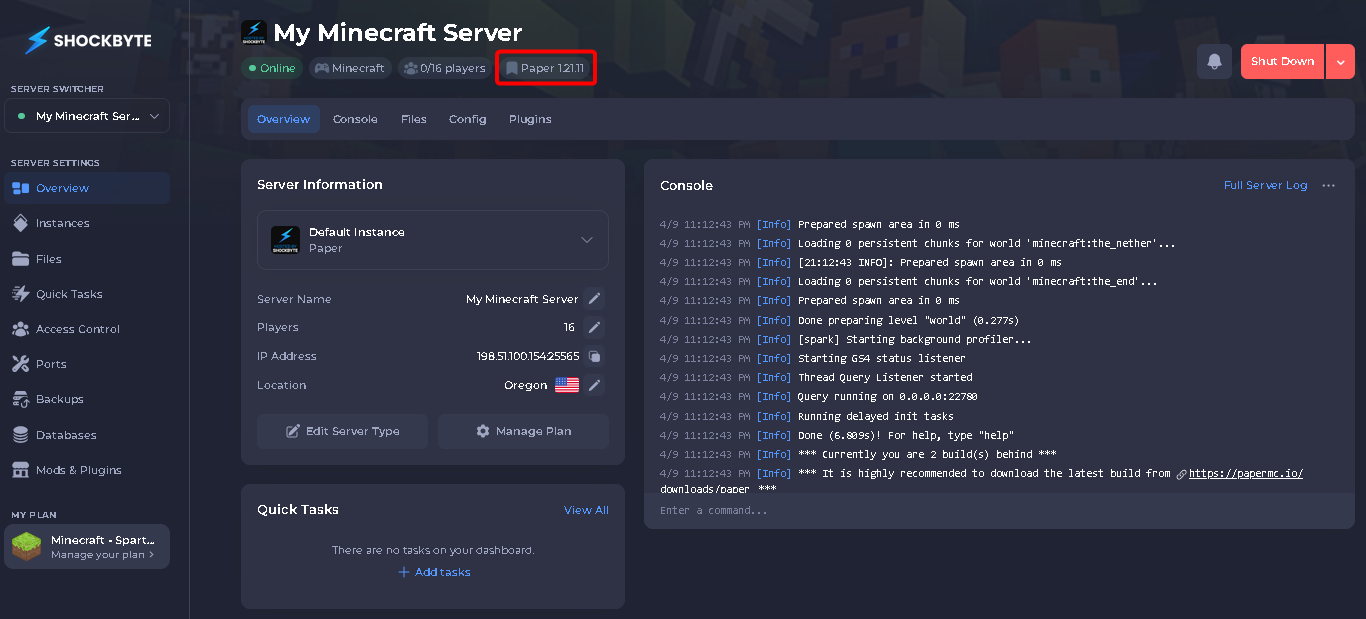
Click on your existing server version.
-
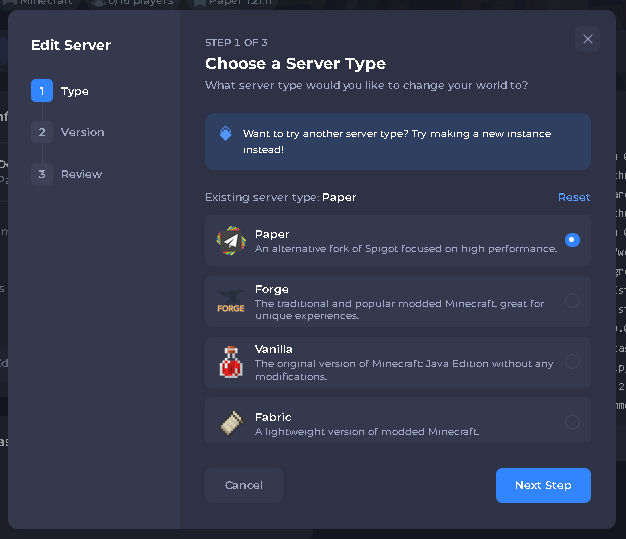
Choose a different server type if you wish to change it.
-
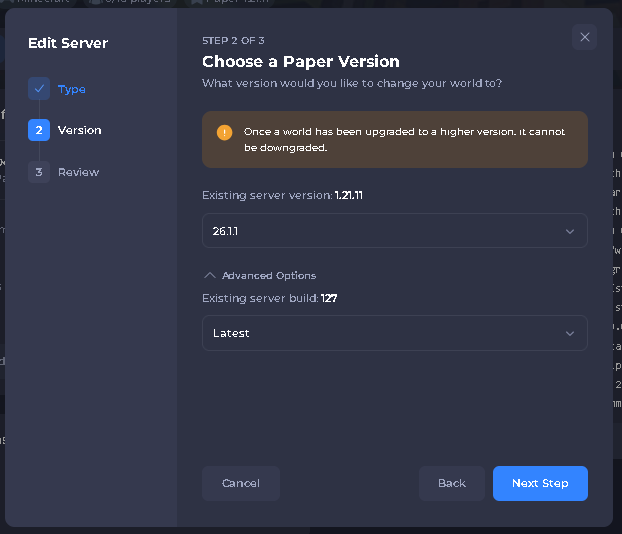
Choose the new version and build that you wish to use.
Note
Not all versions have more than one build to choose from. If you do not see the build drop-down, this is why.
- Confirm your changes, and click Change.
That's it! After restarting your server, the version will be changed.