Table Of Contents
Configuring Starting ItemsStill have questions?
Come chat with us and we will get back to you as soon as possible!

Shockbyte
Support Team

How to Configure Starting Items on your DayZ Server
When newly spawning in a DayZ world, players will have set items provided in their inventories. As a DayZ server owner, you may wish to configure the starter items given to newly spawned players.
Thanks to Shockbyte's DayZ server config integration, you can accomplish this by simply listing your desired starting items in your server's DayZ server settings.
#Configuring Starting Items
-
Access your Control Panel.
-
Navigate to the Config tab. Select the DayZ Server Settings file.
-
Locate the
Starting Itemssetting and add the items players will automatically start with, separated by a space.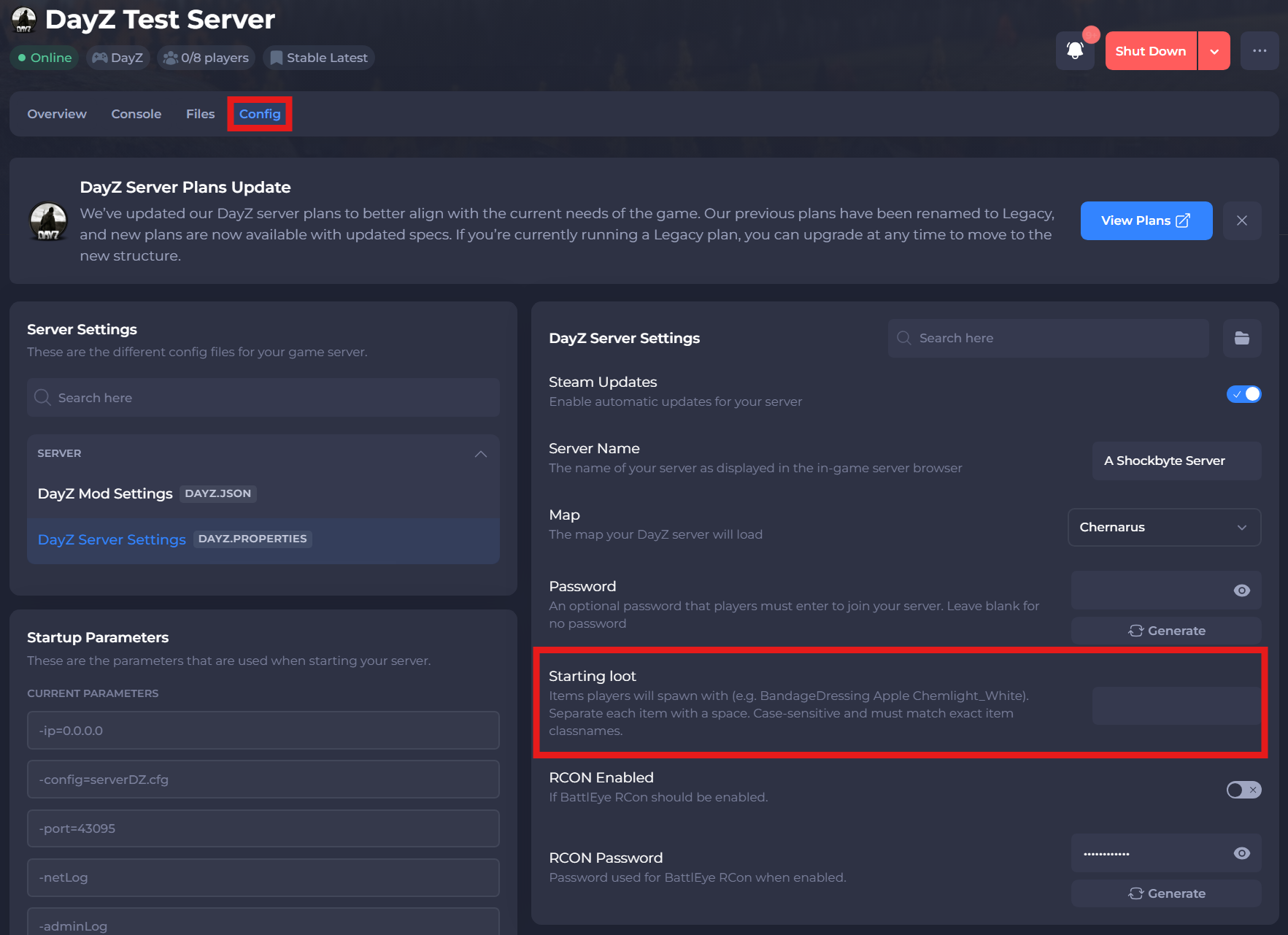
-
Save and restart your server to ensure the changes apply.
If you need additional help, our support team is always happy to assist: https://shockbyte.com/contact