Still have questions?
Come chat with us and we will get back to you as soon as possible!

Ruben B
Partnership Manager

How To Configure The Campaign On Your Barotrauma Server
Barotrauma
·Nov 8, 2024
·10 min read
Campaign configurations offer various settings such as initial funds, supplies, difficulty, and more. While these settings come with default values, server owners have the flexibility to customize them according to their preferences.
#Campaign Settings
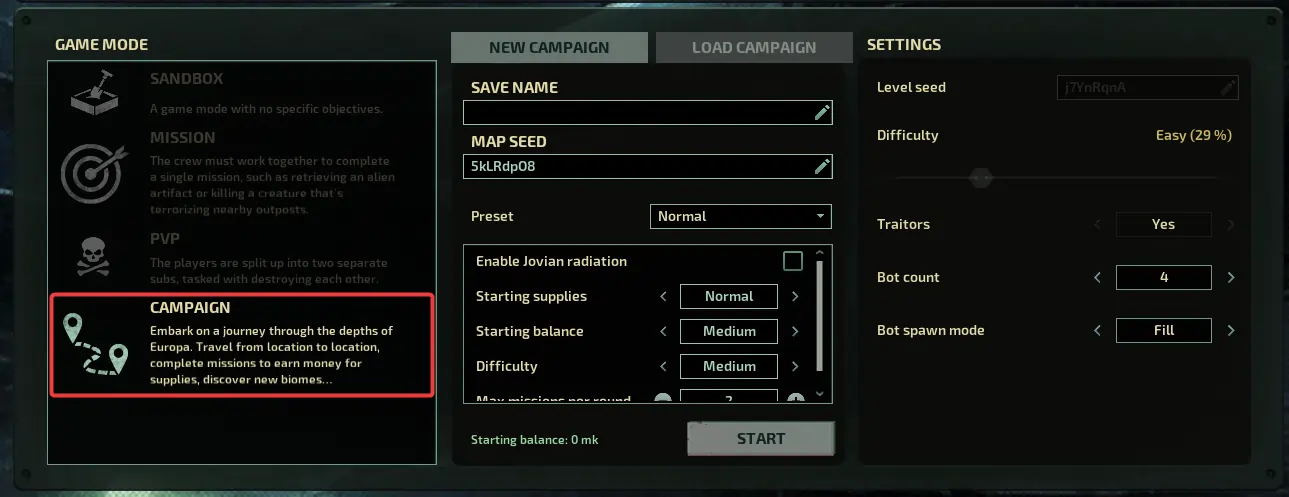
Your campaign's settings can be selected on the lobby screen of your server.
- Join your server and select Campaign.
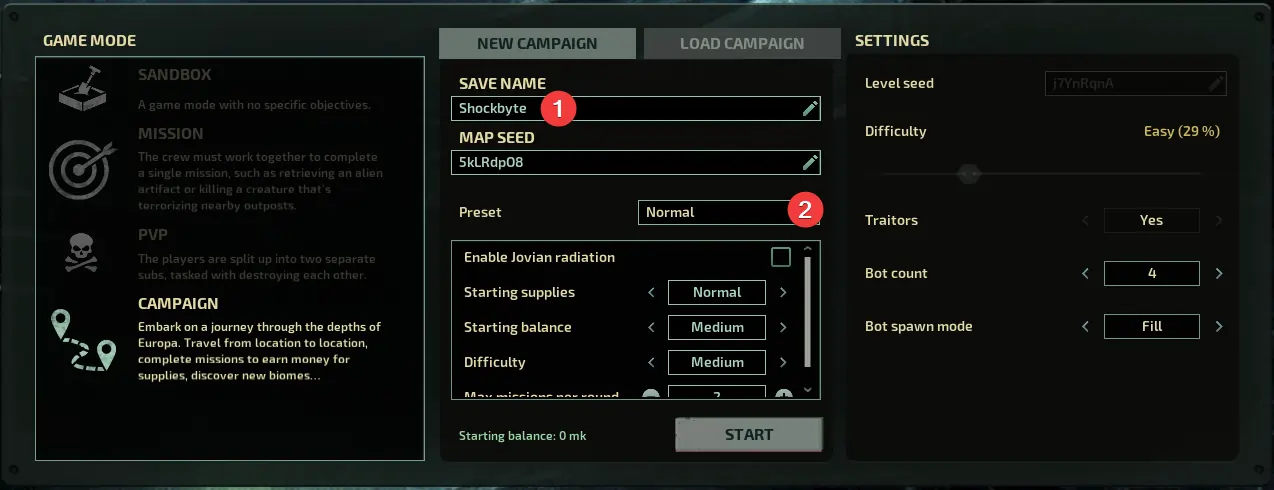
- Enter a Save Name and select a Preset.
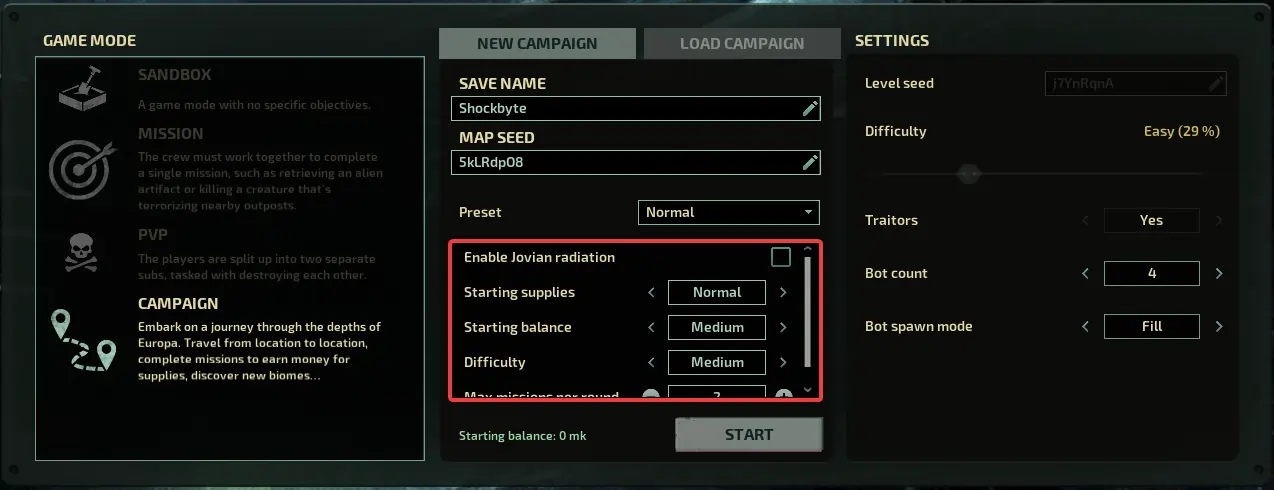
- Make any required changes to the default settings.
- Click Start.
#Configuring Campaign Defaults
It is also possible to configure the default settings for campaigns in the Barotrauma Campaign Settings section of your server's control panel.
-
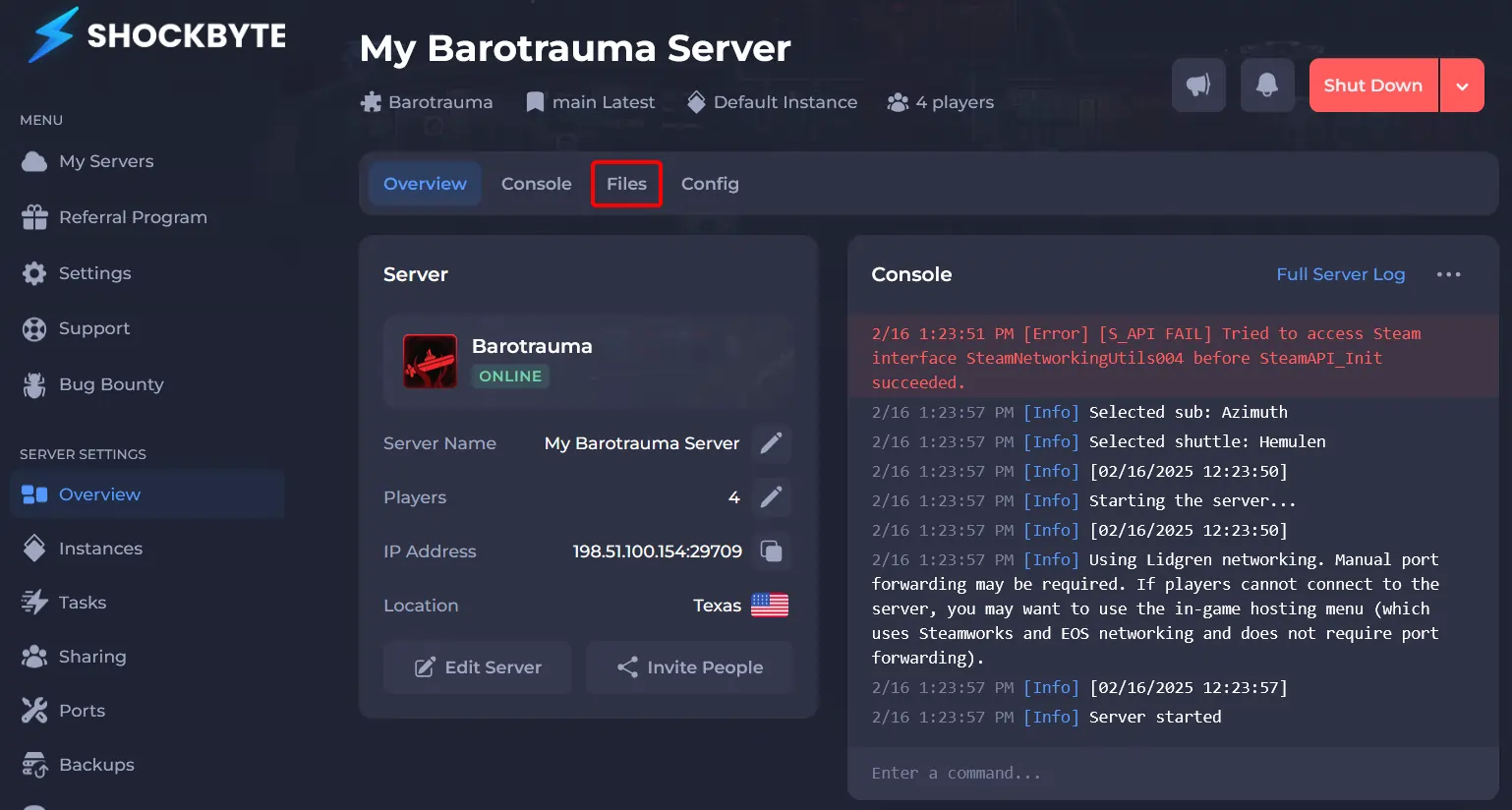
Access your Control Panel and Stop your server.
-
Click Files.
- Navigate to
/Data/and opencampaignsettings.xml.
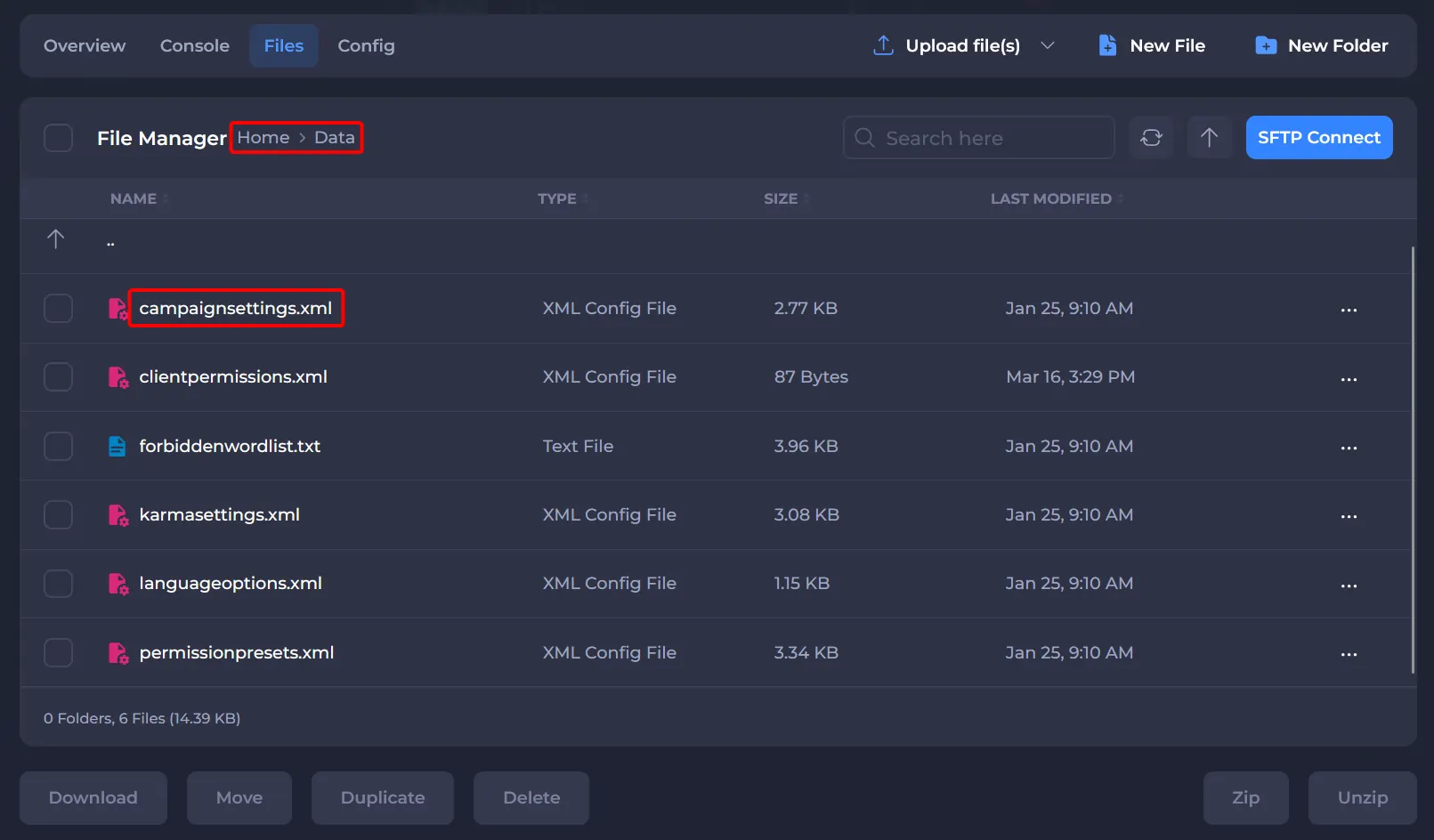
- This file allows you to modify the default settings for three campaigns. Here's a list of available options along with brief descriptions:
| Option | Description |
|---|---|
StartingBalanceAmount | Defines the amount of starting money given to players. |
ExtraEventManagerDifficulty | The frequency and difficulty of random events. |
LevelDifficultyMultiplier | Difficulty setting affects how the level is generated. On higher difficulty levels, there are more environmental hazards, larger numbers of creatures, and more dangerous enemies. |
presetname | The name of the campaign settings preset. |
TutorialEnabled | Whether the tutorial is shown to players. |
RadiationEnabled | Disables or enables Jovian Radiation. |
Difficulty | The difficulty of the preset as defined in the LevelDifficultyMultiplier option at the start of the file. |
- Save and Start your server.
To learn more about Barotrauma server hosting, you can browse our library of Knowledgebase articles here.