Still have questions?
Come chat with us and we will get back to you as soon as possible!

Ruben B
Partnership Manager
How To Install Mods On Your Barotrauma Server
Modding is a great way for server owners to expand the amount of content available or improve the quality of life on their Barotrauma server.
You can easily install most Barotrauma mods automatically on Shockbyte Barotrauma servers directly from the Steam Workshop. Shockbyte's mod integration simplifies the process, requiring only the mod's Workshop ID for installation.
#Locating Workshop IDs
To install your desired Barotrauma mod, first, find the mod's page and copy its Workshop ID.
-
Navigate to Barotraum's Steam Workshop page here.
-
Locate and select your desired mod.
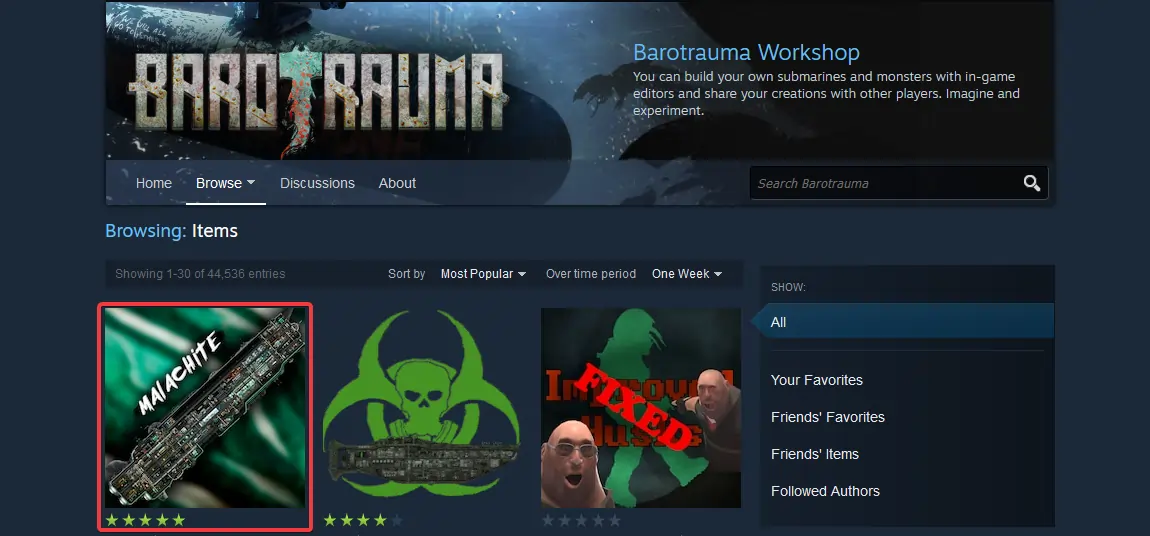
- Copy the numbers at the end of the URL; this is the Workshop ID.

#Installing Server Mods
After obtaining the Workshop ID for your desired mods, simply add it to the Barotrauma Server Settings section in your server's control panel.
-
Access your Control Panel and Stop your server.
-
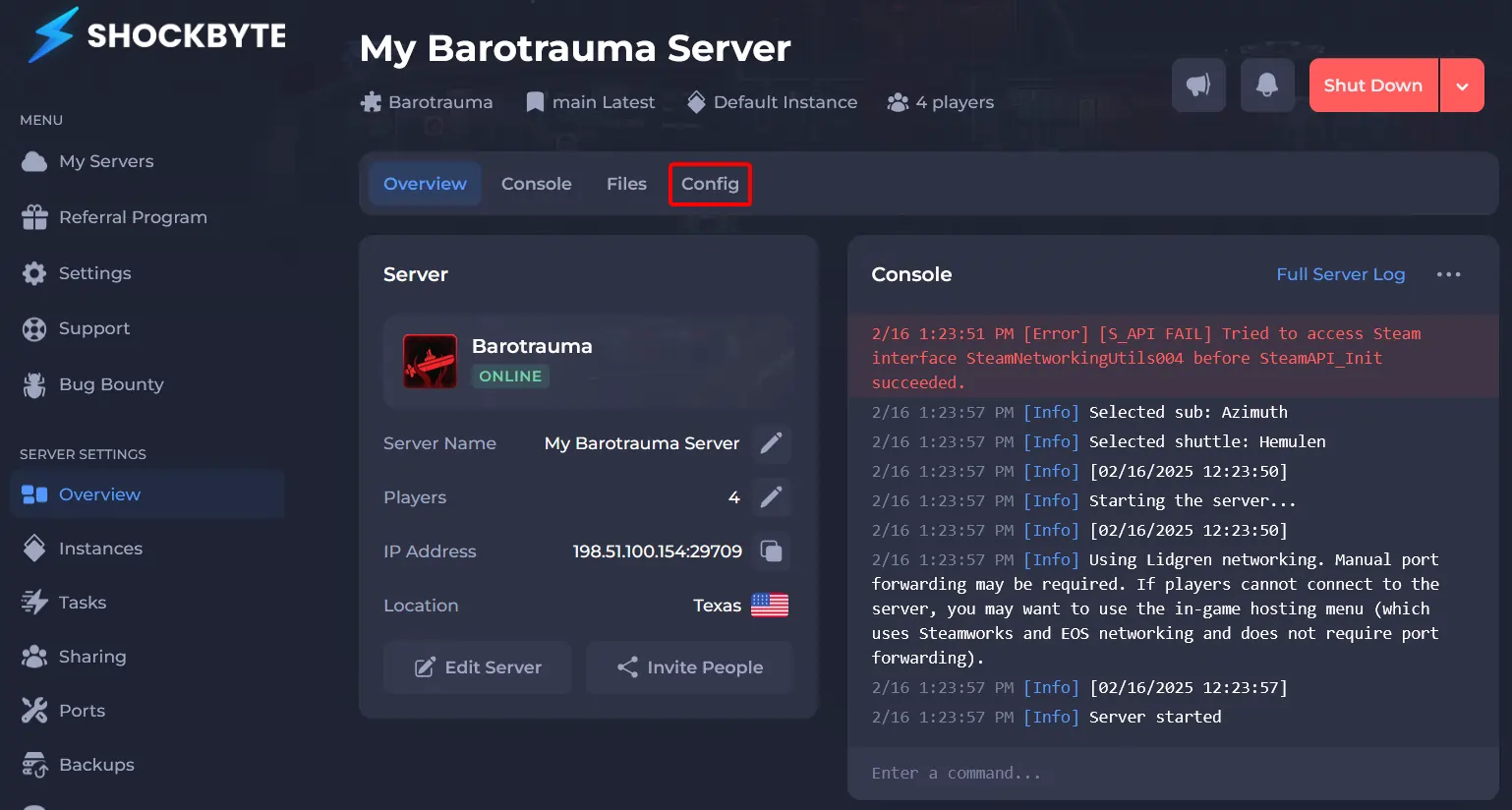
Navigate to Config.
-
Click Barotrauma Server Settings.
-
Set Mod Download to Enabled.
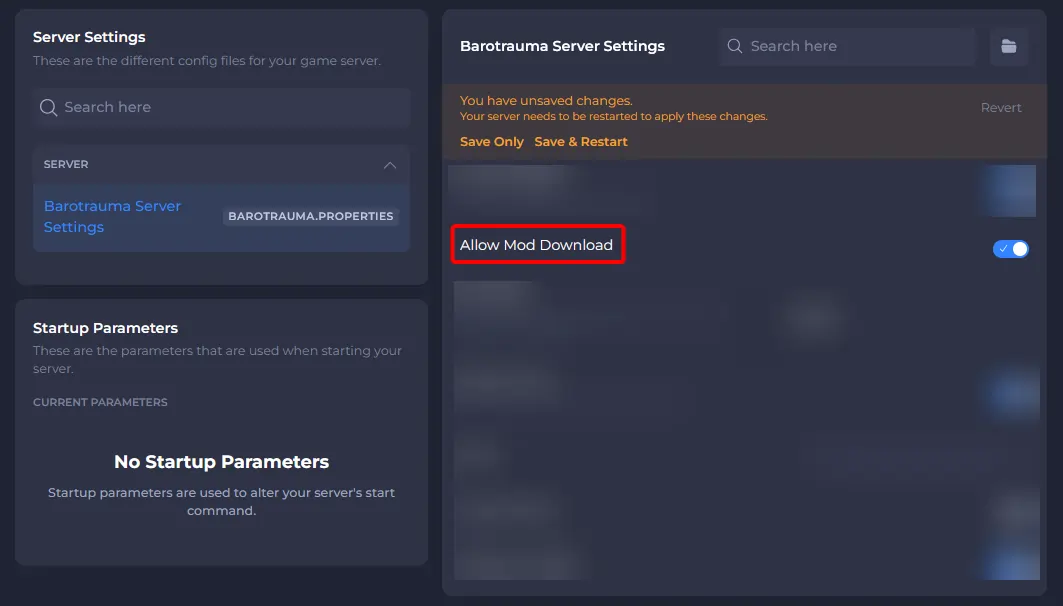
- Enter the mods Workshop ID in the Steam Workshop Mod IDs field. Additional mods should be separated by a comma (,).
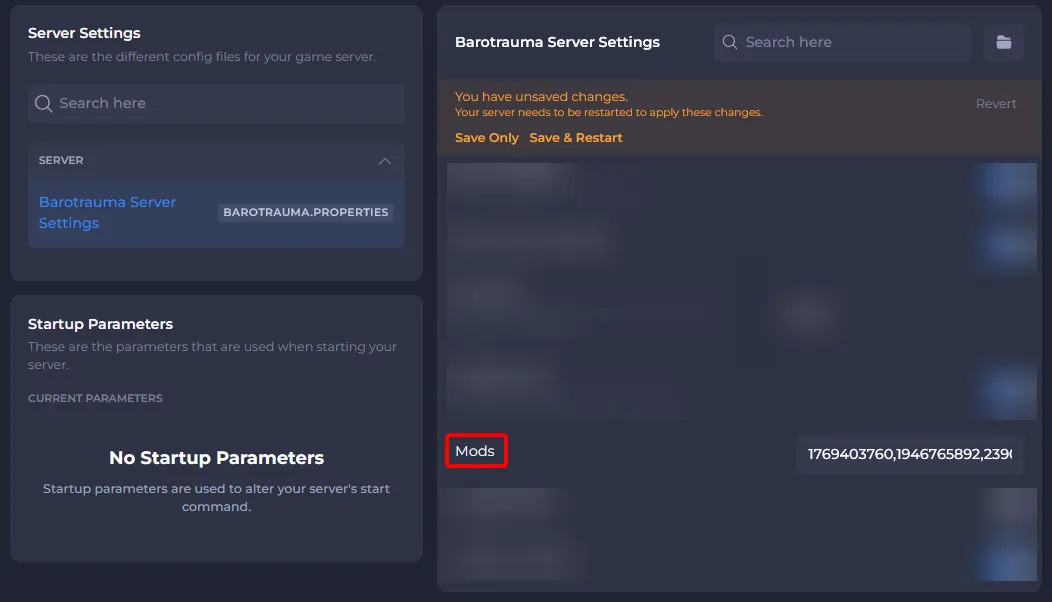
- Save and Start your server.
To learn more about Barotrauma server hosting, you can browse our library of Knowledgebase articles here.