Still have questions?
Come chat with us and we will get back to you as soon as possible!

Shockbyte
Support Team

How to Join your Romestead Server
This guide explains how to join your Romestead server. Once your server is online, players can connect directly in-game using the server’s IP address and port.
Direct connecting is the quickest and most reliable way to join your server and start playing with friends. The steps below will walk you through connecting successfully.
#How to find your server IP address
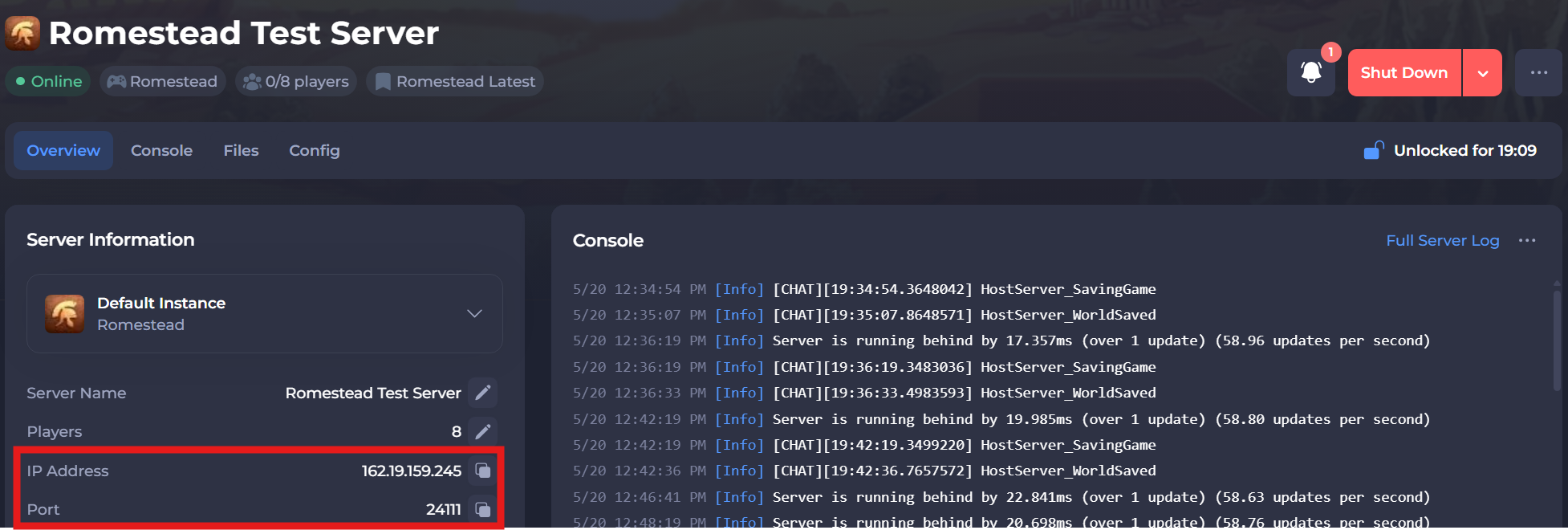
To find the IP address of your server, you will need to log in to your control panel.
Once you’ve logged into your control panel, copy your server IP and port.
#Join Using Direct Connect
Direct Connect is the quickest way to join your server.
-
Open Romestead and make your character.
-
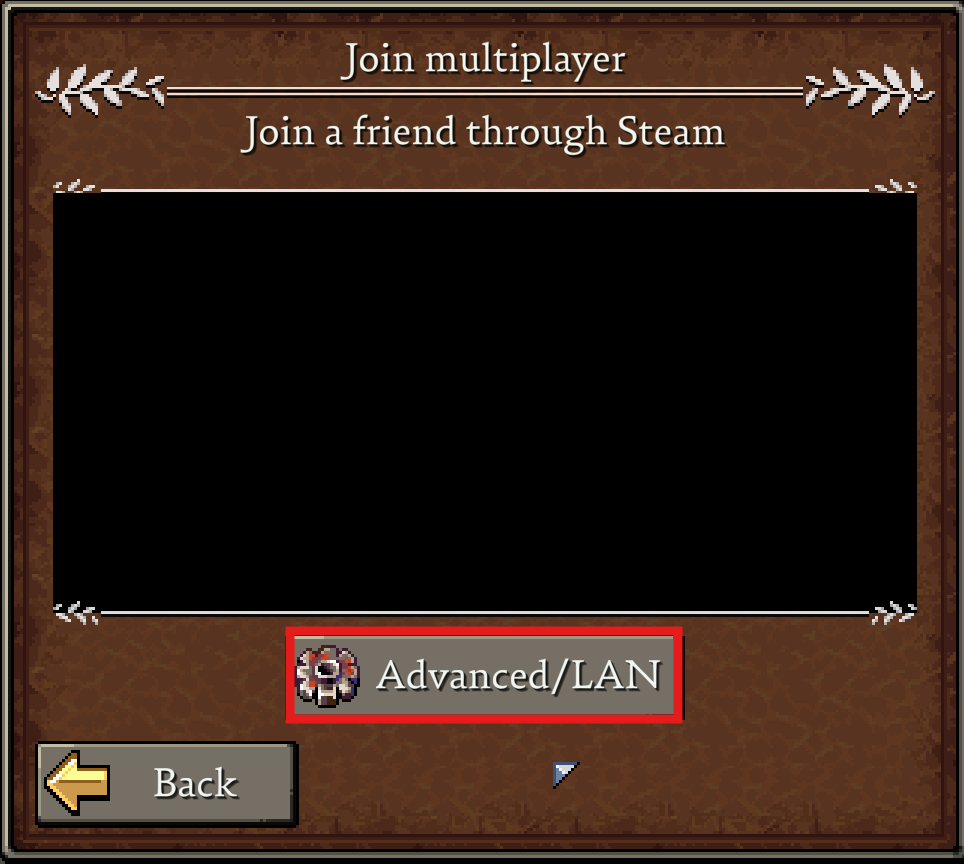
Click on Advanced/LAN.
-
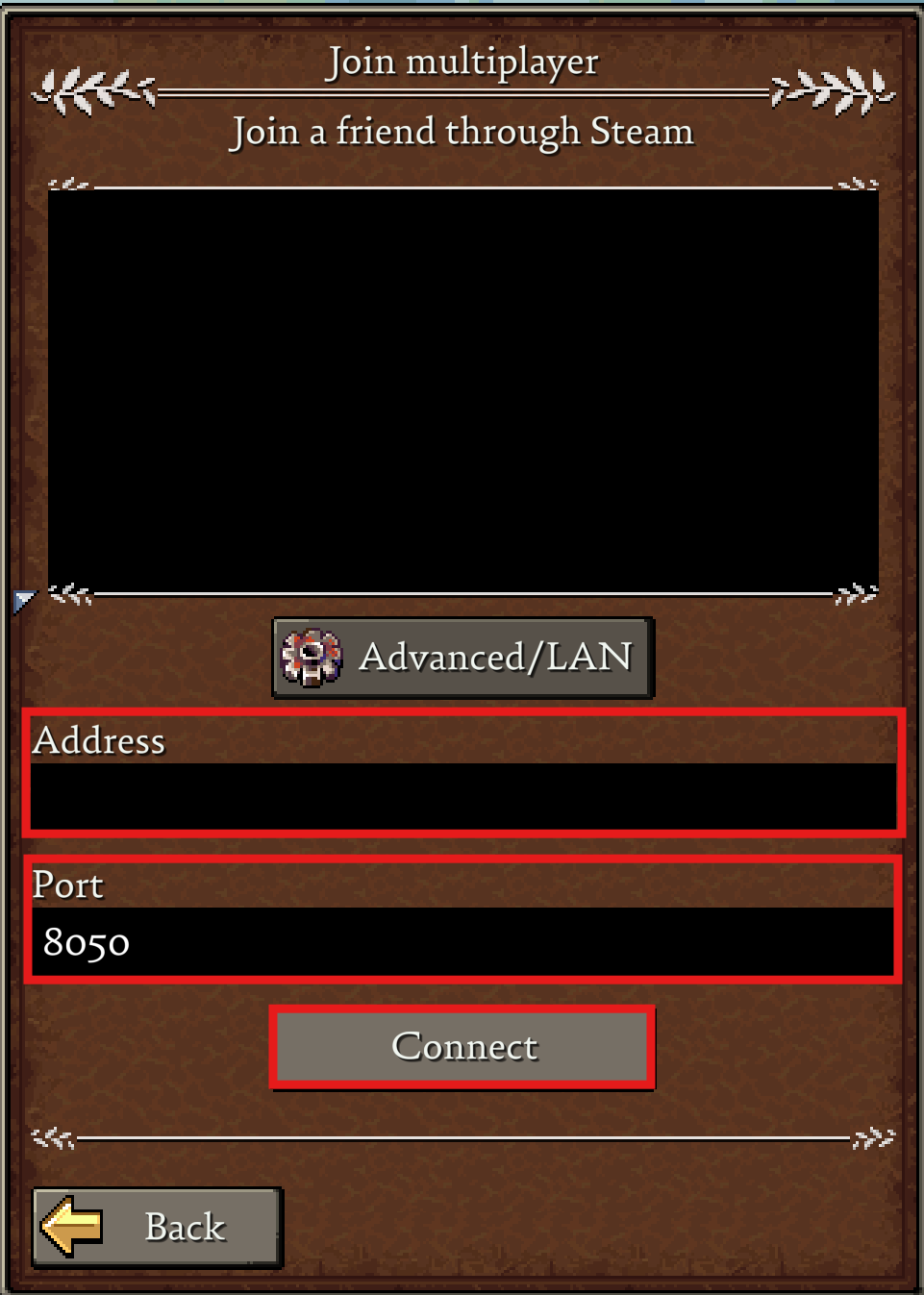
Enter in your IP Address and Port in the designated fields. Click Connect.
If you require any further assistance, please contact our support at: https://shockbyte.com/billing/submitticket.php