How to Kick or Ban a Player from your RuneScape: Dragonwilds Server
Still have questions?
Come chat with us and we will get back to you as soon as possible!

Shockbyte
Support Team

How to Kick or Ban a Player from your RuneScape: Dragonwilds Server
This guide explains how to kick or ban players from your RuneScape: Dragonwilds server. Managing player access allows you to maintain a fair and enjoyable environment for everyone on your server.
You can kick or ban players directly in-game through the Player List menu with Admin Permissions. The steps below will walk you through accessing these controls and taking action against players as needed.
#Kicking or Banning a Player
Note
You will need Admin Permissions in order to kick/ban players from the server. Please follow our guide that explains How to add Admins to your RuneScape: Dragonwilds Server.
-
Launch RuneScape: Dragonwilds and connect to your server.
-
Hit
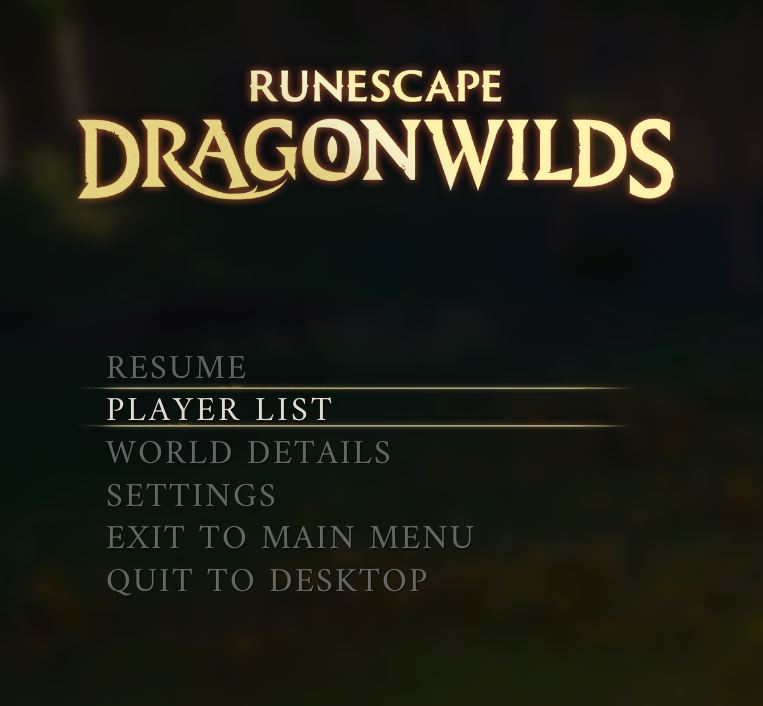
[ESC]and navigate to the Player List area.
-
Select the
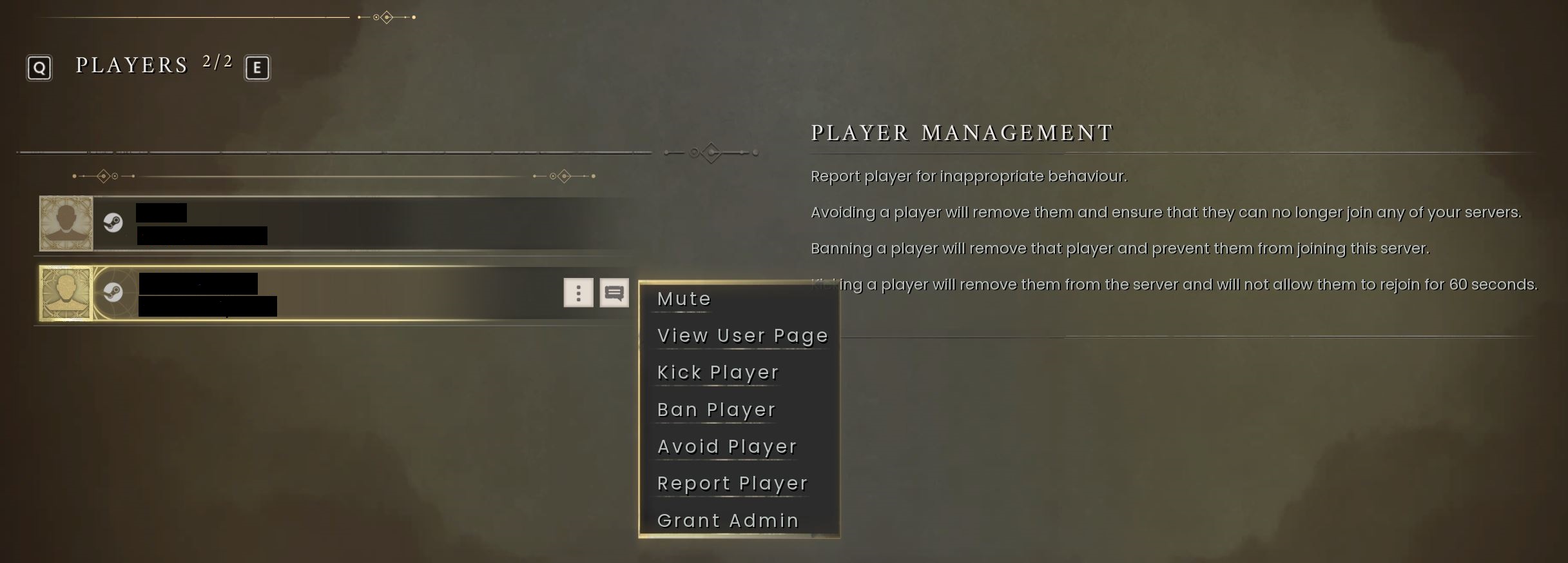
⋮"more options" button next to the player you wish to kick/ban. -
Select the action you wish to take on this player.
#Unbanning a Player
- Hit
[ESC]and navigate to the Player List area.
-
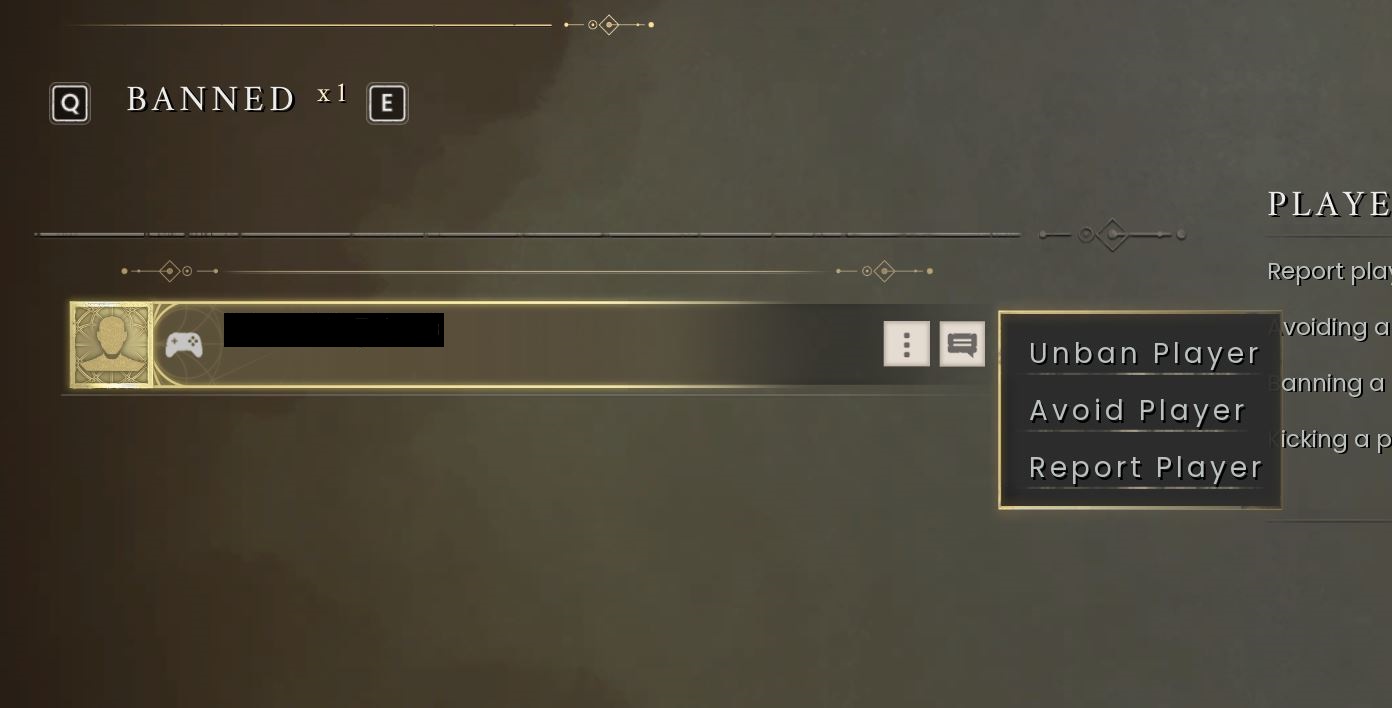
Navigate to the next page using
[E]. -
Select the
⋮"more options" button next to the player you wish to unban. -
Select the action you wish to take on this player.
If you require any further assistance, please contact our support at: https://shockbyte.com/billing/submitticket.php