Still have questions?
Come chat with us and we will get back to you as soon as possible!

Shockbyte
Support Team

How to Make your Windrose Server Private
This guide explains how to set your Windrose server to private. Making your server private allows you to control who can join by restricting access with a password.
You can enable this by setting a password in the Config section of your panel. The steps below will walk you through updating this setting so only players with the password can connect.
#Enabling a Password
If you would like to add a password to your Windrose server, you will need to enable the Is Password Protected setting in the Config area.
- Access your Control Panel and navigate to the Config tab.
- Select the Windrose Server Settings file.
- Locate the
Is Password Protectedoption and select the button to enable it.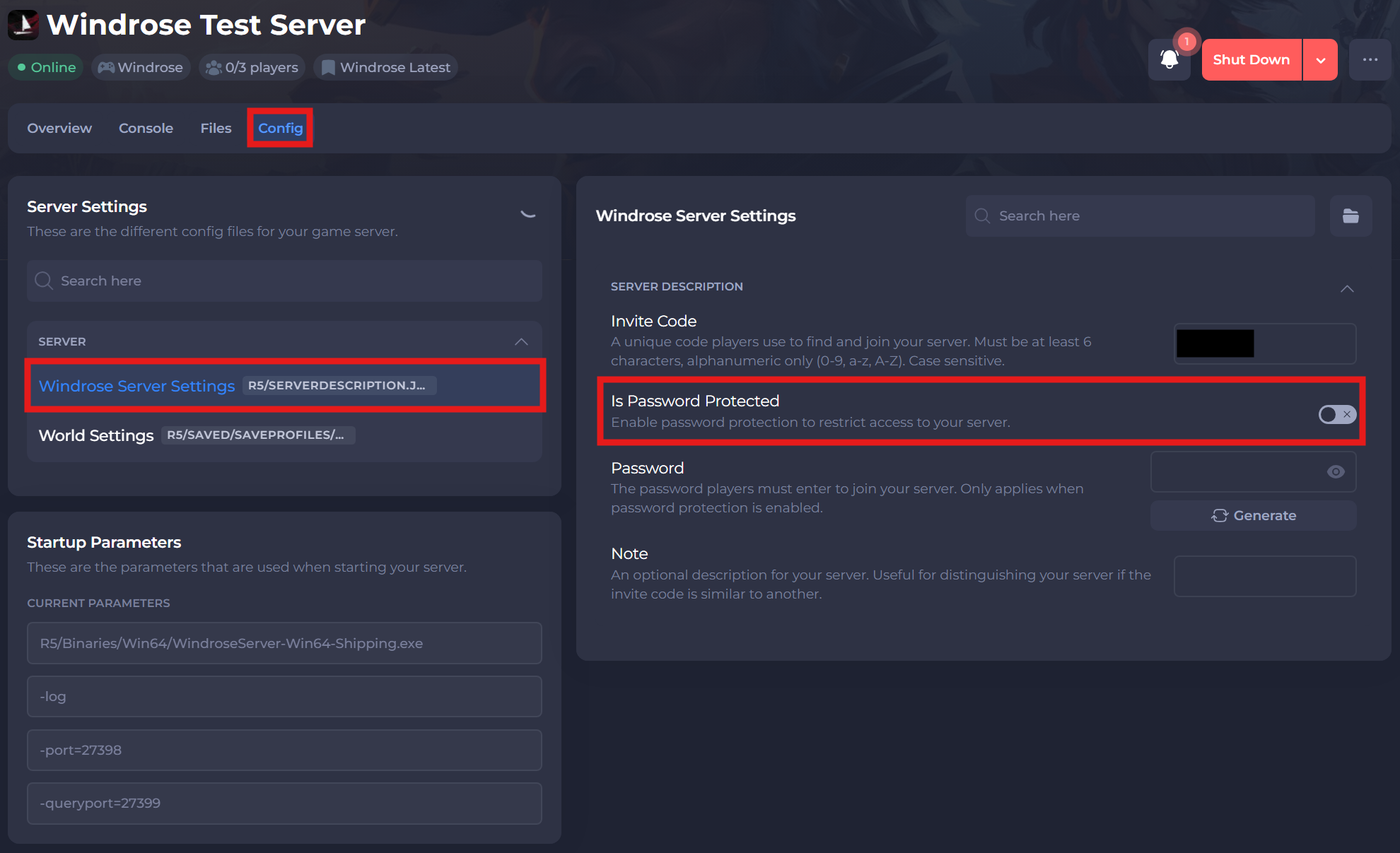
#Adding a Password
Now that you have enabled the Is Password Protected option, you will need to set your desired password.
-
In the same config area, locate the
Passwordoption. Set your desired password.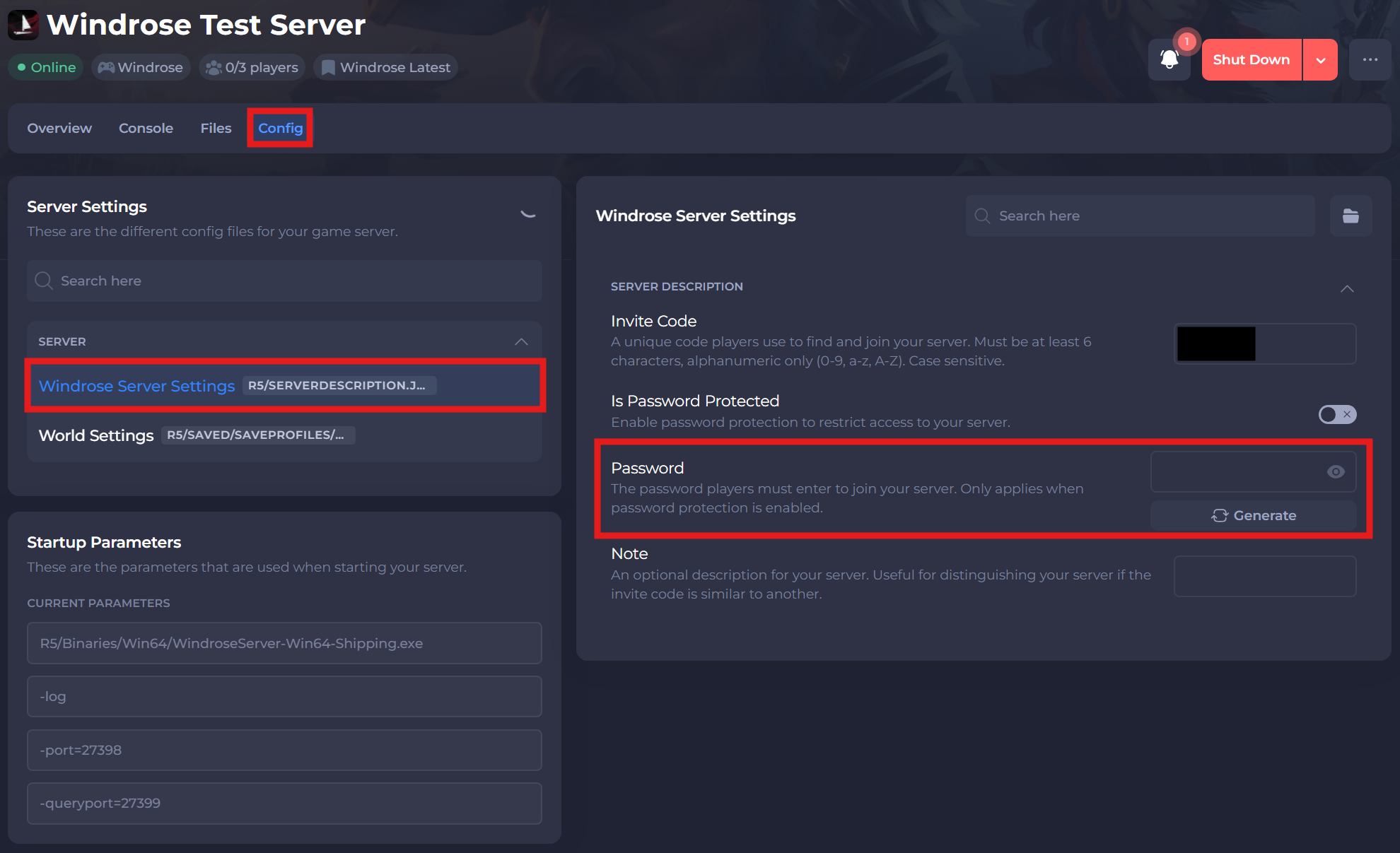
-
Save and restart your server to ensure the new changes apply.
If you require any further assistance, please contact our support at: https://shockbyte.com/billing/submitticket.php