Still have questions?
Come chat with us and we will get back to you as soon as possible!

Jay Miller
Game Engineer

How to Remove the XP Death Penalty on your 7 Days to Die Server
It is possible to set the amount of experience lost per death to 0, effectively removing the penalty from the game. This can be done easily by installing the No XP Penalty On Death mod.
The mod changes the value of the variable "ExpDeficitPerDeathPercentage" for the player entity from 0.25 (25%) to 0.
#Downloading No XP Penalty On Death
Before installing the mod, you will first need to download it from Nexus Mods.
-
Navigate to No XP Penalty On Death Nexus Mods page.
-
Click Manual download.
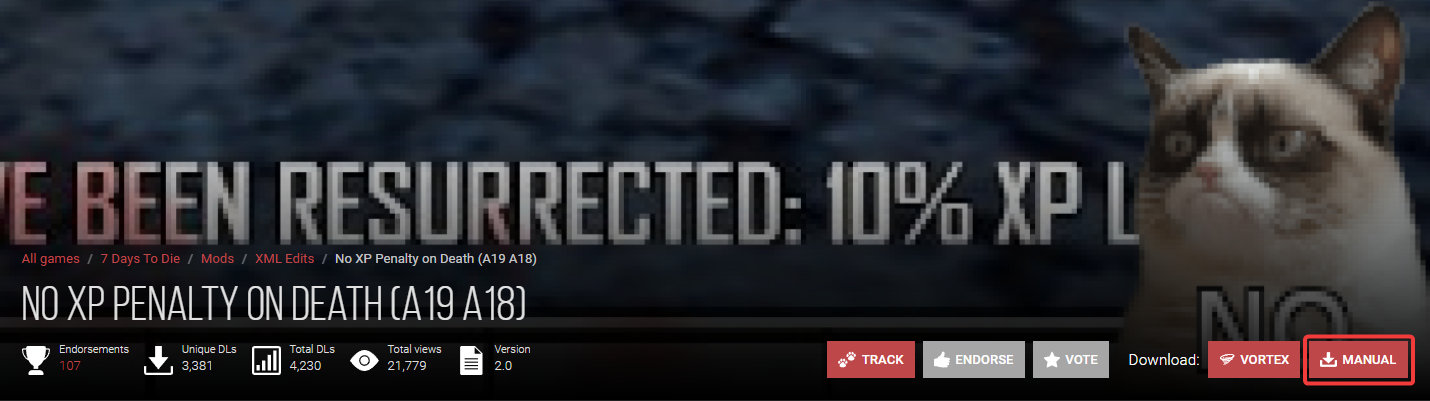
- Click Slow Download.

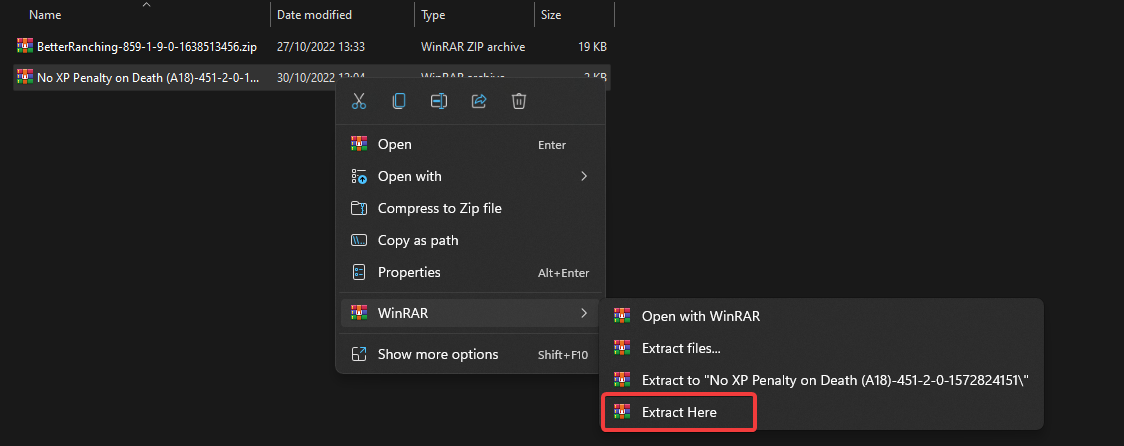
- Navigate to your downloads folder and extract the .zip file.
#Installing the No XP Penalty On Death Mod
Once you have the mod downloaded, you will need to upload it to your 7 Days to Die server's /Mods/ folder.
-
Navigate to your control panel and Stop your server.
-
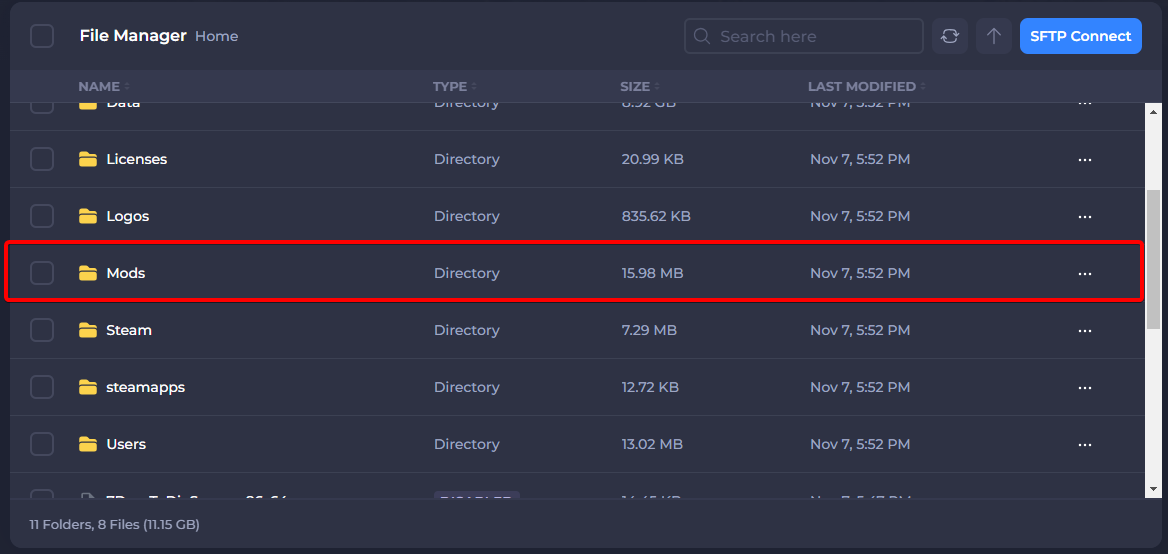
Go to the Files tab and locate the /Mods/ folder.
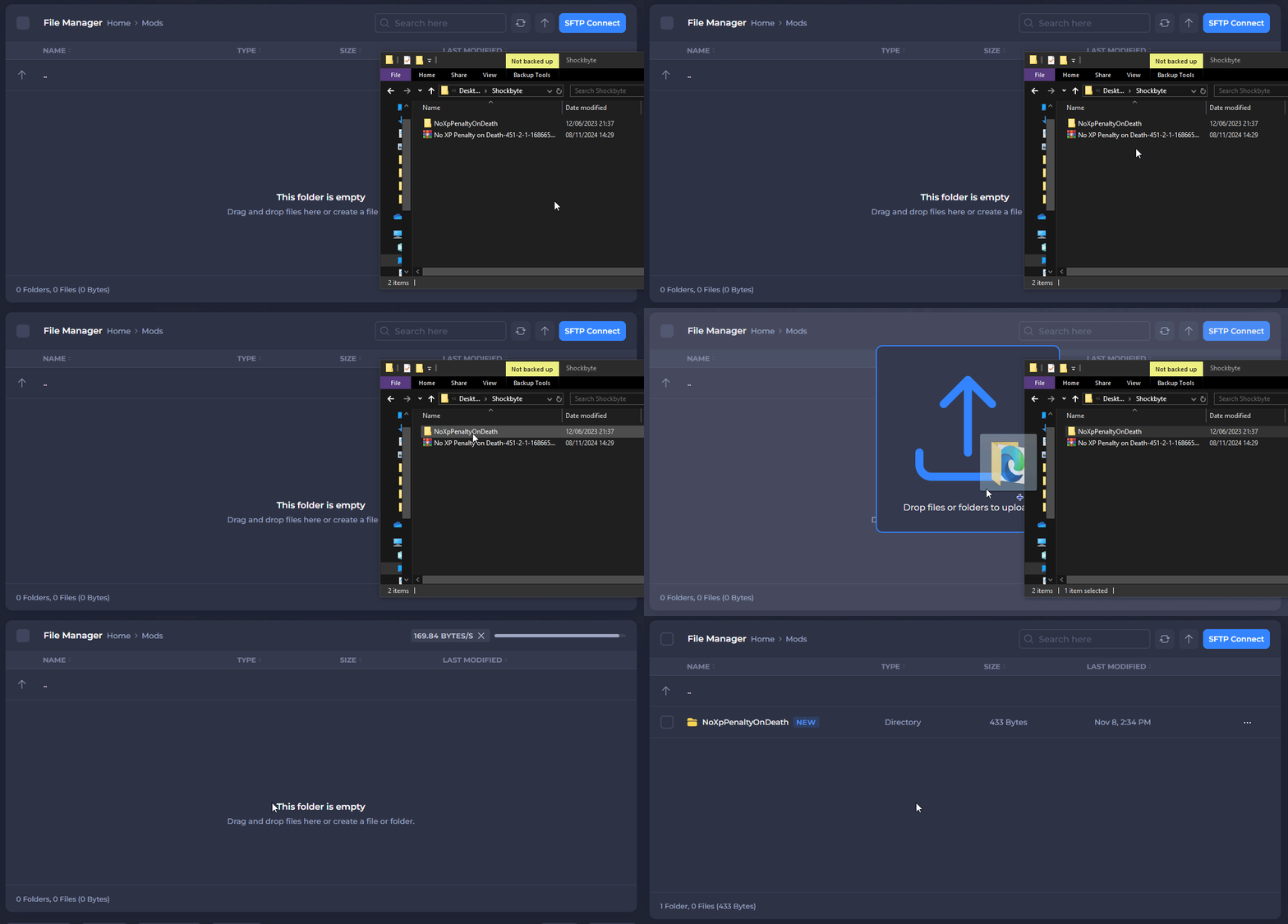
- Drag and drop the extracted NoXPPenaltyOnDeath folder into the mods folder.
- Start your server.
If you would like any additional information or have more questions about configuring your 7 Days to Die server, you can find our other articles here.