Still have questions?
Come chat with us and we will get back to you as soon as possible!

Ruben B
Partnership Manager

How To Save Or Load A Save On Your Satisfactory Server
Satisfactory
·Nov 12, 2024
·2 min read
Your game can be loaded or saved on your server by using the Server Manager.
#Saving the game
-
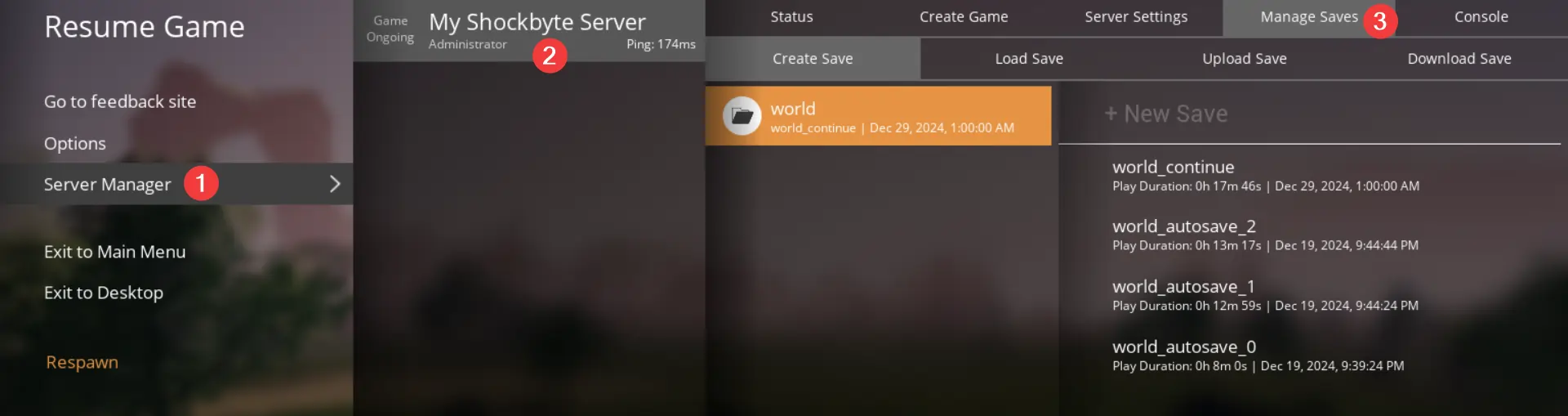
Open the menu by pressing Escape.
-
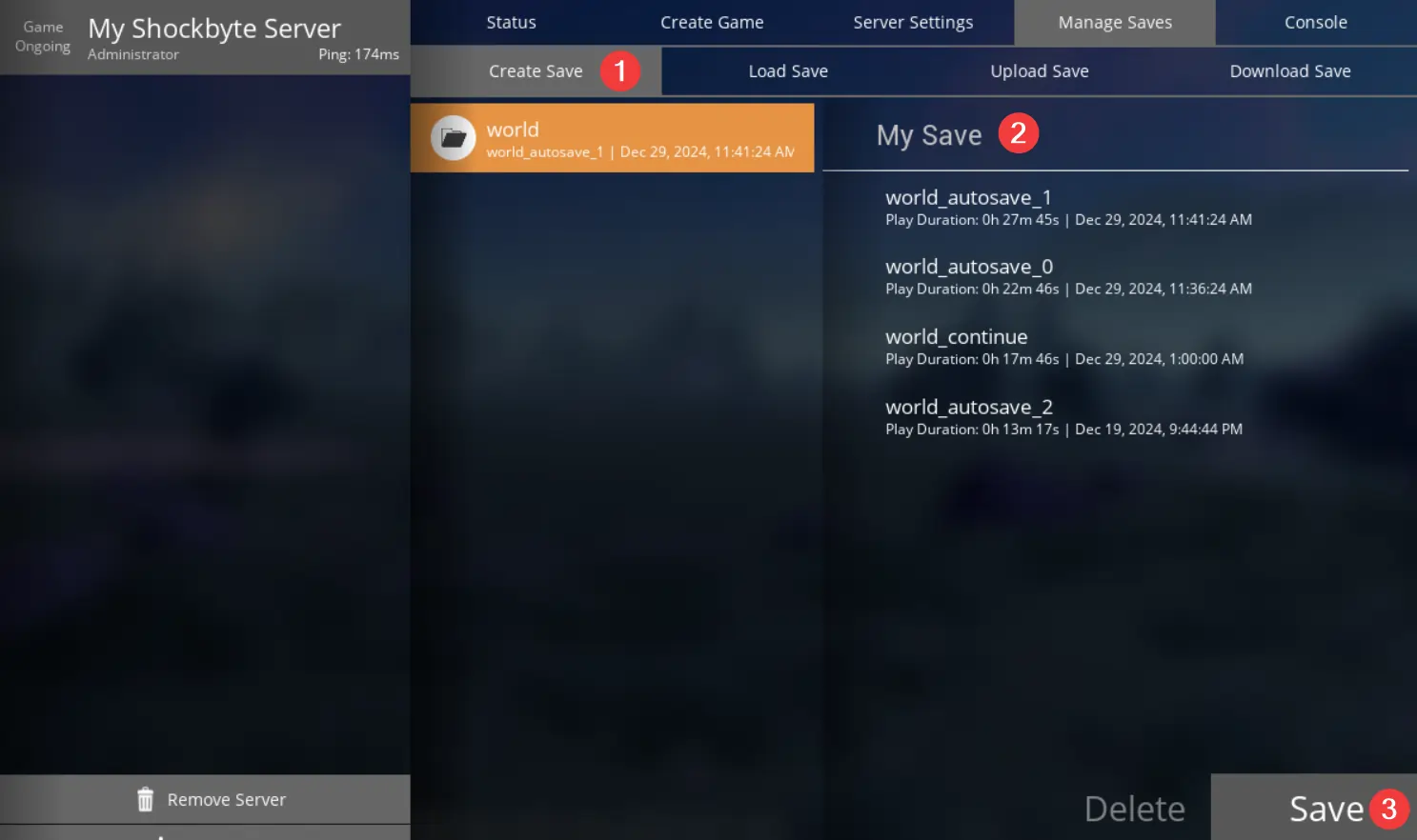
Click Server Manager, select your server, and click Manage Saves.
-
Click Create Save, select the session you would like to save to, enter a filename for the save, and click Save.
#Loading a save
-
Open the menu by pressing Escape.
-
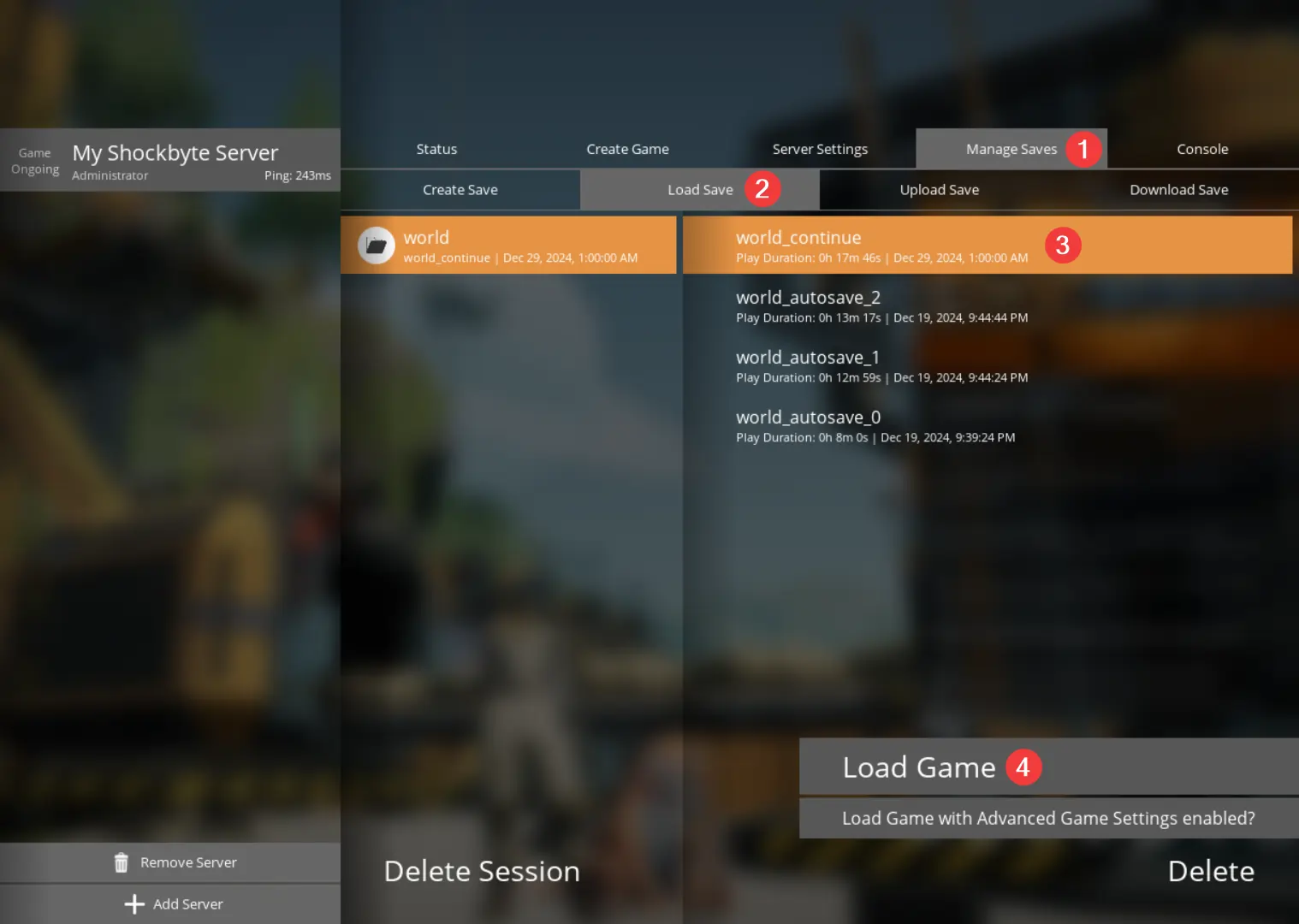
Click Server Manager, select your server, and click Manage Saves.
Note
You may be disconnected from the server when loading a save. If this happens, please wait, and try to reconnect.
- Click Load Save, select which session and save you would like to load, and click Load.