Table Of Contents
Changing the Game ModeStill have questions?
Come chat with us and we will get back to you as soon as possible!

Nuno Paiva
Game Integration Specialist @ Shockbyte
How to Set your Counter Strike 2 Server Game Mode
Counter Strike 2
·Nov 9, 2024
·2 min read
Counter Strike 2 community servers support multiple official game modes including Competitive, Casual, Wingman, Arms Race, Deathmatch, and more. You can change your server’s game mode at any time through your control panel to offer a different experience to your players.
#Changing the Game Mode
To update your CS2 server's starting game mode, follow these steps through the Shockbyte control panel:
- Navigate to your control panel and Stop your server.
- Go to the
Settingstab. - Locate the Game Mode drop-down menu.
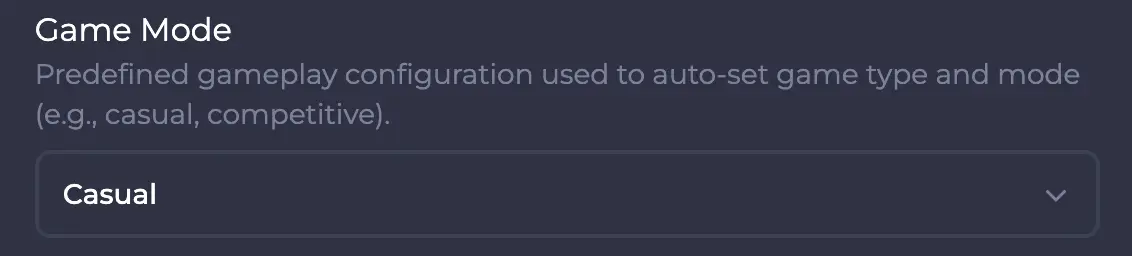
- Select your desired game mode from the list.
- Save the changes and Start your server again.
To learn more about Counter Strike 2 server hosting, you can browse our library of Knowledgebase articles here.