Still have questions?
Come chat with us and we will get back to you as soon as possible!

Shockbyte
Support Team

How to Teleport with Resources on your V Rising Server
By default, players on a V Rising server are only able to teleport with plant fibres, wood and stones meaning they will be unable to use Waygates with any additional loot or resources in their inventory.
It is possible for V Rising server owners to allow their players to teleport with other resources by setting the TeleportBoundItems setting to false in their server's config.
#Selecting a Custom Gametype
In order to make changes to a V Rising server's gameplay settings you will first need to select the Default game settings preset in your server's control panel.
-
Access your Control Panel and Stop your server.
-
Navigate to the Config tab and select the Server Host Settings.
-
Locate the
Game Settings Presetoption and selectDefaultfrom the dropdown.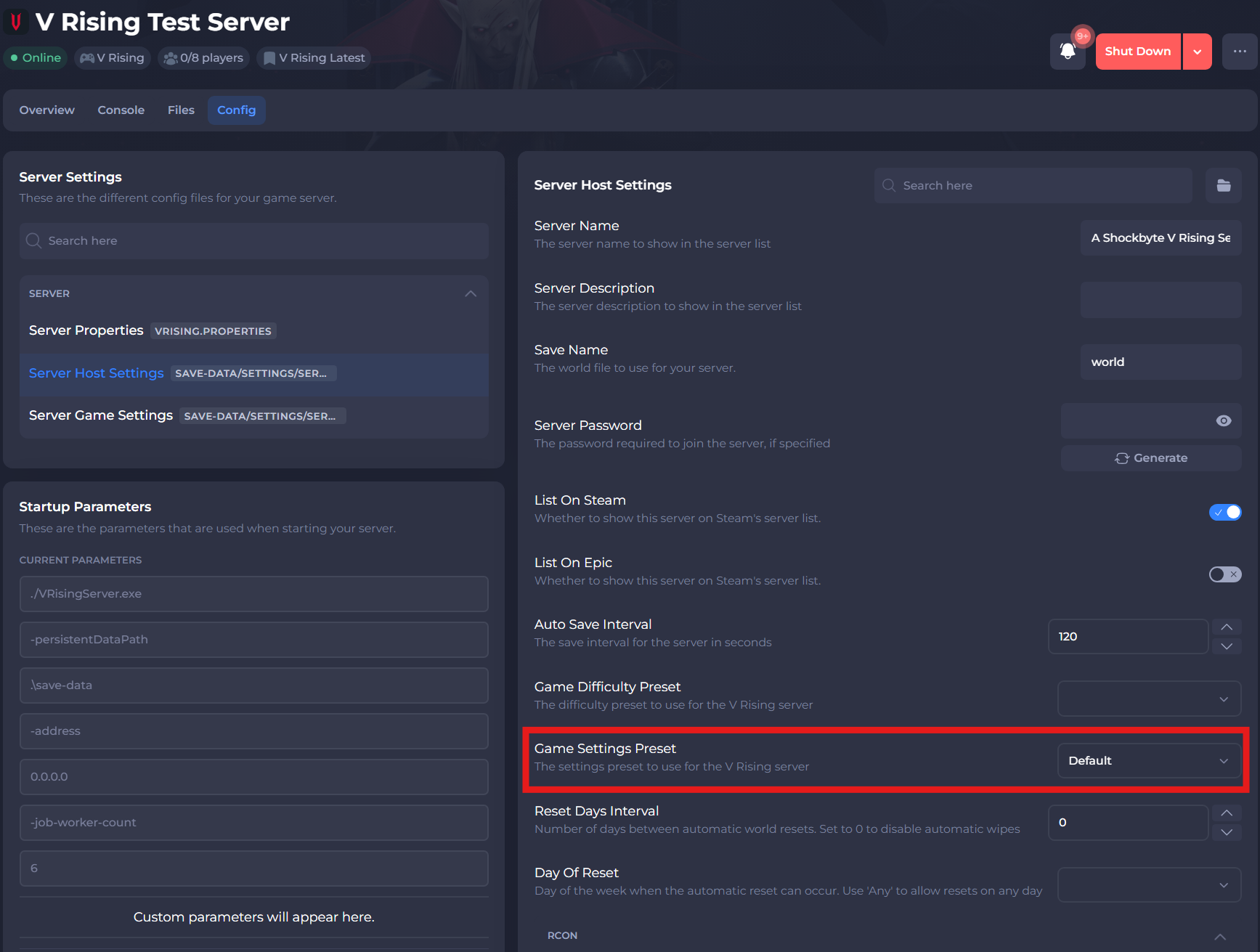
-
Select the save button.
#Teleport with Resources
Once you have updated your server's Game Settings Preset the TeleportBoundItems setting can be updated in the ServerGameSettings.json file using your server's control panel.
-
Access your Control Panel and Stop your server.
-
Navigate to the Config tab and select the Server Game Settings.
-
Locate the
Teleport Bound Itemssetting and enable it.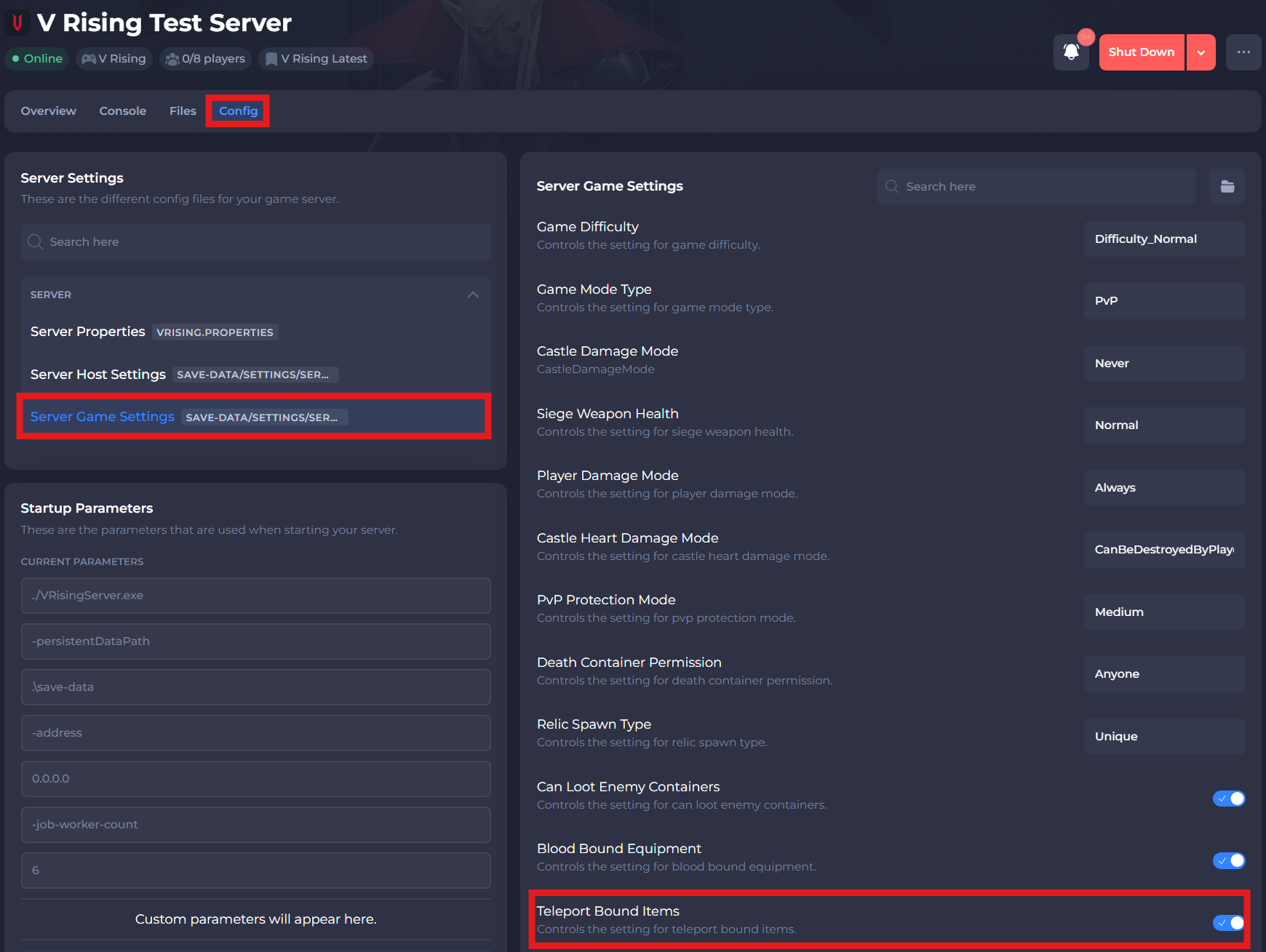
-
Save and exit the file. Restart your server to ensure the changes apply.
If you require any further assistance, please contact our support at: https://shockbyte.com/billing/submitticket.php