Table Of Contents
Uploading a Custom WorldStill have questions?
Come chat with us and we will get back to you as soon as possible!

Jay Miller
Game Engineer

How To Use A Custom World On Your Terraria Server
Setting up your own custom world on a Terraria server is a fun way to add your personal touch. Whether it is a map you have made or one you have grabbed from somewhere, getting it onto your server is super easy. Just follow this guide to upload and configure your custom world, and you’ll be playing in no time.
#Uploading a Custom World
You can upload a custom world to your server via the server files.
-
Access your Control Panel and Stop the server.
-
Navigate to the Files tab.
-
Upload your custom world's
.wldfiles to the\worldsfolder.
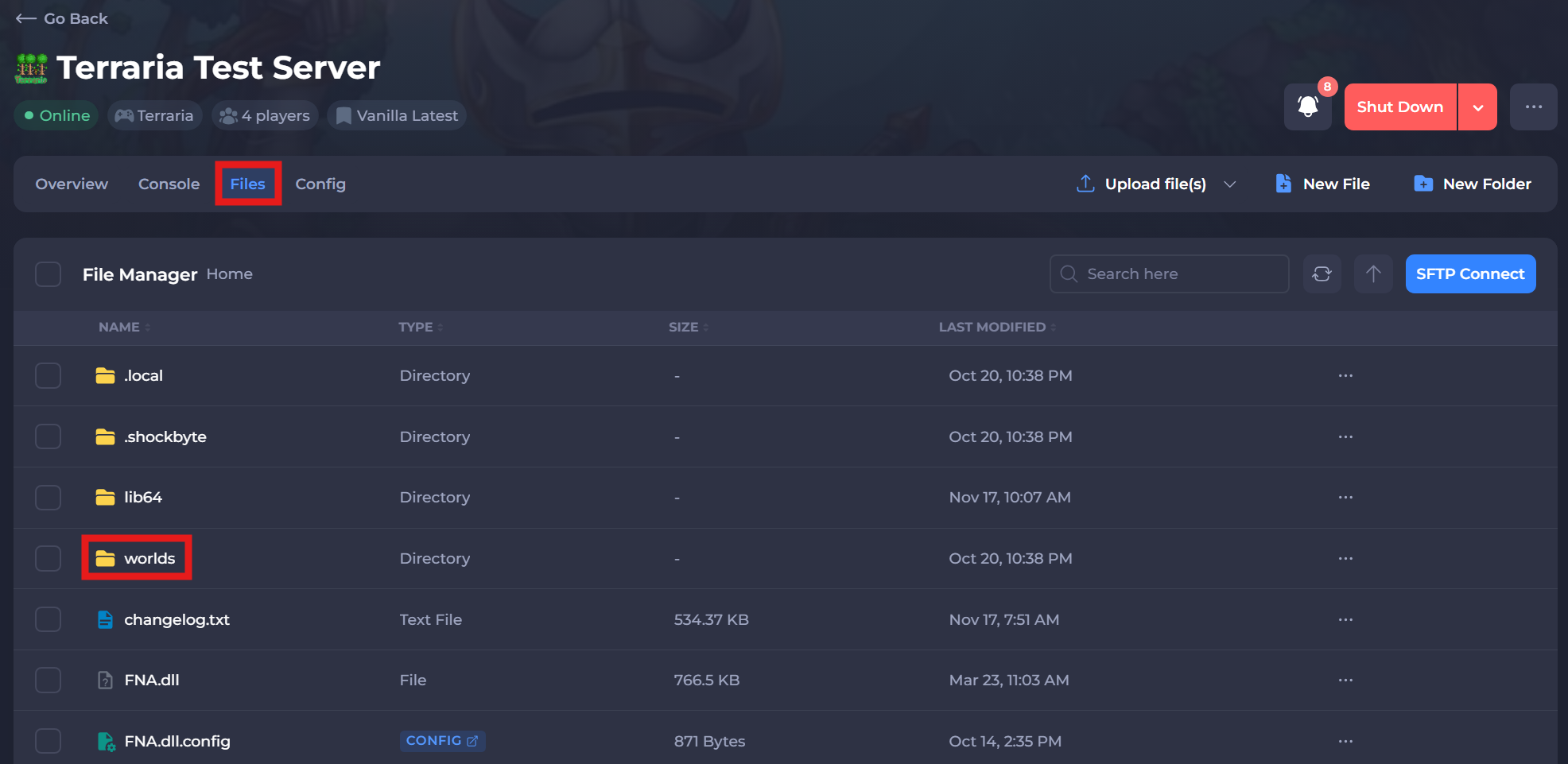
If you would like to upload a custom world directly from a Single-player world, you can locate the world files under the file path Documents\My Games\Terraria\Worlds.
-
Return to your Control Panel and navigate to the Config tab.
-
Change the World Name to be the name of the world you have uploaded.
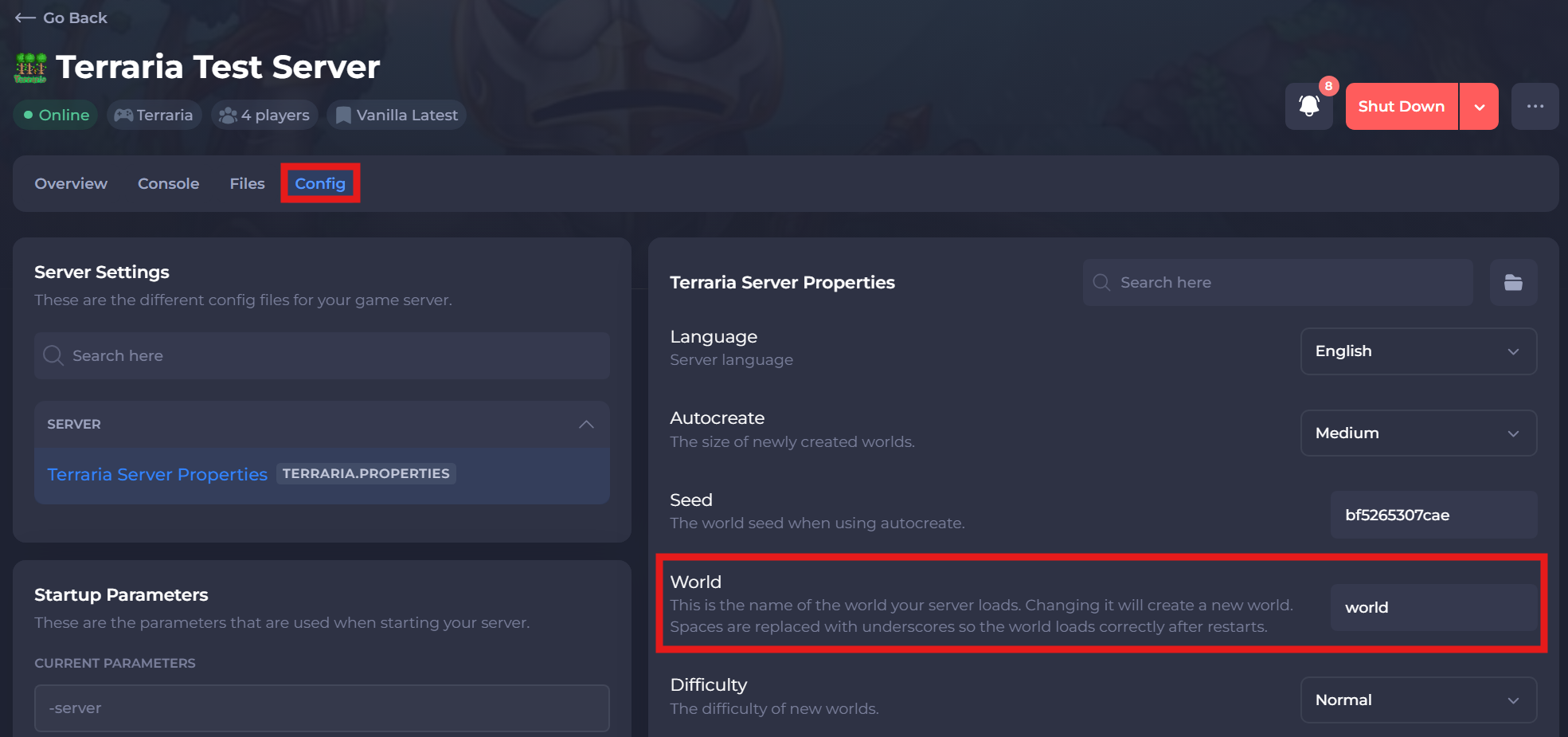
- Click Save and Restart your server.
Congratulations, you should now have successfully uploaded and configured your desired custom world!