Still have questions?
Come chat with us and we will get back to you as soon as possible!

Ruben B
Partnership Manager

Getting started with your FiveM server
In order to get started, you will need to set up and configure your server before it can be started. txAdmin will guide you through this process using a feature-packed web interface.
Note:
This guide will help you to set up your FiveM server. If you wish to set up a RedM server, please follow this guide instead.
#Getting access to txAdmin
-
After starting your server, search in the console log for the txAdmin registration pin. If you are unable to find it, restart your server to print it again.
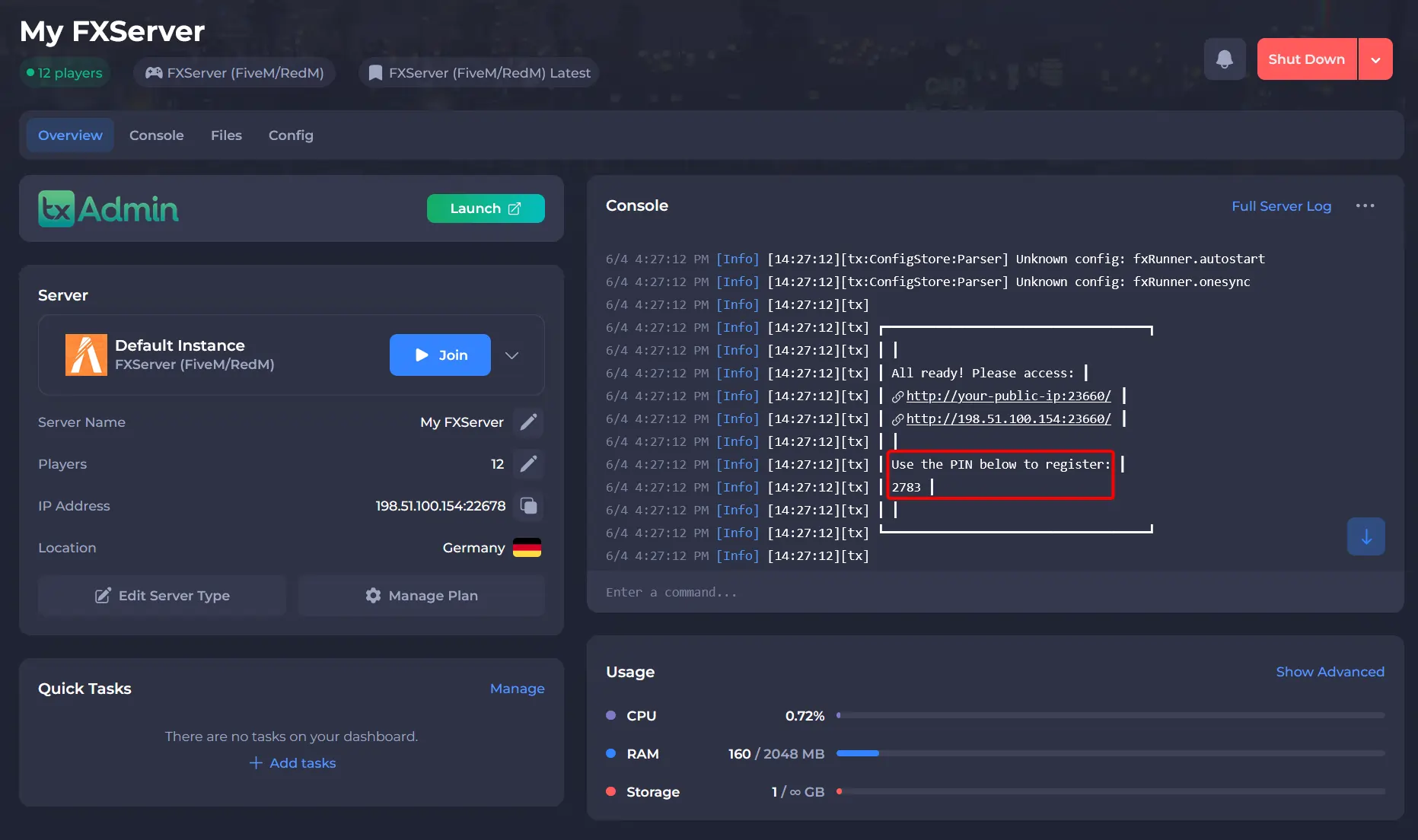
-
Launch txAdmin.
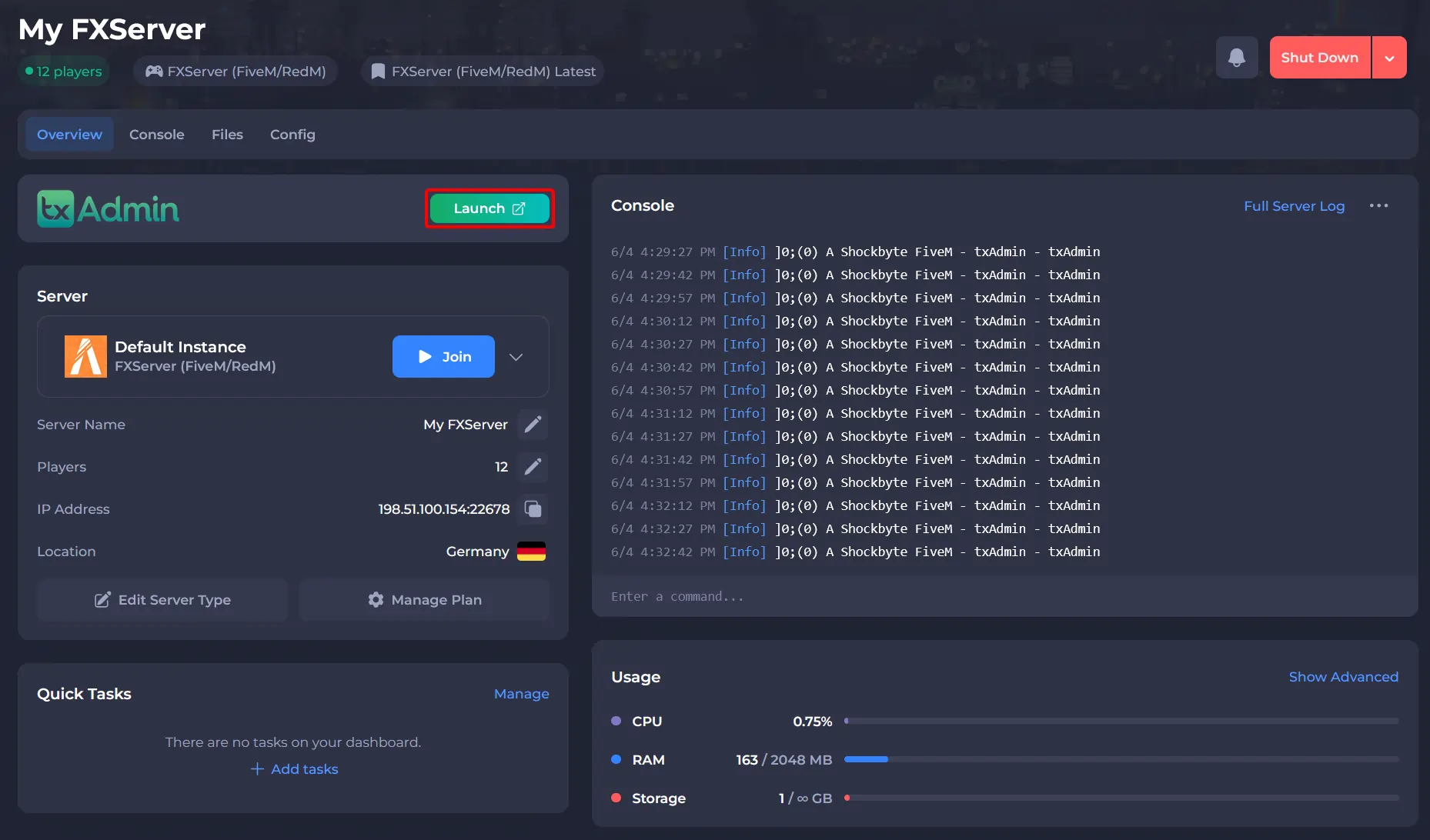
-
Enter your server pin to link the server to your account.
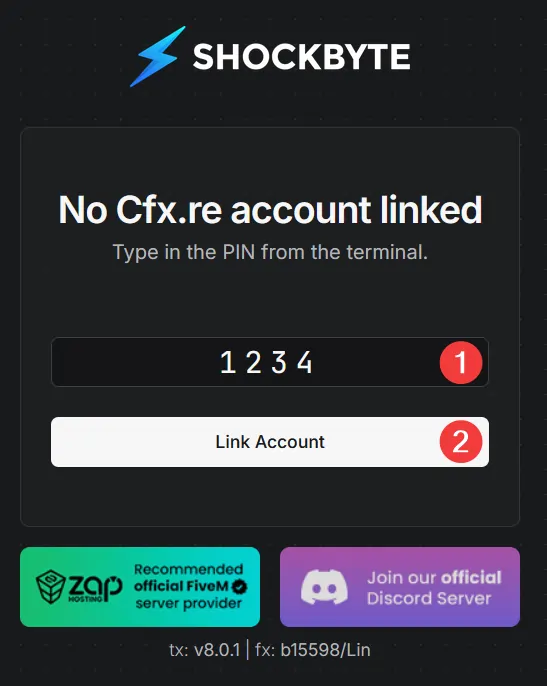
-
Log in or register your cfx.re account and authorize txAdmin to access your username and profile details.
-
Register the txAdmin administrator account for this server.
Note:
This password is unique for every server, and does not need to be the same as your Cfx.re account's password.
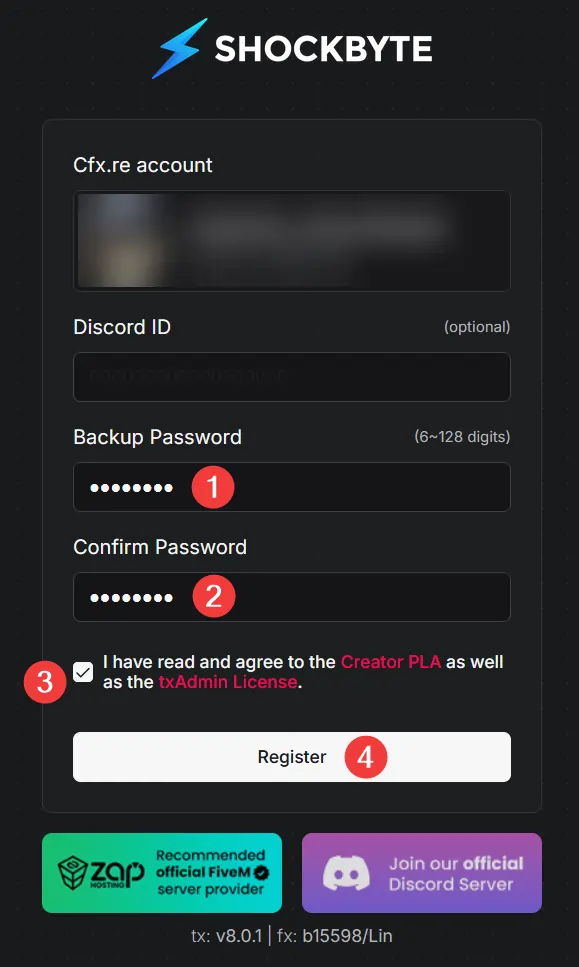
#Setting up your server
Note:
In order to complete this step, you will be required to enter a valid cfx.re license key. More information on generating a Cfx.re license key can be found here.
-
Once logged in, select a deployment type. For this article, we will choose
Popular Recipes.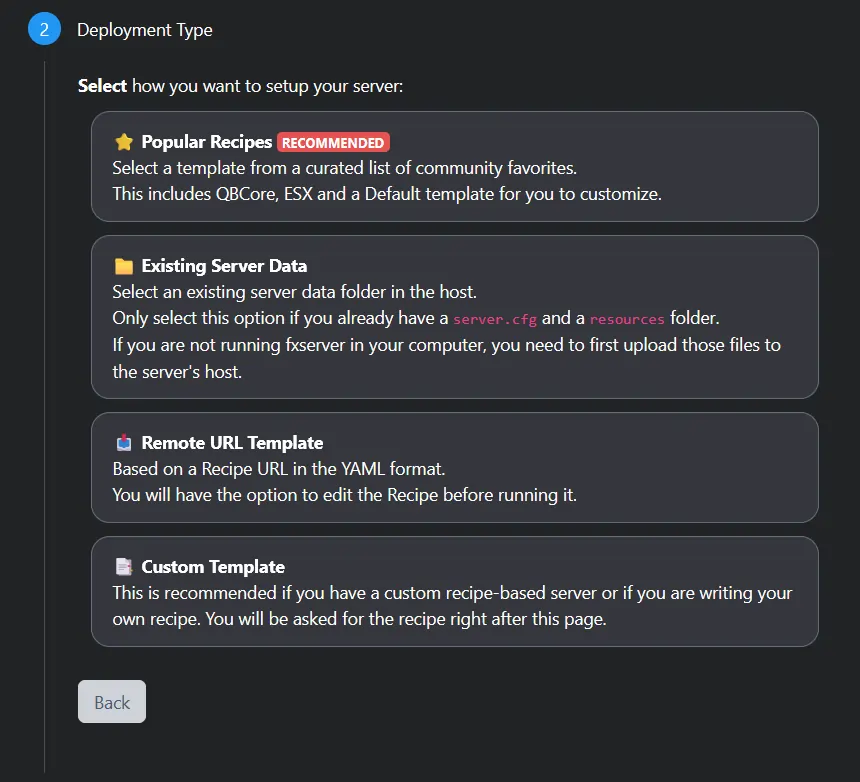
-
Select a server template. For this article, we will choose
FiveM Basic Server.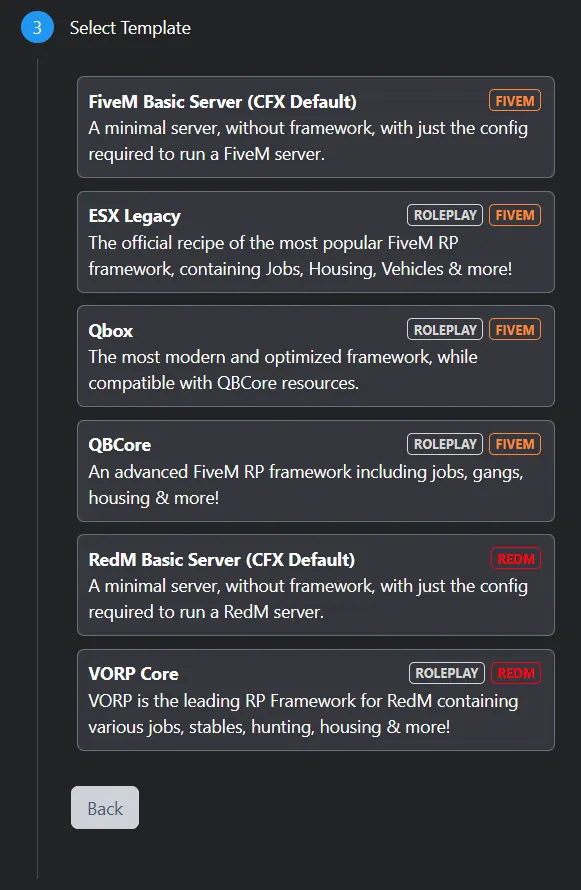
-
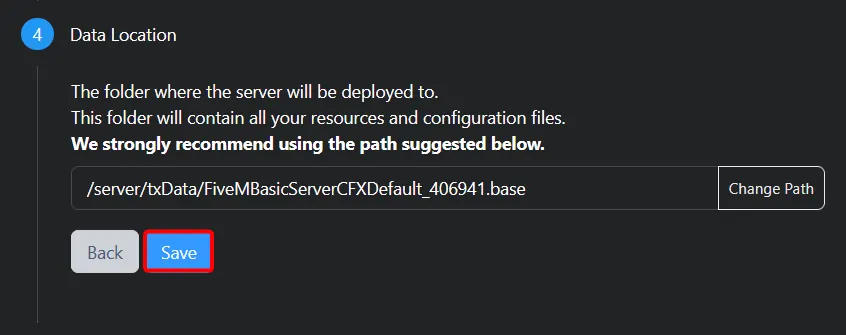
Confirm your Data Location by clicking Save.
-
Click
Go to Recipe Developer.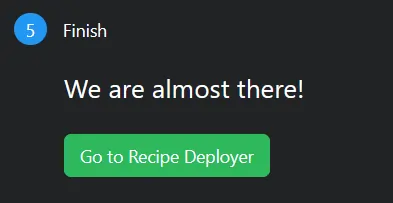
-
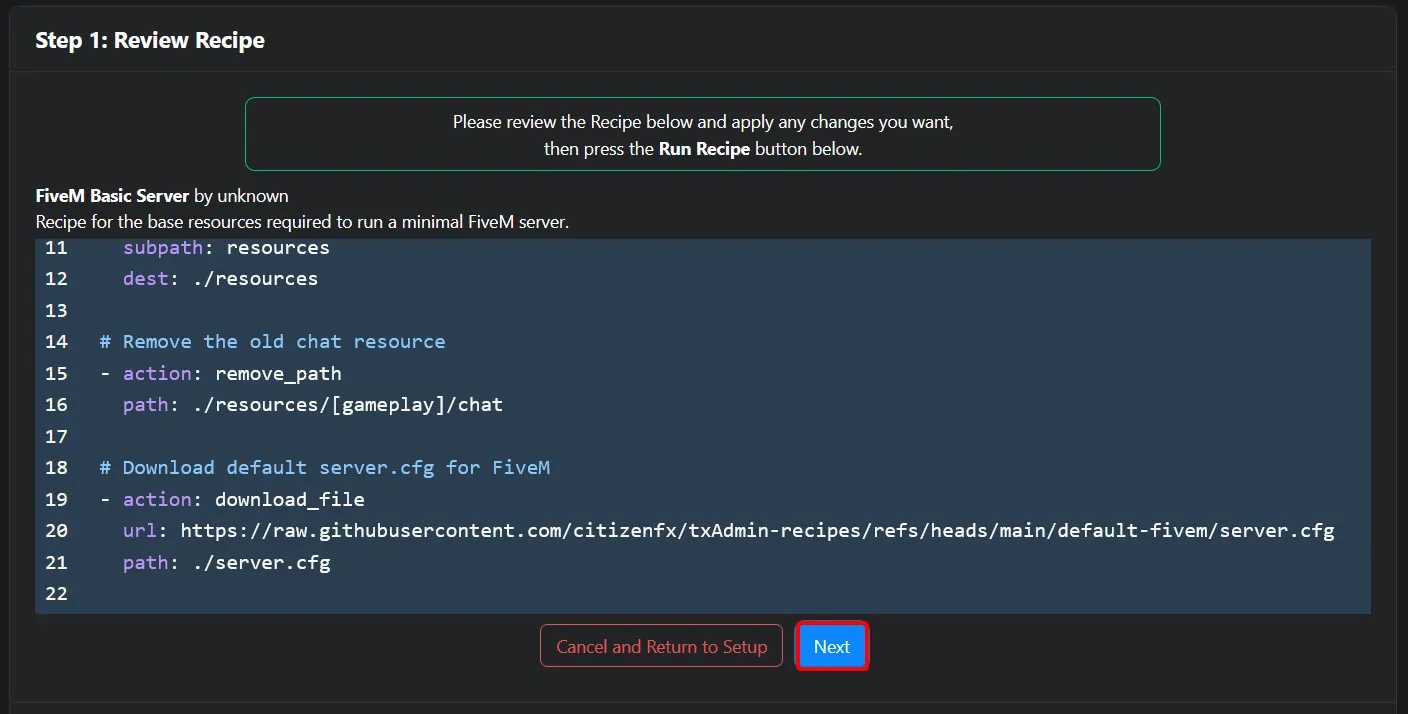
Review the generated recipe and click Next.
-
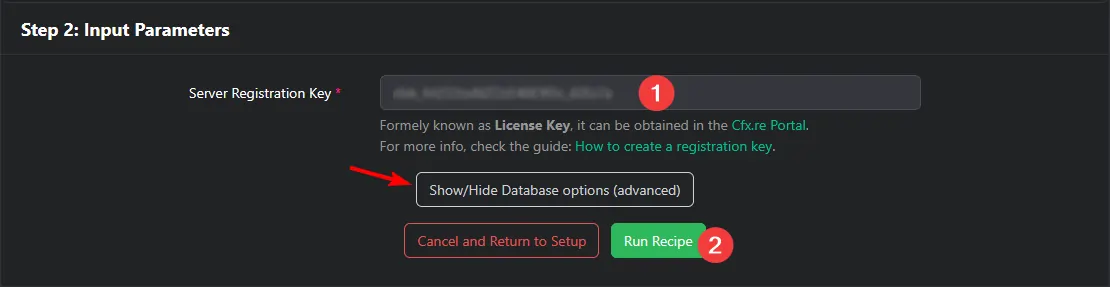
Enter your Cfx.re license key and click Run Recipe. More information on generating a Cfx.re license key can be found here.
Note:
Depending on the chosen template, your server might require a database to store information. If you see the Show/Hide database options button, please first follow this guide before continuing setting up your server.
-
Wait for the server to be deployed, then click Next.
-
Change your
server.cfgto configure the server's hostname, project name, project description, tags, and locale. A list of valid locales can be found here.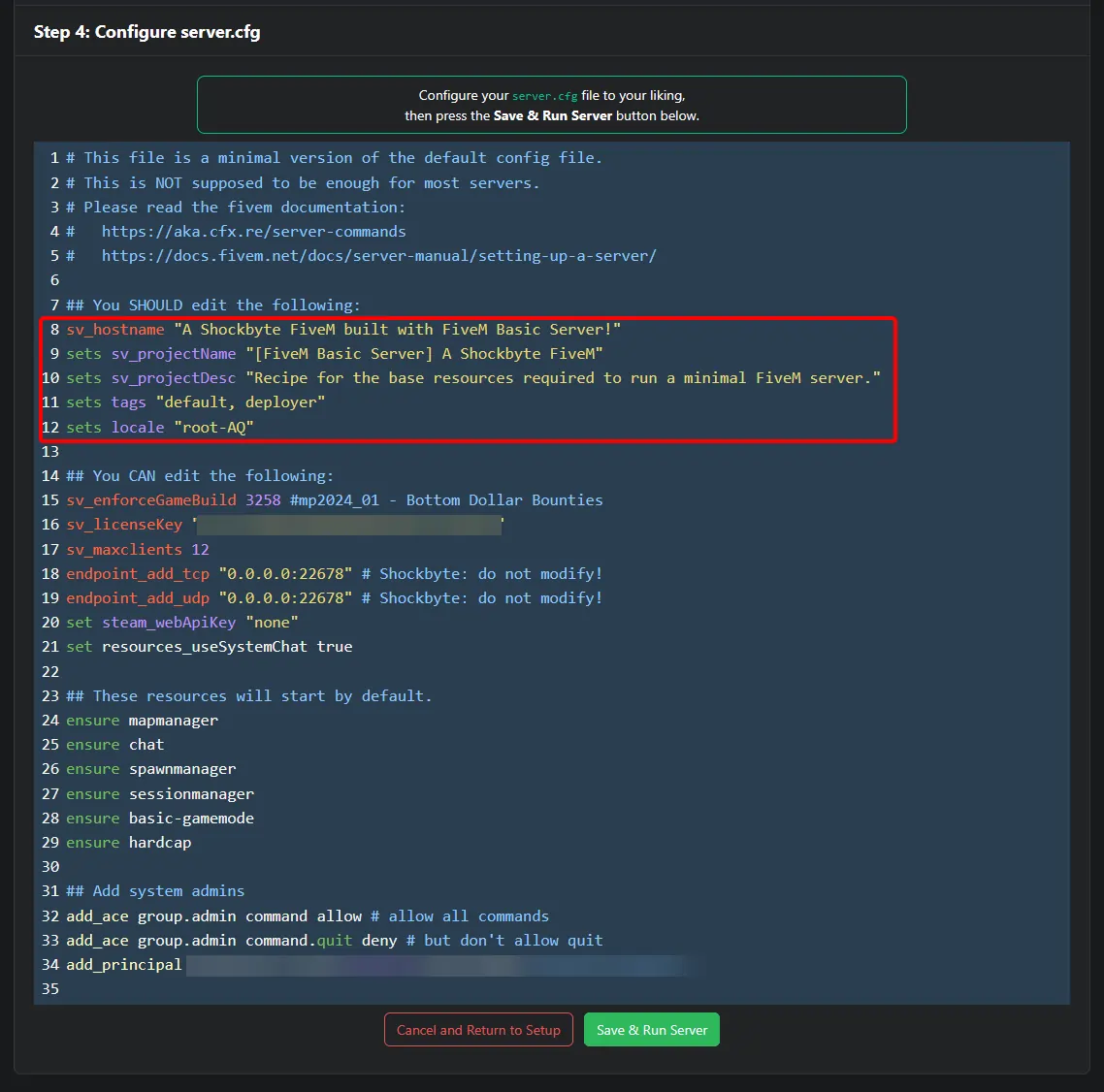
-
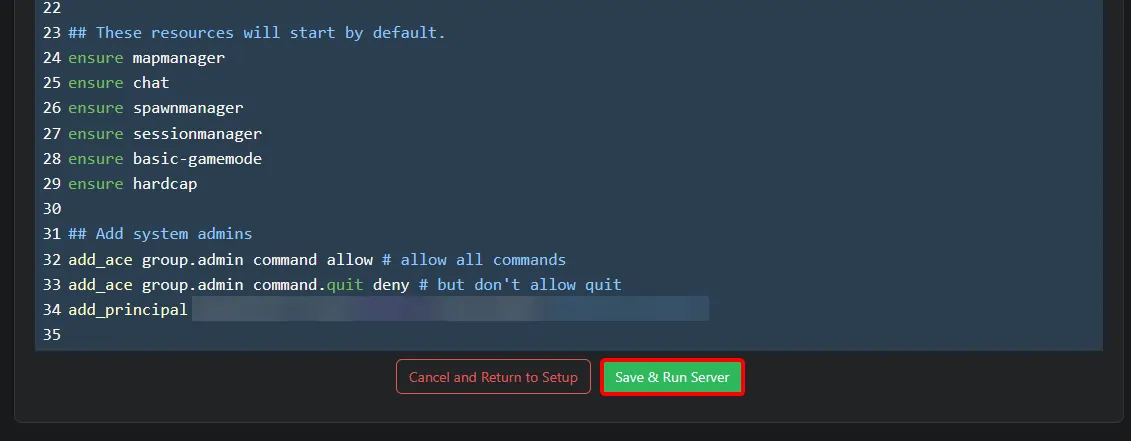
When done, click Save & Run Server.
Your FiveM server will now be online and joinable. To learn more about FiveM server hosting, you can browse our library of Knowledgebase articles here.