Still have questions?

Jay Miller
Game Engineer

How to Ban, Unban, or Kick a Player from your Unturned Server
Unturned servers allow you to ban, unban or kick a specific player should you need to.
Note
You will need to be a server administrator before you can use commands in-game. We have a guide on how to become an admin on your Unturned server, here.
Alternatively, you can use these commands via your control panel console by removing the / symbol before each command.
#Banning a Player
You can ban a player either through their in-game username or SteamID.
| Command | Description |
|---|---|
/ban (player) [reason] [duration] | Example: /ban playerName "griefing" 60. Bans a player with the optional reason of griefing for an optional duration of 60 seconds. |
/ban (Steam ID) [reason] [duration] | Example: /ban 012345678910 "griefing" 60. Bans a SteamID with the optional reason of griefing for an optional duration of 60 seconds. |
#Unbanning a Player
You can only unban a player through their Steam ID.
| Command | Description |
|---|---|
/unban (Steam ID) | Example: /unban 012345678910. This command unbans a specific player based on their SteamID. |
#Viewing a Banlist
You can run the following command to get a list of all players banned on your server.
| Command | Description |
|---|---|
/bans | You can use this command to get a full list of all server bans. The output of this command will be displayed on your control panel console. |
#Resetting a Banlist
If needed, you’ll be able to wipe your server ban list by resetting the Blacklist.dat file.
-
Access your Control Panel and Stop your server.
-
Navigate to the Files tab and locate the
/Servers/YOUR_WORLD_NAME/Server/directory. -
Locate and delete the
Blacklist.datfile(s).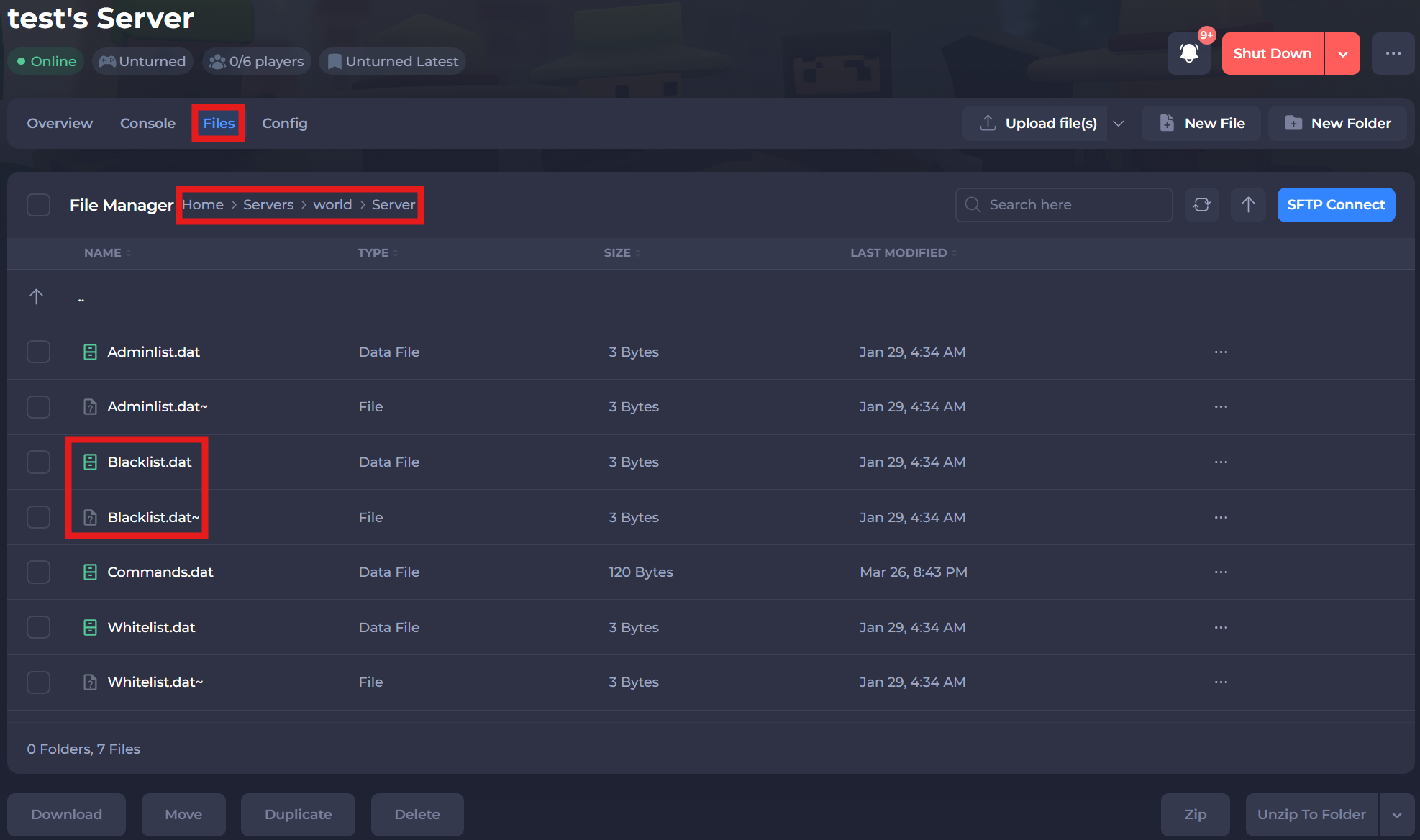
-
Restart your server to ensure the changes apply.
#Kicking a Player
You can temporarily remove any player from the server by running the following command.
| Command | Description |
|---|---|
/kick (player) [reason] | Example: /kick playerName "language". Kicks a player from the server with the optional reason of "language". Example: /kick playerName. Kicks a player from the server without a specified reason. |
If you require any further assistance, please contact our support at: https://shockbyte.com/billing/submitticket.php