Still have questions?
Come chat with us and we will get back to you as soon as possible!

Shockbyte
Support Team

How to Create Custom Races on your Assetto Corsa Server
Playing the same pre-made races can be repetitive; custom races are a great way to add variety to your Assetto Corsa racing and add a unique swing to your server.
Custom races are fully configurable events that allow you to customize a race exactly how you would like it, by giving you the ability to change features like selecting the track, cars, weather and more!
#Creating a Custom Race
To create a custom race, you will be required to access your Assetto Corsa servers' web panel.
-
Access your web panel by following this guide.
-
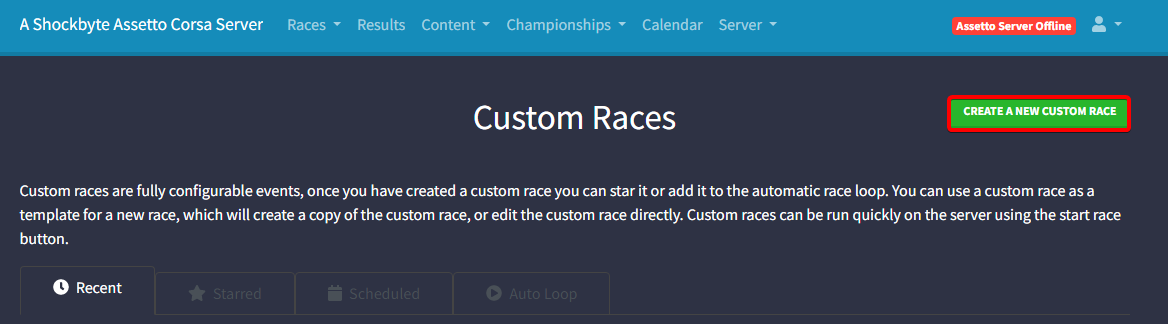
Click Custom Races.
-
Click Create a New Custom Race.
-
This page will provide the full configuration for creating a race. The table provided below will explain each section available.
| Section | Description |
|---|---|
| Track & Cars | Track & Cars are used to select the track, track layout and cars provided in the race. DLC & Modded cars are selectable. |
| Sessions | Sessions are split into 4 sub-sections: Race, Qualifying, Practice and Booking. |
| Entry List | An entry list is used to select the maximum number of drivers and add Entrant(s) to the race. |
| Assists | Assists are used to apply additional driver assistance to all players. |
| Weather | Weather is used to select the weather cycle used during the race and its configuration. |
| Realism | Adds realism features to the game for the more professional drivers. |
| Rules | Applies set rules to the server that players are required to follow to avoid punishment. |
| Server Options | Provides basic server management options. |
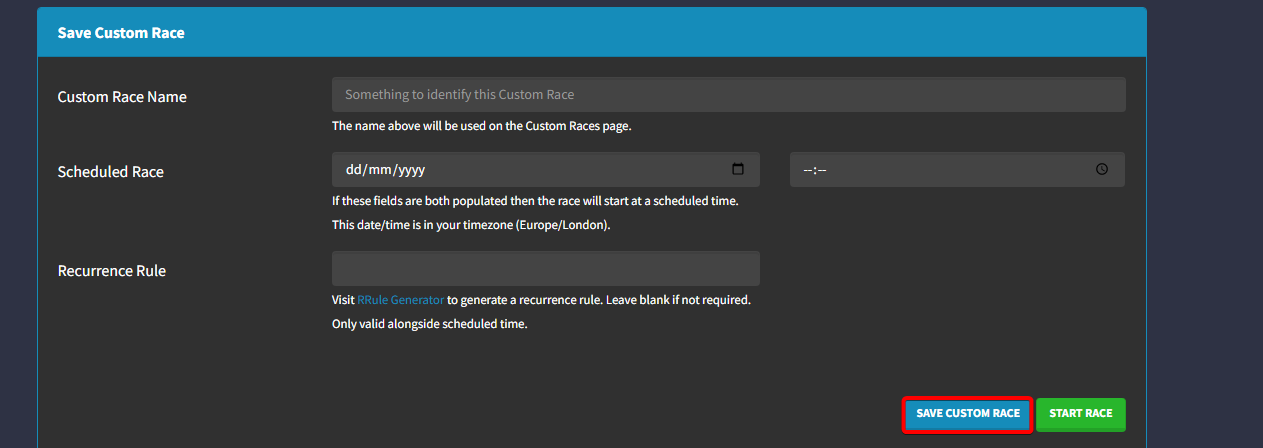
- Once the configuration is complete, click Save Custom Race.
#Using Custom Races
Once a custom race is created, you will be able to start a race using it.
-
Access your web panel by following this guide.
-
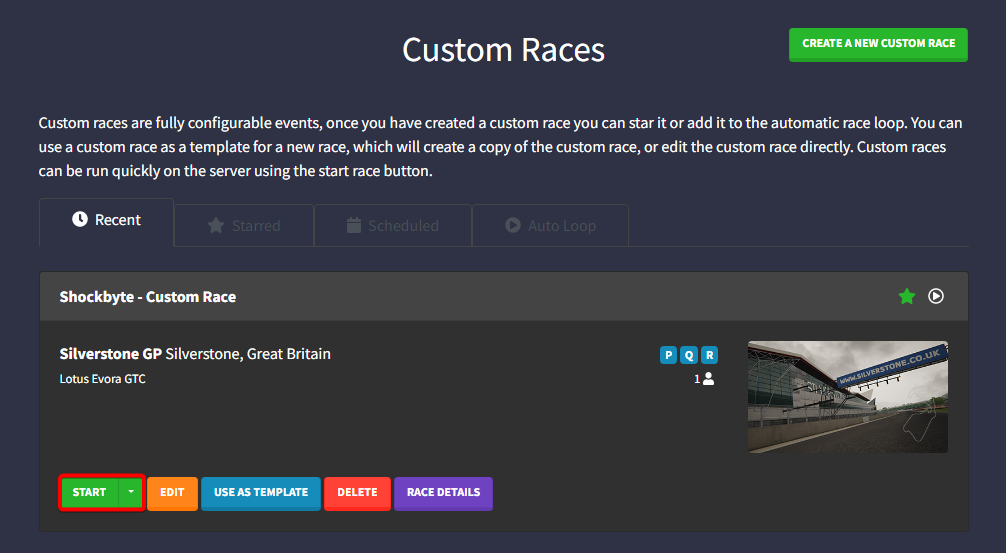
Click Custom Races.
-
Locate the Custom Race you wish to use, and click Start.
To learn more about Assetto Corsa server hosting, you can browse our library of Knowledgebase articles found here.
If you require any further assistance, don't hesitate to get in touch with our support at: https://shockbyte.com/billing/submitticket.php