Table Of Contents
Changing your Crossplay SettingsStill have questions?
Come chat with us and we will get back to you as soon as possible!

Shockbyte
Support Team

How to Enable Crossplay on Your RuneScape: Dragonwilds Server
Your RuneScape: Dragonwilds server has cross-play enabled by default. This guide explains how to change to different crossplay settings and limit your server to a specific platform.
You can configure this through the RuneScape: Dragonwilds config file located in the Settings section of your panel. The steps below will walk you through adjusting this setting to suit your preferred platform.
#Changing your Crossplay Settings
To limit your server's access to specific platforms on your RuneScape: Dragonwilds server, you will need to do so in the Settings area.
- Access your Control Panel and Stop your server.
- Navigate to the Settings tab and select the RuneScape: Dragonwilds Settings file.
- Locate the
Platform Policyoption. - Select the dropdown menu and select your desired platform. (
Crossplayallows all platforms to connect)
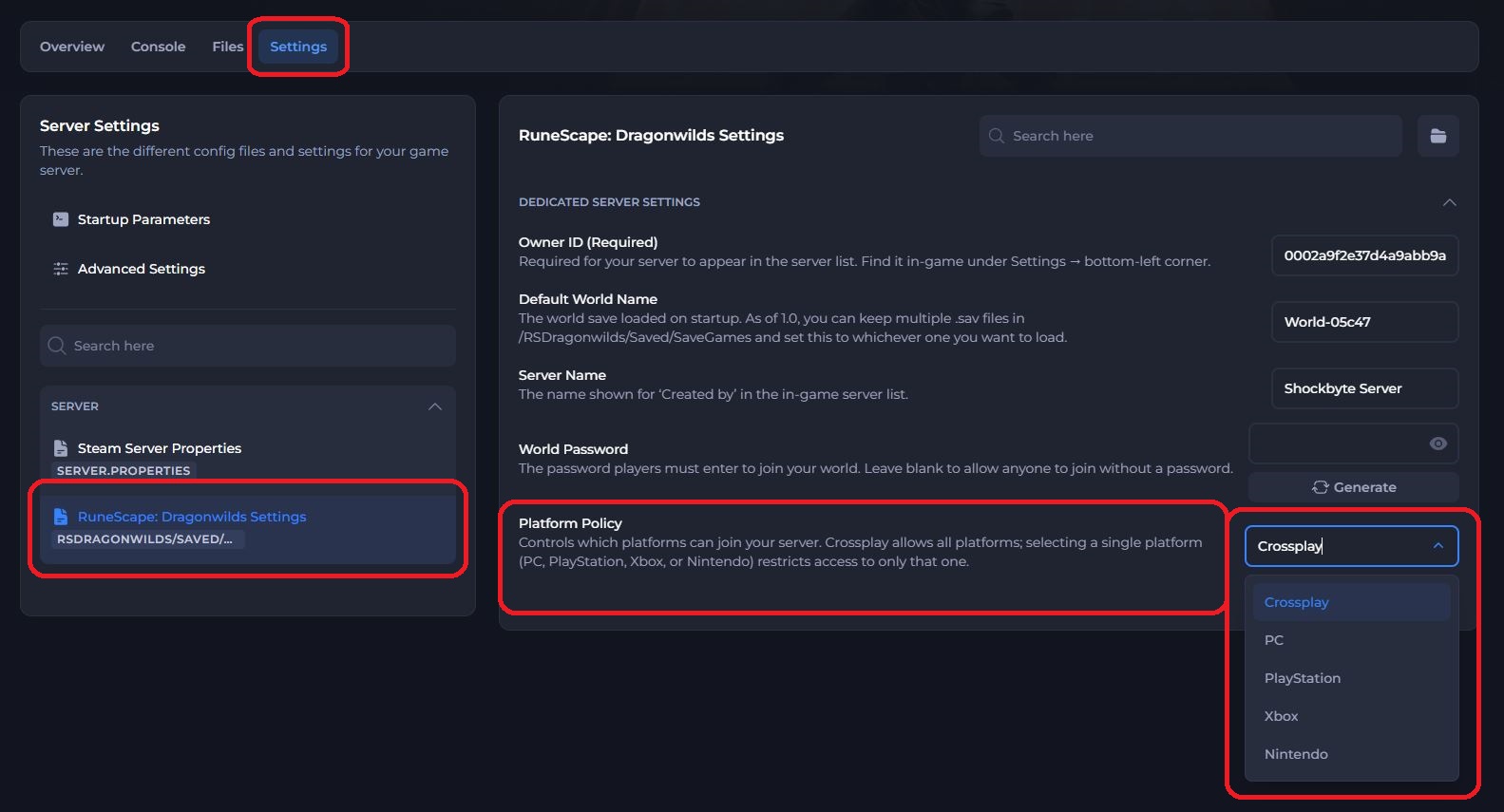
- Save and restart the server to ensure the new changes apply.
If you have Crossplay set as your Platform Policy, please note that some platforms may have delays in updates and may be a version or two behind the latest PC build. You will see a mismatch error on a server if your client version does not match the servers version.
Jagex often posts info on these update delays via their official Discord page here: https://discord.gg/rsdragonwilds
If you require any further assistance, please contact our support at: https://shockbyte.com/billing/submitticket.php