Still have questions?
Come chat with us and we will get back to you as soon as possible!

Shockbyte
Support Team
How to Generate a GSLT for your Garry's Mod Server
In Garry's Mod, servers without a GSLT set will be hard to find in the community listing. By setting this token, your server will be positioned higher in the server listings.
#Why Get a GSLT Key
Many source games such as Garry's Mod prefer you to have what is known as a GSLT token in order to run your server. This is done to ensure that servers are created by real people and to add accountability to someone if those servers violate the game's Terms or Service.
In order to be able to generate a GSLT, you must have a steam account which:
- Is not banned or blocked.
- Is not limited.
- Has a qualifying registered phone.
- Owns the game for the server you are making a key for.
- Has not reached the cap of 1,000 GSLT keys.
If your server is found to be breaking Valve's ToS, the server and your linked steam account may be banned.
#Obtaining a GSLT Key
-
First, make sure that you are logged into Steam Community.
-
Navigate to Steam Game Servers Account.
-
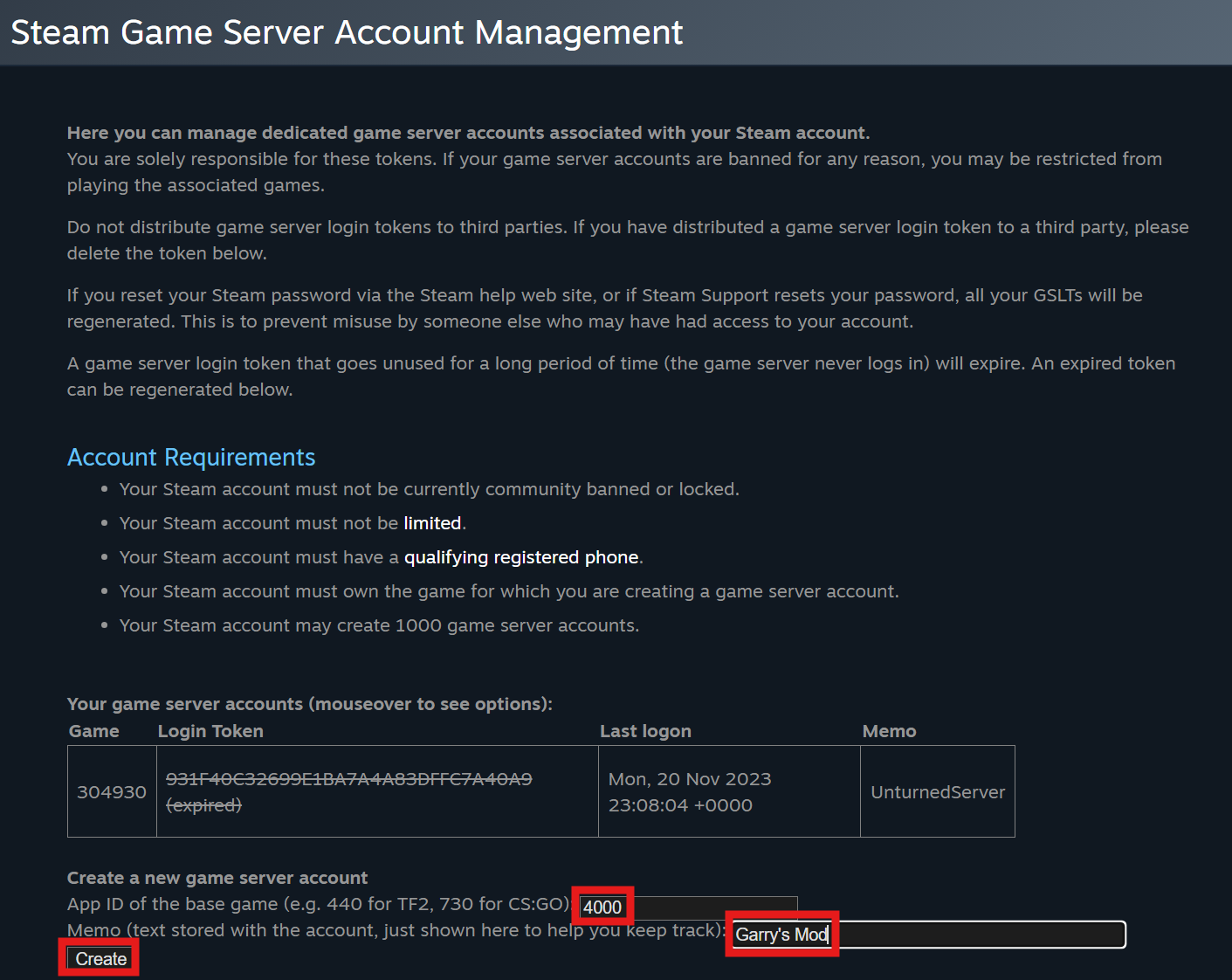
At the bottom of the page, fill out the App ID value of the game (Garry's Mod is 4000).
-
Add a memo or note if you want. Select the Create button.
-
Your GSLT key is the Login Token that will appear.
#Adding your GSLT Key
-
Access your Control Panel and Stop your server.
-
Navigate to the Config tab and select the Garry's Mod Game Settings file.
-
Locate the
Steam GSLT Keysetting and add your newly generated GSLT key to the field.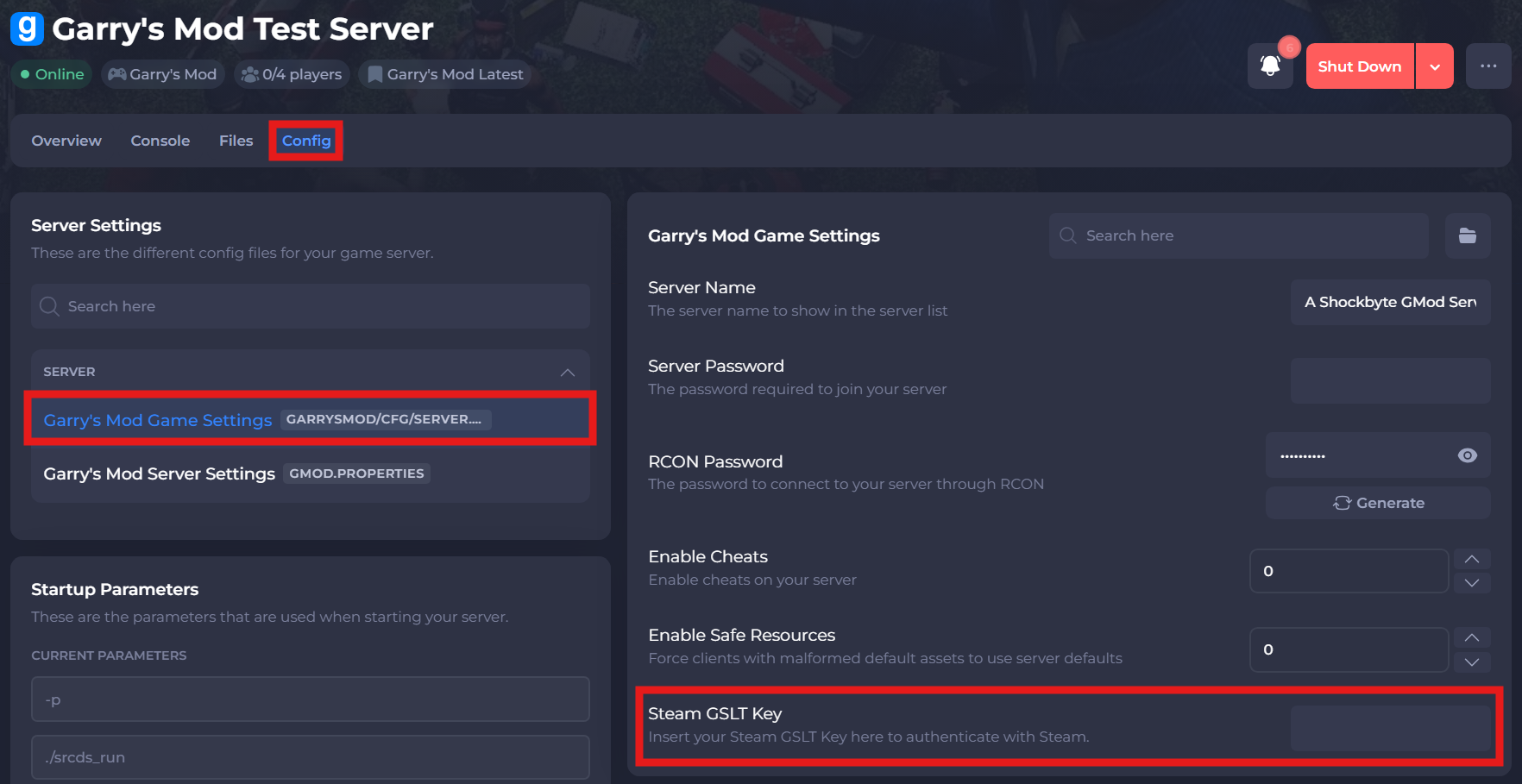
-
Save and restart your server to ensure the new changes apply.
If you require any further assistance, please contact our support at: https://shockbyte.com/billing/submitticket.php