Table Of Contents
Installing Mods on Your ClientStill have questions?
Come chat with us and we will get back to you as soon as possible!

Shockbyte
Support Team
How to Install Mods on your Necesse Client
If you intend on using mods on your Necesse game server you will need the same mods installed locally as well. If you want to install mods on your Necesse server you can follow this article.
Some mods are client-side only (like texture packs for example) and do not need to be installed on your server.
#Installing Mods on Your Client
To install mods, you must download and install them from the Necesse Steam Workshop and then enable them in-game.
-
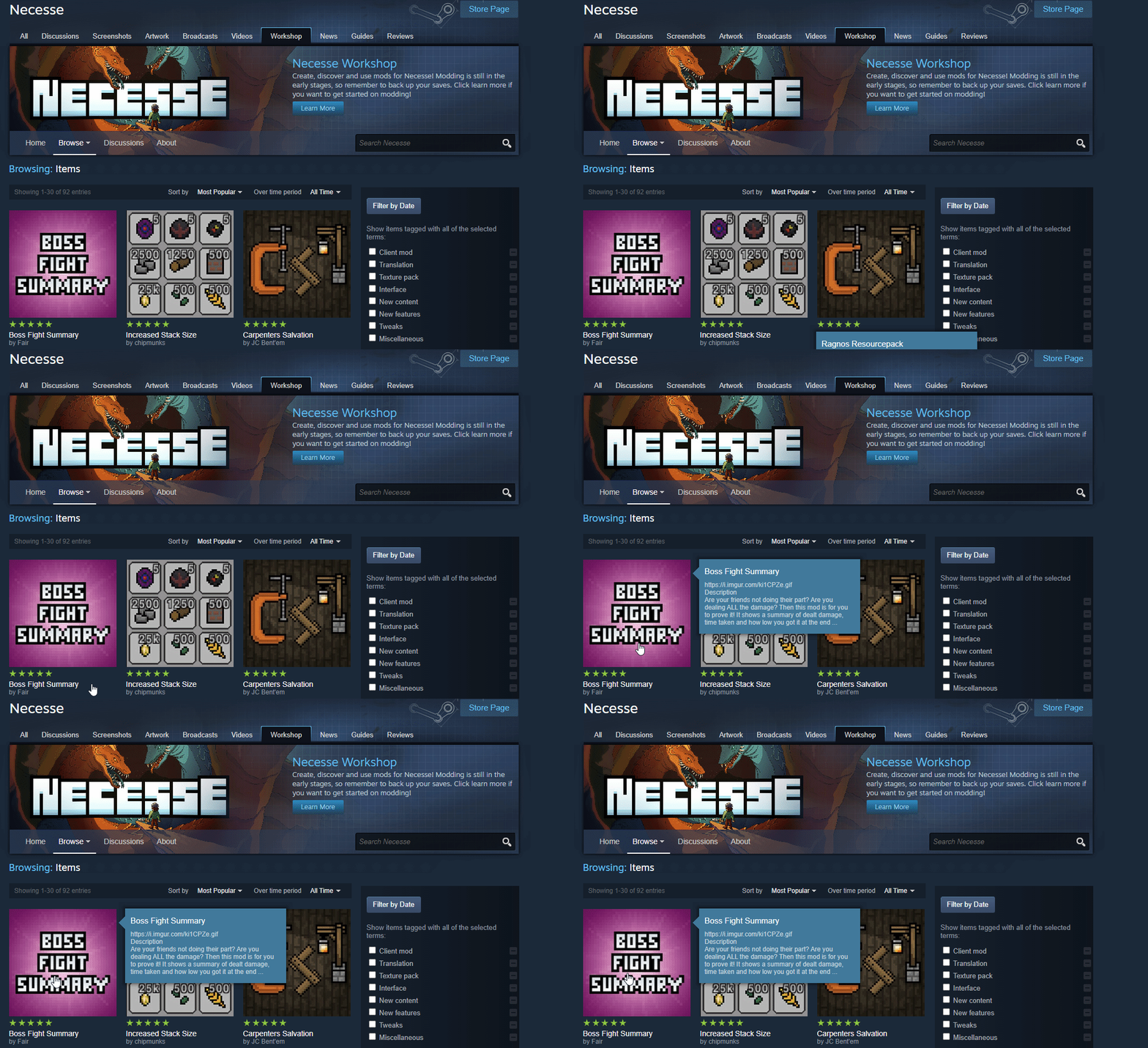
On your Steam client, navigate to the Necesse Steam Workshop.
-
Locate your desired mod, and select it.
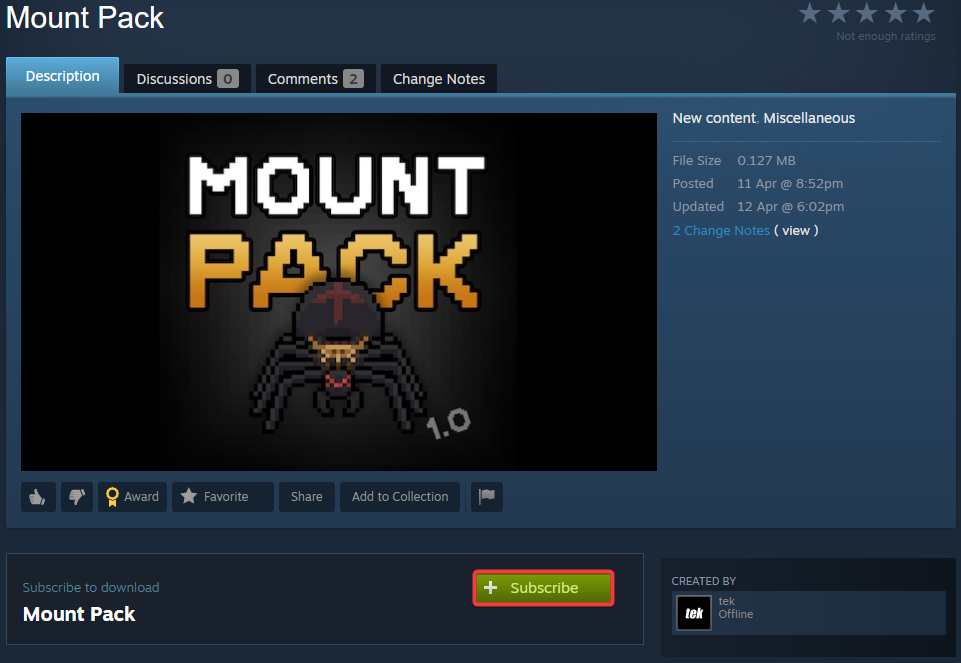
- Click the Subscribe button to start downloading.
-
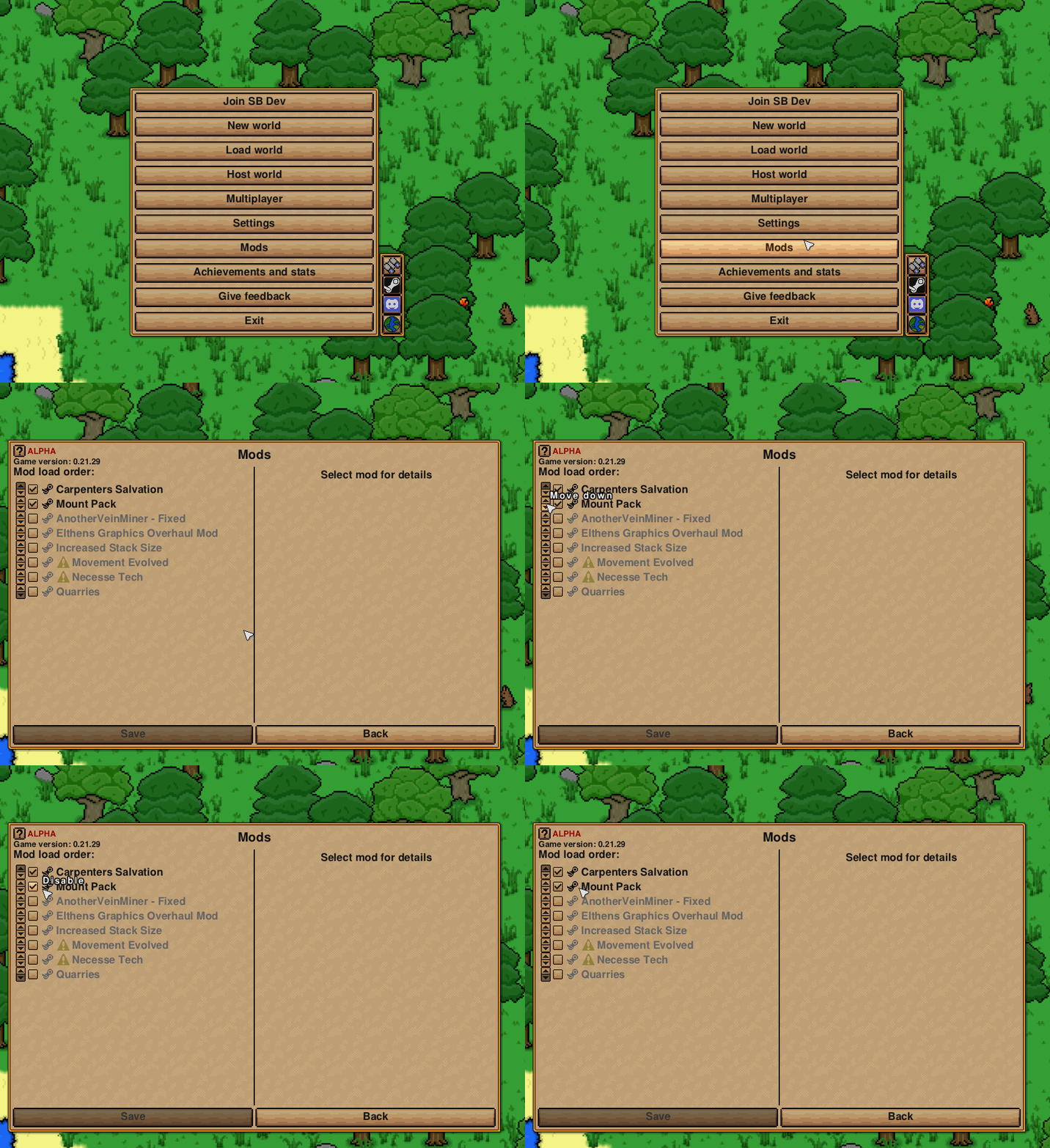
After downloading the mod, launch your Necesse game client.
-
Open the Mods page and ensure your desired mods are enabled.
To learn more about Necesse server hosting, you can browse our library of Knowledgebase articles here.