How To Install SourceMod & Metamod On Your Counter Strike: Source Server
Table Of Contents
Installing SourceMod & MetamodStill have questions?
Come chat with us and we will get back to you as soon as possible!

Jay Miller
Game Engineer

How To Install SourceMod & Metamod On Your Counter Strike: Source Server
SourceMod and Metamod are the foundational modding frameworks for Counter-Strike: Source servers, with Metamod serving as the essential base layer required for SourceMod to function.
Together, they provide the necessary infrastructure to run custom scripts and plugins. Most iconic community features such as Zombie Escape, Surf, and advanced admin tools rely on this combination to transform the standard game experience.
Tip
We recommend using WinRAR to create and extract .zip files, which can be found here.
#Installing SourceMod & Metamod
To install SourceMod and Metamod on your server, download the SourceMod files and upload them to your server files.
-
Access your Control Panel and Stop the server.
-
Navigate to the SourceMod downloads page and download the latest Linux version.
-
Navigate to the Metamod downloads page and download the latest Linux version
-
After downloading SourceMod and Metamod extract the two into the same directory.
-
Access your Server Control panel and Navigate to the Files tab.
-
Locate and Open the cstrike folder.
-
Upload the contents of the folder you extracted the two archives into your server's cstrike directory.
-
Start your server.
-
Type
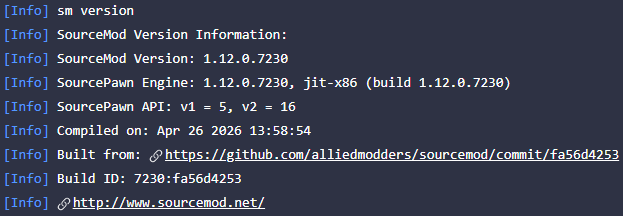
sm versionin your console's input box and hit enter. If you see something like this in your console you're all done! Yay!