Still have questions?
Come chat with us and we will get back to you as soon as possible!

Shockbyte
Support Team

How to Install the Emergency Lighting System (ELS) on your FiveM Server
The Emergency Lighting System (ELS) allows you to add advanced and realistic emergency vehicle lighting to your FiveM server. This guide walks you through installing ELS-FiveM and configuring ELS-enabled vehicle mods.
Important
Please ensure that you have followed the Getting Started with your FiveM Server guide before proceeding with the following steps.
#Downloading ELS
Begin by downloading the latest version of ELS-FiveM from the Assets section. Once the download is complete, extract the archive and open the ELS-FiveM folder.
Step 1: Download ELS-FiveM
-
Download the latest ELS-FiveM version from the official source (under Assets).
-
Once downloaded, extract the archive.
-
Open the extracted ELS-FiveM folder.
Step 2: Configure ELS-FiveM
-
Inside the ELS-FiveM folder, locate the file:
vcf.default.lua -
Make a copy of this file and rename the copy to:
vcf.lua
Note
Do not delete vcf.default.lua. It should remain in place as a reference file.
Optional: Additional settings can be modified in config.lua, but for most servers the default configuration works perfectly.
#Upload the Resource
-
Go to your Shockbyte Control Panel.
-
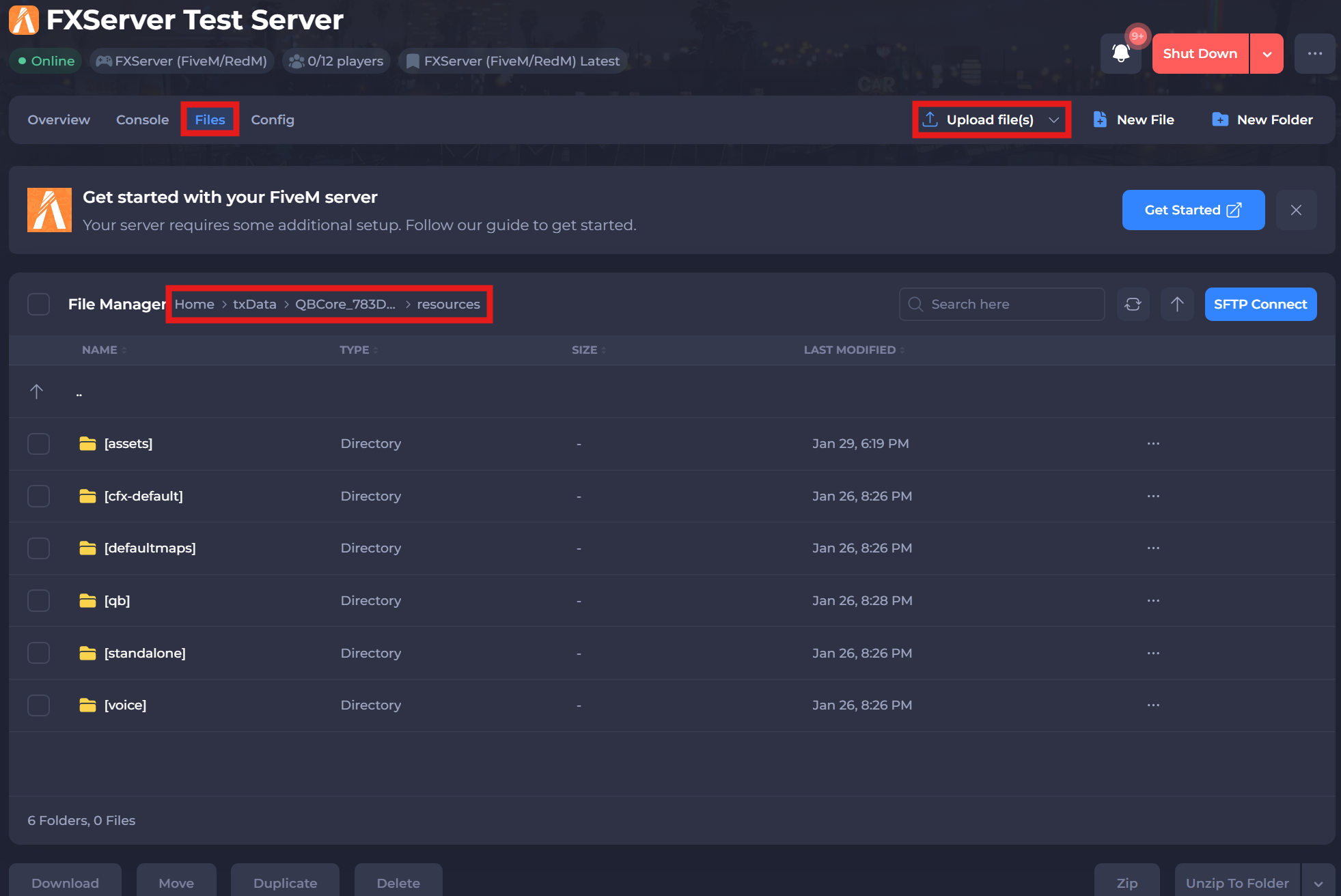
Navigate to the Files tab, and locate the following directory:
/txData/QBCore_XXXXX.base/resources. Upload the entireELS-FiveMfolder to this directory by selecting Upload File(s).
#Configure ELS Vehicle Mods (Carmods)
To enable ELS on custom vehicles, you’ll need the vehicle’s ELS configuration file.
-
Upload the ELS Configuration
-
Download an ELS-enabled vehicle mod.
-
Locate its ELS configuration file (commonly named something like):
autoname.xml
(In this example, the file is called scpdvic.xml.)
- Upload this
.xmlfile to the following directory:ELS-FiveM/vcf
#Register the Vehicle in vcf.lua
-
Open the
vcf.luafile inside the ELS-FiveM folder. -
Add a new entry for the uploaded .xml file.
Note
Ensure that every line before the last ends with a comma, or ELS will fail to load correctly.
- Save the file.
#Activating the Resource in txAdmin
-
Go to your Shockbyte Control Panel.
-
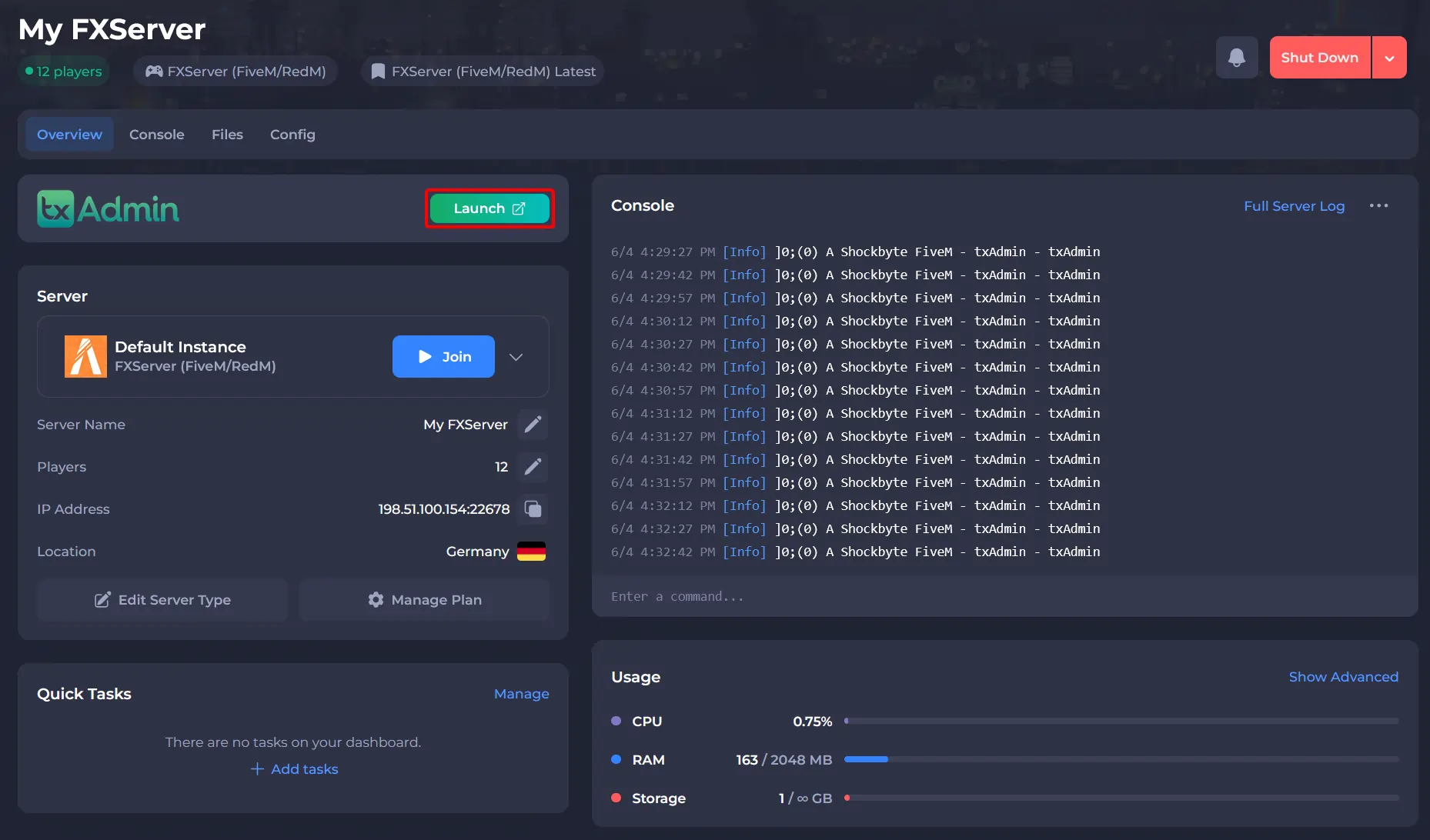
Launch txAdmin.
-
Navigate to the CFG Editor area and add the line:
ensure ELS-FiveM
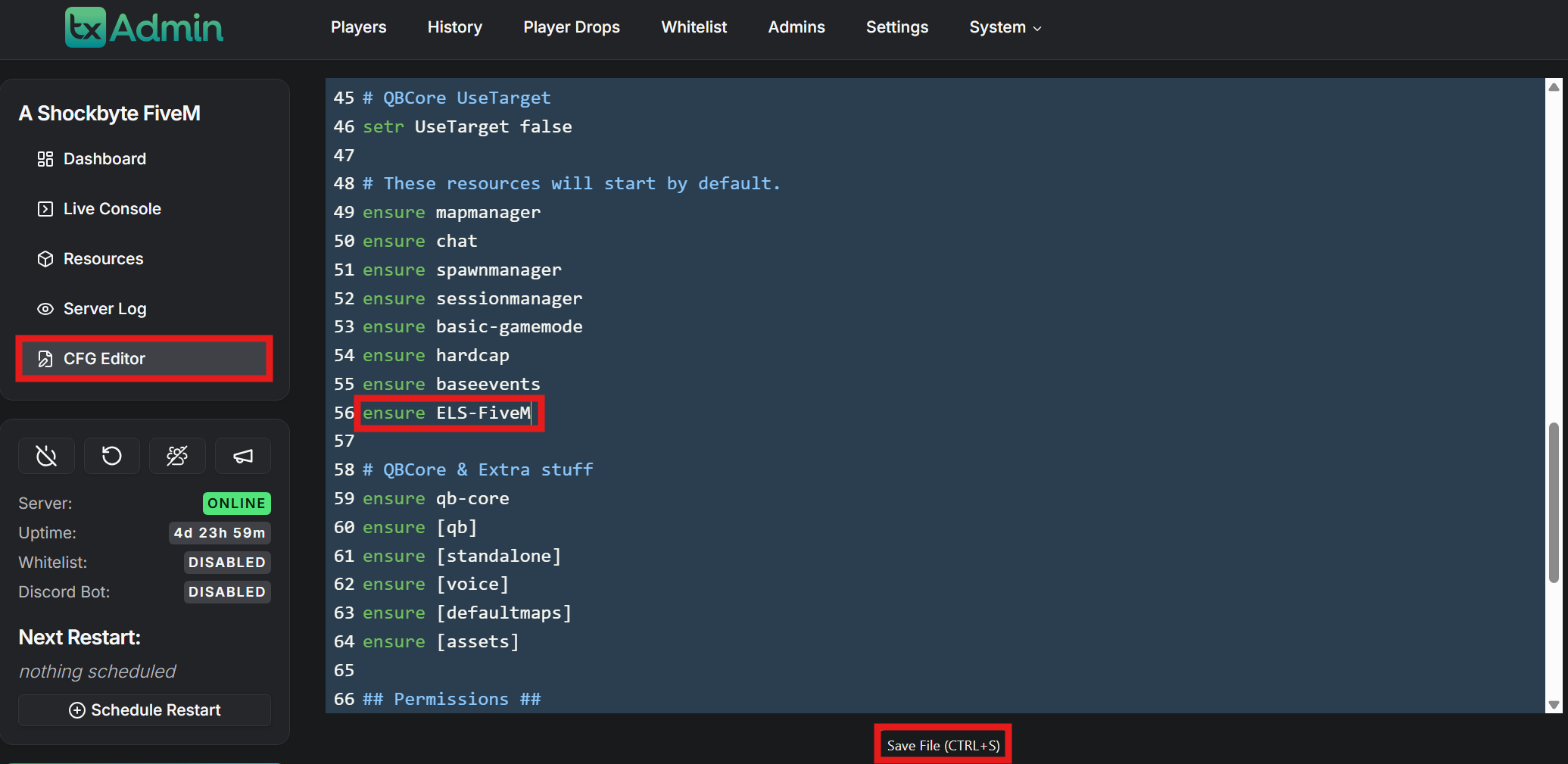
- Save the file.
To learn more about FiveM server hosting, you can browse our library of Knowledgebase articles here.