Table Of Contents
Adding a PasswordStill have questions?
Come chat with us and we will get back to you as soon as possible!

Shockbyte
Support Team

How to Make your Space Engineers Server Private
This guide explains how to make your Space Engineers server private. This can be done directly through the config area by setting a password, restricting access to only those you choose to invite.
By following this guide, you'll be able to secure your server and ensure only trusted players can connect and join your world.
#Adding a Password
-
Access your Control Panel and navigate to the Config tab.
-
Locate the
Server Passwordsetting and set your desired password.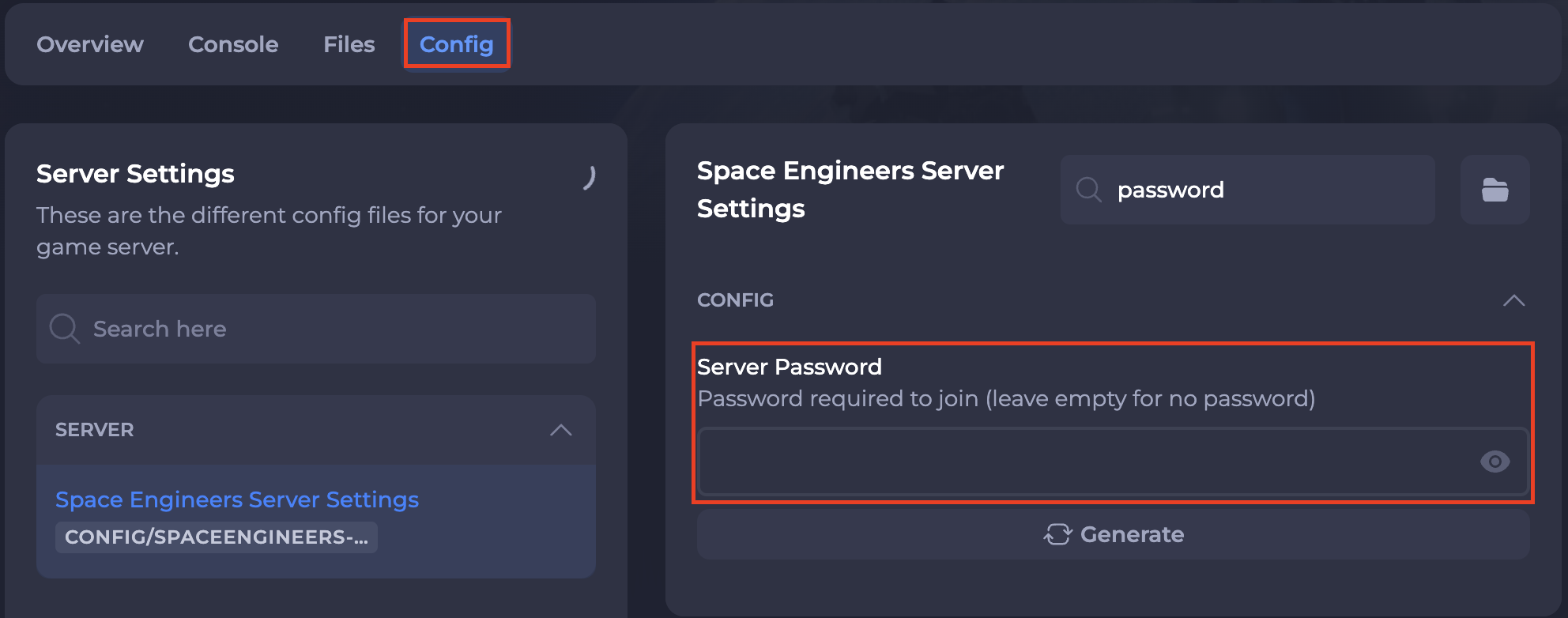
-
You can also set the
Online Modesetting to eitherPrivateorFriendsto only allow your friends or only you to be able to join your server.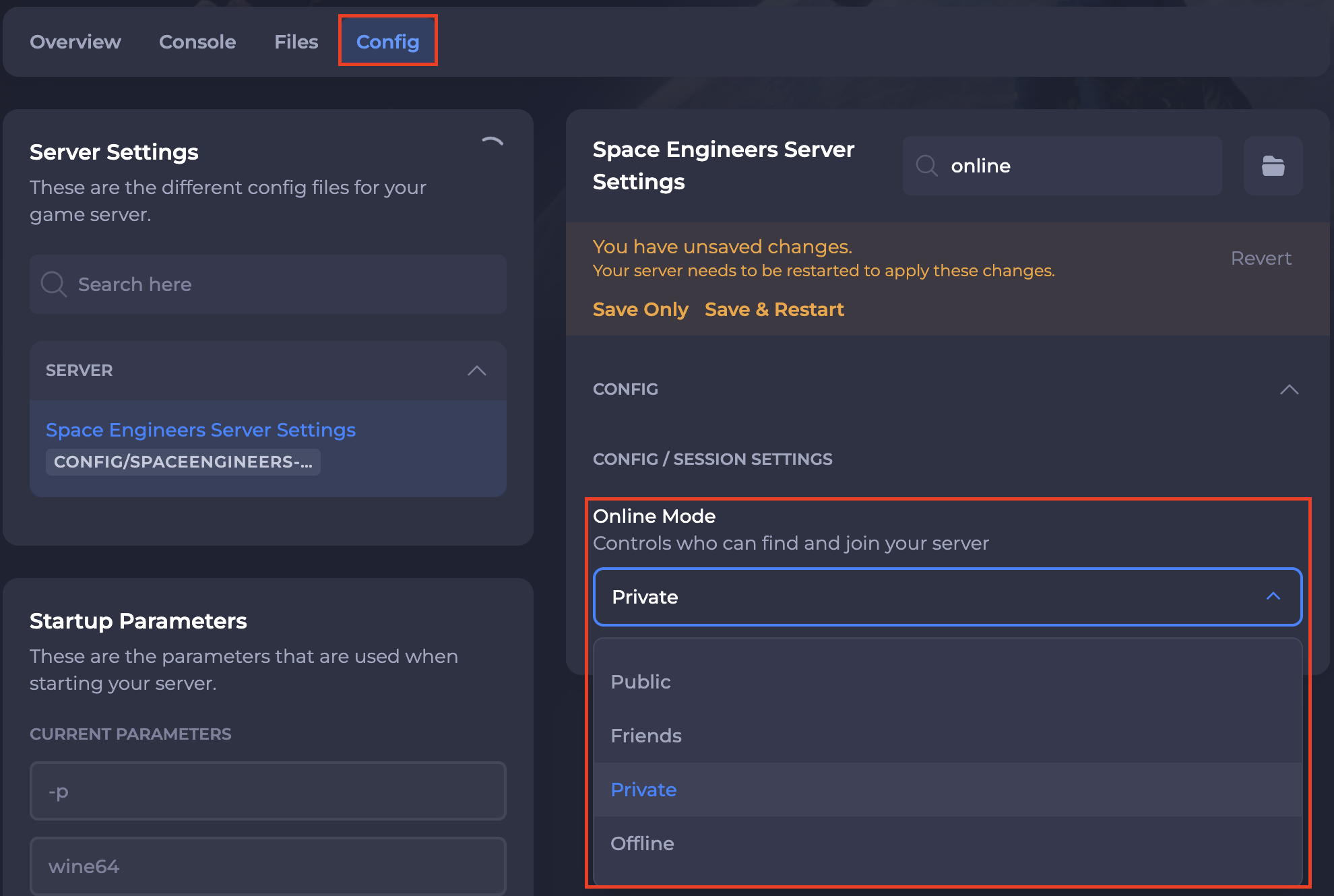
-
Save and restart your server to ensure the new changes apply.
If you require any further assistance, please contact our support at: https://shockbyte.com/billing/submitticket.php