Table Of Contents
How to Pin a Quick ActionStill have questions?
Come chat with us and we will get back to you as soon as possible!

Zach Lowery
Game Experience Engineer
How To Pin Quick Actions On Your Server
With our Shockbyte Panel, users have access to Quick Actions - which are handy little actions you can perform at any time on your server.
These are usually accessed by navigating to the Tasks tab on the panel, however if you would like quicker access you can pin any Quick Action to your server overview.
#How to Pin a Quick Action
-
Navigate to the Quick Tasks tab on the left menu.
-
Find the Quick Action you wish to pin, and click on the three-dot icon beside Run.
For the purpose of this tutorial, we will use the Server Lockdown task.
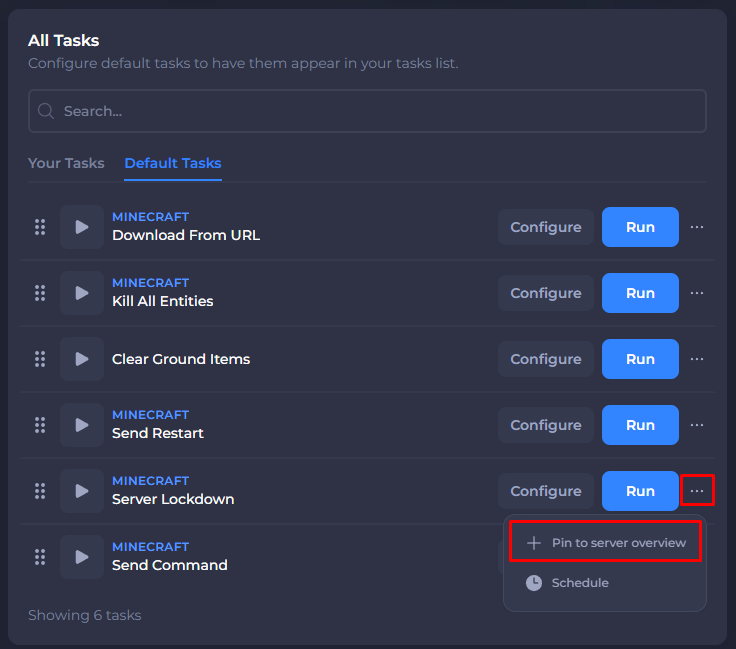
- Click Pin to server overview.
After pinning the task, it will be available from your server's main page under the Server Information section.
That's it! You have successfully pinned a quick action to your server overview page.