Table Of Contents
Setting a World SeedStill have questions?
Come chat with us and we will get back to you as soon as possible!
Contact Support
Nathan Franklin
Game Experience Engineer
How To Set The Seed Of Your World On Your Aska Server
Aska
·Mar 5, 2025
·2 min read
In Aska, the world seed determines the procedural generation of the landscape, including terrain, resources, and environmental features.
Note
Setting a world seed is only possible when creating a new world. If you wish to use a custom seed, you must generate a new save.
#Setting a World Seed
You can set your world seed in the config area of the panel.
-
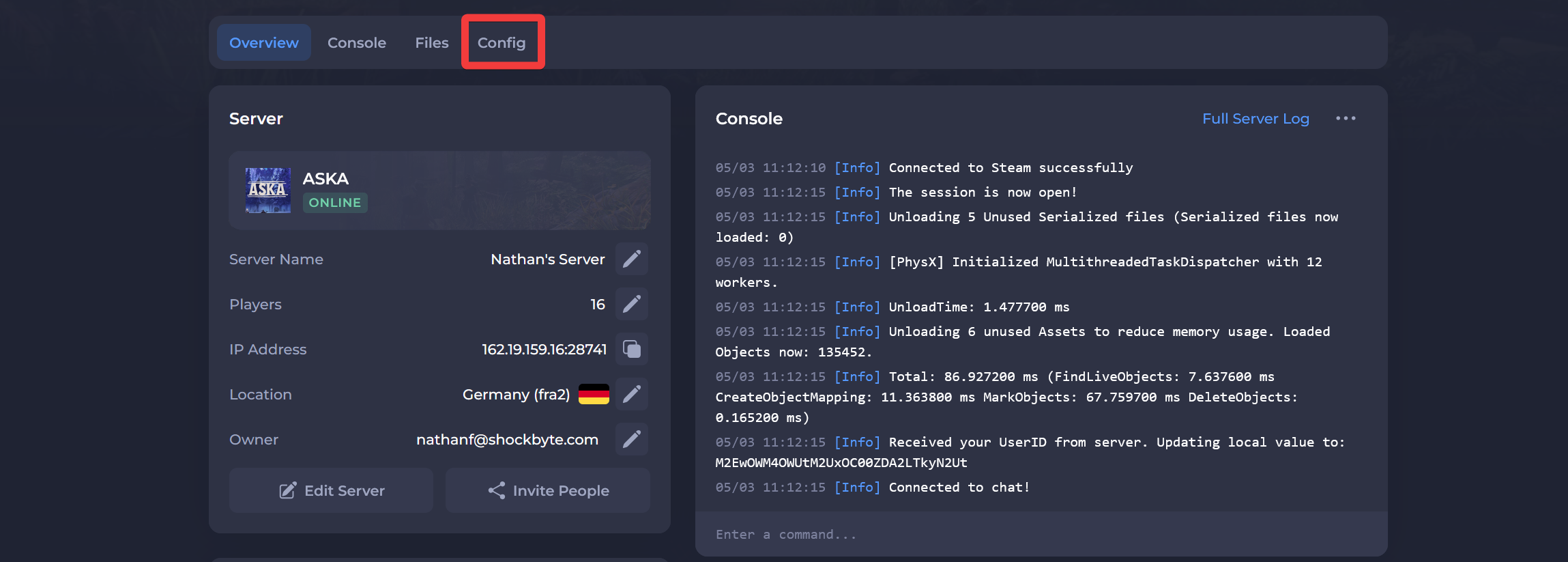
Navigate to the Panel.
-
Click Config.
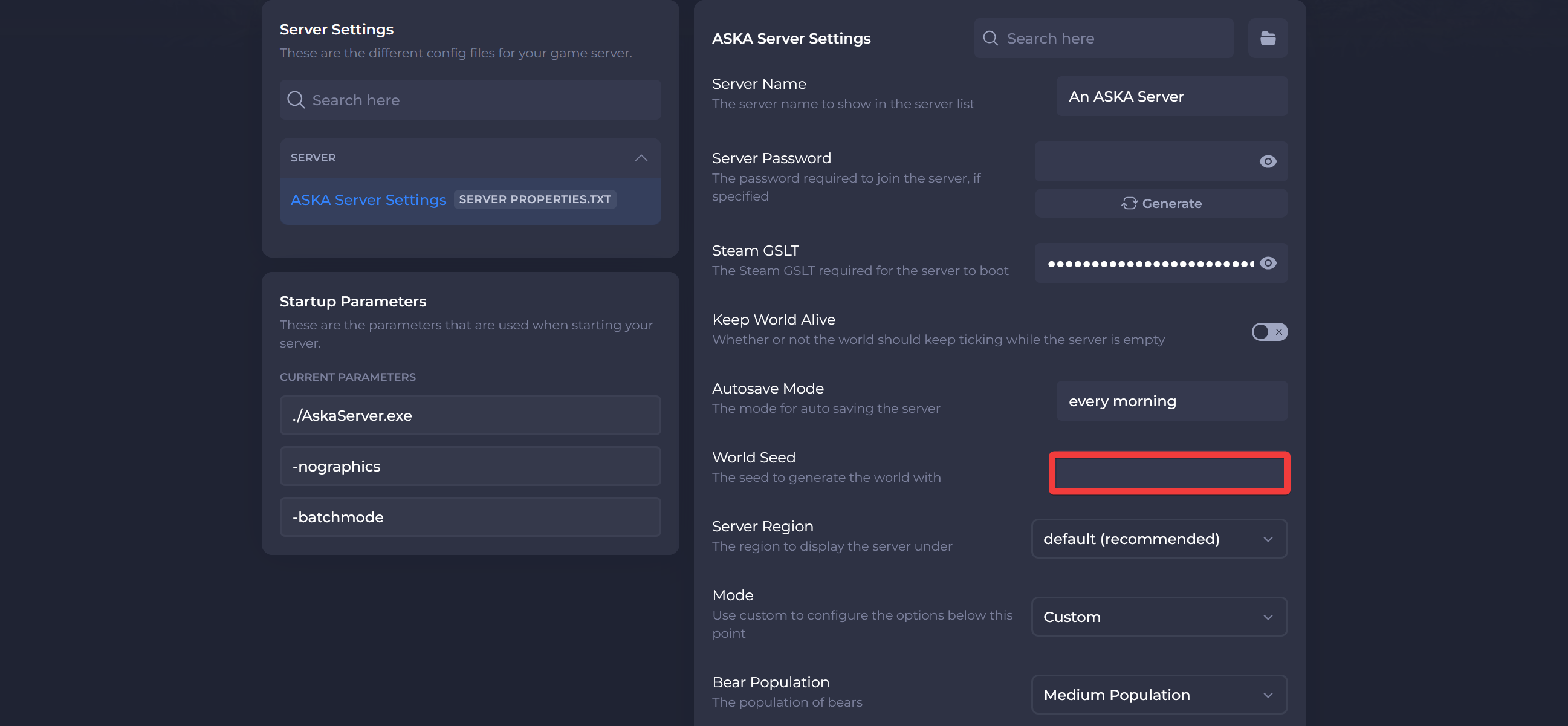
- Locate the World Seed field and enter your desired value.
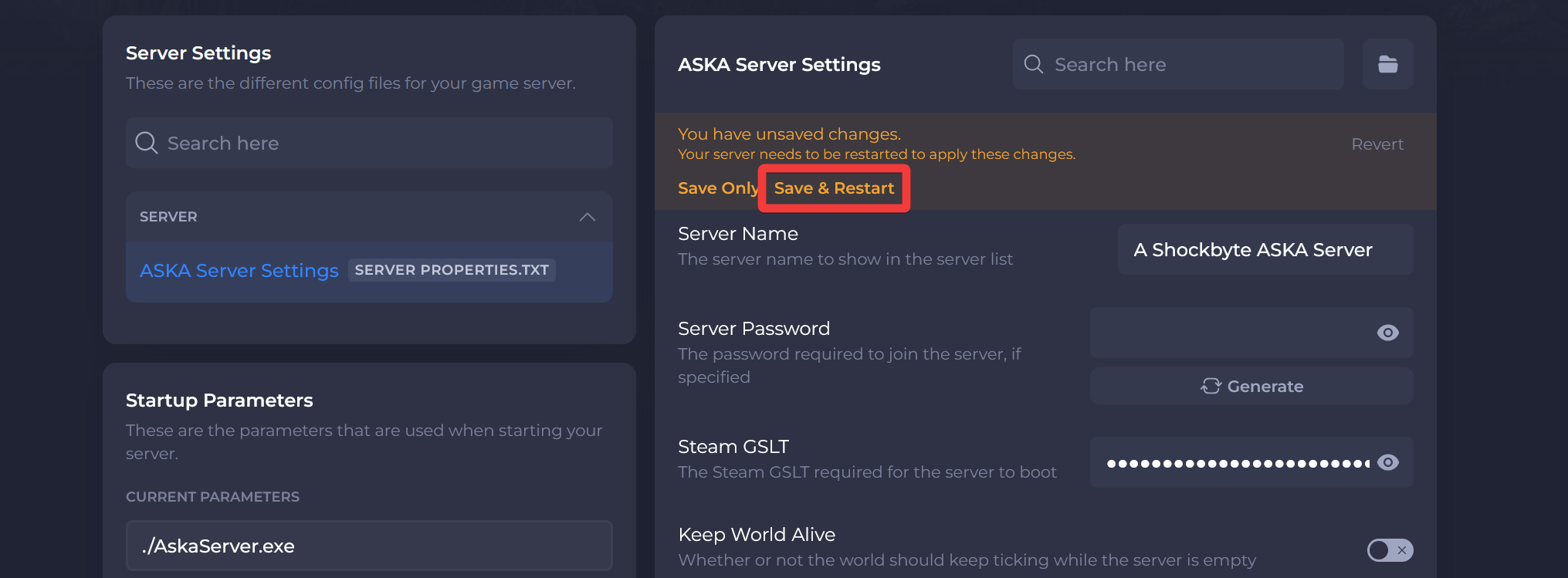
- Click Save & Restart.
Interested in purchasing an Aska server with instant activation, easy customisation, and great & extensive Knowledgebase articles? Click here to purchase one!
To learn more about Aska Server Hosting, you can browse our Knowledgebase article library here.